Documentation / Advanced Configurations
Custom Addons and manage on CVE
Custom Add-ons & CVE Management
Extend the Prancer pentest engine with your own ZAP add-ons (for example, a Log4Shell or OpenSSL CVE check). You publish the add-on plus a small metadata.yaml to a Git repository, register a Git connector in Prancer, store your Git token in the Vault, and reference the add-on from your PAC config.
Note: This flow is for ZAP add-ons (.zap files). For Nuclei templates or custom scripts, see Custom Nuclei Templates and Custom Add-on Scripts.
Before you start
- A Git repository (GitHub, GitLab, Bitbucket, or Azure DevOps) — public or private.
- A personal access token with
repoandread:userscope (see your provider's docs). - A built ZAP add-on file (for example,
log4j-alpha.zap). - An existing PAC application created from the PAC Wizard.
1. Lay out the Git repository
Place each add-on inside its own folder, alongside a metadata.yaml file that tells ZAP how to load it.
Git repository
└── Log4Shell
    ├── log4j-alpha.zap
└── metadata.yamlmetadata.yaml:
Name: log4j
Type: addon
Engine: Java
Description: Apache Log4j2 versions 2.0-beta7 through 2.17.0 (excluding 2.3.2 and 2.12.4)
Charset: UTF-8
Dependency:
  Addons:
    - oast
    - network
2. Create or open a PAC application
Create the application from the PAC Wizard. You will get a baseline PAC config you can extend in the next steps.
3. Upload a Git connector
Create a cve_connector.json and drag-and-drop it onto the collection in PAC Management.
{
  "branchName": "openssl",
  "companyName": "prancer",
  "fileType": "structure",
  "gitProvider": "https://github.com/prancer-io/prancer-custom-attack.git",
  "httpsAccessToken": "secret-git-key",
  "private": true,
  "type": "filesystem"
}
| Field | Description |
| --- | --- |
| gitProvider | Clone URL of the repository. |
| branchName | Branch that holds the add-on files. |
| companyName | Your organization name. |
| httpsAccessToken | The Vault key name where your Git PAT is stored (set in step 4). |
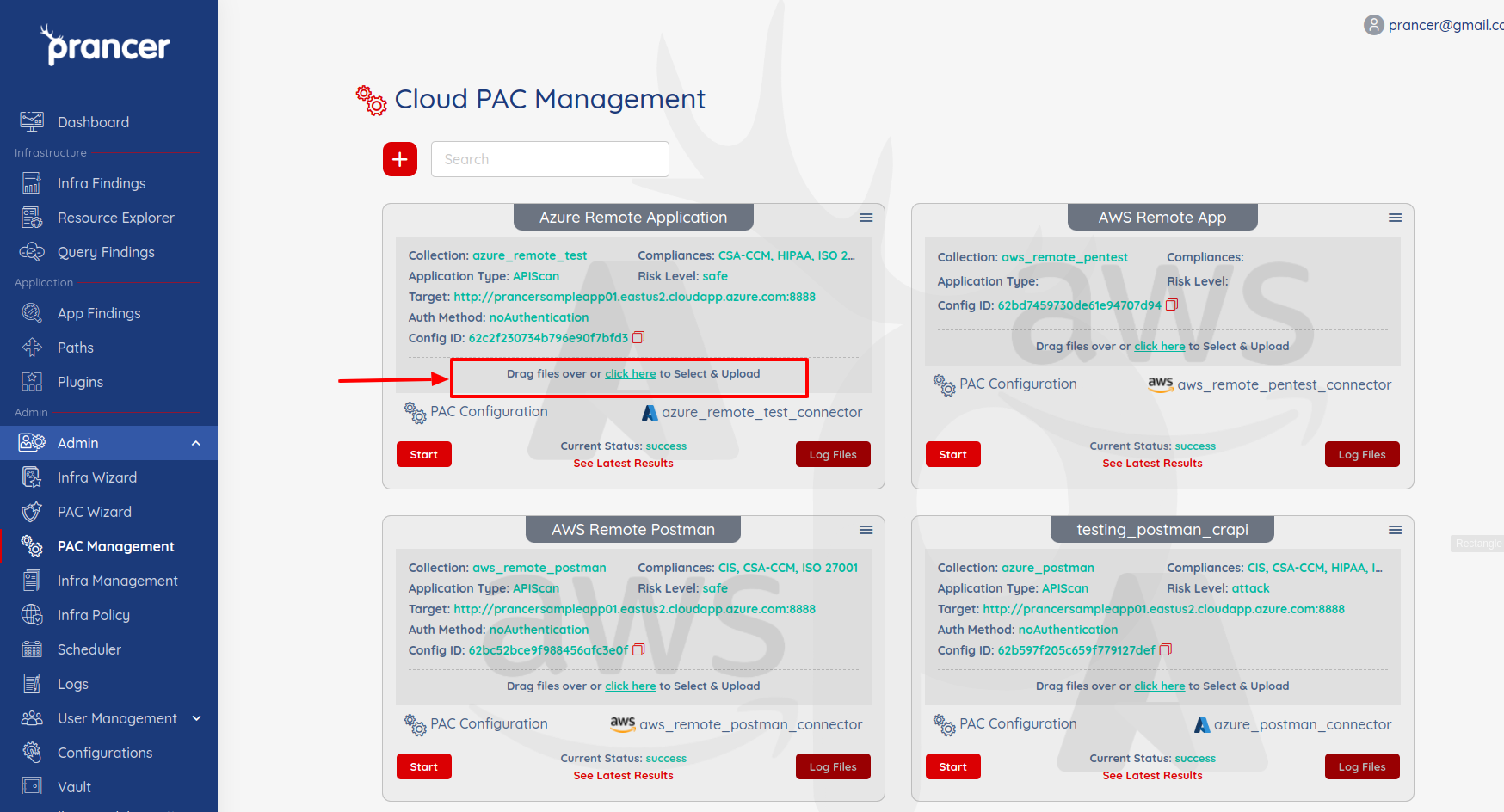
4. Store the Git token in the Vault
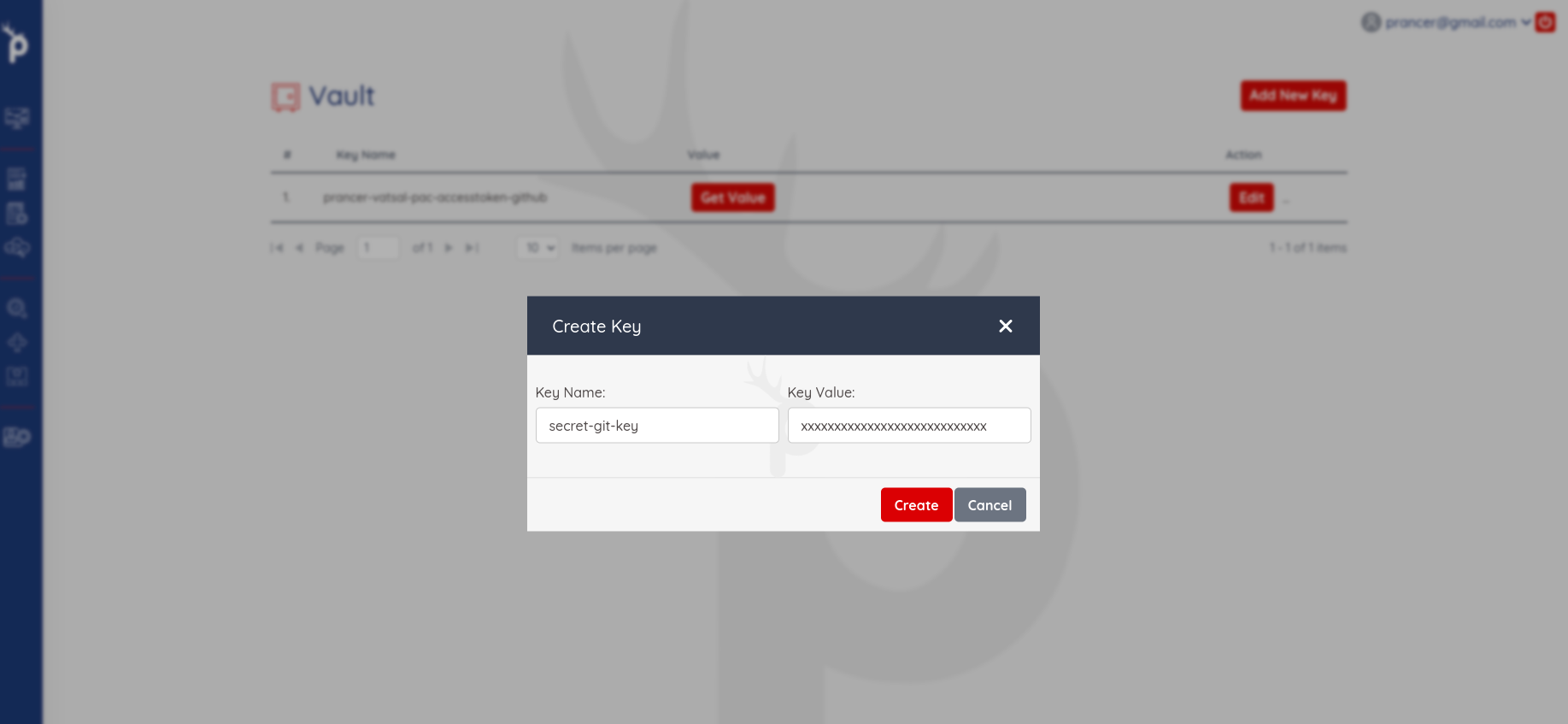
Create a new Vault entry whose Key Name matches the httpsAccessToken value above and whose Key Value is your Git PAT.
Tip: GitHub PAT scopes needed:repo(full control of private repos) andread:user.
5. Update the PAC config
Open PAC Management and edit the PAC configuration for your application.
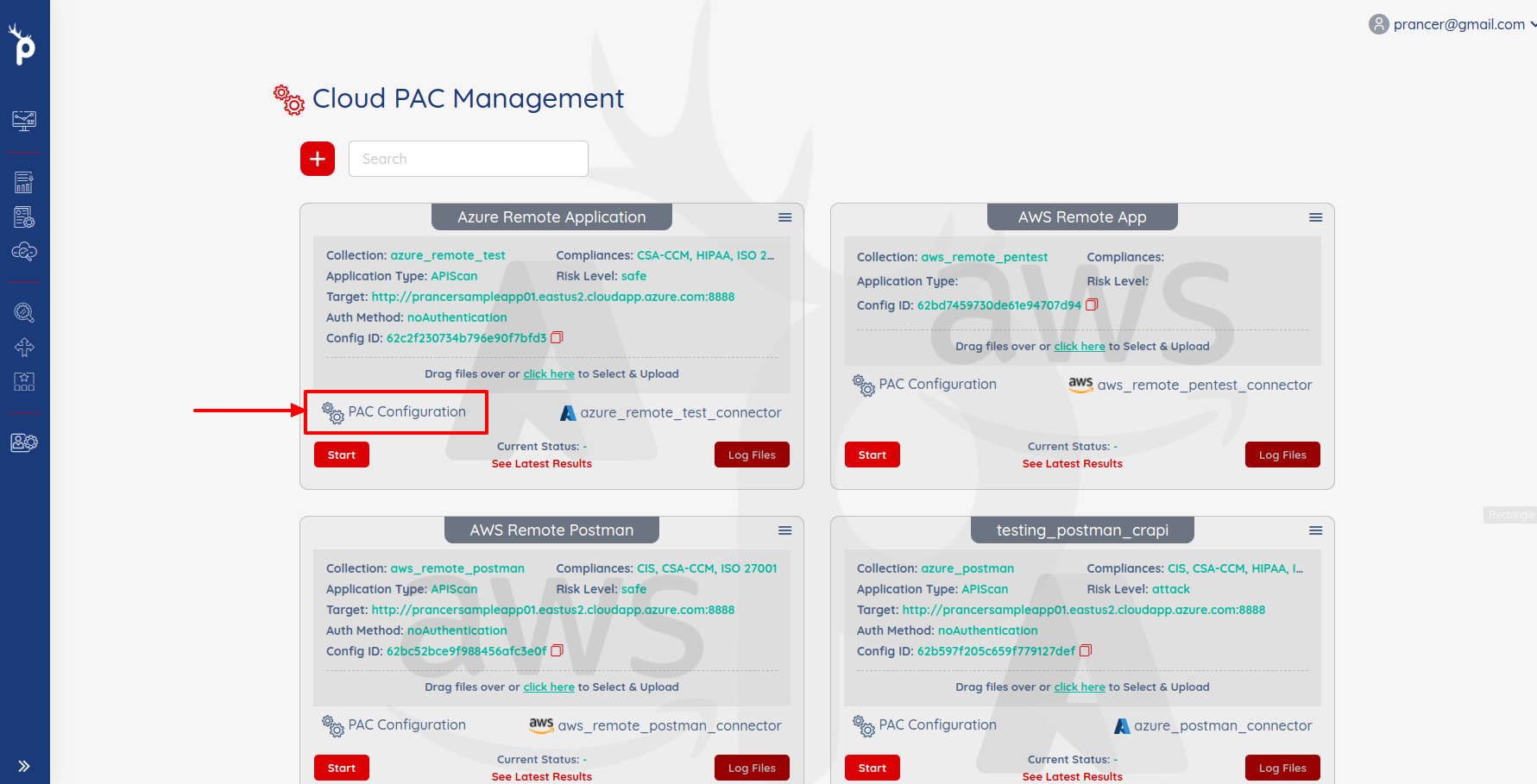
Add a CVE section that points at your Git connector and selects which add-on folders to load.
CVE:
  - Path:
      Include:
        - log4shell
        - opensslCertificate
      Exclude: []
    Connector: cve_connector
    Metadata: ""
    Parameters: {}
    Secrets: {}
| Field | Description |
| --- | --- |
| Connector | Name of the Git connector created in step 3. |
| Path.Include | Regex list of add-on folders to load. |
| Path.Exclude | Regex list of folders to skip. |
Warning: Folder names inIncludeare matched as regex. Anchor them (^log4shell$) if you have similarly-named folders.
6. Run the pentest
Click Start in PAC Management to launch the scan.
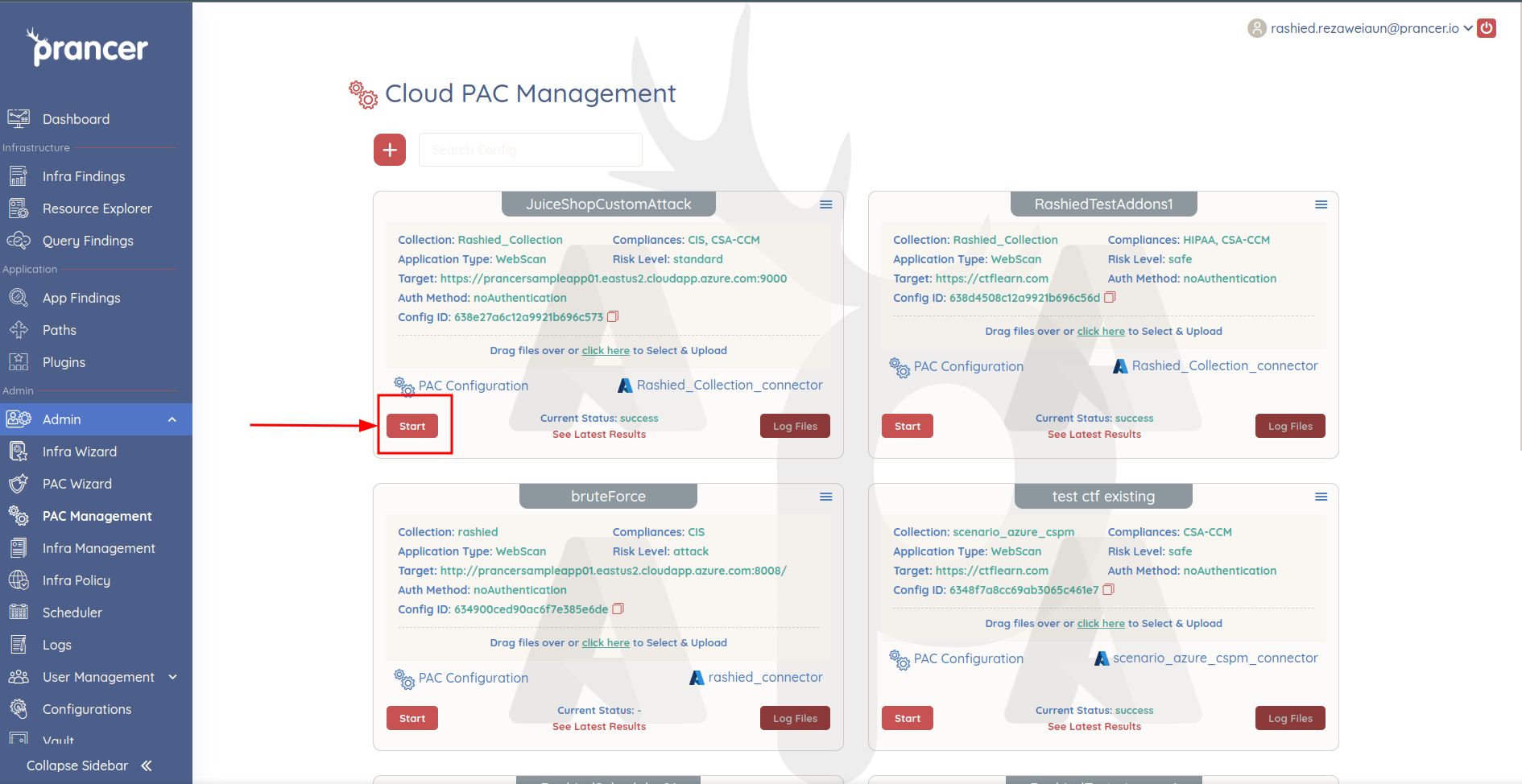
When it finishes, click See Latest Results.
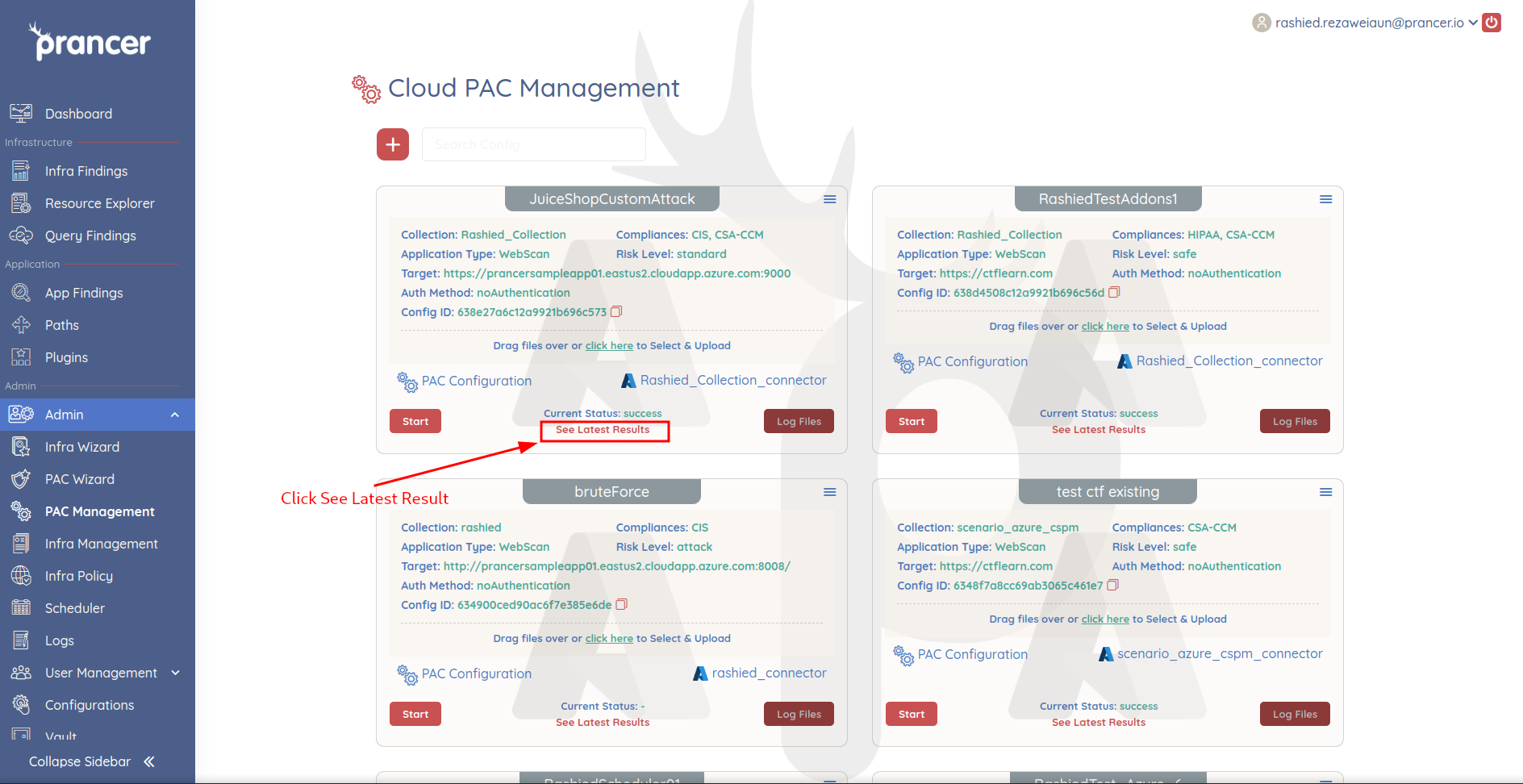
The findings open in Application Security Findings.
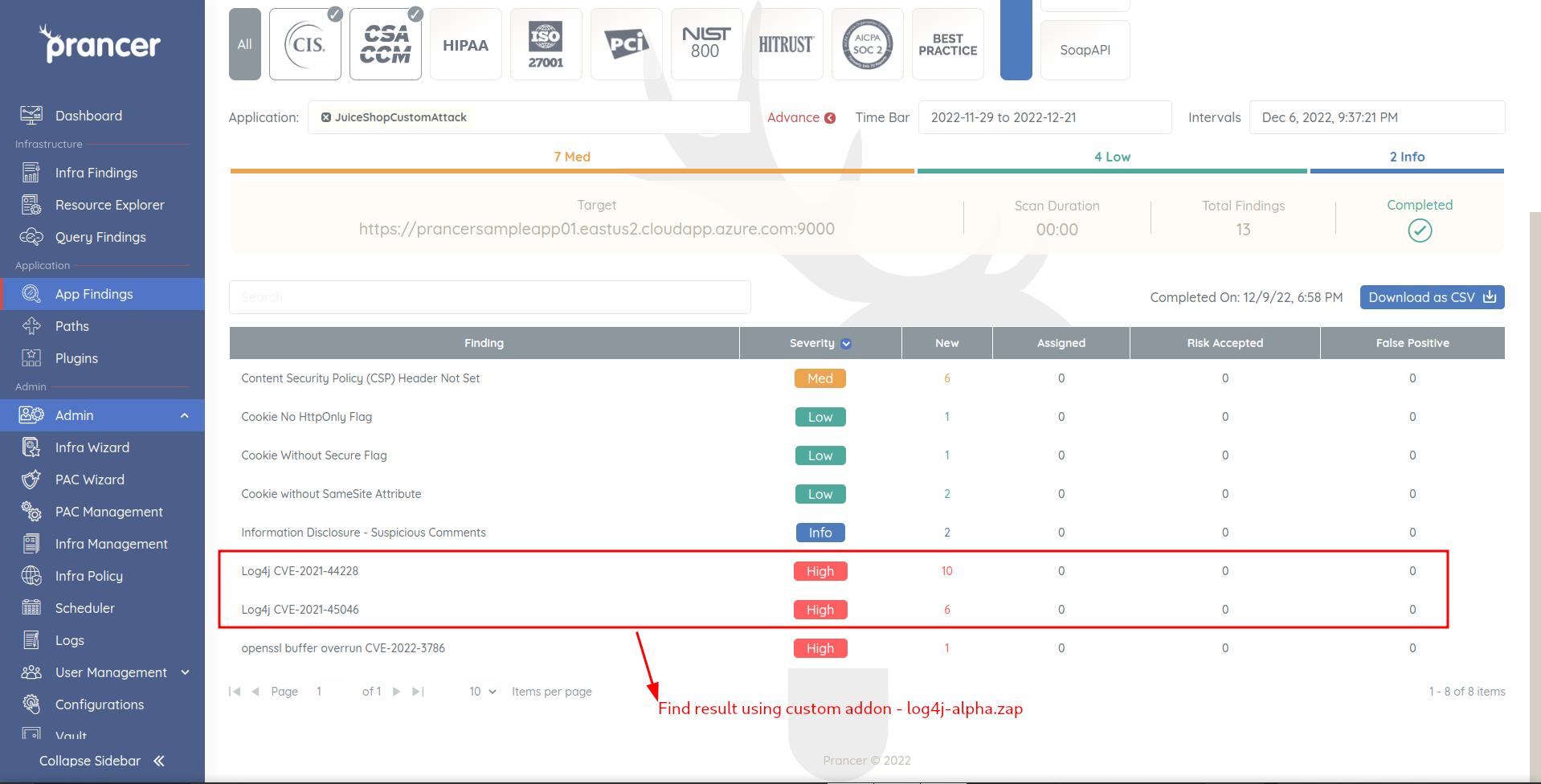
Next steps
- Custom Nuclei Templates — load Nuclei YAML attacks the same way.
- Script Parameters & Secrets — pass dynamic values into your add-on.
- Application Security Findings — triage and validate the results.