Documentation / Advanced Configurations
Ajax Spider
AJAX Spider
The AJAX Spider crawls JavaScript-heavy single-page applications (React, Angular, Vue, etc.) that the standard ZAP spider cannot fully reach. It opens the target in a headless browser and follows DOM events, giving the pentest engine a far more complete map of pages and endpoints.
Note: AJAX Spider only applies whenApplicationType: WebScan. ForAPIScan, use a Postman or OpenAPI source instead — see Postman Integration.
Before you start
- A web application (single-page app or AJAX-heavy site) already configured as a PAC application.
- Awareness that AJAX crawling is slower than the default spider — expect longer scan times.
1. Enable AJAX Spider in the PAC config
Open PAC Management, choose your PAC configuration, and set AjaxSpider: true under WebScan.
ApplicationType: WebScan
WebScan:
  AjaxSpider: true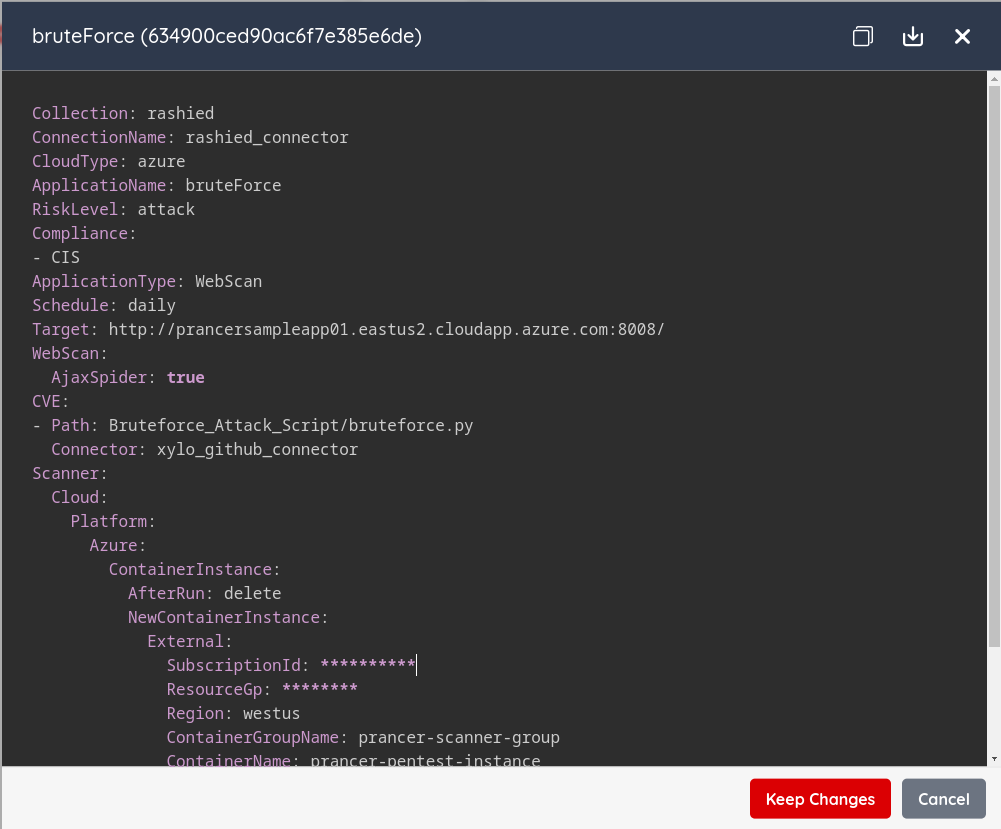
2. Run the pentest
Save the PAC file and click Start. AJAX Spider runs first, then the active scan executes against every URL it discovered.
Tip: If the target requires login, configure an authentication method so AJAX Spider can crawl protected routes.
Next steps
- Web Authentication: Form — let the spider reach authenticated pages.
- Custom Add-ons — pair AJAX Spider with custom CVE checks.
- PAC Findings — review what was discovered.