Documentation / Advanced Configurations
Postman Integration
Pentest with Postman or OpenAPI
Many teams already describe their APIs in Postman collections or OpenAPI/Swagger. Prancer can import either format, expand every endpoint into an attack target, and run a full API pentest with the same engine used for web scans.
Before you start
- A PAC application created with APIScan type.
- A Git repo (or public URL) hosting one of:
- Postman collection JSON (and optionally an environment file), or
- OpenAPI 2/3 specification (
.jsonor.yaml). - A Git connector if you're loading the file from Git.
Note: When both Swagger and Postman are present, Swagger takes priority.
1. Edit the PAC config
Open PAC Management and edit the PAC configuration for your application.
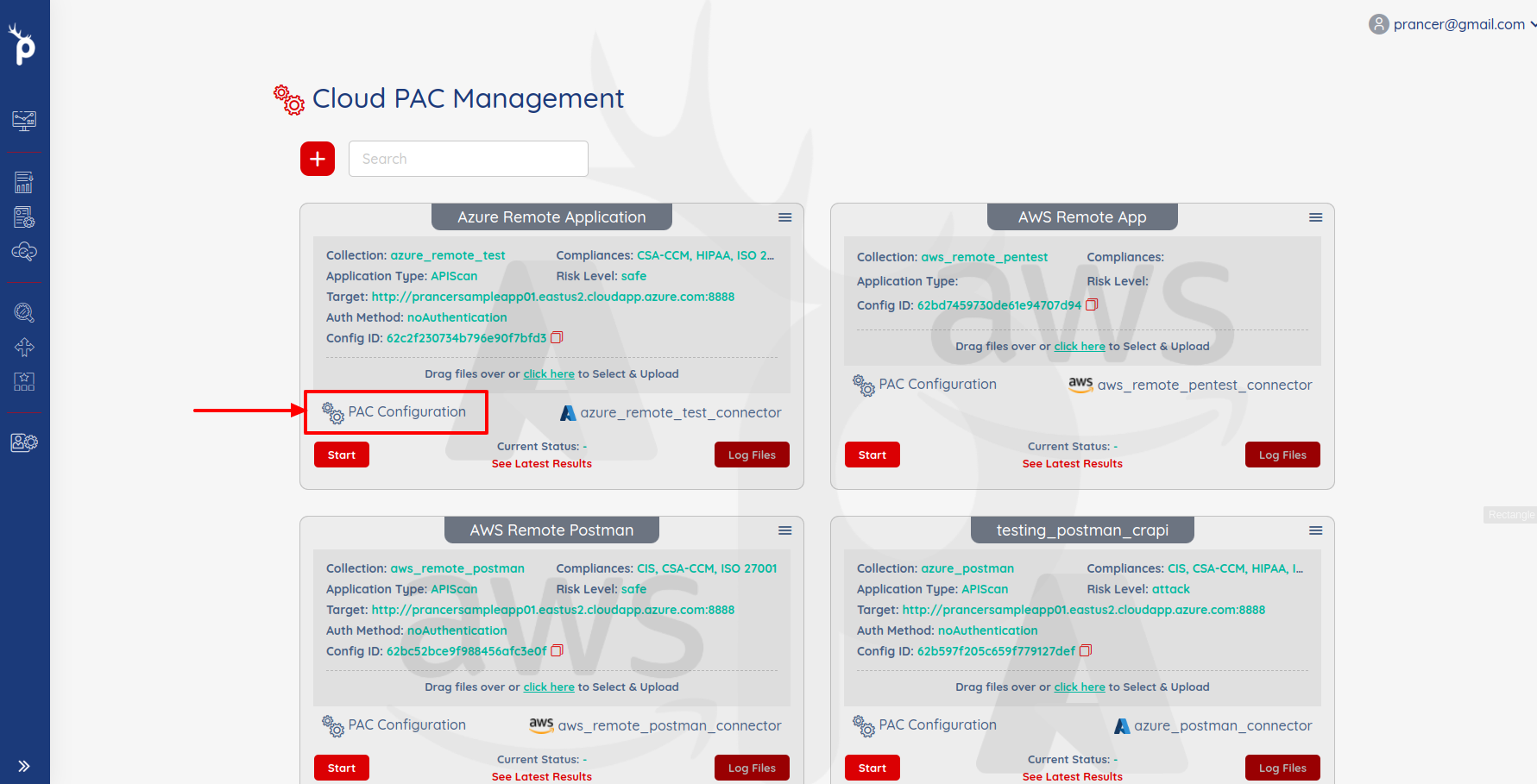
Add an APIScan block. Pick the scenario that matches your setup:
Scenario 1 — Postman or Swagger from Git
APIScan:
  Type: OpenAPI
  DirectionProvider: git
  Direction: ""
  SwaggerFile: vampi-swagger/openapi3.yaml   # leave empty to use Postman instead
  Connector: <git-connector>
  PostmanRemoteFile: remote_postman/postman_collection.json
  PostmanEnvRemoteFile: remote_postman/postman_environment.json
Scenario 2 — Postman only, from Git
APIScan:
  Type: OpenAPI
  DirectionProvider: git
  Direction: ""
  SwaggerFile: ""
  Connector: <git-connector>
  PostmanRemoteFile: remote_postman/postman_collection.json
  PostmanEnvRemoteFile: remote_postman/postman_environment.json
Scenario 3 — Postman or Swagger from a public URL
APIScan:
  Type: OpenAPI
  DirectionProvider: link
  Direction: ""
  SwaggerFile: https://raw.githubusercontent.com/prancer-io/prancer-pac-sample/refs/heads/main/vampi-swagger/openapi3.yaml
  Connector: ""
  PostmanRemoteFile: https://raw.githubusercontent.com/prancer-io/prancer-pac-sample/refs/heads/main/vampi-postman/vampi_collection.json
  PostmanEnvRemoteFile: https://raw.githubusercontent.com/prancer-io/prancer-pac-sample/refs/heads/main/vampi-postman/vampi_environment.json
Scenario 4 — Postman only, from a public URL
APIScan:
  Type: OpenAPI
  DirectionProvider: link
  Direction: ""
  SwaggerFile: ""
  Connector: ""
  PostmanRemoteFile: https://raw.githubusercontent.com/prancer-io/prancer-pac-sample/refs/heads/main/vampi-postman/vampi_collection.json
  PostmanEnvRemoteFile: https://raw.githubusercontent.com/prancer-io/prancer-pac-sample/refs/heads/main/vampi-postman/vampi_environment.json
| Field | Description |
| --- | --- |
| Type * | Always OpenAPI. |
| DirectionProvider * | git (use Connector) or link (use direct URLs). |
| Connector | Name of the Git connector when DirectionProvider: git. |
| SwaggerFile | Path/URL to OpenAPI file. Wins over Postman when both set. |
| PostmanRemoteFile | Path/URL to the Postman collection JSON. |
| PostmanEnvRemoteFile | Optional Postman environment JSON — variables are merged into the collection. |
Warning: All URLs must be reachable from wherever the PAC scanner runs. If the scanner runs in a private subnet, host the files in a repo the scanner can pull from.
2. Complete PAC file example
Collection: aws_connection
ConnectionName: aws_connection_connector
CloudType: aws
ApplicatioName: postman_open_api
RiskLevel: safe
Compliance: [CIS, HIPAA]
ApplicationType: APIScan
Schedule: onetime
Target: <target endpoint>
APIScan:
  Type: OpenAPI
  DirectionProvider: git
  Direction: ""
  SwaggerFile: ""
  Connector: git_connector
  PostmanRemoteFile: postman-convertor/crAPI Accepted.postman_collection.json
  PostmanEnvRemoteFile: postman-convertor/Crapi.postman_environment.json
paths:
  exclude: []
  include: []
Scanner:
  Cloud:
    Platform:
      AWS:
        AfterRun: delete
        NewFargate:
          External:
            AccountId: "<account-id>"
            Region: us-west-2
            TaskDefinition: pentest-task
            ClusterName: pentest-cluster
            SecurityGroup: pentest-security-group
            ContainerName: prancer-scanner
            SubnetId: <subnet-id>
AuthenticationMethod: jwtAuthentication
Authentication:
  JWTAuth:
    UsernameSecretKey: crUsername
    PasswordSecretKey: crPassword
    LoginUrl: /identity/api/auth/login
    LogoutUrl: /identity/api/auth/logout
    LoginBodyTemplate: '{"email":"%username%","password":"%password%"}'
    LoginIndicator: ^.*token.*$
    AuthorizationType: Header
    AuthorizationKey: Authorization
    AuthorizationTokenType: Bearer
  Vault:
    Aws:
      SecretManager: arn:aws:secretsmanager:us-west-2:<account-id>:secret:<name>
      Region: us-west-2
      AccountId: "<account-id>"
3. Run the pentest
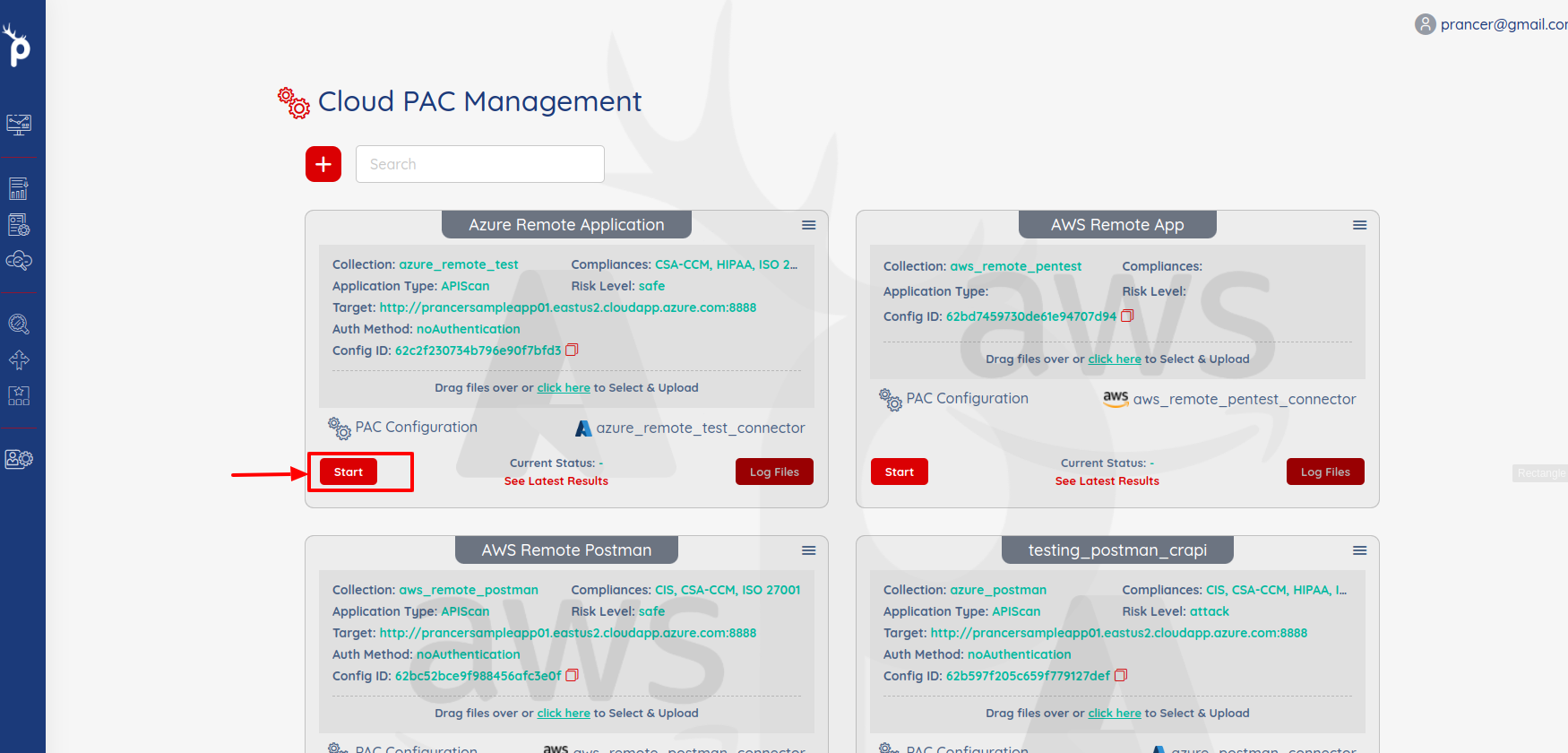
Click Start in PAC Management.
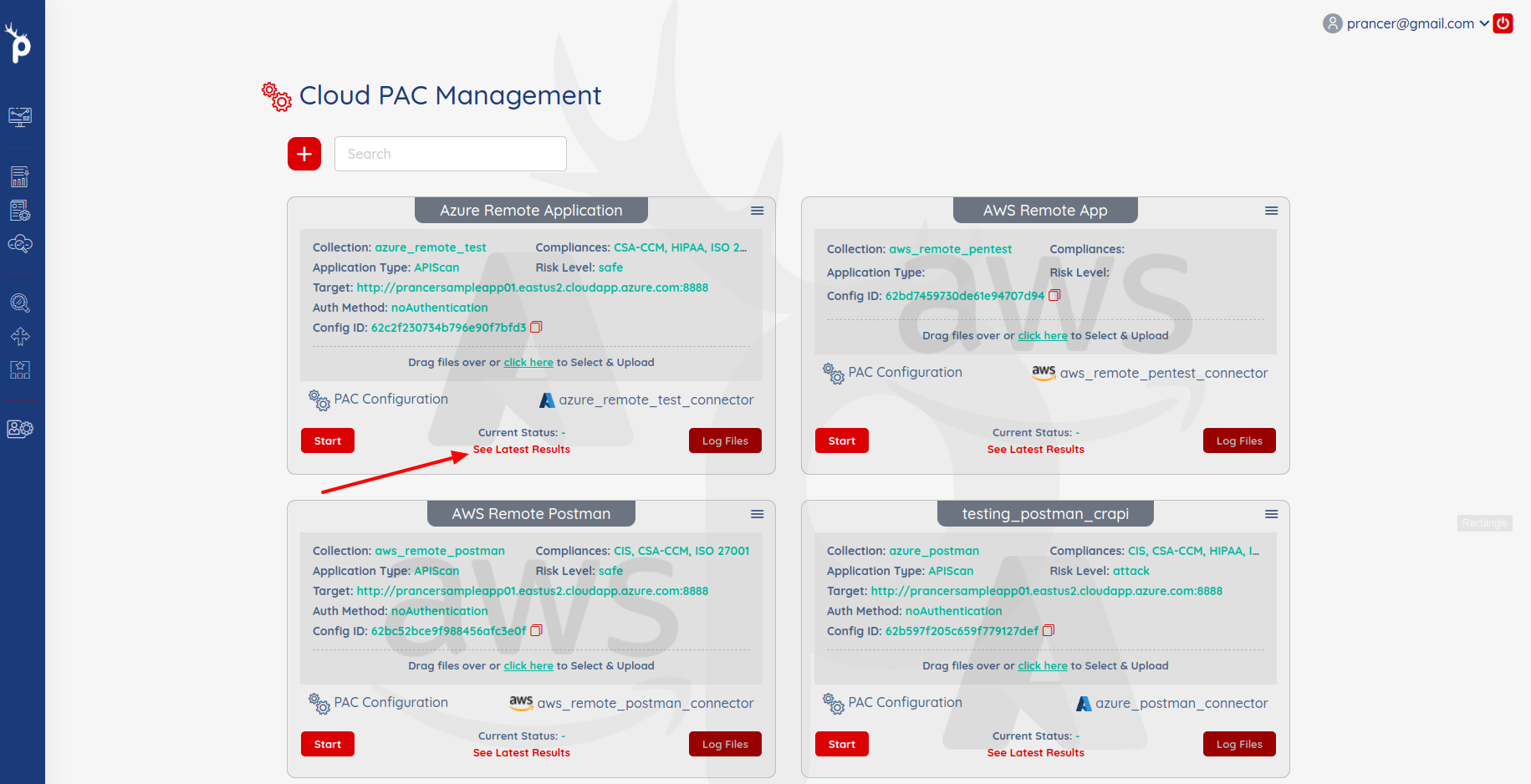
Open See Latest Results when it finishes.
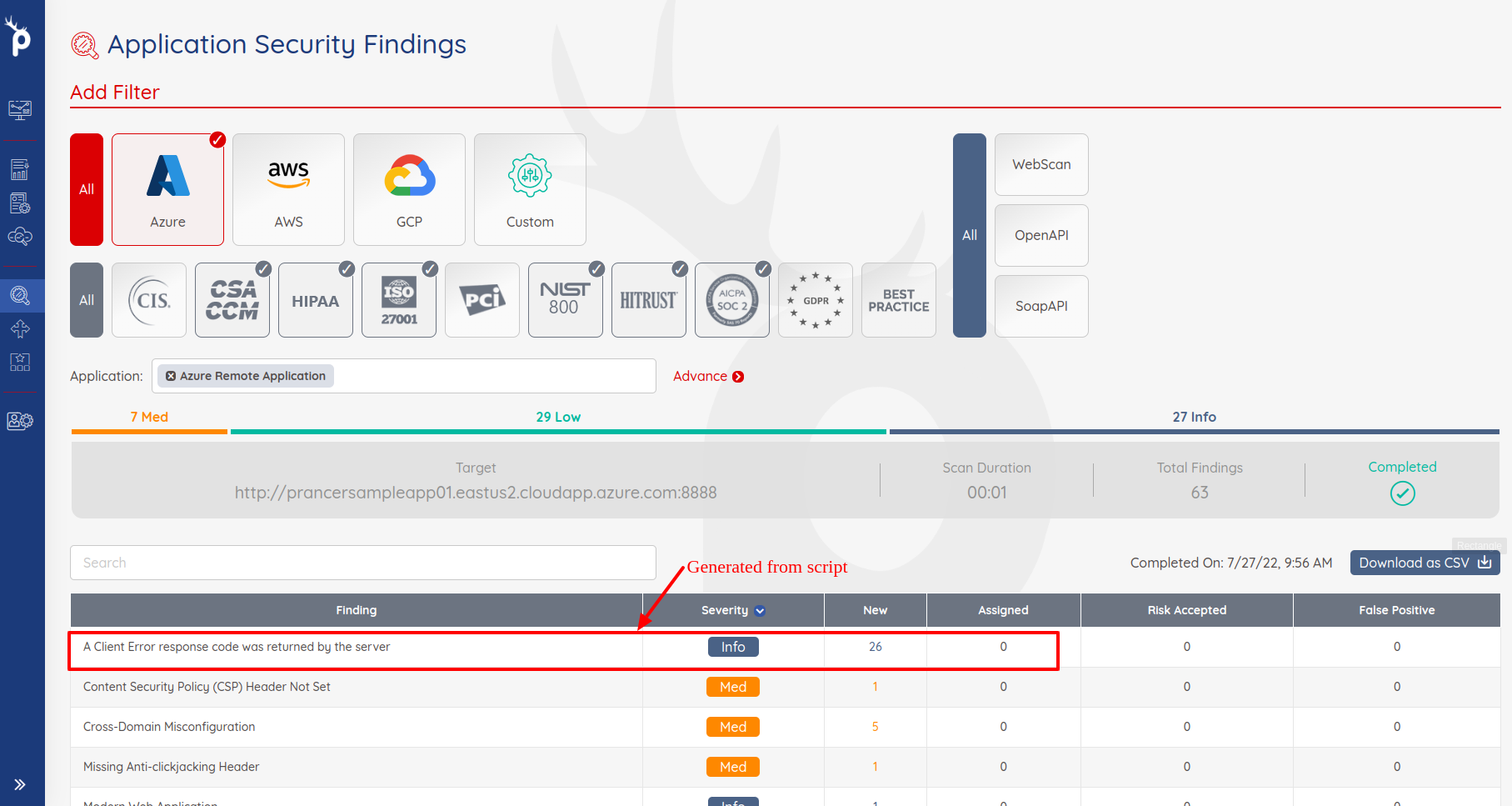
Findings appear in Application Security Findings.
Next steps
- JWT Authentication — set up token-based login for protected APIs.
- PAC file on Git — connector setup.
- PAC Findings — triage API vulnerabilities.