Documentation / Application Security
Custom Attack
Custom Attacks (CVE)
Custom attacks let you ship your own business-logic checks to PAC. They live in a Git repository, are referenced from the CVE block of the PAC config, and run as part of any pentest. PAC supports two attack engines today:
- ZAP scripts (JavaScript / Nashorn) — full access to ZAP's request/response pipeline.
- Custom Bash scripts — standalone shell scripts that emit alerts via the
prancer-liblibrary.
Before you start
- A Git repository the Prancer scanner can clone (GitHub, GitLab, Bitbucket, self-hosted).
- A personal access token / deploy key with
repoandread:userscopes — see GitHub's PAT guide. - A collection in Prancer with Vault access enabled — see Vault.
- A PAC config file generated via the PAC Wizard.
Attack file layout
Each custom attack is a directory containing the script plus a metadata.yaml describing it:
Git repository
.
├── Alert_on_HTTP_Response_Code_Errors
│   ├── http_sender_attack.js
│   └── metadata.yaml
└── BashHello
    ├── run-hello.sh
    └── metadata.yaml
See Metadata file format for the full schema.
Example 1 — ZAP HTTP sender script
http_sender_attack.js raises an alert for any response with status 4xx (other than 404) or 5xx. See ZAP scripting docs for the API surface.
// A script which raises alerts based on HTTP Response codes.
// Info-level for Client Errors (4xx, excl. 404), Low-level for Server Errors (5xx).

var control, model
if (!control) control = Java.type("org.parosproxy.paros.control.Control").getSingleton()
if (!model) model = Java.type("org.parosproxy.paros.model.Model").getSingleton()

var Pattern = Java.type("java.util.regex.Pattern")

pluginid = 100000   // https://github.com/zaproxy/zaproxy/blob/main/docs/scanners.md

function sendingRequest(msg, initiator, helper) { /* nothing */ }

function logger() {
    print('[' + this['zap.script.name'] + '] ' + arguments[0]);
}

function responseReceived(msg, initiator, helper) {
    var code = msg.getResponseHeader().getStatusCode()
    var extensionAlert = control.getExtensionLoader().getExtension(org.zaproxy.zap.extension.alert.ExtensionAlert.NAME)
    if (extensionAlert != null) {
        if (code < 400 || code >= 600) return
        var risk = 0    // Info
        var title = "A Client Error response code was returned by the server"
        if (code >= 500) {
            risk = 1    // Low
            title = "A Server Error response code was returned by the server"
        }
        var alert = new org.parosproxy.paros.core.scanner.Alert(pluginid, risk, 3, title)
        var ref = msg.getHistoryRef()
        if (ref != null && org.parosproxy.paros.model.HistoryReference.getTemporaryTypes().contains(
                    java.lang.Integer.valueOf(ref.getHistoryType()))) ref = null
        if (ref == null) {
            var type
            switch (initiator) {
                case 1: type = 1; break   // PROXY
                case 2: type = 3; break   // ACTIVE_SCANNER
                case 3: type = 2; break   // SPIDER
                case 4: type = 8; break   // FUZZER
                case 5: type = 15; break  // AUTH
                case 6: type = 15; break  // MANUAL
                case 8: type = 15; break  // BEAN_SHELL
                case 9: type = 13; break  // ACCESS_CONTROL
                default: type = 15; break
            }
            ref = new org.parosproxy.paros.model.HistoryReference(model.getSession(), type, msg)
        }
        alert.setMessage(msg)
        alert.setUri(msg.getRequestHeader().getURI().toString())
        alert.setDescription("A response code of " + code + " was returned by the server.\n" +
            "This may indicate that the application is failing to handle unexpected input correctly.\n" +
            "Raised by the 'Alert on HTTP Response Code Error' script");
        var regex = new RegExp("^HTTP.*" + code)
        alert.setEvidence(msg.getResponseHeader().toString().match(regex))
        alert.setCweId(388)
        alert.setWascId(20)
        extensionAlert.alertFound(alert , ref)
    }
}metadata.yaml:
Name: Alert On Http Response Code Errors
Type: httpsender
Engine: Oracle Nashorn
Description: A HTTP Sender Script which will raise alerts based on HTTP Response code
Charset: UTF-8
Example 2 — Bash custom attack
run-hello.sh sources the bundled prancer-lib.sh to emit an alert. See the custom Bash script reference for available pr_* helpers.
#!/bin/bash
source shlib/prancer-lib.sh

# generate a hello alert, pass the target like: "https://brokencrystals.com/"
output=`pr_hello_world_alert "$1"`

if [ $? -ne 0 ]; then
    echo "Failed to generate alert!...."
else
    echo "$output"
fi
exit 0metadata.yaml:
Name: BashHello
Technology: standalone
Type: active
Engine: bash
Description: Run bash script to generate alert.
Charset: UTF-8
tags:
  Type: Blackbox, Web
Step 1 — Store the Git token in Vault
1. Open Vault in the portal. 2. Add a new key. The Key Name must match the httpsAccessToken field of the connector below; Key Value is the Git PAT.
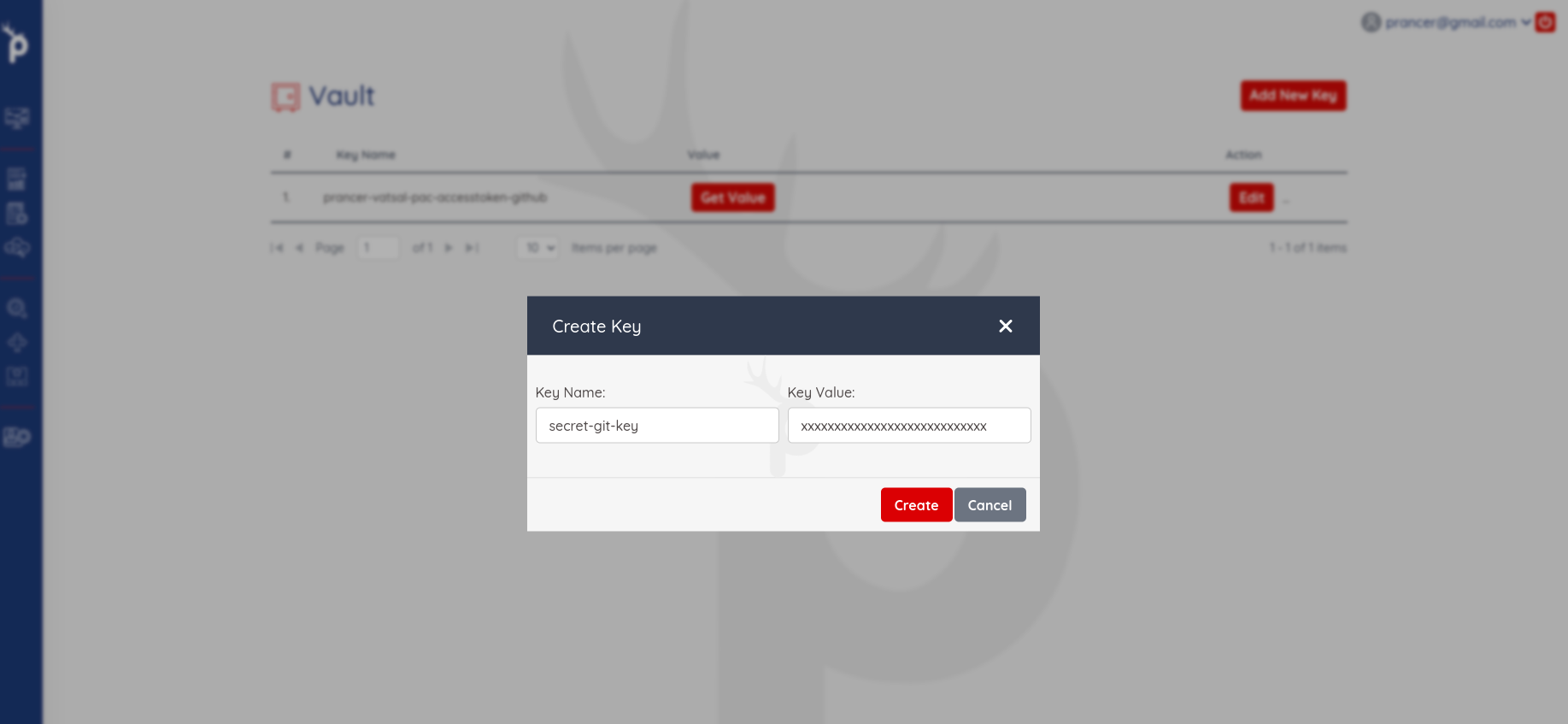
Warning: Never commit the access token to the repository or paste it into the connector file. Always reference it by the Vault key name.
Step 2 — Create the Git connector
Create azure_custom_script_connector.json:
{
    "branchName": "main",
    "companyName": "prancer",
    "fileType": "structure",
    "gitProvider": "https://github.com/prancer-io/prancer-pac-sample.git",
    "httpsAccessToken": "secret-git-key",
    "private": true,
    "type": "filesystem"
}
| Field | Description |
| --- | --- |
| gitProvider | Clone URL of the repo. |
| branchName | Branch that holds the attack scripts. |
| httpsAccessToken | Vault key name (not the token itself). |
| private | true if the repo requires authentication. |
| companyName | Tenant name used to namespace the connector. |
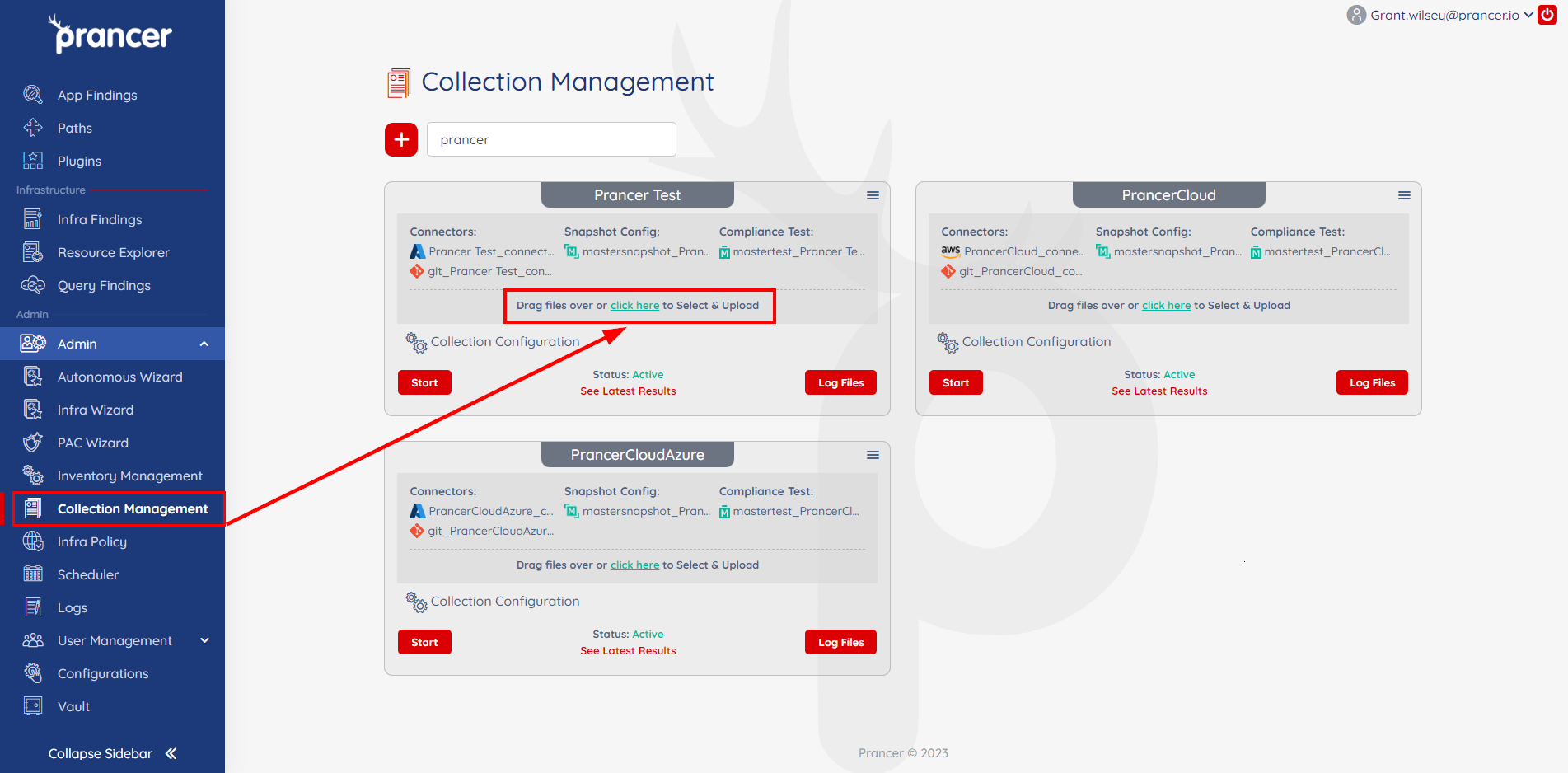
Upload the connector file to the collection:
Step 3 — Reference the attack in the PAC config
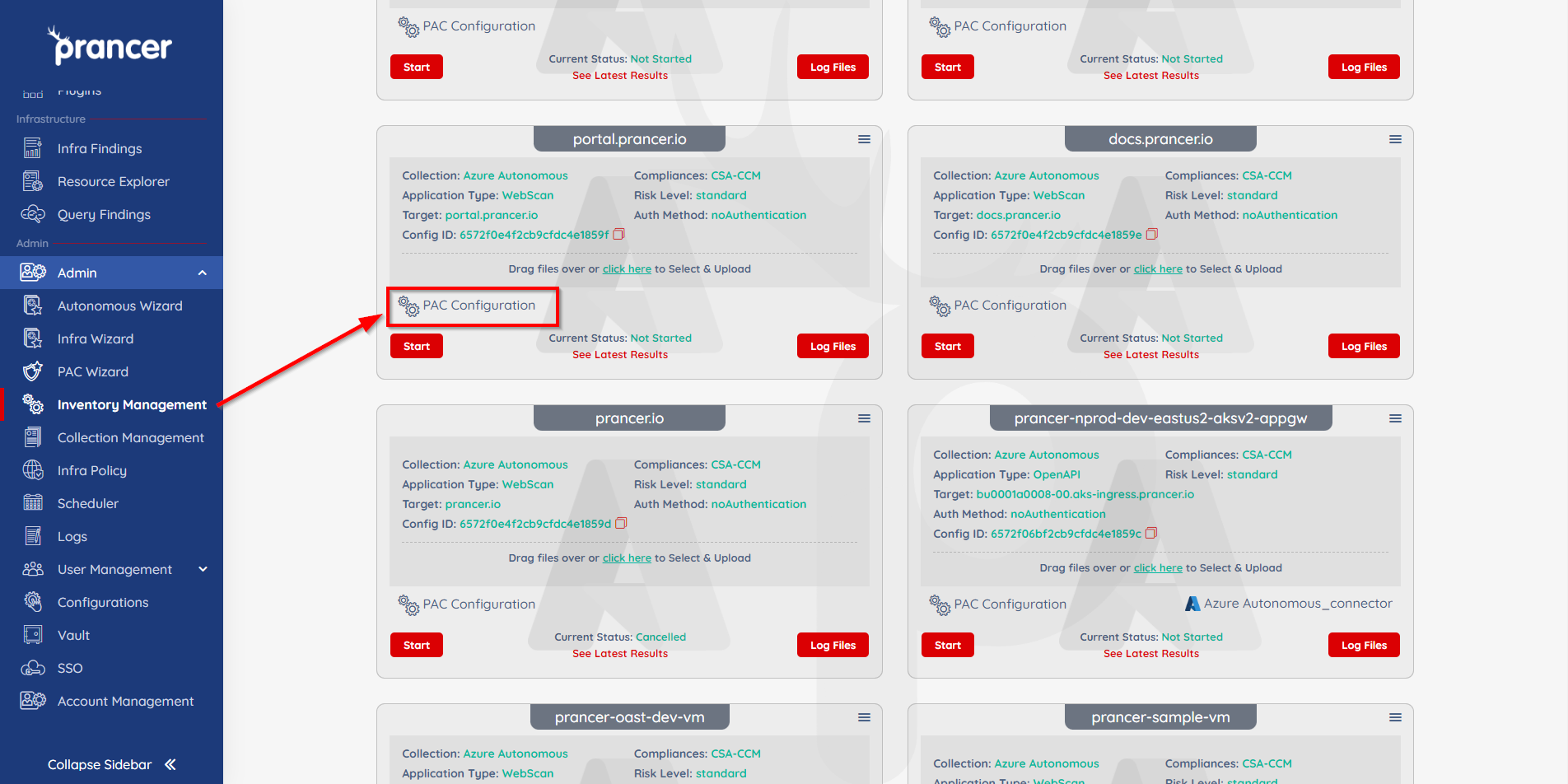
1. Open Inventory Management → your application → PAC Configuration. 2. Add a CVE block:
```yaml CVE:
Include:
Exclude:
Connector: azure_custom_script_connector ```
- Path:
- .*\.js
- abc.java
- BashHello
- .*\.py
| Field | Description |
| --- | --- |
| Connector | Name of the Git connector to clone from. |
| Path.Include | Regex list of attack paths to include. Match folder names (e.g. BashHello) or file patterns (e.g. .*\.js). |
| Path.Exclude | Regex list of paths to skip. |
Tip: Use folder-level entries (BashHello) for Bash attacks and file globs (.*\.js) for ZAP scripts. CombineIncludeandExcludeto slice the same repo per environment.
Complete PAC example
Collection: azure_remote_test
ConnectionName: azure_remote_test_connector
CloudType: azure
ApplicatioName: Azure Remote Application
RiskLevel: safe
Compliance:
- CSA-CCM
- HIPAA
- ISO 27001
- SOC 2
- HITRUST
- NIST 800
ApplicationType: APIScan
Schedule: onetime
Target: http://prancersampleapp01.eastus2.cloudapp.azure.com:8888
APIScan:
  Type: OpenAPI
  DirectionProvider: git
  Direction: http://prancersampleapp01.eastus2.cloudapp.azure.com:8888/v2/swagger.json
  PostmanRemoteFile: remote_postman/postman_collection.json
  PostmanEnvRemoteFile: remote_postman/postman_environment.json
  Connector: azure_postman_connector
CVE:
- Path:
    Include:
    - .*\.js
    - abc.java
    - BashHello
    Exclude:
    - .*\.py
  Connector: azure_custom_script_connector
Scanner:
  Cloud:
    Platform:
      Azure:
        ContainerInstance:
          AfterRun: delete
          NewContainerInstance:
            External:
              SubscriptionId: 12345678-1234-5678-abcd-1234abcd4567
              ResourceGp: testgroup
              Region: eastus2
              ContainerGroupName: prancer-scanner-group
              ContainerName: prancer-pentest-instance
              ResourceName: prancer-instances-1
AuthenticationMethod: noAuthentication
AddOns:
- accessControl
- ascanrulesBeta
- sqliplugin
- directorylistv2_3
- portscan
- pscanrulesBeta
- websocket
- fuzzdb
- fuzzdboffensive
- fuzz
- graphql
- openapi
Step 4 — Run the pentest
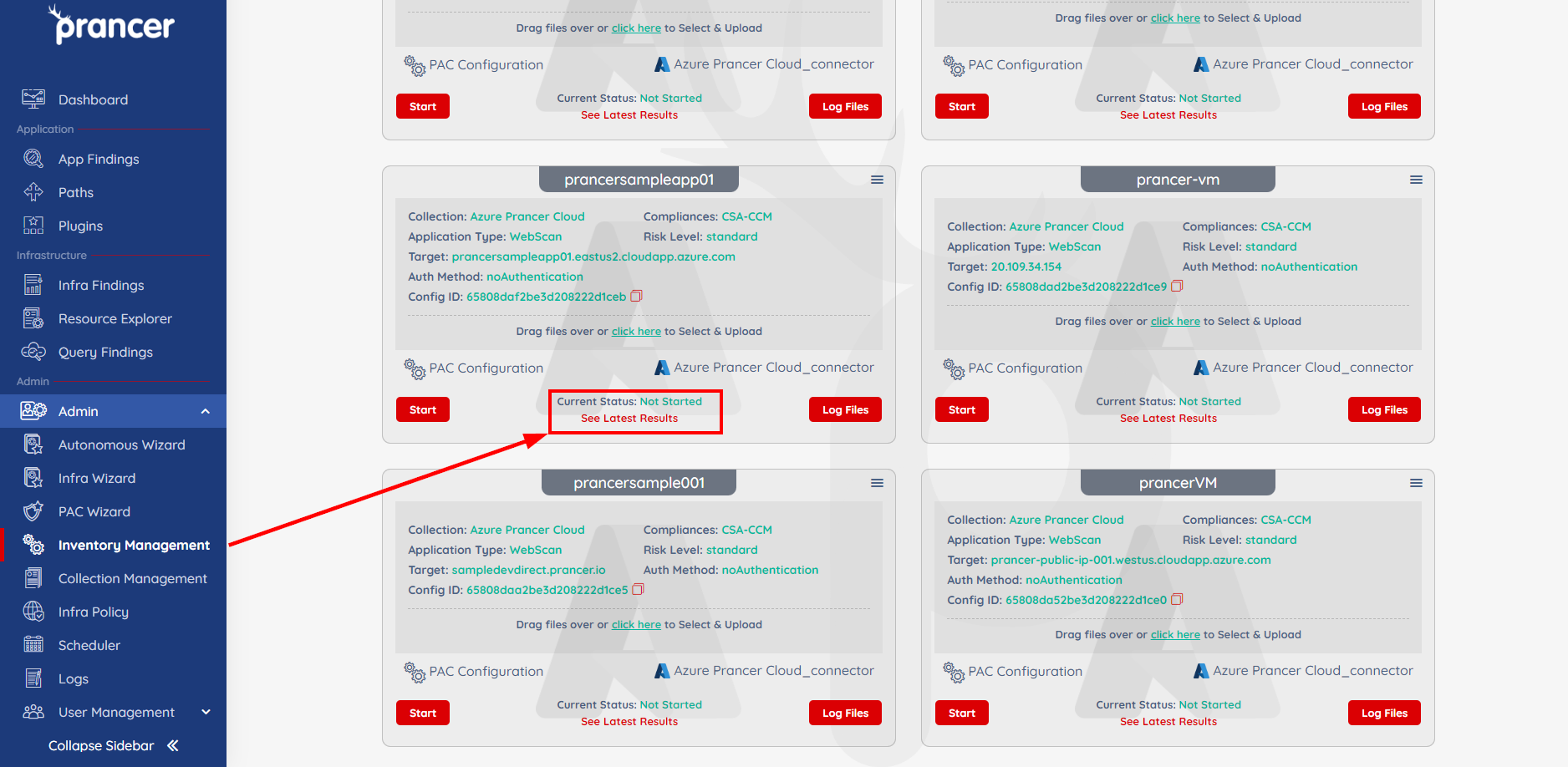
Click Start on the PAC file in Inventory Management.
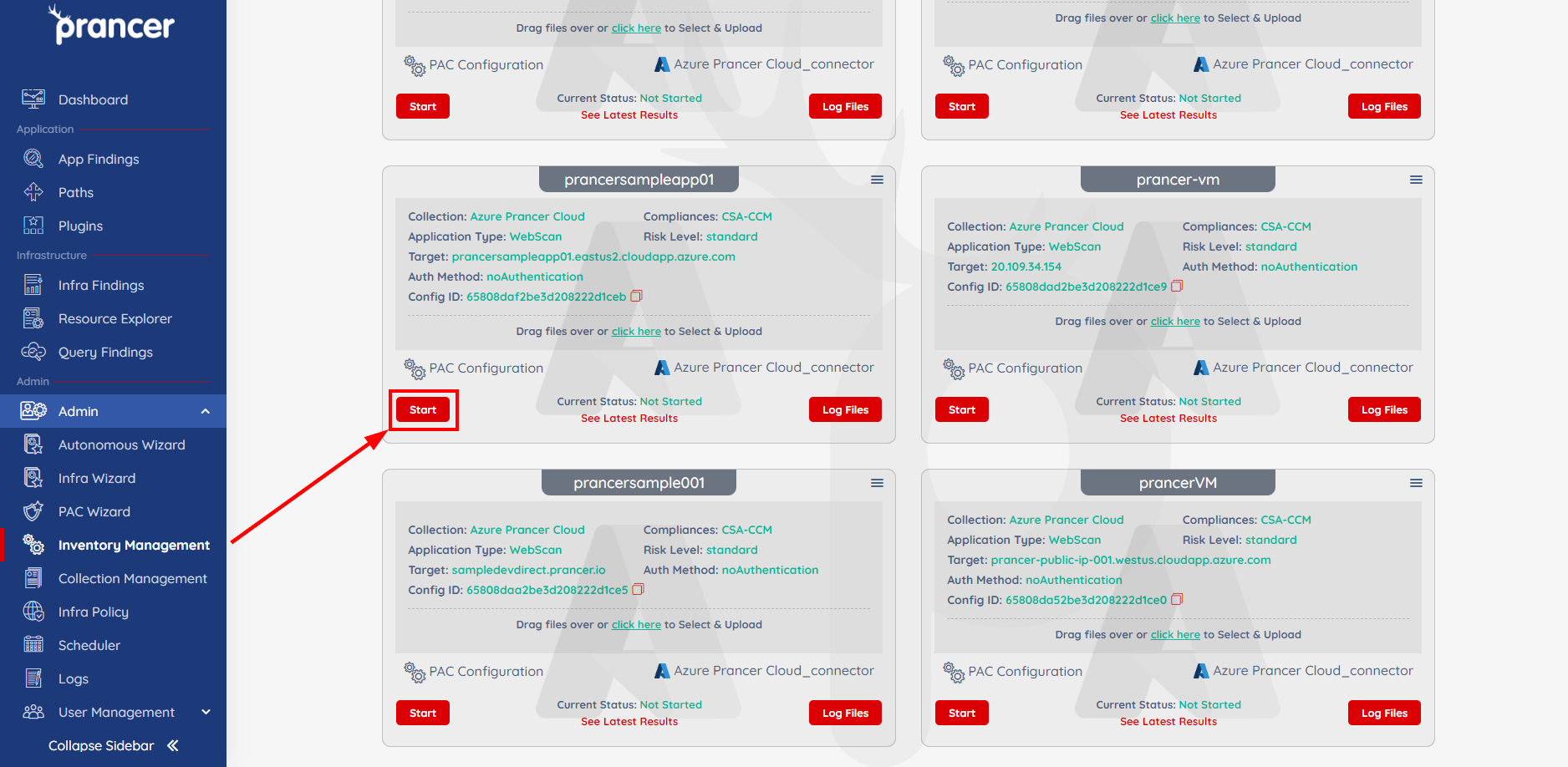
Use See Latest Results to jump to findings as they come in:
Findings from custom attacks appear alongside built-in checks on the Application Security Findings page:
!Custom CVE result !Bash attack result
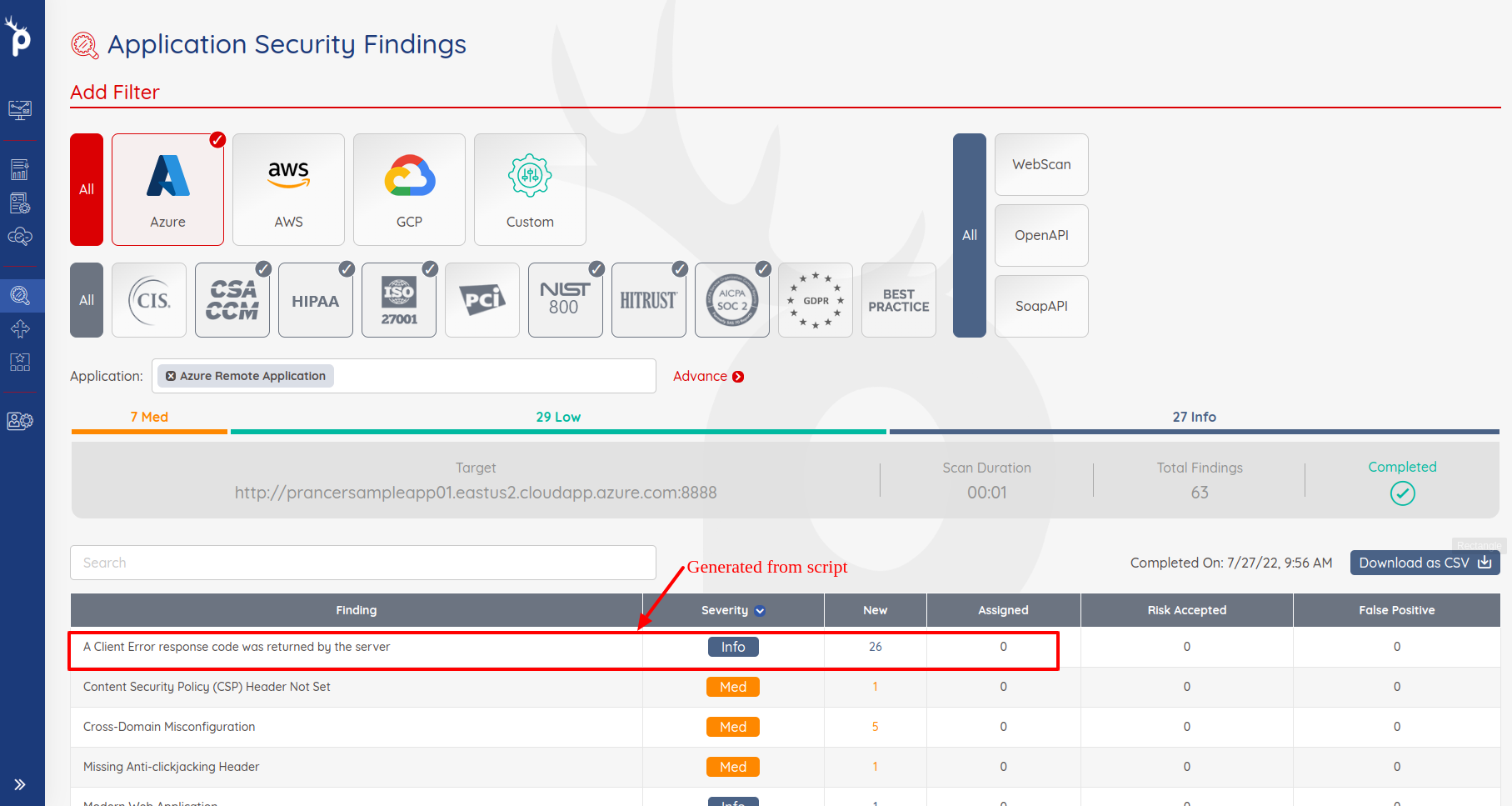
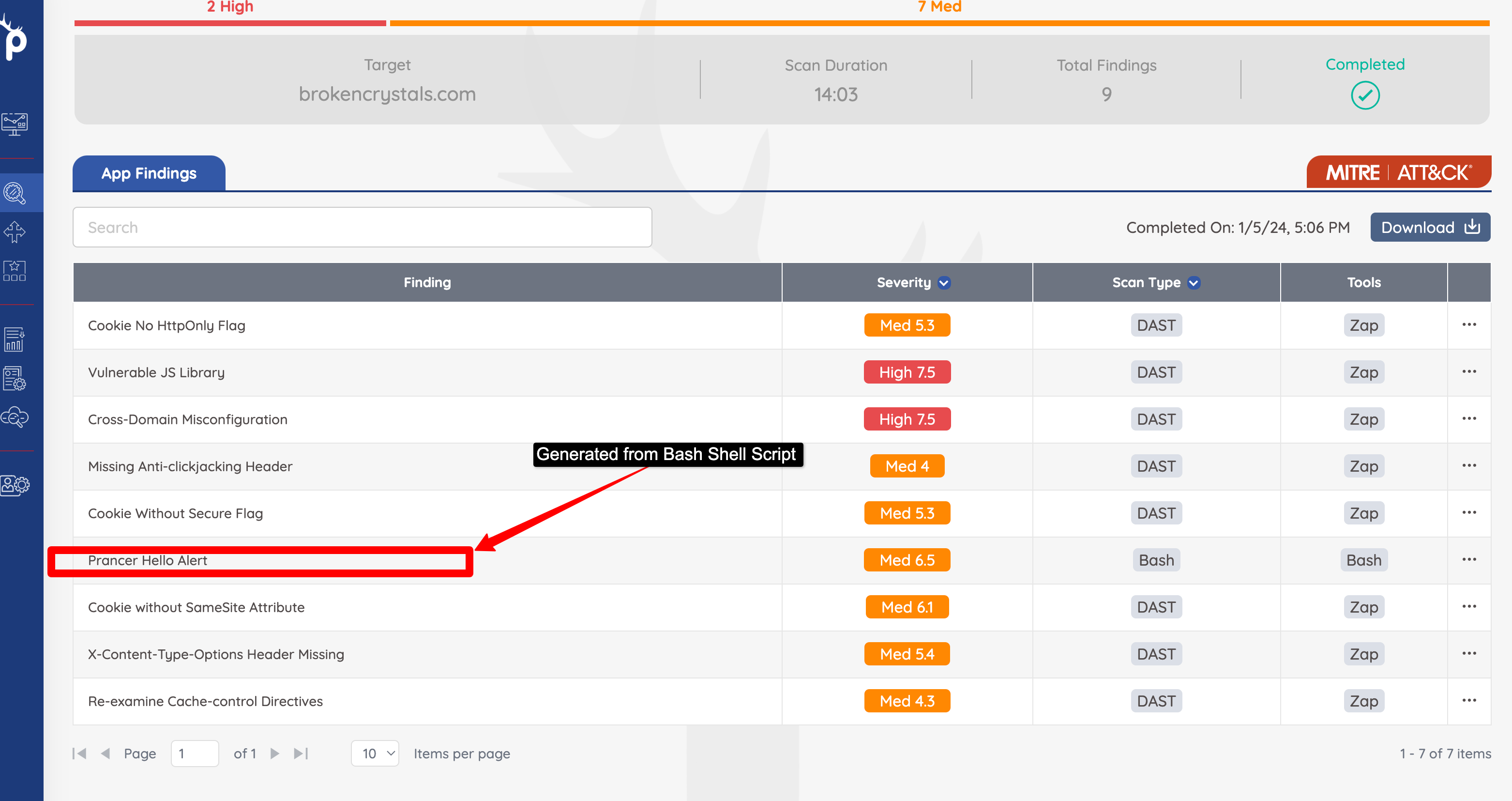
Note: When multiple runs share a PAC file, filter the findings by run date to isolate the latest results.
Run the pentest from the CLI
Custom attacks run identically when the pentest is launched from the PAC CLI — the only requirement is that the same PAC config and Git connector are available.