Documentation / Application Security
Custom Attack Auto Tagging
Custom Attack Auto Tagging
Auto-tagging lets PAC select only the custom attacks that are relevant to a given target. Tags describe the hosting environment, application type, OS, language, exposed services, compliance regime, MITRE technique and CVE. When the PAC scanner runs, it loads custom attacks whose metadata.yaml tags match the tags in your PAC config.
Before you start
- CSPM has been run for the target environment so Prancer knows the cloud, OS and services in scope.
- You have one or more custom attacks in a Git repository connected via a Git connector.
- Each custom attack ships with a
metadata.yamlcontaining the tags described in Metadata file.
Available tags
| Tag | Values | Description |
| --- | --- | --- |
| cloud | azure, aws, gcp, onpremise | Cloud hosting environment |
| type | all, web, openAPI, GraphQL, Soap | Application type |
| os | windows, linux | Operating system |
| programming | dotnet, java, PHP, python | Programming language |
| service | http, FTP, ssh, rdp | Exposed service |
| Compliance | CIS, CSA-CCM, HIPAA, ISO 27001, PCI-DSS, NIST 800, HITRUST, SOC 2, GDPR, Best Practice | Compliance frameworks |
| MITRE | MITRE technique ID | Maps to MITRE ATT&CK |
| CVE | CVE ID | Maps to a known CVE |
Add tags to your PAC config
1. Open PAC Management and select the PAC file. 2. Click PAC Configuration. 3. Add a Tags: block, then enable TagAutoLoad: true under the CVE section.
Example:
Collection: prancercspm
AppCodeAnalysis:
  SASTScan: true
  SCAScan: true
  IncrementalScan: true
  GitConnector: git_sca_java
ConnectionName: prancercspm_connector
CloudType: azure
ApplicationName: AzureAppCode
RiskLevel: standard
RiskProfit: Medium
Compliance:
- CIS
- CSA-CCM
ApplicationType: WebScan
Schedule: onetime
Target: https://pixi.prancer.cloud
Tags:
  Cloud: azure
  Compliance: CIS,CSA-CCM
  Service: ssh,http,https,microsoft-ds,postgresql,http-alt,http,http-proxy,sun-answerbook
  Type: WebScan
WebScan:
  AjaxSpider: false
CVE:
- Path:
    Include:
    - Log4j_Addon
    - Fuzzing
    Exclude: []
  TagAutoLoad: true
  Connector: git_connector
  Metadata: ""
  Parameters: {}
  Secrets: {}
Scanner:
  Cloud:
    Platform:
      Azure:
        ContainerInstance:
          AfterRun: delete
          NewContainerInstance:
            External:
              SubscriptionId: a6941677-4c37-42fb-960c-dad8f25060a3
              ResourceGp: DefaultResourceGroup-WUS2
              Region: westus2
              ContainerGroupName: prancer-scanner-group
              ContainerName: prancer-pentest-instance
              ResourceName: prancer-instances
AuthenticationMethod: noAuthentication
AddOns:
- ascanrulesBeta
Note: WithTagAutoLoad: true, thePath.Includelist is ignored — PAC loads attacks purely based on tag match. Set it tofalseif you want explicit path-based control.
Result
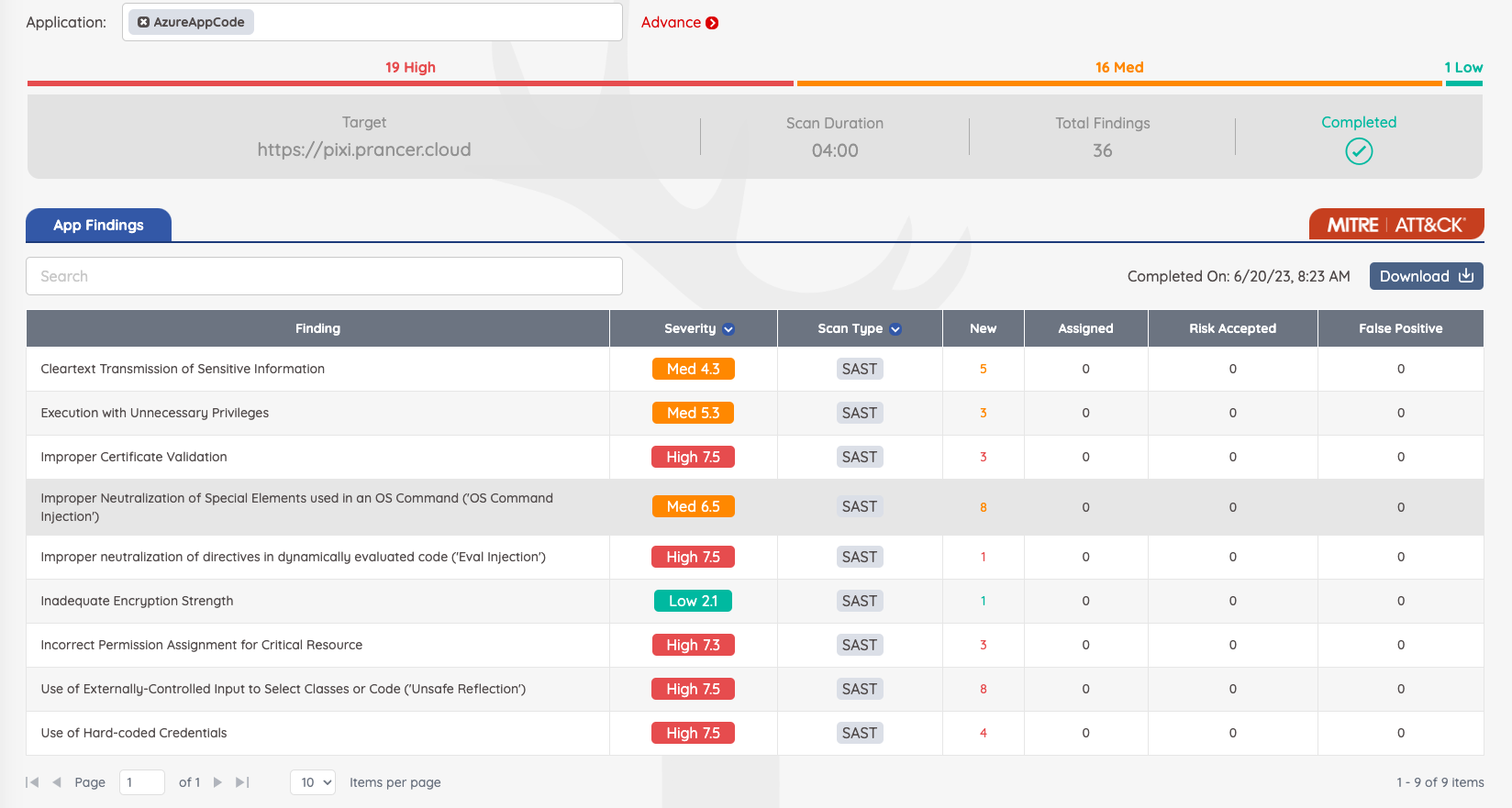
Tag matching produces filtered findings tied to the matched attacks: