Documentation / Application Security
Pentest Findings
Pentest Findings
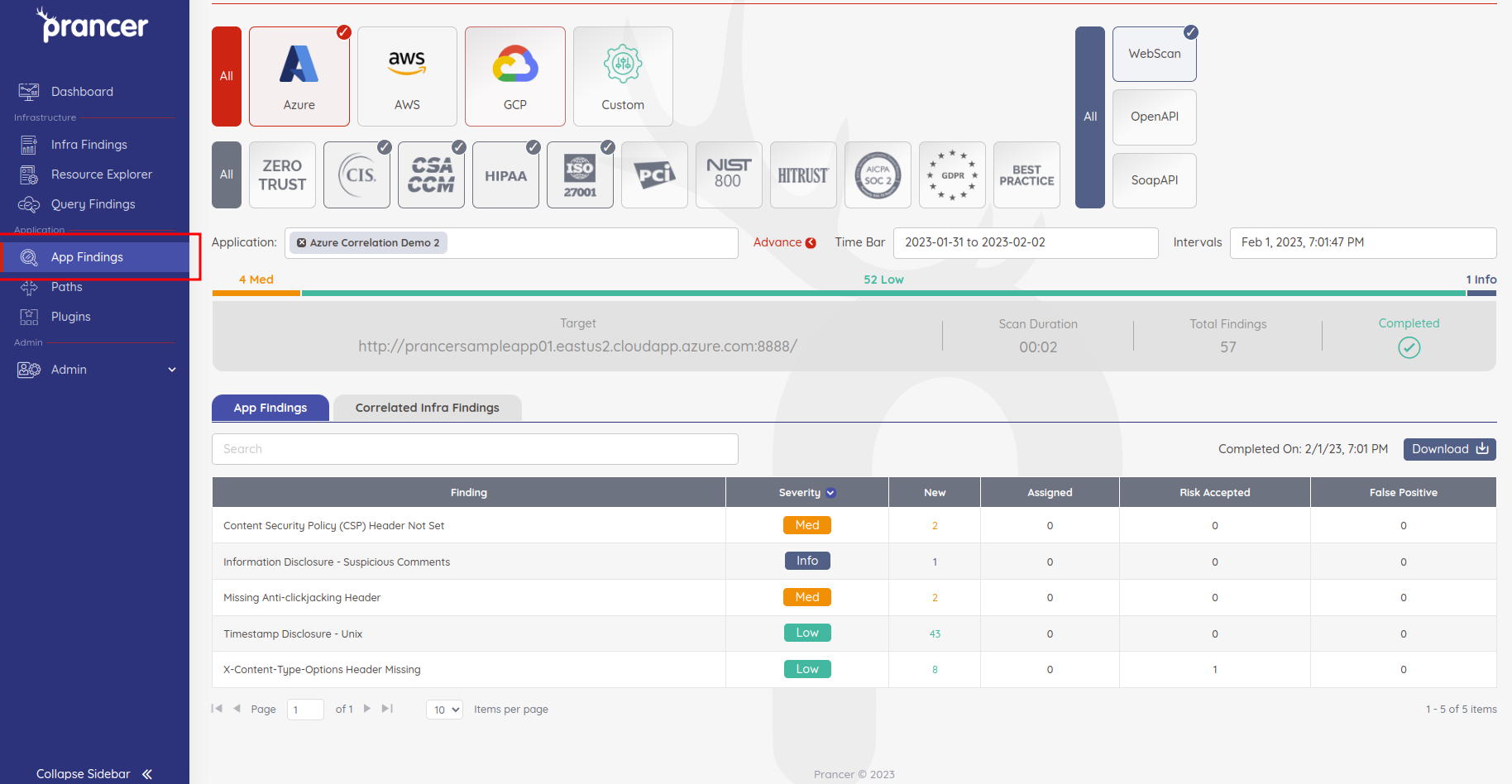
The Application Security Findings page (App Findings in the left menu) is where every PAC pentest result lands. Use it to filter, inspect, validate and triage individual risks.
Before you start
- At least one pentest has completed for a PAC file — see PAC Wizard or Autonomous Wizard.
- You have permission to view findings for the collection.
Browse findings
1. Open App Findings from the left menu. 2. Filter the list by:
3. Click any row to open the finding detail.
- Cloud provider (AWS / Azure / GCP / On-Premise)
- Compliance standard
- Application type
- Run date and time for a specific application
Inspect a finding
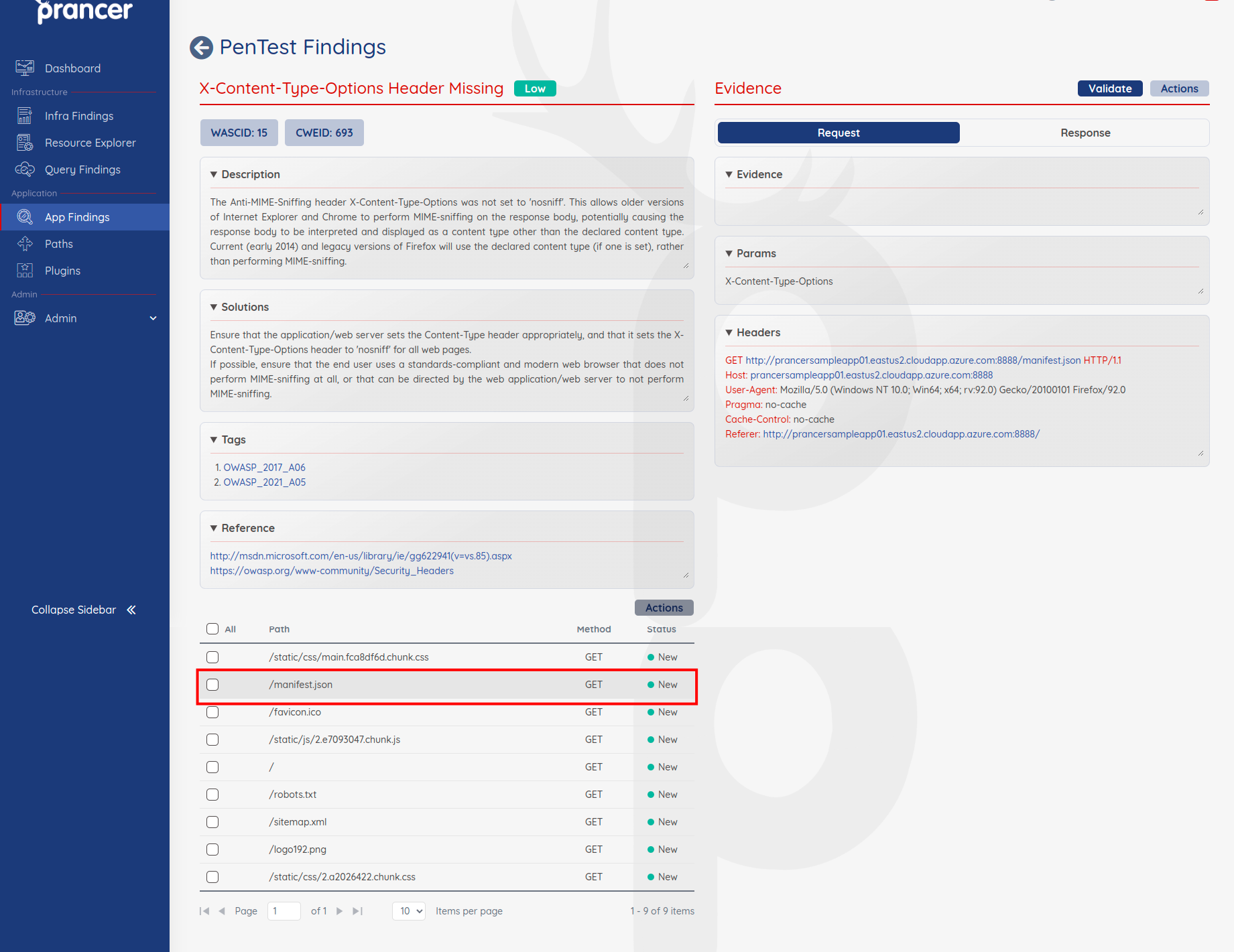
The detail view shows:
- A description of the risk and recommended solution.
- The list of paths where the risk was raised.
- The full request and response bodies for each path (click a path to expand).
Validate a risk
Click Validate on a path to generate a curl command you can run yourself to reproduce the issue. This is the fastest way to confirm a finding is real before assigning it.
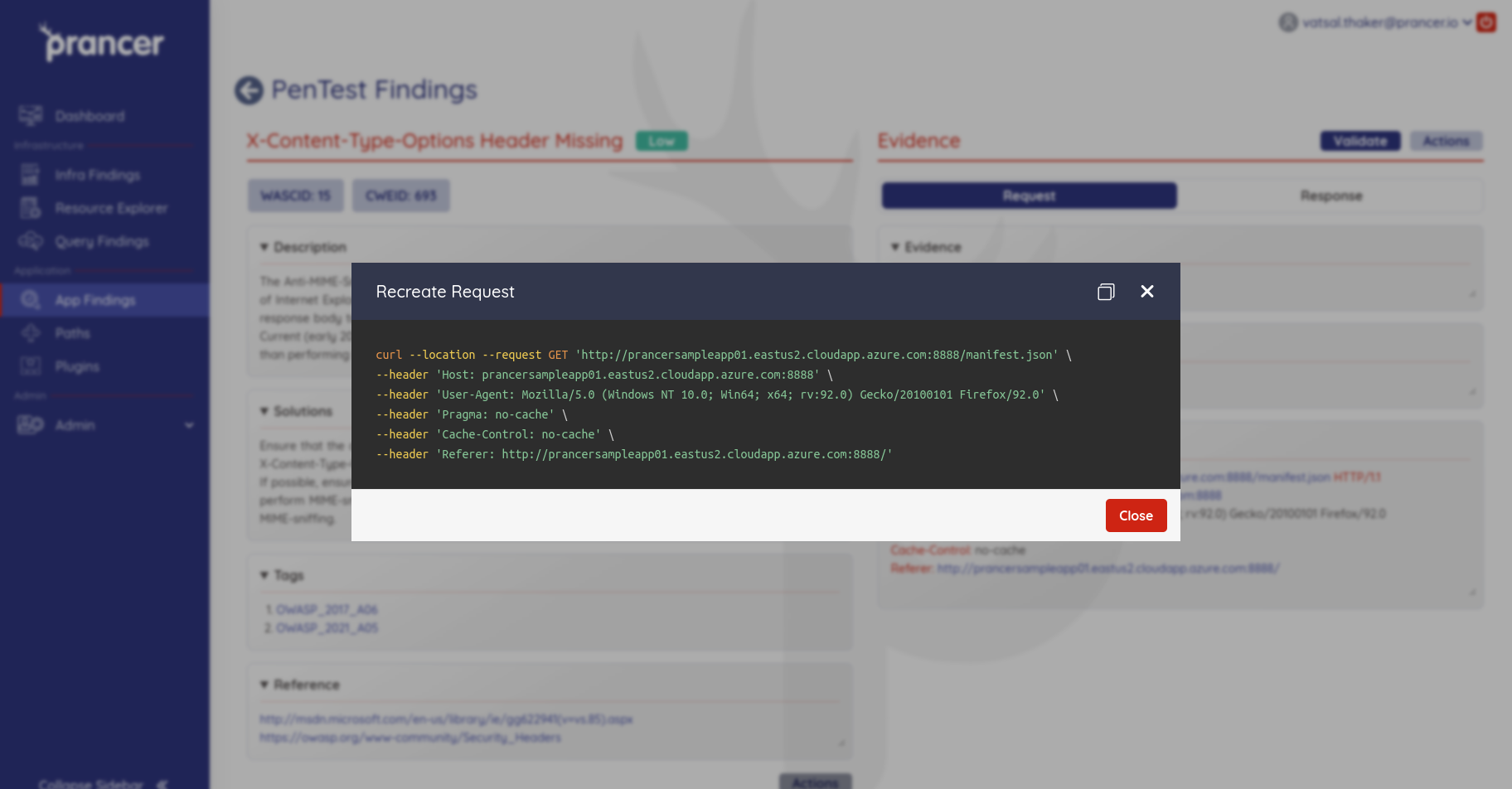
Tip: Run the generated curl from the same network as the original scanner. Some findings depend on network position (internal vs. internet-facing).
Triage a risk
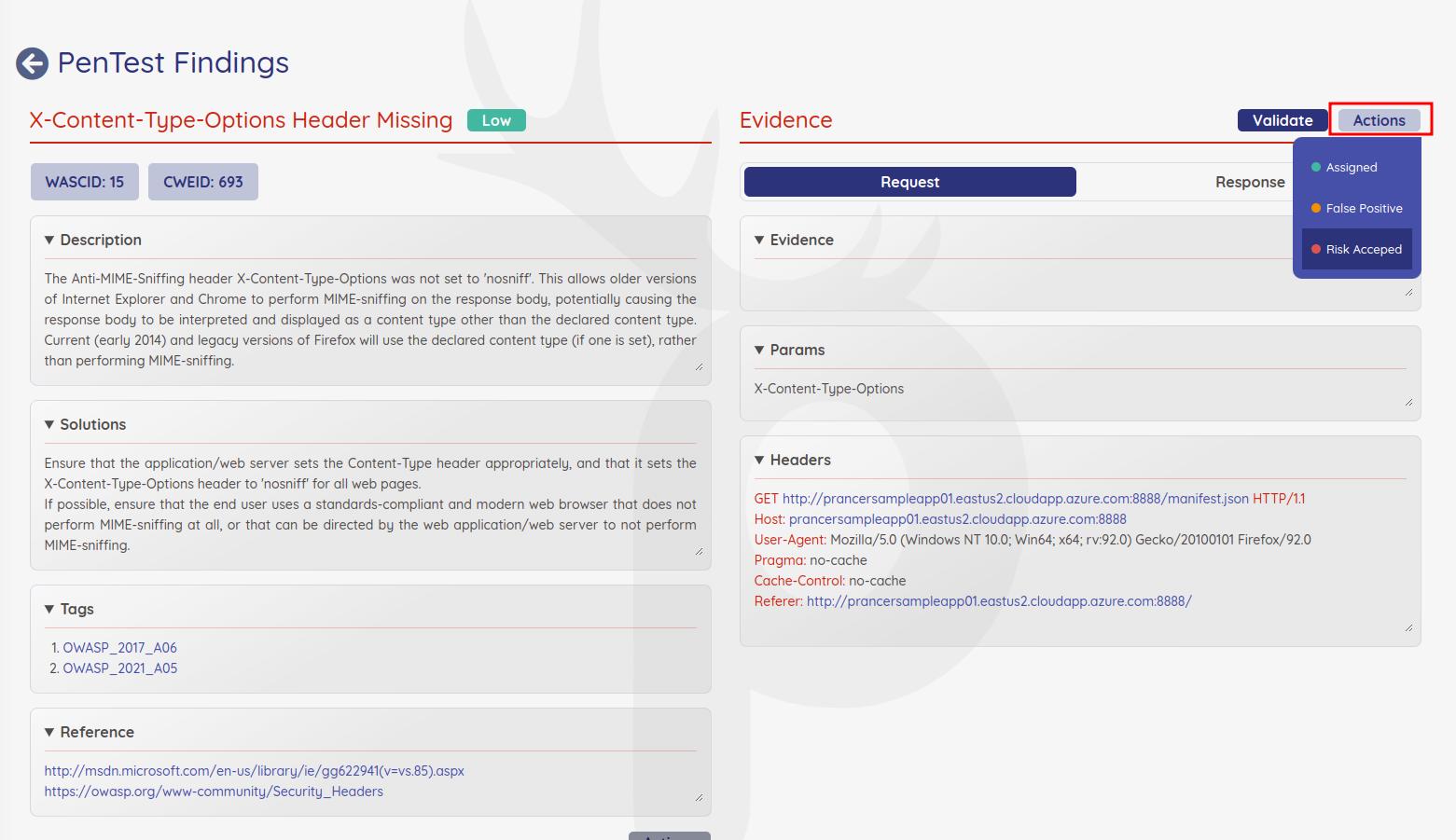
Mark each finding with one of:
- Assigned — picked up by an owner for remediation.
- False Positive — invalid finding; documented and dismissed.
- Risk Accepted — valid finding the business has chosen to accept.