Documentation / Authentication
Form-Based Auth
Form-Based Authentication
Use form-based auth when your app's login is a classic HTML form posting username + password (URL-encoded) and setting a session cookie — the most common pattern for legacy and server-rendered web apps.
Tip: if your login posts JSON instead of form-encoded data, use JWT or Cookie auth depending on what the response sets.
Before you start
You'll need:
- The login URL and the POST data format it expects.
- The logout URL *(excluded so the scanner doesn't log itself out).*
- Username and password stored in your Key Vault *(Azure)* or Secret Manager *(AWS / GCP)*.
- A regex or string that only appears in logged-in responses — used as the login indicator.
Walk through the PAC Wizard up to the authentication step before continuing.
Step 1 — Open the auth page
!Auth screen with method picker
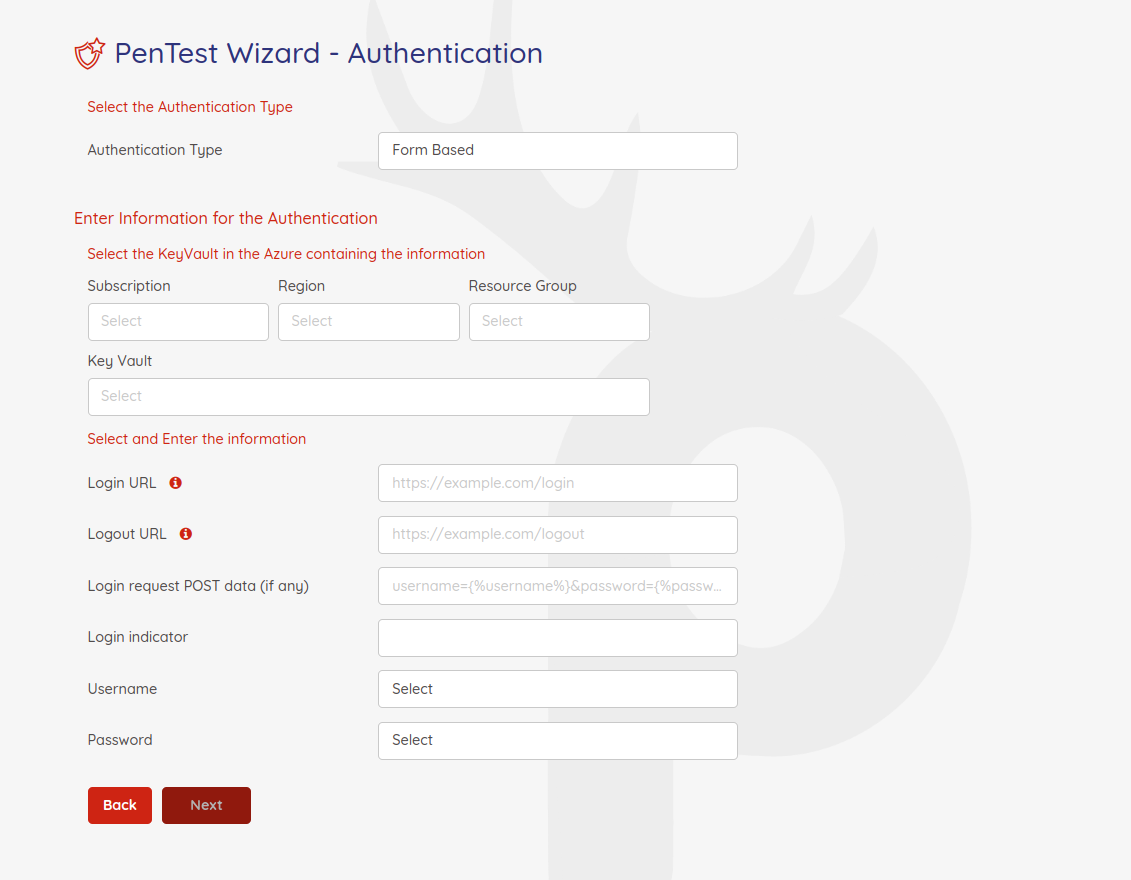
Pick Form Based as the authentication type and select the vault holding the credentials.
Step 2 — Fill in the form-based fields
| Field | Sample | Notes |
| ------- | -------- | ------- |
| Key Vault | Any vault the connector can reach | Holds username / password. |
| Login URL | https://sample.com/login | Full URL the scanner POSTs to. |
| Logout URL | https://sample.com/logout | Excluded from scanning. |
| Login Request POST data | username={%username%}&password={%password%} | URL-encoded body. %username% / %password% replaced from the vault. |
| LoginIndicator | Regex like \Q<a href="logout.jsp">Logout</a>\E | Must only appear when logged in. |
| Username / Password | Vault key names | Pick from dropdown. |
!Filled-in form-based auth form
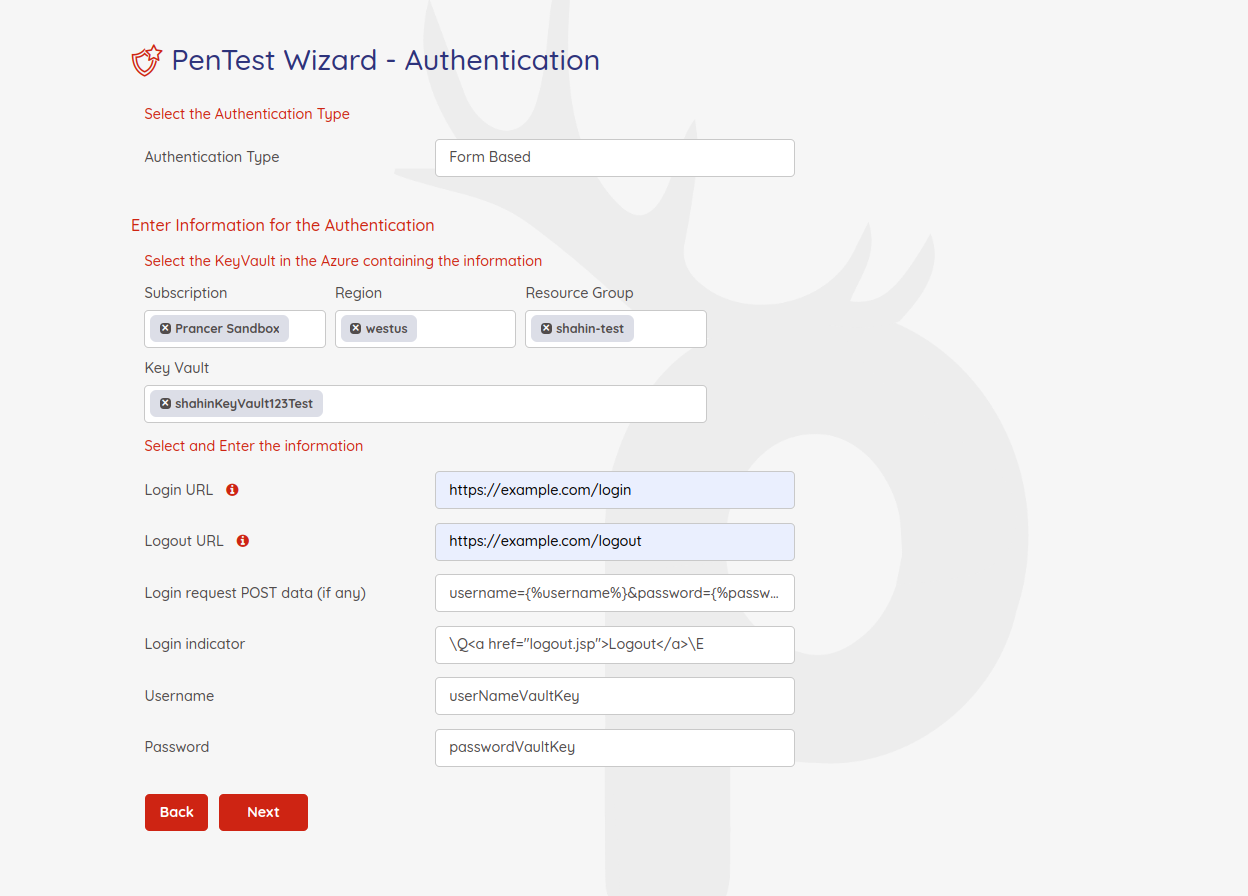
Warning: the field names inLoginRequestPostDatamust exactly match what your app's login form expects (e.g.identifiervsusername,pwdvspassword). Inspect the login network call in your browser if unsure.
Generated PAC YAML
Collection: scenario_azure_cspm
ConnectionName: scenario_azure_cspm_connector
CloudType: azure
ApplicatioName: Formbased Azure App
RiskLevel: standard
Compliance: [CIS]
ApplicationType: WebScan
Schedule: onetime
Target: http://prancersampleapp01.eastus2.cloudapp.azure.com:8888
Scanner:
  Cloud:
    Platform:
      Azure:
        ContainerInstance:
          AfterRun: delete
          NewContainerInstance:
            External:
              SubscriptionId: a6941677-4c37-42fb-960c-dad8f25060a3
              ResourceGp: shahin-test
              Region: westus
              ContainerGroupName: prancer-scanner-group
              ContainerName: prancer-pentest-instance
              ResourceName: prancer-instances
AuthenticationMethod: formBasedAuthentication
Authentication:
  Vault:
    Azure:
      KeyVaultName: shahinKeyVault123Test
      SubscriptionID: a6941677-4c37-42fb-960c-dad8f25060a3
      Region: westus
      ResourceGp: shahin-test
  FormBaseAuth:
    UsernameSecretKey: userNameVaultKey
    PasswordSecretKey: passwordVaultKey
    LoginUrl: /bodgeit/login.jsp
    LogoutUrl: /bodgeit/logout.jsp
    LoginRequestPostData: username={%username%}&password={%password%}
    LoginIndicator: \Q<a href="logout.jsp">Logout</a>\E
Next steps
- Other auth methods: Cookie · JWT · OAuth · Custom.
- Reference: PAC file authentication blocks.