Documentation / Authentication
Oauth Auth
OAuth Authentication
Use OAuth auth when your app authenticates via the client-credentials flow — the scanner exchanges a client_id + client_secret (and tenant_id) for an access token, then injects it on every request.
Warning: OAuth flows that require a user-interactive callback (e.g. authorization code with PKCE, MFA prompts) can't be automated. Log in manually, copy the resulting token, and inject it via Custom auth instead.
Before you start
You'll need:
- A client ID, client secret, and tenant ID stored in your Key Vault *(Azure)* or Secret Manager *(AWS / GCP)*.
- The token endpoint (login URL) and the logout URL.
- The body template the IdP expects.
Walk through the PAC Wizard up to the authentication step before continuing.
Step 1 — Open the auth page
!Auth screen with method picker
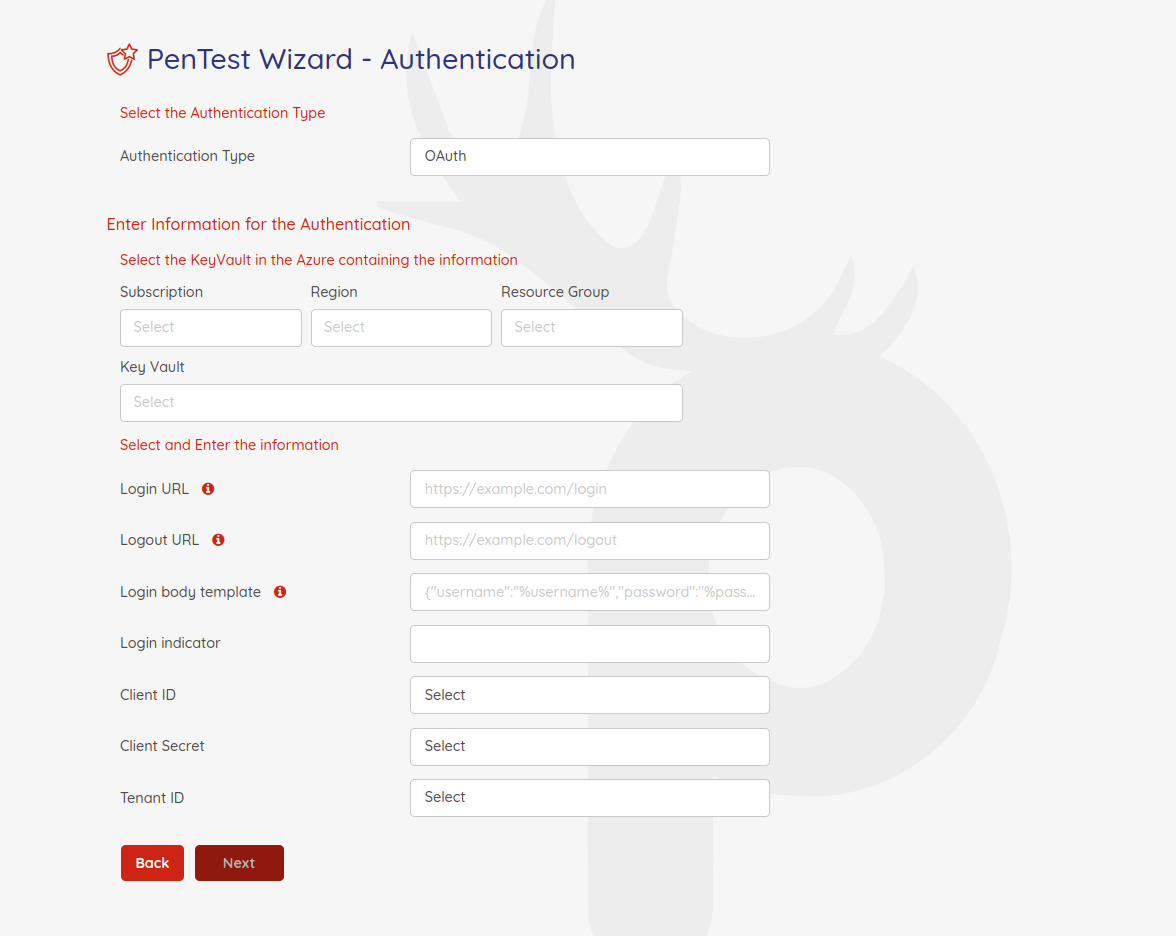
Pick OAuth as the authentication type and select the vault holding the OAuth secrets.
Step 2 — Fill in the OAuth fields
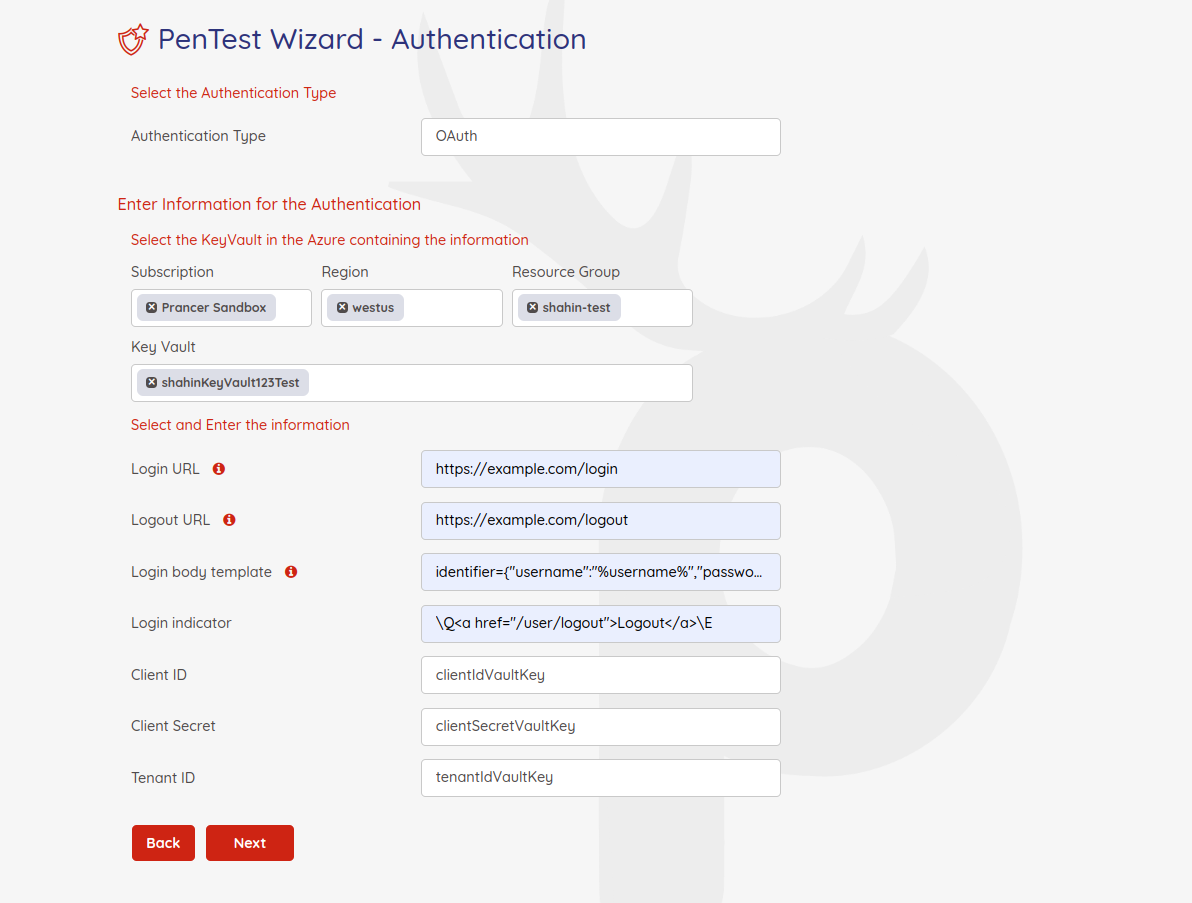
| Field | Sample | Notes |
| ------- | -------- | ------- |
| Key Vault | Any vault the connector can reach | Holds clientId / clientSecret / tenantId. |
| Login URL | https://sample.com/login | OAuth token endpoint. |
| Logout URL | https://sample.com/logout | Excluded from scanning. |
| Login Body Template | {"username":"%username%","password":"%password%"} | Body sent to login. |
| LoginIndicator | Regex | Confirms a successful token exchange. |
| Client ID | Vault key name | OAuth client ID. |
| Client Secret | Vault key name | OAuth client secret. |
| Tenant ID | Vault key name | OAuth tenant ID. |
Generated PAC YAML
Collection: scenario_azure_cspm
ConnectionName: scenario_azure_cspm_connector
CloudType: azure
ApplicatioName: Oauth Azure App
RiskLevel: standard
Compliance: [CIS]
ApplicationType: WebScan
Schedule: onetime
Target: http://prancersampleapp01.eastus2.cloudapp.azure.com:8888
Scanner:
  Cloud:
    Platform:
      Azure:
        ContainerInstance:
          AfterRun: delete
          NewContainerInstance:
            External:
              SubscriptionId: a6941677-4c37-42fb-960c-dad8f25060a3
              ResourceGp: shahin-test
              Region: westus
              ContainerGroupName: prancer-scanner-group
              ContainerName: prancer-pentest-instance
              ResourceName: prancer-instances
AuthenticationMethod: oauthAuthentication
Authentication:
  Vault:
    Azure:
      KeyVaultName: shahinKeyVault123Test
      SubscriptionID: a6941677-4c37-42fb-960c-dad8f25060a3
      Region: westus
      ResourceGp: shahin-test
  oAuth:
    LoginBodyTemplate: identifier={"username":"%username%","password":"%password%"}
    LoginIndicator: XFE8YSBocmVmPSIvdXNlci9sb2dvdXQiPkxvZ291dDwvYT5cRQ==
    clientId: clientIdVaultKey
    clientSecret: clientSecretVaultKey
    tenantId: tenantIdVaultKey
    LoginUrl: https://example.com/login
    LogoutUrl: https://example.com/logout
Next steps
- Other auth methods: Cookie · JWT · Form-based · Custom.
- Reference: PAC file authentication blocks.