Documentation / Policy and Compliance
Drift detection
Drift Detection
Drift Detection compares a live cloud resource to its declared Infrastructure-as-Code (IaC) template and surfaces any differences. The two are linked by matching prancer_unique_id and resource_type tags so Prancer can pair an Azure storage account with the exact ARM/Terraform block that defined it.
Before you start
``json { "prancer_unique_id": "7846b5c5-4f0c-420f-a797-0c82845e80dd", "resource_type": "Microsoft.Storage/storageAccounts" } ``
- An IaC repository where each resource carries the matching tags:
- A collection containing all three files:
- one IaC master snapshot,
- one cloud master snapshot,
- one mastertest matching the cloud master snapshot.
| Tag | Purpose |
| --- | --- |
| prancer_unique_id | Unique ID linking a deployed resource to its IaC source. |
| resource_type | Provider-native resource type (e.g. Microsoft.Storage/storageAccounts). |
Warning: If the tags don't match exactly on both sides, the resource is treated as untracked and won't be evaluated for drift.
1. Provide the supporting files
Upload (or generate via wizards) the connector and master snapshot/test files. Example set for an Azure drift collection:
connector_source_azure_git:
{
  "branchName": "drift",
  "companyName": "prancer",
  "fileType": "structure",
  "gitProvider": "https://github.com/prancer-io/prancer-armof.git",
  "private": false,
  "type": "filesystem"
}
ms_azure_git (IaC master snapshot):
{
  "connector": "git_prancer-xforia_connector",
  "connectorUsers": [
    { "id": "USER_1", "source": "connector_source_azure_git", "testUser": "USER_1" }
  ],
  "fileType": "masterSnapshot",
  "remoteFile": "azure/iac/master-snapshot.json",
  "snapshots": [],
  "type": "arm"
}mastertest:
{
  "connector": "git_prancer-xforia_connector",
  "connectorUsers": [],
  "fileType": "mastertest",
  "masterSnapshot": "mastersnapshot_Azure_Drift_Detection",
  "notification": [],
  "remoteFile": "azure/cloud/master-compliance-test.json",
  "testSet": []
}
Cloud master snapshot:
{
  "connector": "git_prancer-xforia_connector",
  "connectorUsers": [
    {
      "id": "USER_1",
      "source": "Azure_Drift_Detection_connector",
      "subscriptionId": "a6941677-4c37-42fb-960c-dad8f25060a3",
      "testUser": "prancer-xforia"
    }
  ],
  "fileType": "masterSnapshot",
  "remoteFile": "azure/cloud/master-snapshot.json",
  "snapshots": [],
  "type": "azure"
}
2. Configure drift detection
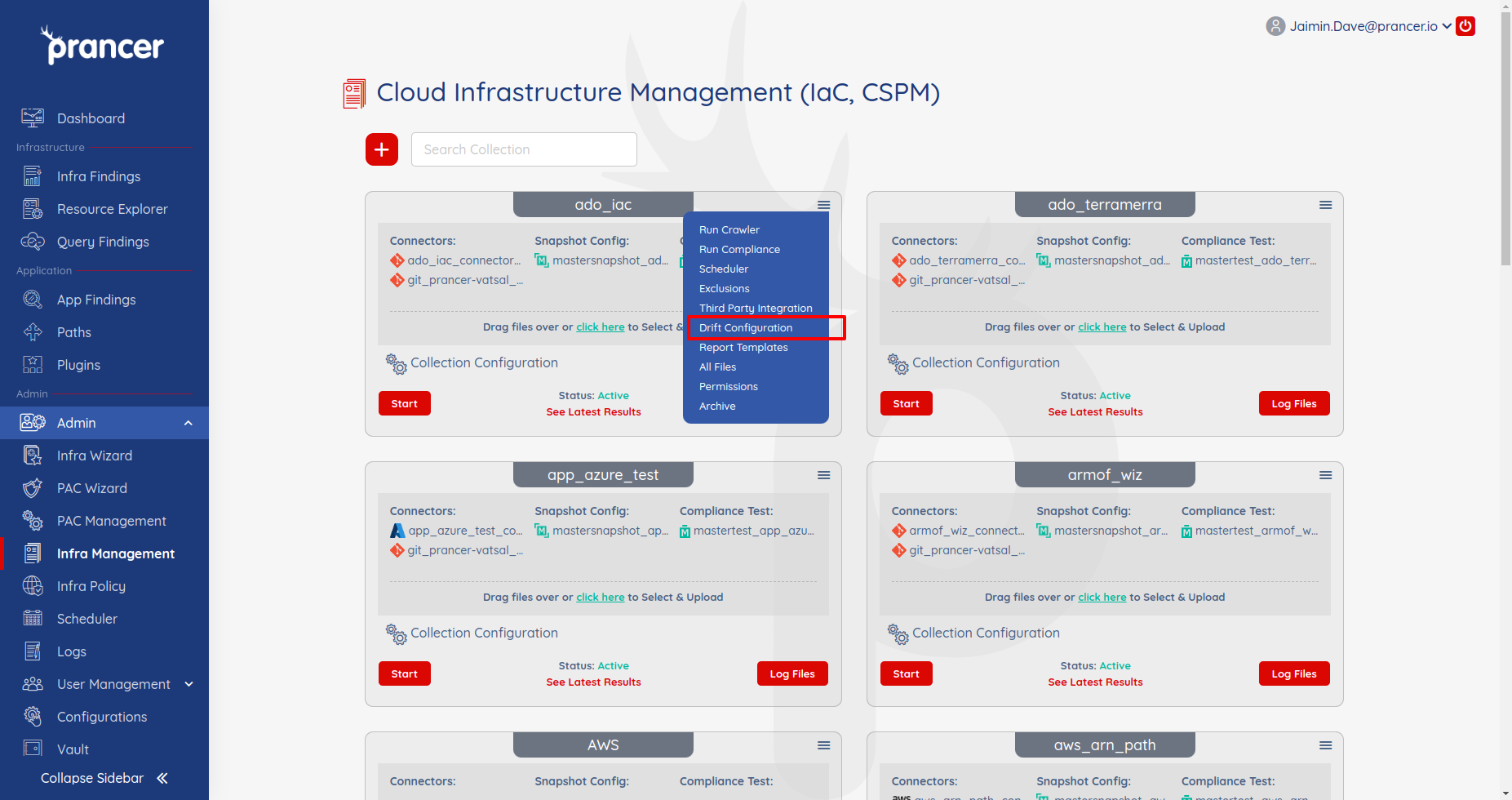
Open the collection drop-down → Drift Configuration.
In the form, tick Run Drift Detection and pick the IaC and cloud master snapshots.
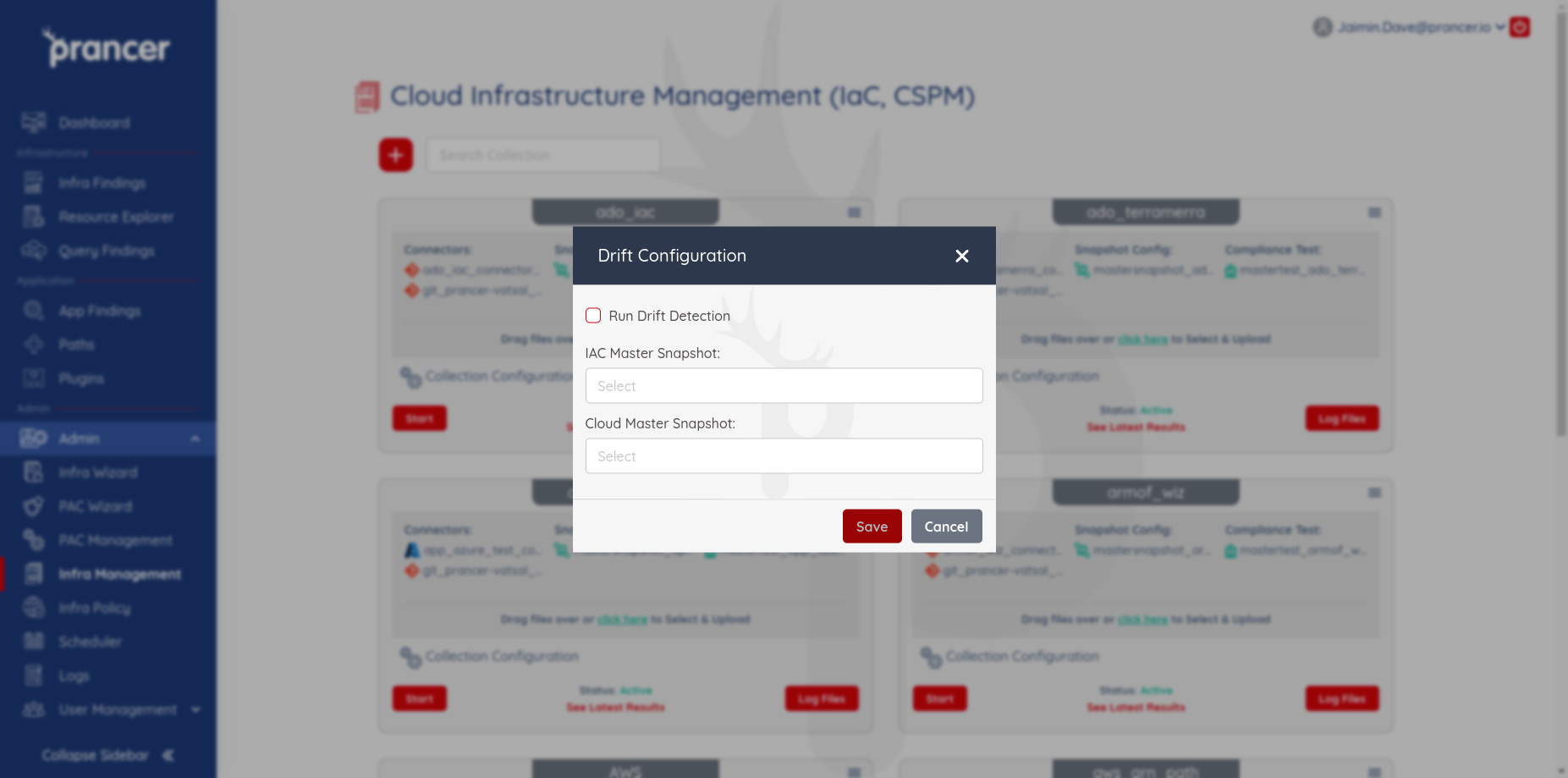
| Field | Description |
| --- | --- |
| Run Drift Detection | Runs drift automatically with every Compliance Run. |
| IAC Master Snapshot | The IaC master snapshot to compare from. |
| Cloud Master Snapshot | The cloud master snapshot to compare against. |
3. Update an existing configuration
Re-open Drift Configuration, change the parameters, and click Save.
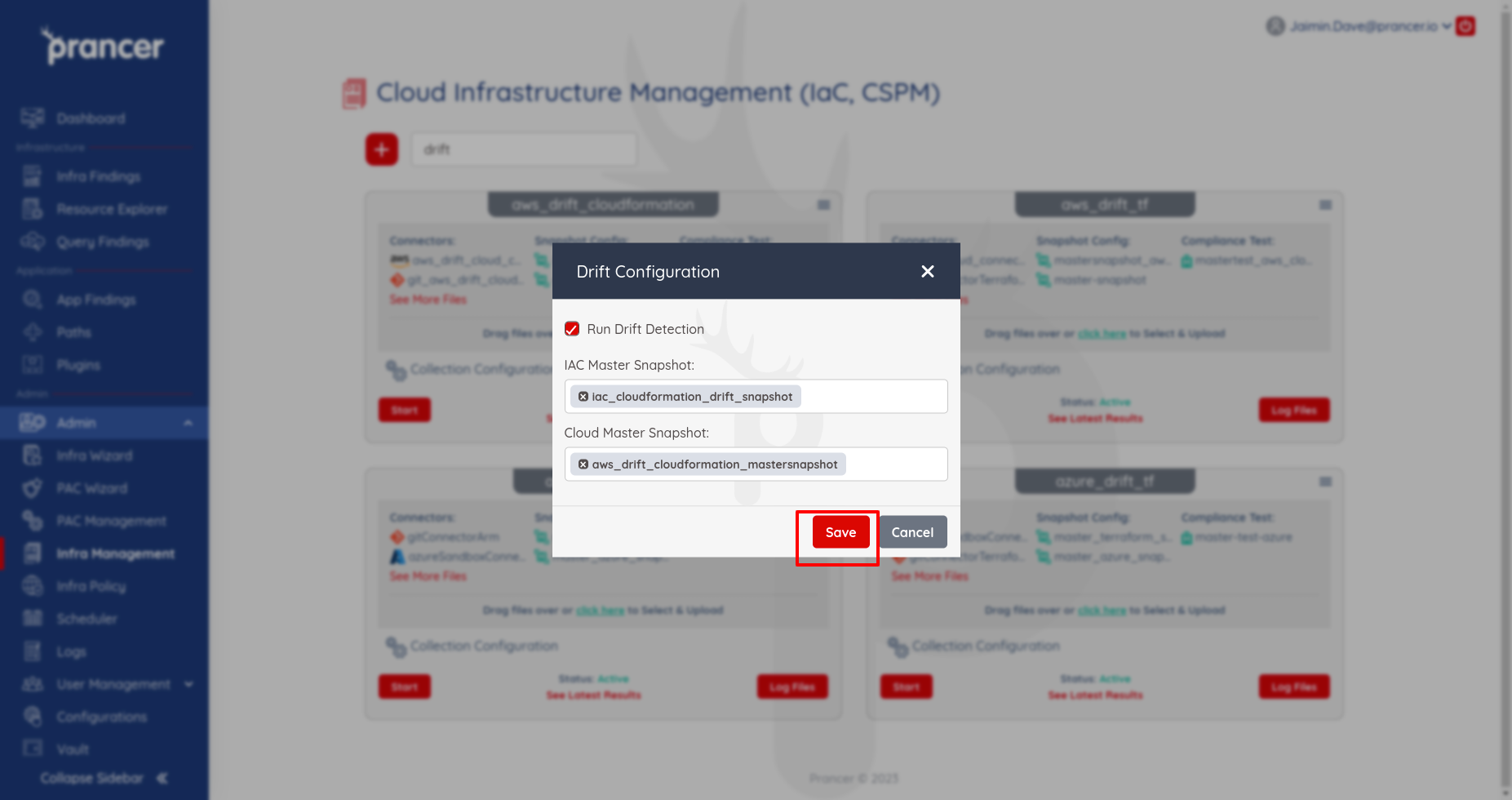
4. Run drift detection
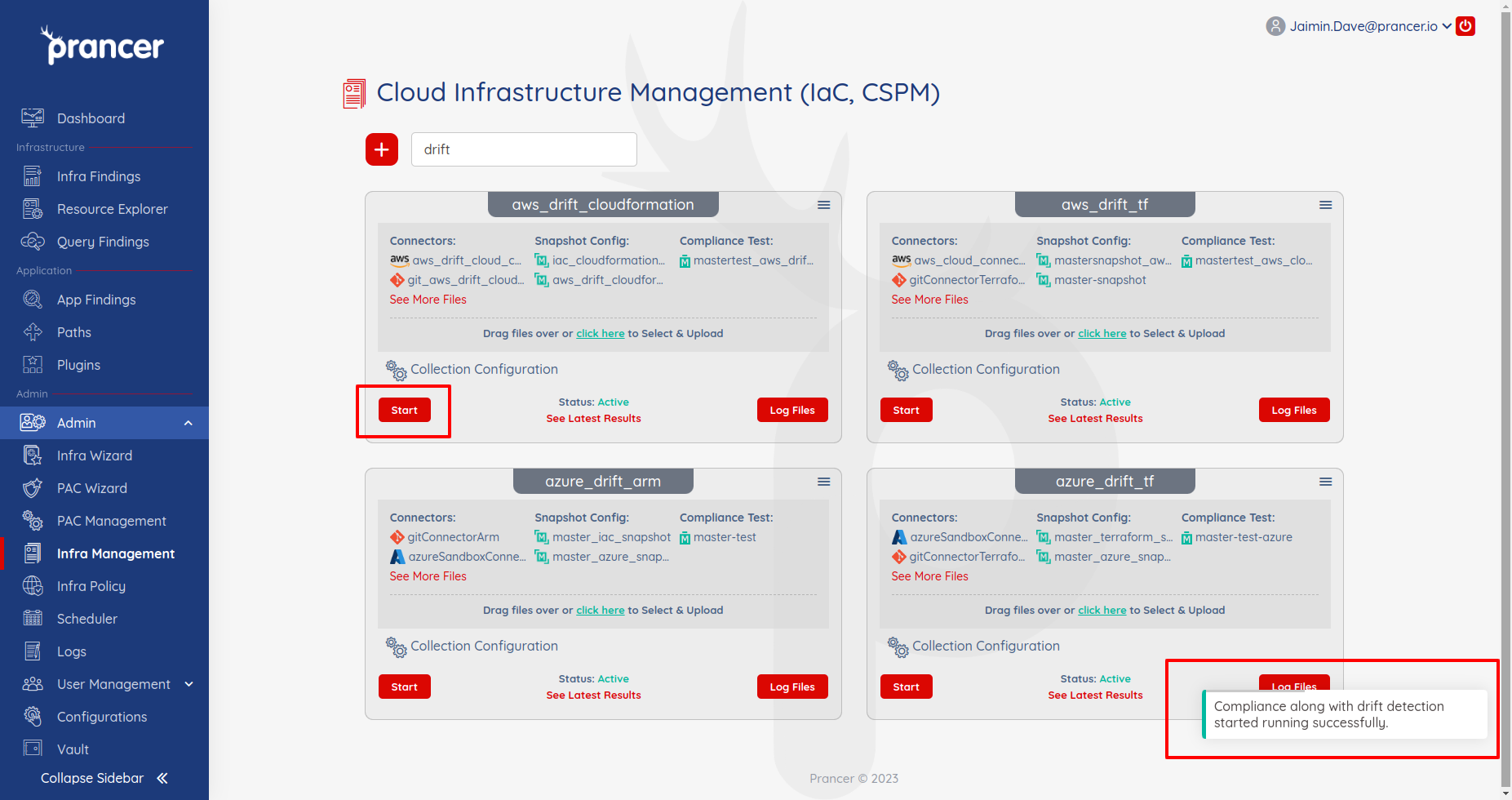
When Run Drift Detection is enabled, it executes automatically on every Compliance Run. Click Start and wait for the success notification.
5. Review results
In Infra Findings, tick Drifted items to filter to drifted resources only.
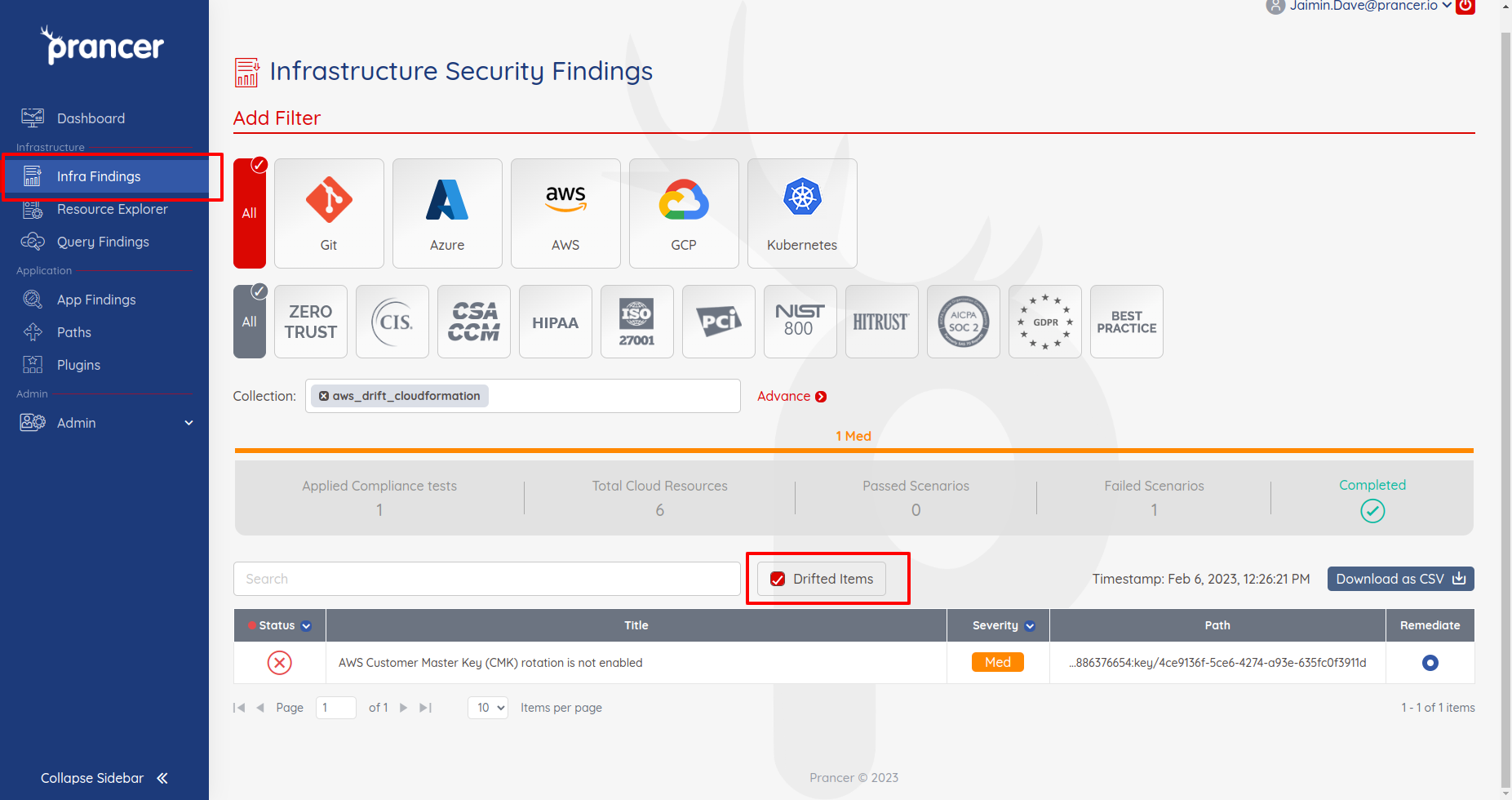
A red Drift Detected banner appears on any affected report.
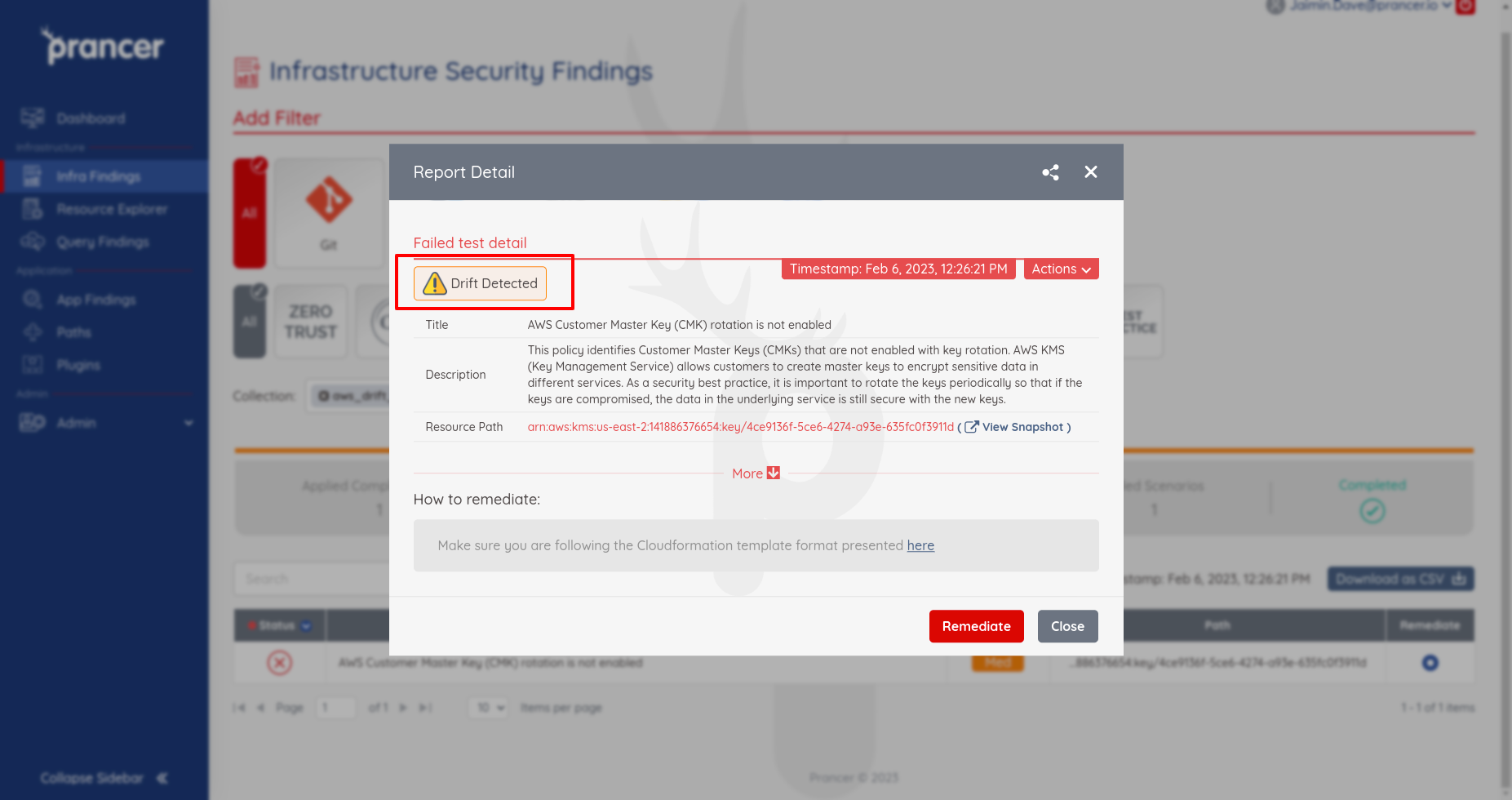
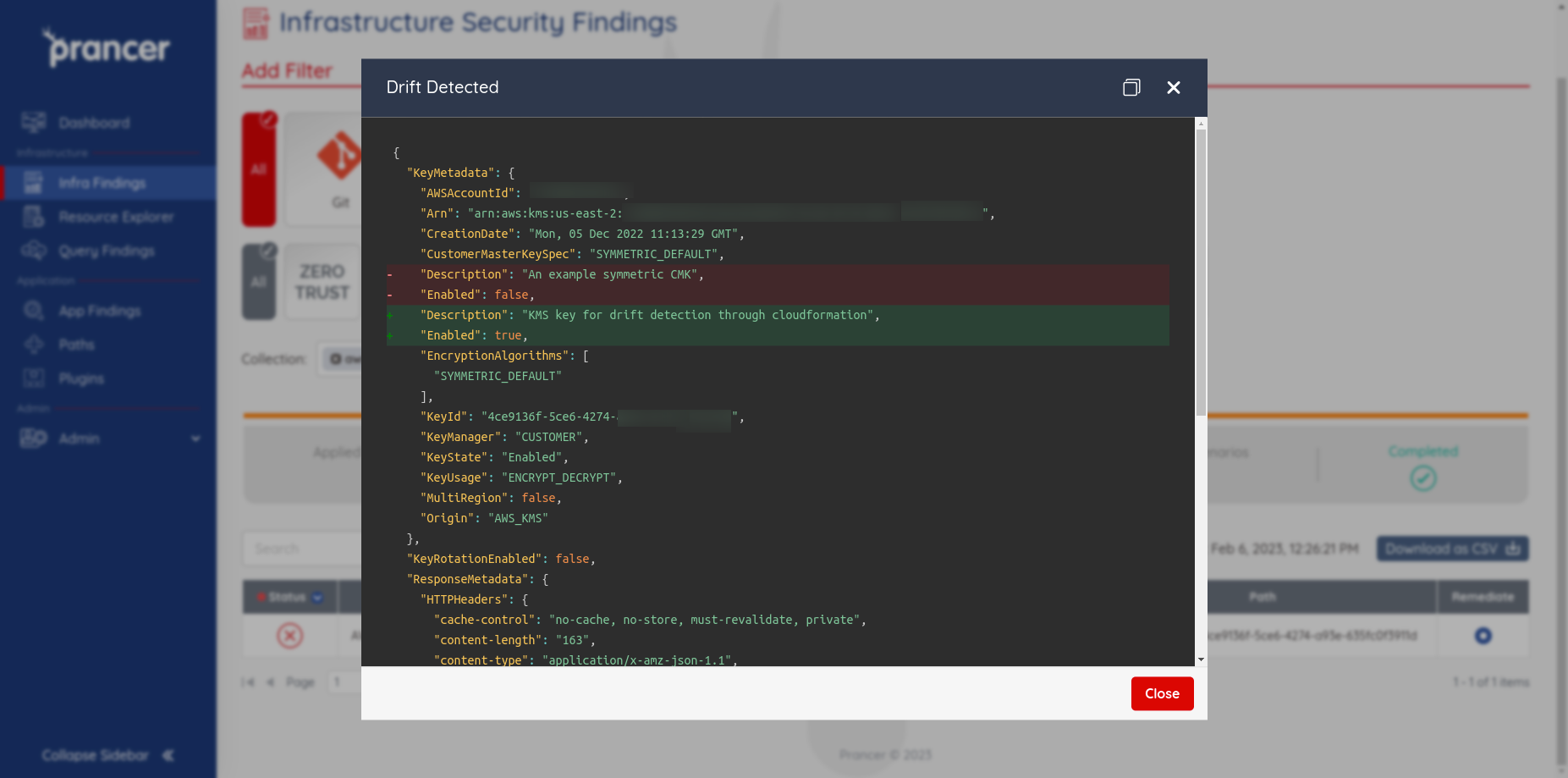
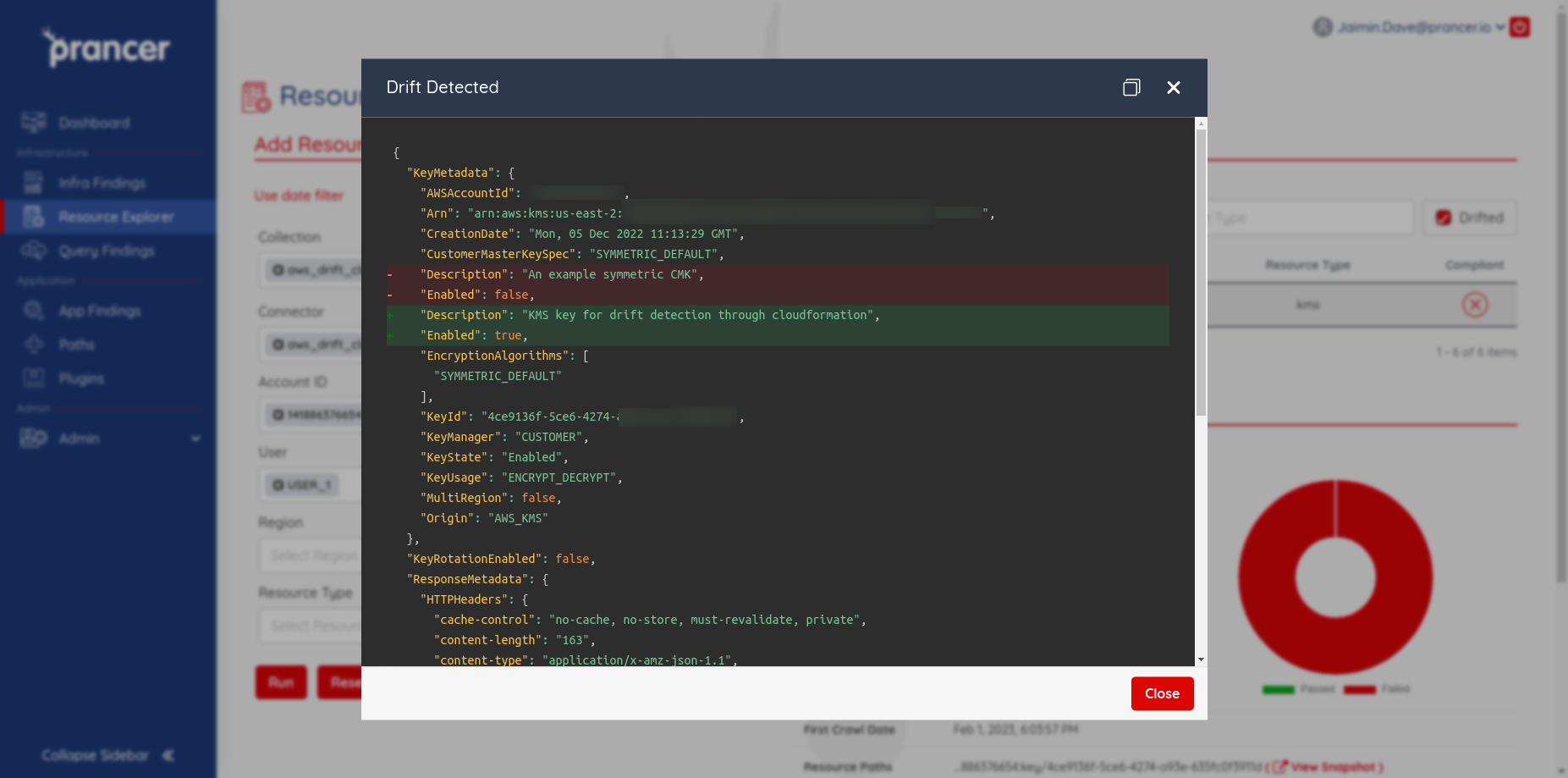
Click the banner to see the exact attribute-level diff between the IaC template and the live resource.
Drift in Resource Explorer
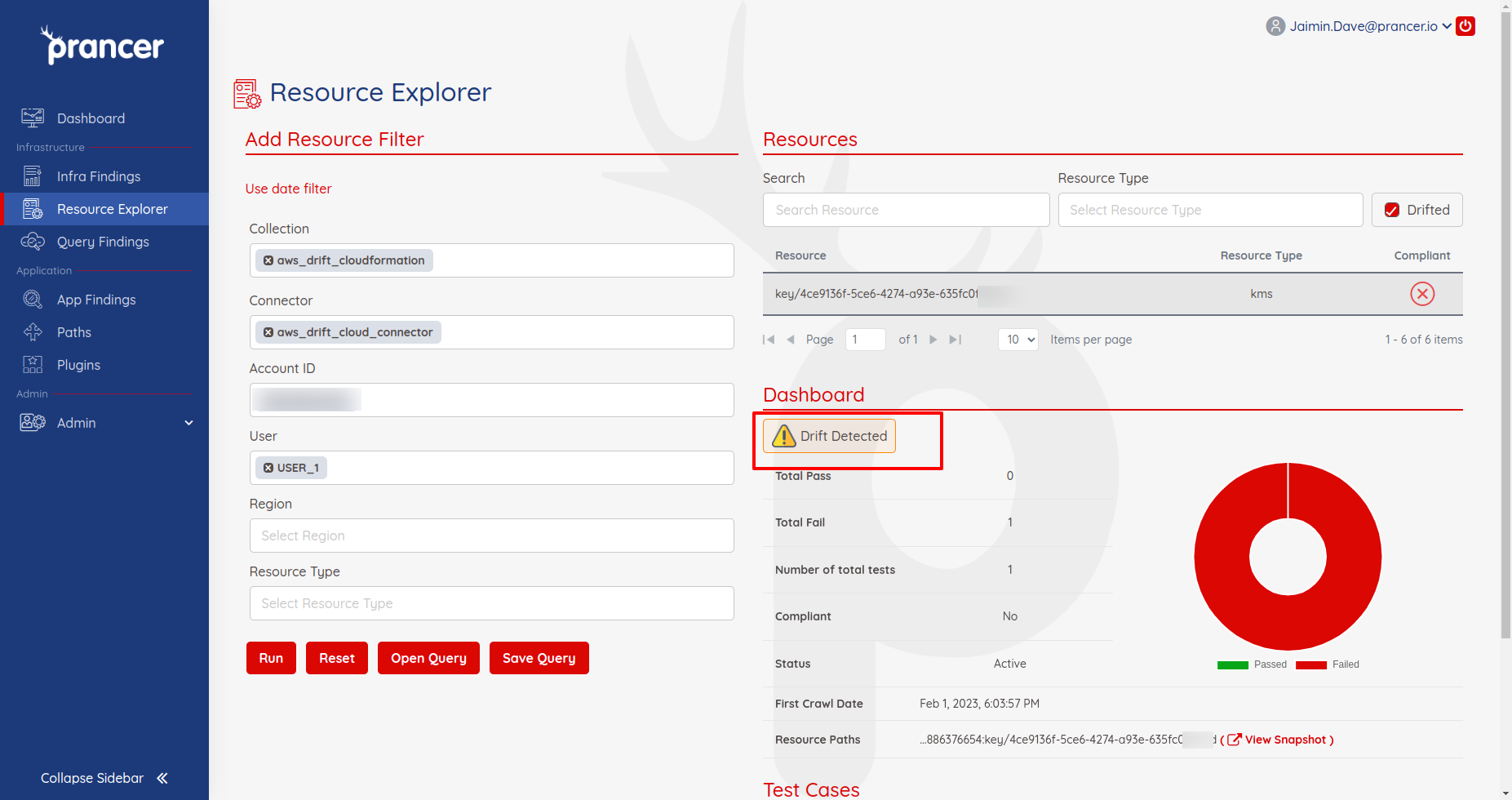
Open Resource Explorer, tick Drifted, and you'll see every resource (for the connector and collection) that has drifted from its template.
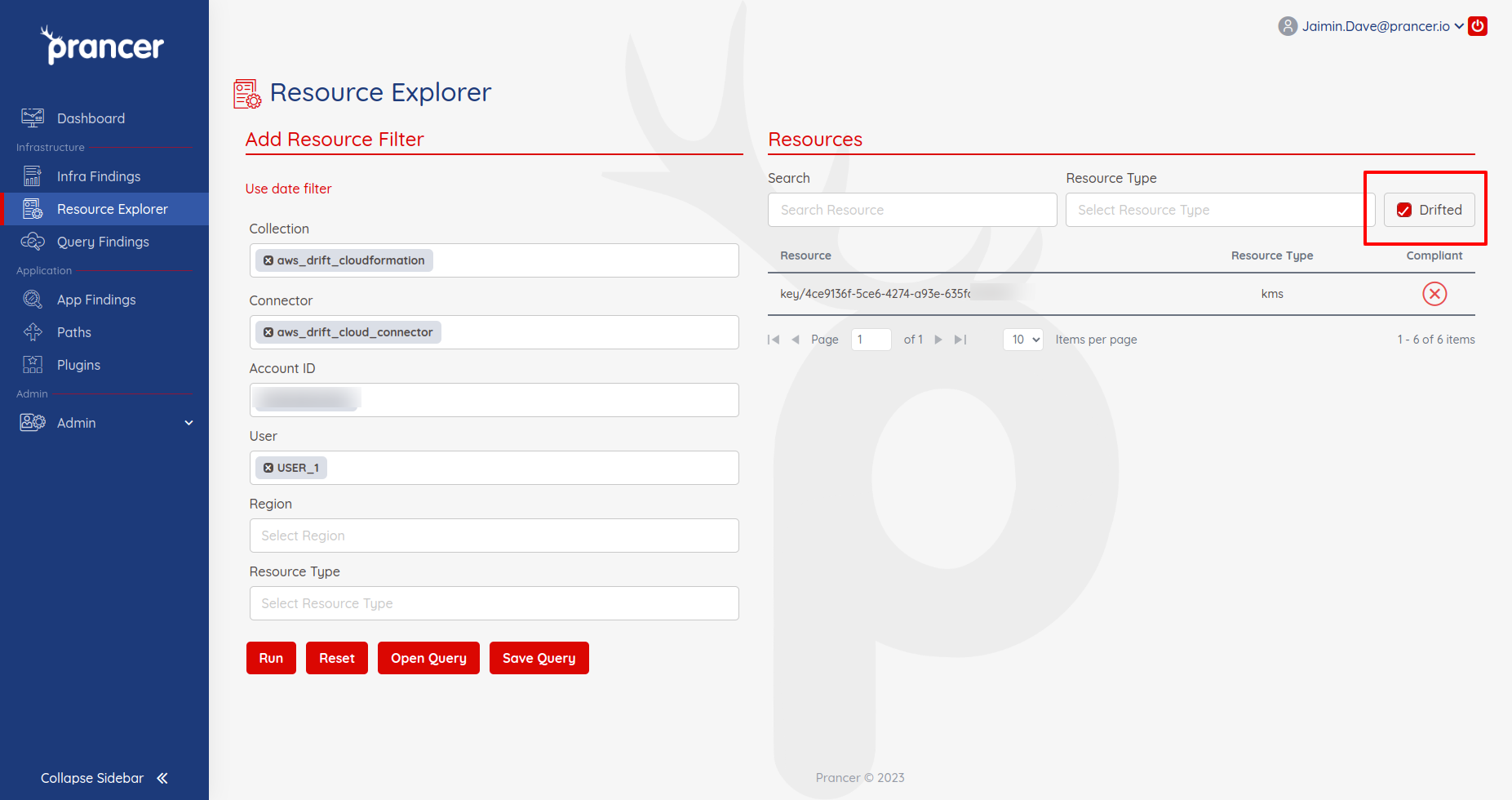
Click a resource to open its dashboard — same Drift Detected banner and diff view.
Tip: Treat drift as a signal that someone bypassed your IaC pipeline. Investigate the prancer_unique_id in your CI logs to find who applied the change.
Next steps
- Remediation — open a PR that re-aligns IaC with the live state (or vice-versa).
- Master Snapshot — manage the underlying snapshots.
- Compliance Run — drift runs as part of every compliance run.