Documentation / Cloud Posture Setup (CSPM)
Wizard - Azure Cloud
Wizard — Azure Cloud
Onboard an Azure subscription end-to-end. The wizard creates the connector, master snapshot, and master compliance files, runs the Crawler, and triggers the first Compliance Run.
Before you start
- An Azure Service Principal (SPN) with at least Reader on the target subscription. See Create a service principal in the Azure portal.
- The Tenant ID of your Azure AD. See Find your Azure AD tenant.
- For Monitor and Remediate: Contributor (or narrower) on the resources you want to fix.
- A unique collection name.
Tip: Use a dedicated SPN per Prancer collection so audit logs clearly show which scans hit your subscription.
1. Pick the wizard type
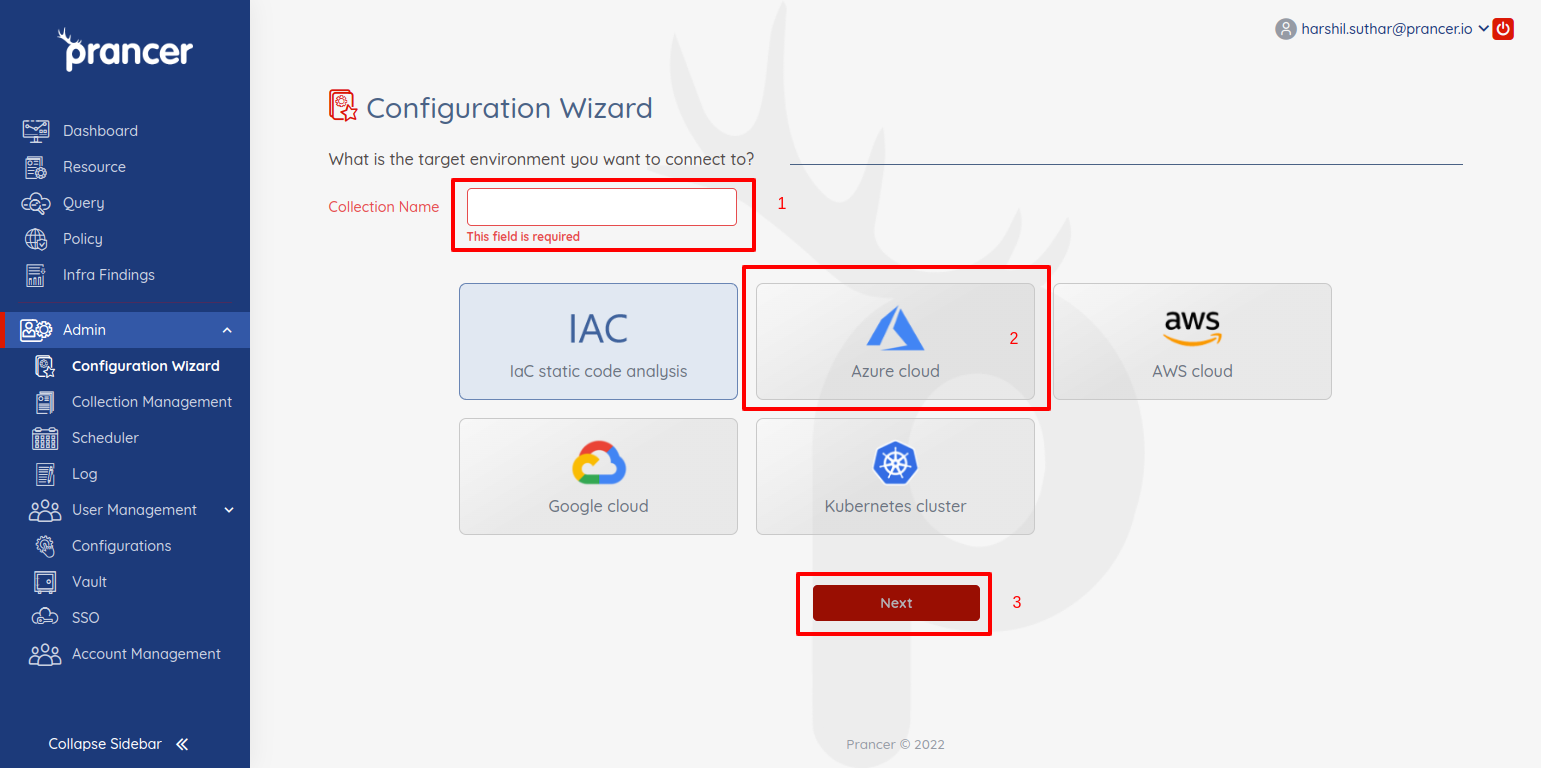
In the Configuration Wizard, name the collection, choose Azure Cloud, and click Next.
2. Provide connection details
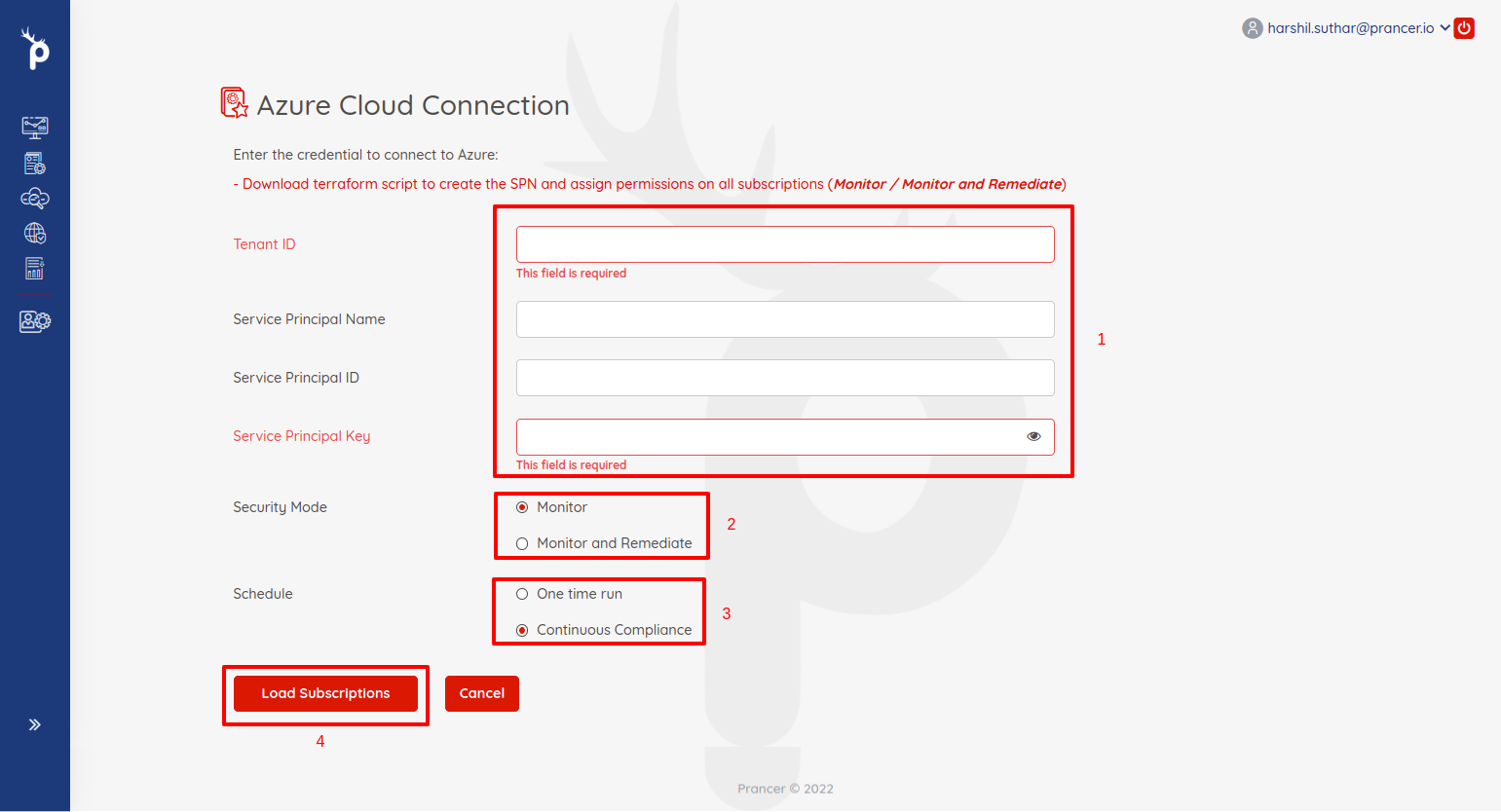
| Field | Description |
| --- | --- |
| Tenant ID | Azure AD tenant ID. |
| Service Principal Name | Display name of the SPN. |
| Service Principal ID | Application (client) ID of the SPN. |
| Service Principal Key | SPN client secret. |
3. Choose a security mode
| Mode | What it does |
| --- | --- |
| Monitor | Loads resources, runs compliance, generates reports. |
| Monitor and Remediate | All of the above, plus auto-remediation. |
Warning: Remediation issues real Azure Resource Manager calls. Try it in a sandbox subscription first.
4. Choose a schedule
| Schedule | When it runs |
| --- | --- |
| One time run | Once, immediately after wizard completion. |
| Continuous Compliance | On a recurring schedule (e.g. every 2 hours). |
5. Load accounts
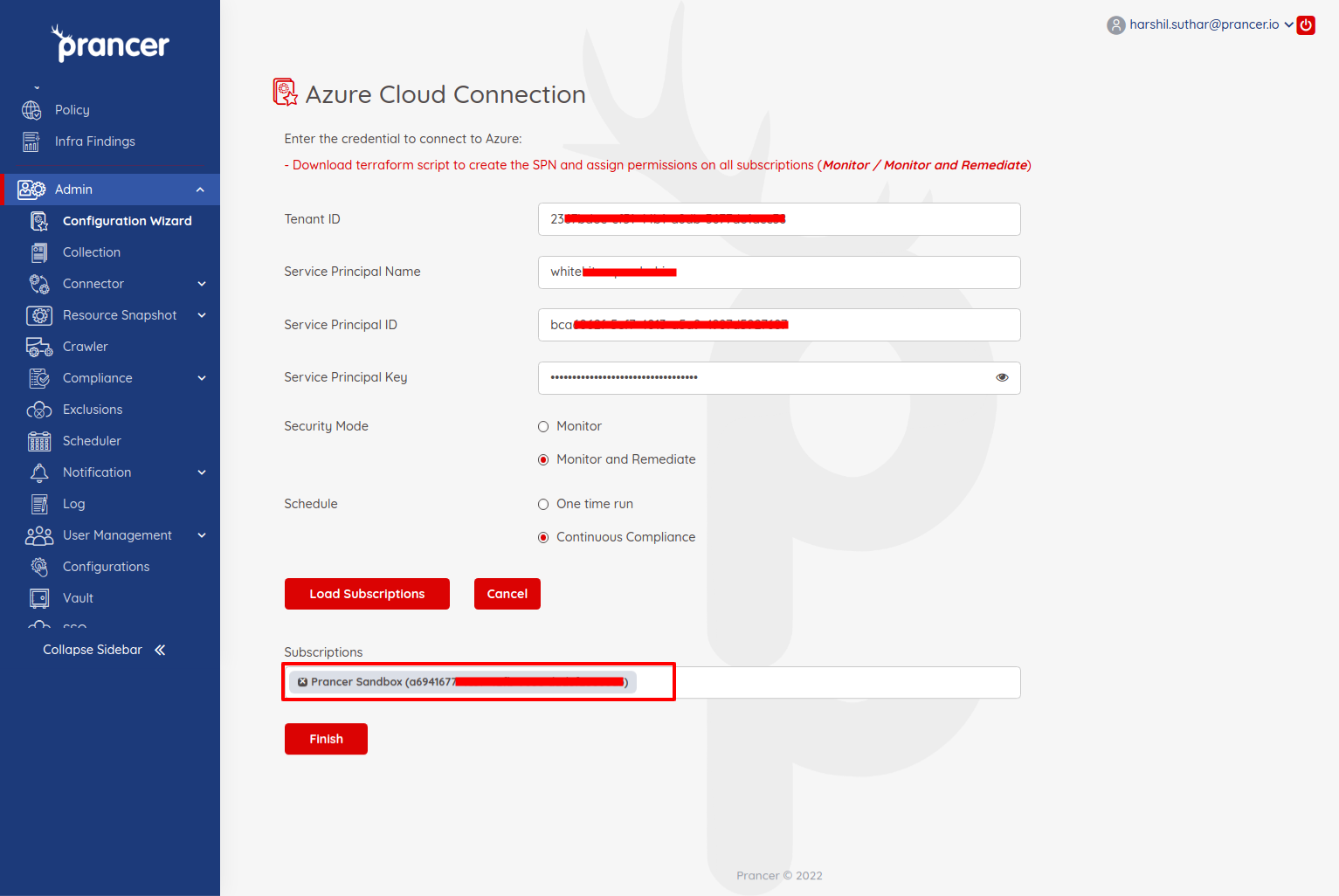
Click Load Accounts to enumerate the subscriptions reachable by the SPN.
6. Finish
Pick a subscription and click Finish. Prancer will:
1. Create the Connector configuration 2. Create the Master Snapshot configuration 3. Create the Master Compliance configuration 4. Run the Crawler 5. Run policy compliance
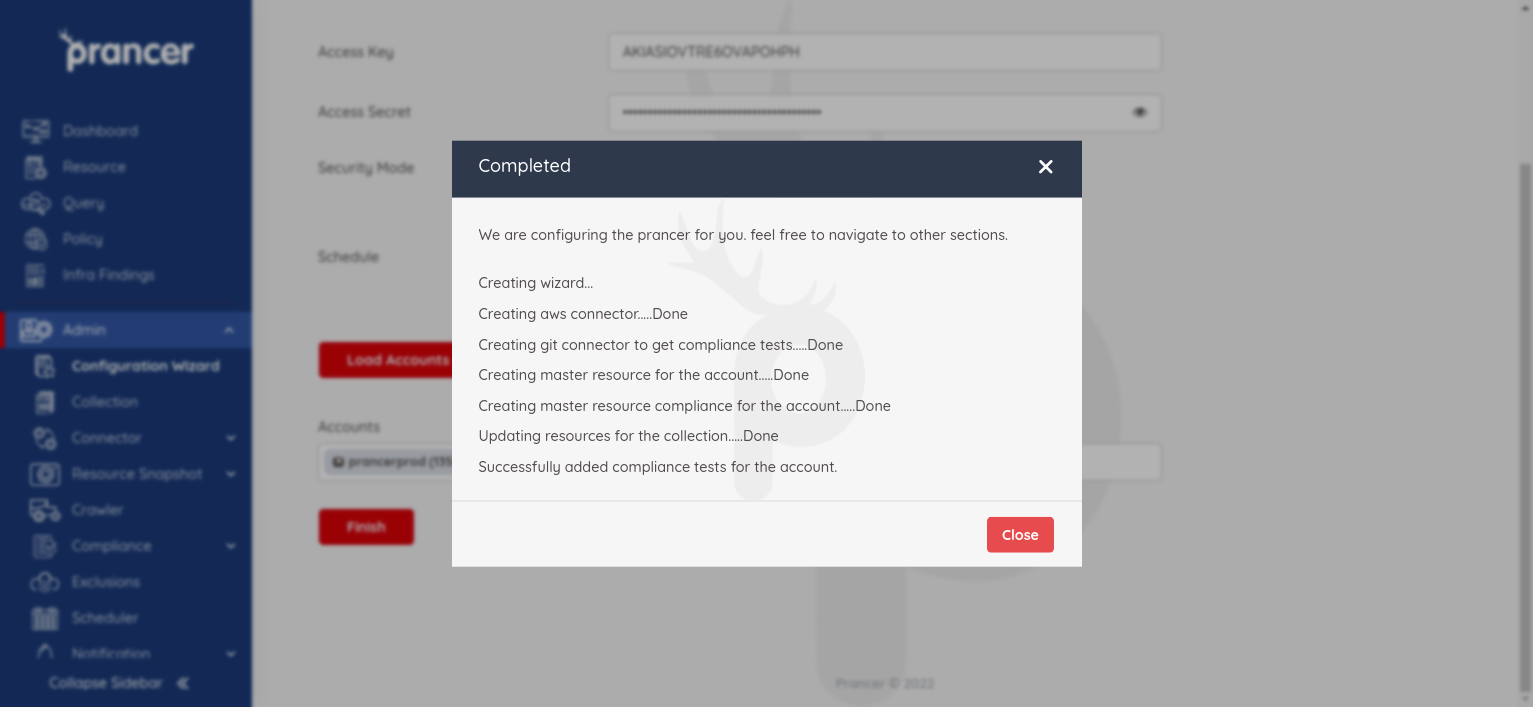
Results appear in Infra Findings and execution details in Logs.
Next steps
- Azure ARM Template Scanner — use ARM for the pentest scanner too.
- Drift Detection — pair with IaC for drift visibility.
- Compliance Run — re-run compliance on demand.