Documentation / Cloud Posture Setup (CSPM)
Wizard - Google Cloud
Wizard — Google Cloud
Onboard a Google Cloud project end-to-end. The wizard generates connector, master snapshot, and master compliance files, runs the Crawler, and starts the first Compliance Run.
Before you start
- A GCP service account key (JSON) with the right roles (see below).
- A unique collection name.
Recommended service-account roles
| Role | Why |
| --- | --- |
| Viewer | Read most Google Cloud resources. |
| Security Reviewer | Inspect any IAM policy. |
| Secret Manager Viewer | Read metadata of all Secret Manager resources. |
| Editor | *Only for auto-remediation.* Modifies cloud resources. |
Warning: Grant Editor only when you actually use Monitor and Remediate — over-privileged service accounts are a top breach vector.
1. Pick the wizard type
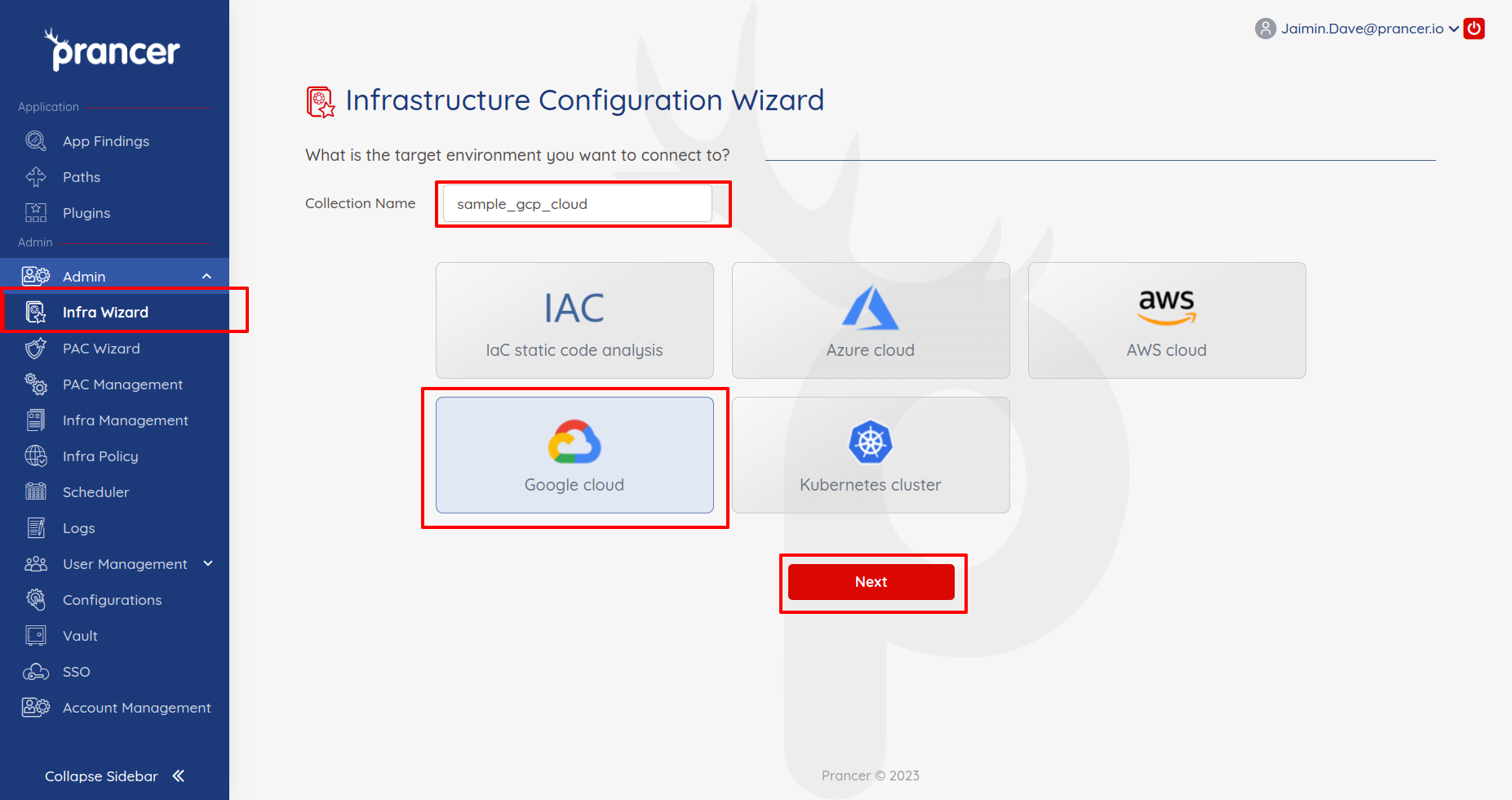
In the Configuration Wizard, name the collection, choose Google Cloud, and click Next.
2. Provide connection details
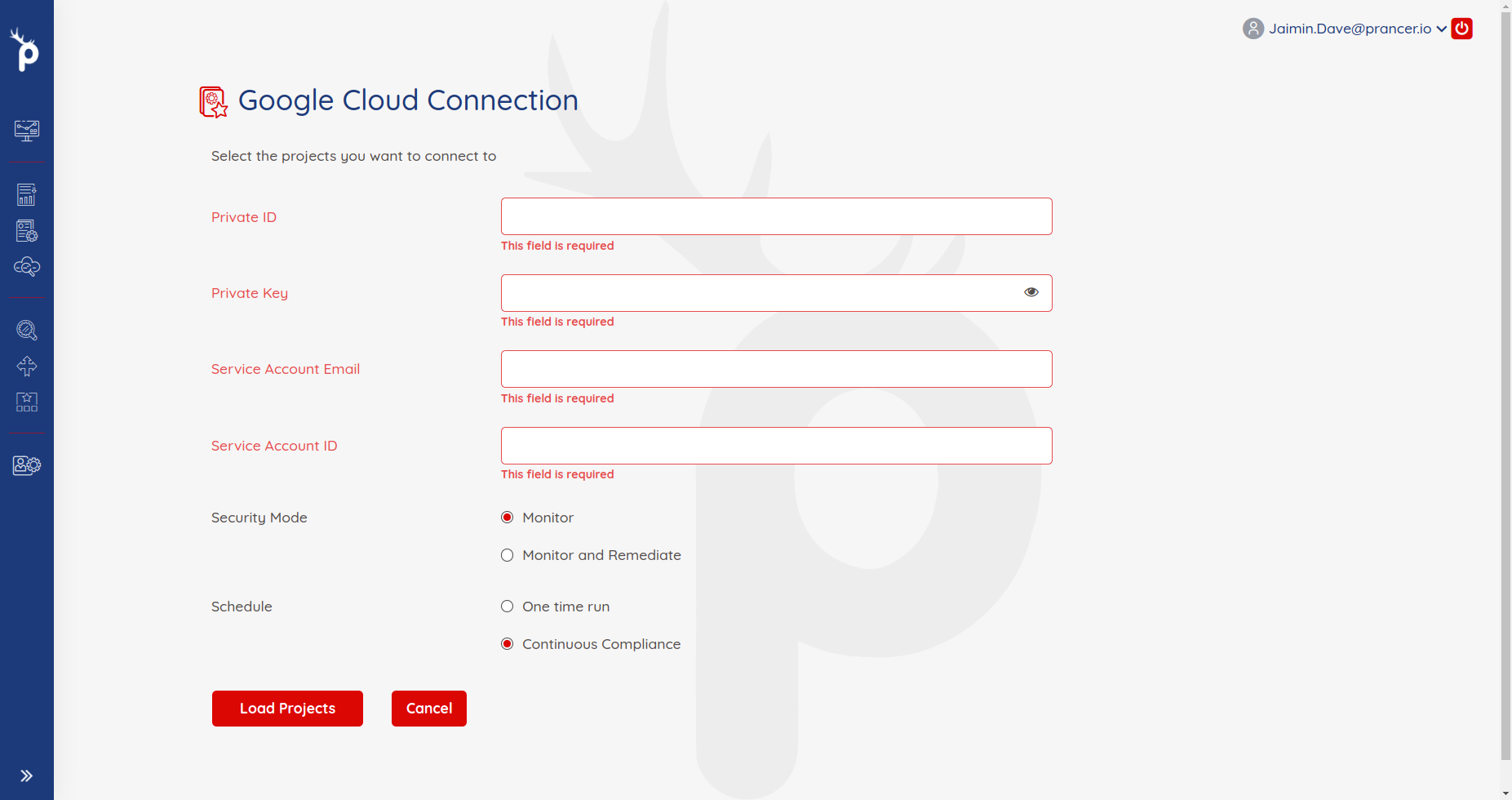
| Field | Description |
| --- | --- |
| Private ID | private_key_id from the service-account JSON. |
| Private Key | private_key from the JSON. |
| Service Account Email | client_email from the JSON. |
| Service Account ID | client_id from the JSON. |
3. Choose a security mode
| Mode | What it does |
| --- | --- |
| Monitor | Loads resources, runs compliance, generates reports. |
| Monitor and Remediate | All of the above, plus auto-remediation. |
4. Load projects
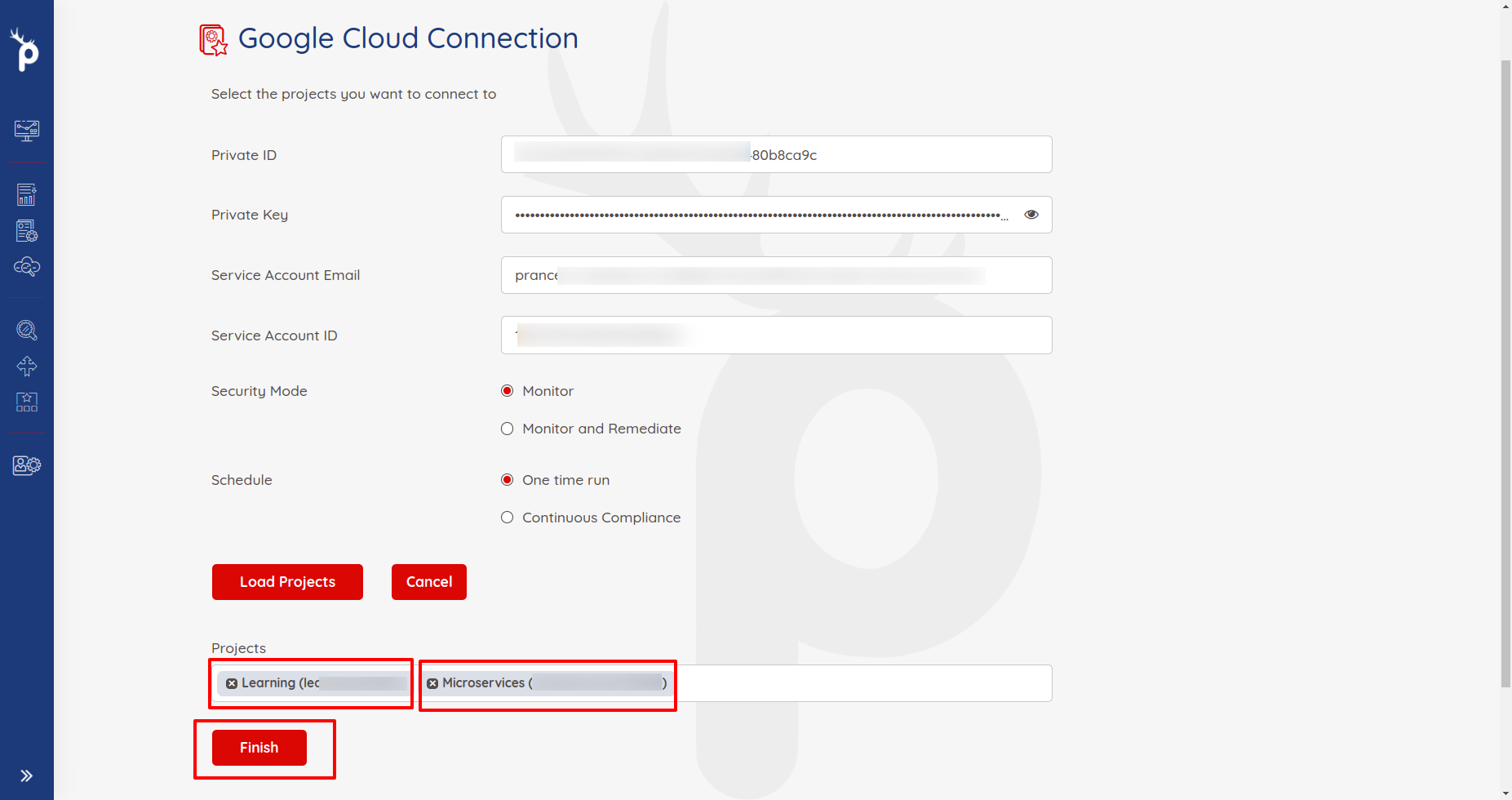
Click Load Projects to enumerate every GCP project reachable by the service account.
5. Finish
Pick a project and click Finish. Prancer will:
1. Create the Connector configuration 2. Create the Master Snapshot configuration 3. Create the Master Compliance configuration 4. Run the Crawler 5. Run policy compliance
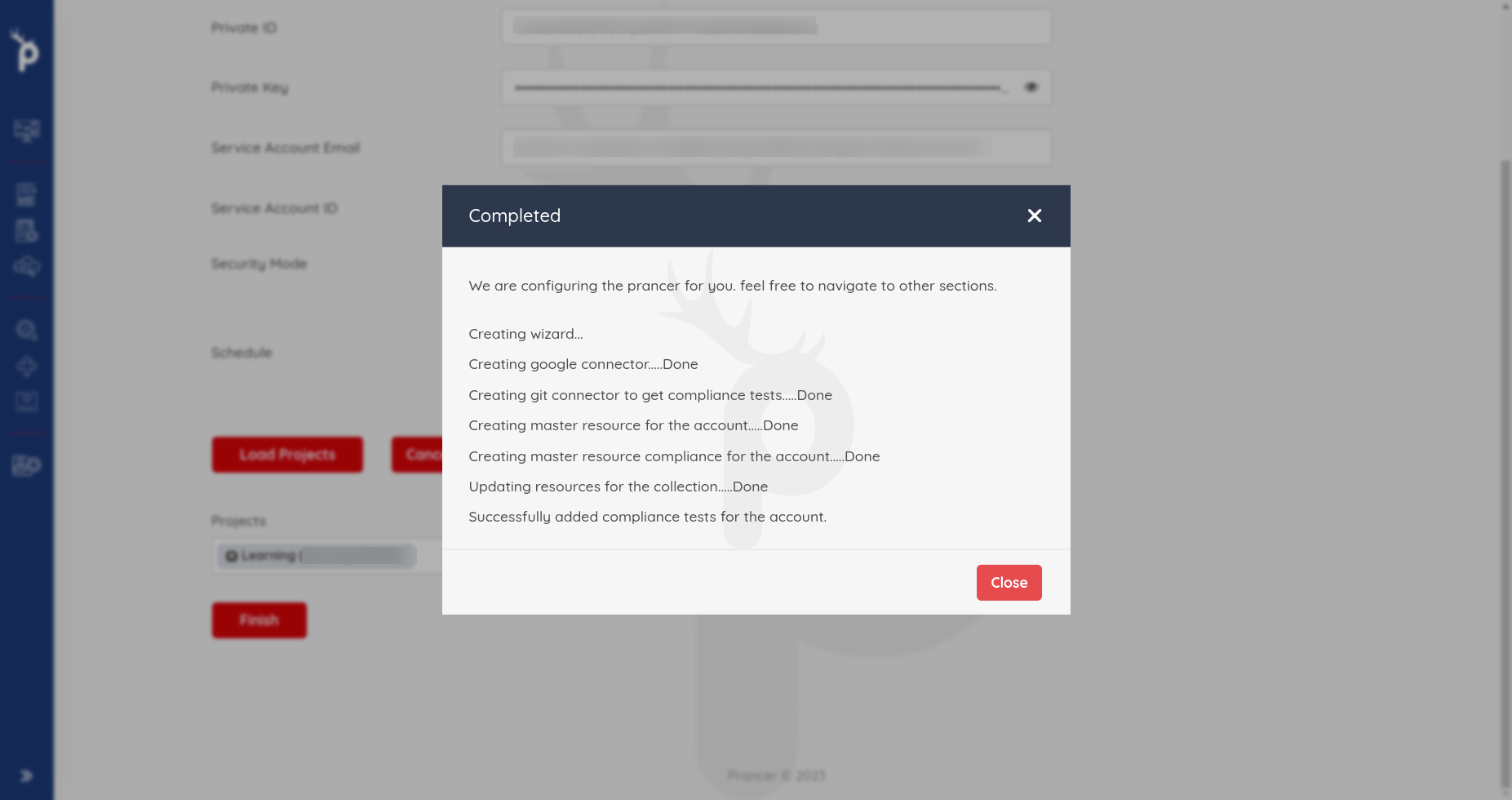
Results land in Infra Findings and details in Logs.
Next steps
- Compliance Run — execute compliance any time.
- Drift Detection — pair with IaC.
- Remediation — fix findings automatically.