Documentation / Infrastructure as Code (IaC) Setup
Wizard - IaC
Wizard — IaC Static Analysis
Connect a Git repository that holds your pre-deployment templates (Terraform, ARM, CloudFormation, Kubernetes YAML, Helm, etc.) and run policy checks against the *code* — before the resources ever hit the cloud. The wizard authenticates with your Git provider, generates connector + master snapshot + master compliance files, and runs the first Compliance Run automatically.
Before you start
- A Git repository containing your IaC templates.
- A user account with access to authorise the prancer-io OAuth app on the chosen provider.
- A unique collection name.
Tip: Use a service account or bot user for the OAuth grant so scans don't break when an individual leaves.
1. Open the IaC wizard
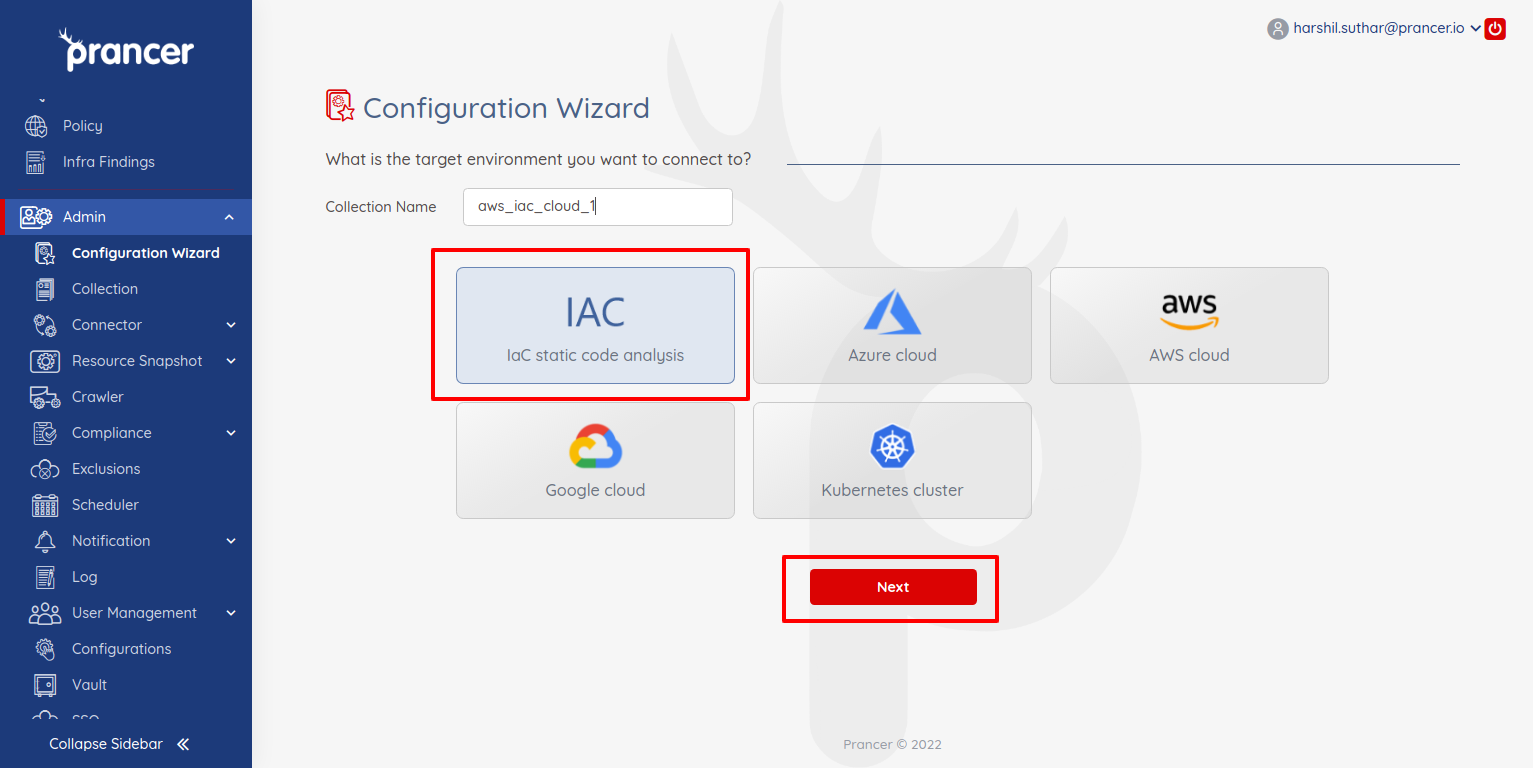
In the Configuration Wizard, choose IaC Static Code Analysis and click Next to see the supported Git providers.
2. Authenticate with your Git provider
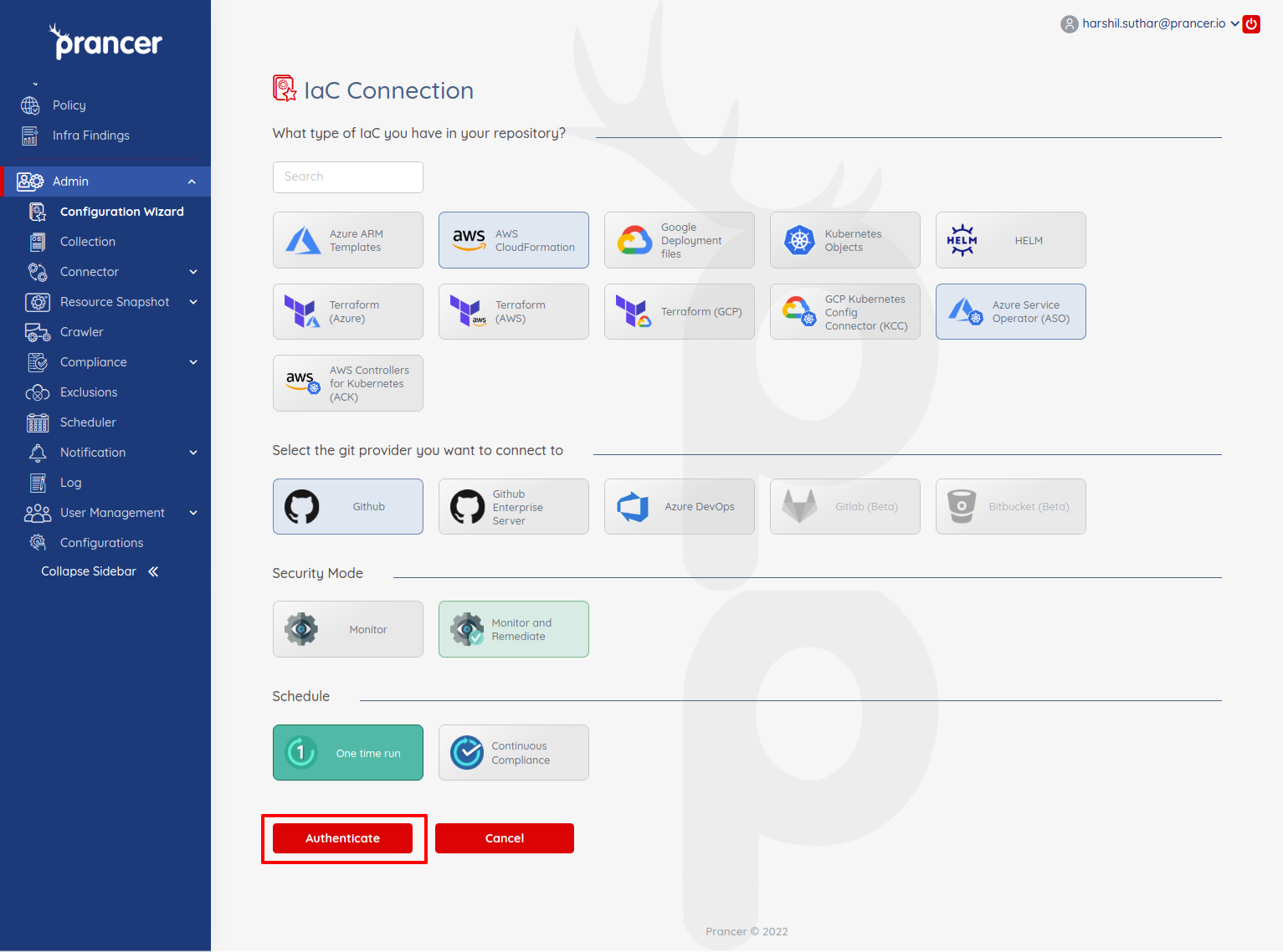
Pick a provider and click Authenticate.
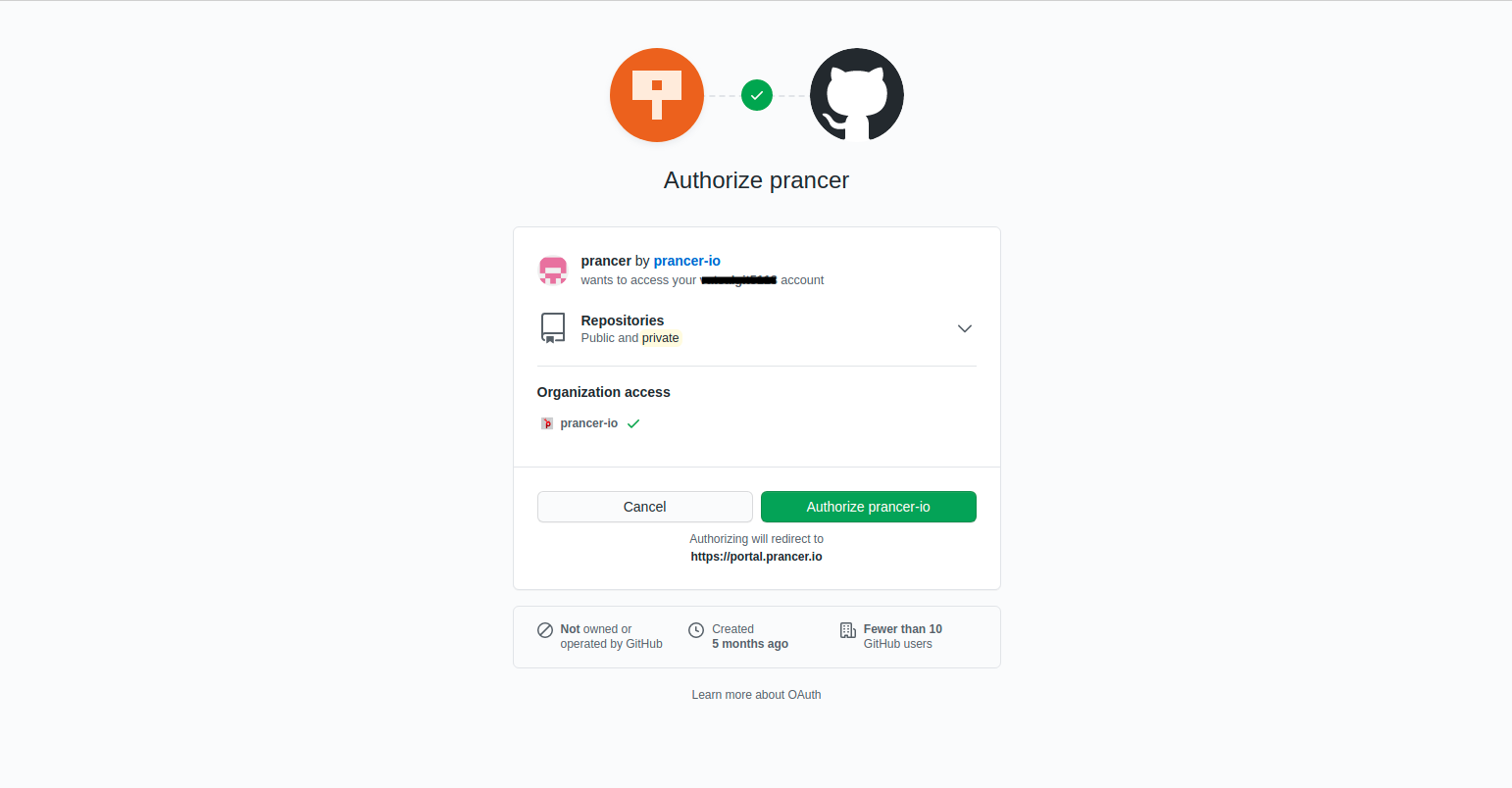
Approve the prancer-io OAuth app on your Git account.
3. Choose the repository
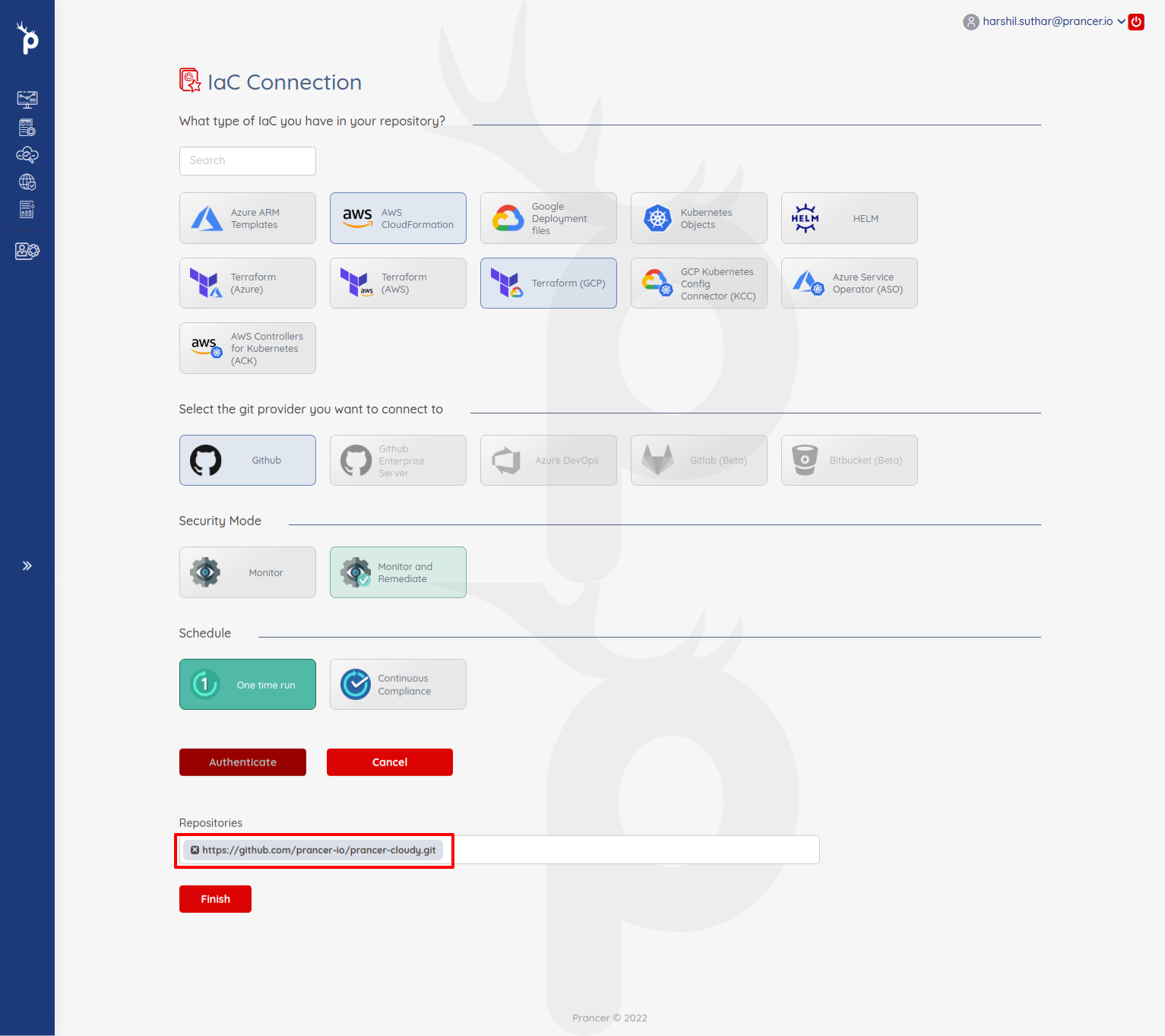
You'll be redirected back to Prancer with a searchable list of repos. Pick one.
4. Finish
Click Finish. Prancer will:
1. Create the Connector configuration 2. Create the Master Snapshot configuration 3. Create the Master Compliance configuration 4. Run the Crawler to discover IaC files 5. Run policy compliance against them
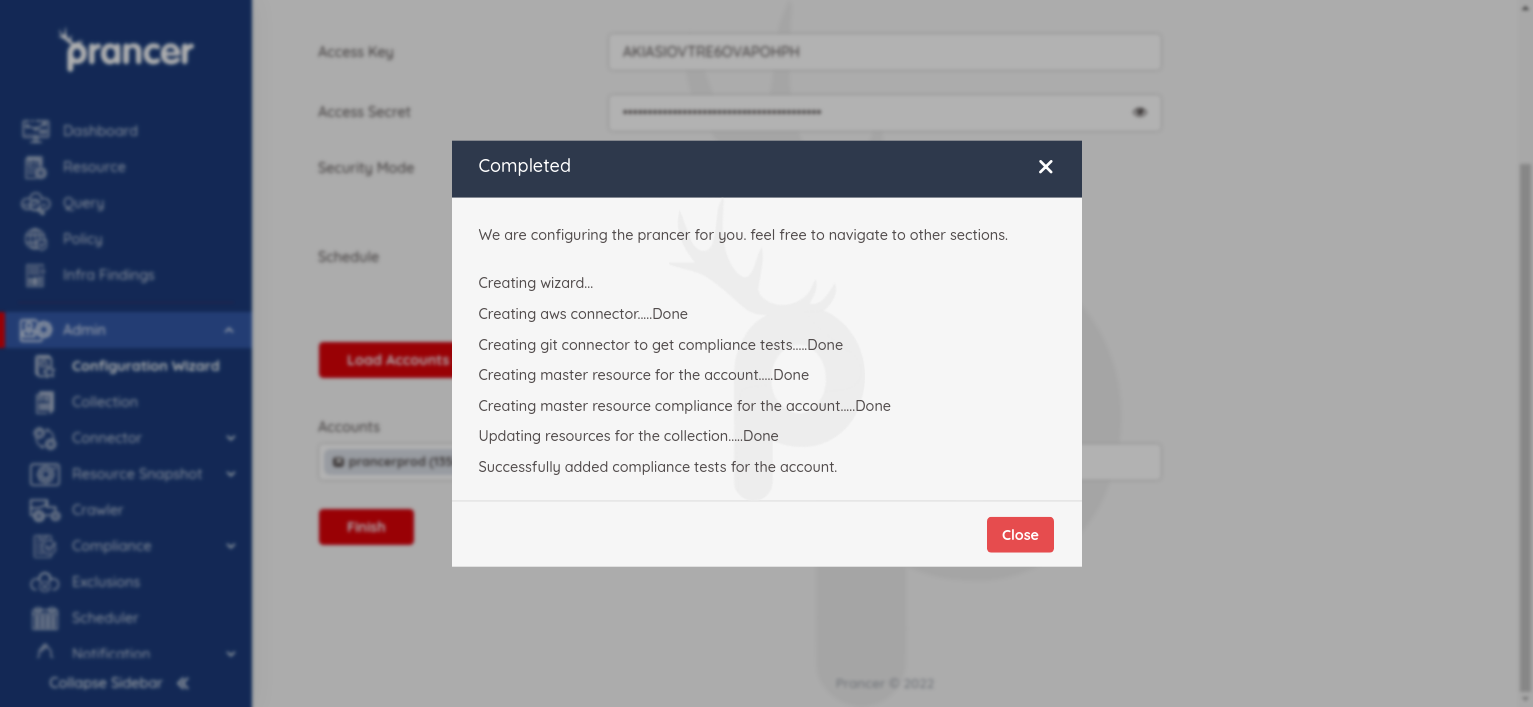
Results land in Infra Findings and details in Logs.
Warning: OAuth tokens expire when the granting user changes their password or revokes the app. Re-run the wizard or use a service-account user to avoid surprise scan failures.
Next steps
- Wizard — IaC GitHub Enterprise — for self-hosted GitHub.
- Wizard — IaC Azure DevOps — for ADO repositories.
- Drift Detection — compare the IaC you just scanned to the live cloud.