Documentation / Infrastructure as Code (IaC) Setup
Wizard - IaC GitHub Enterprise
Wizard — IaC GitHub Enterprise
Connect a GitHub Enterprise Server (self-hosted GitHub) repository to Prancer for IaC static analysis. Works for both internet-routable and intranet-only Enterprise Servers — see the related guide Non-Routable GitHub Enterprise for air-gapped setups.
Before you start
- A GitHub Enterprise Server reachable from Prancer (or use the non-routable guide).
- Permission to authorise the prancer-io OAuth app on the Enterprise organisation.
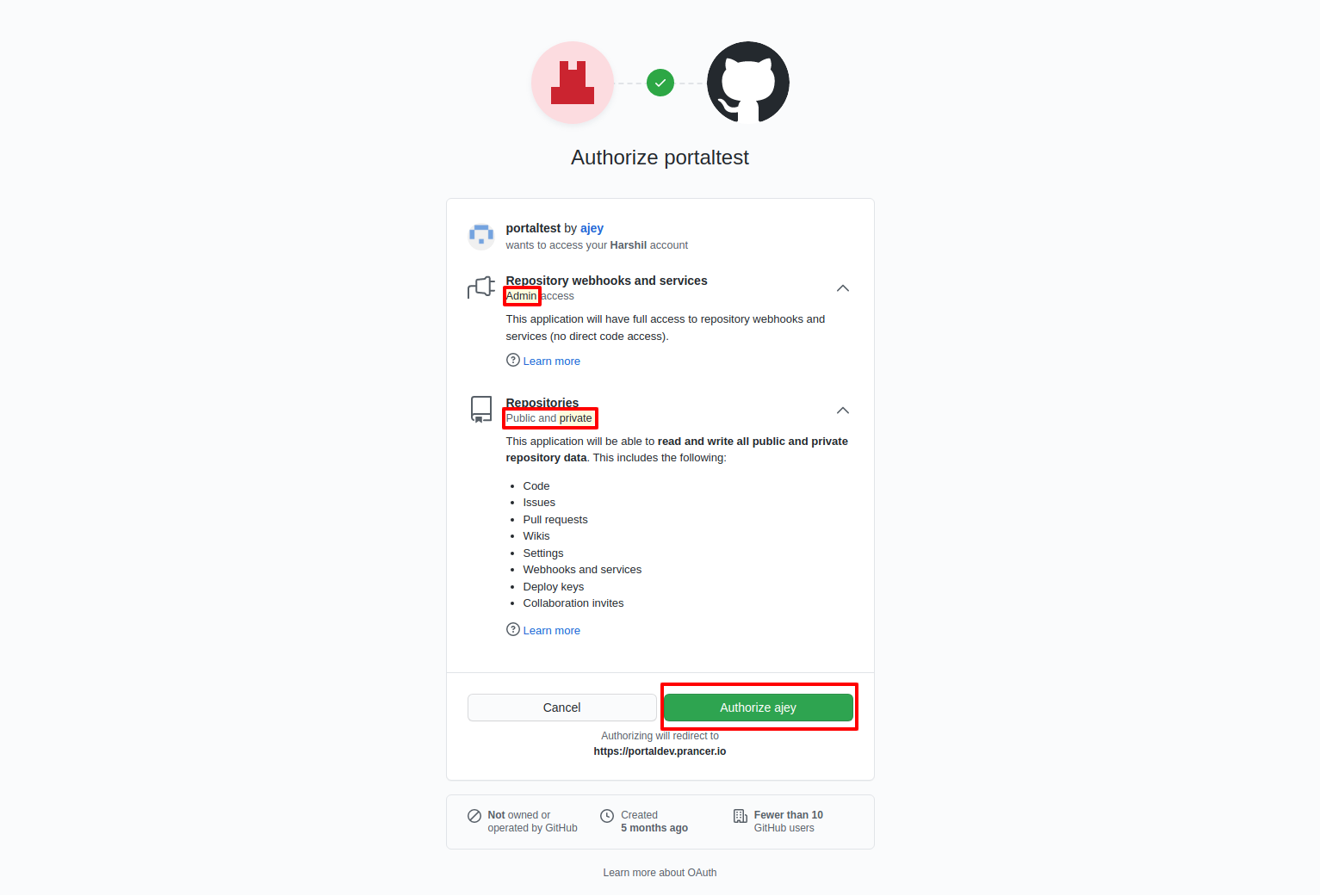
- The OAuth app needs:
- admin access — for webhook creation,
- repository access — for cloning, commits, and PRs.
- A unique collection name.
1. Open the IaC wizard
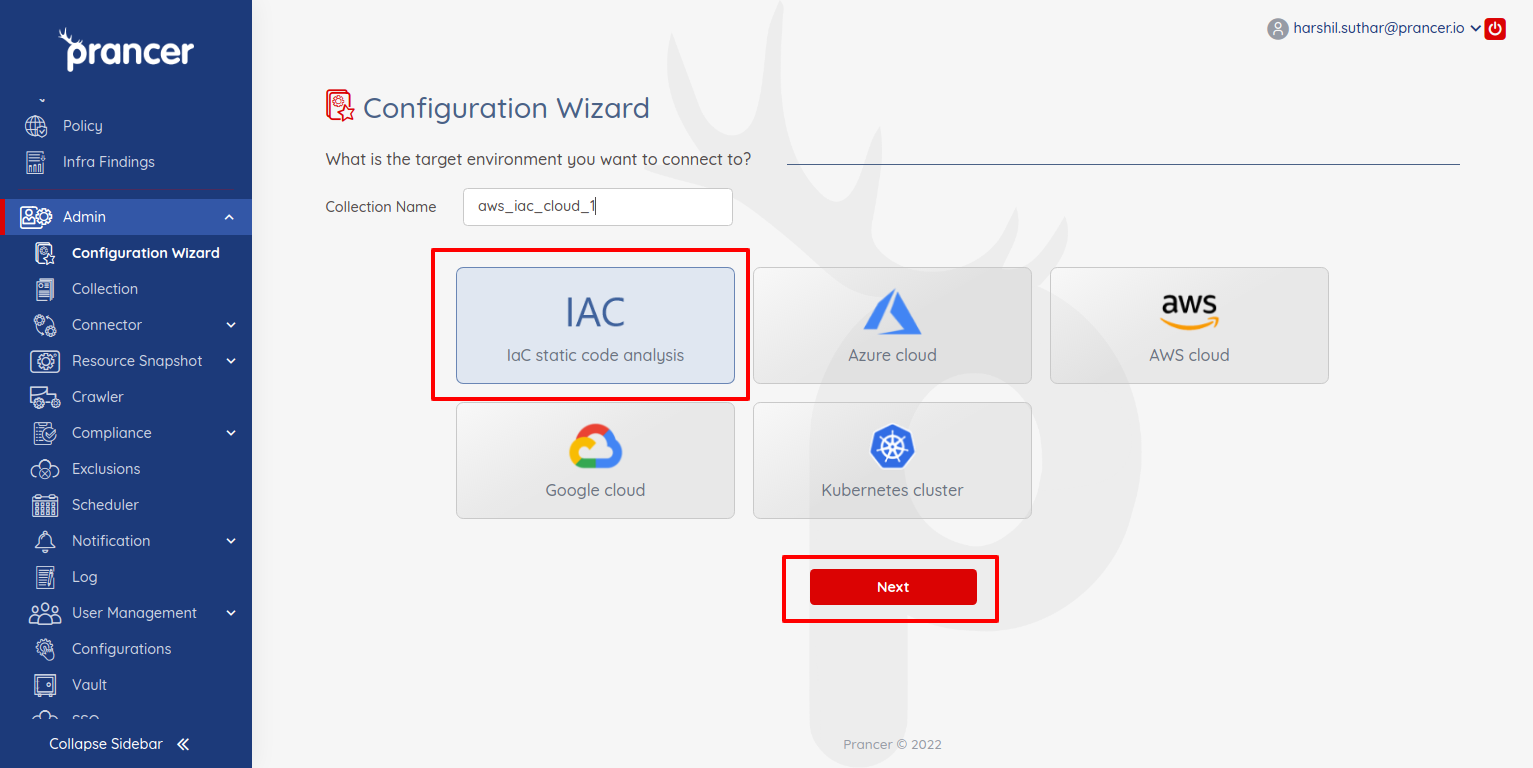
In the Configuration Wizard, choose IaC and click Next.
2. Pick GitHub Enterprise
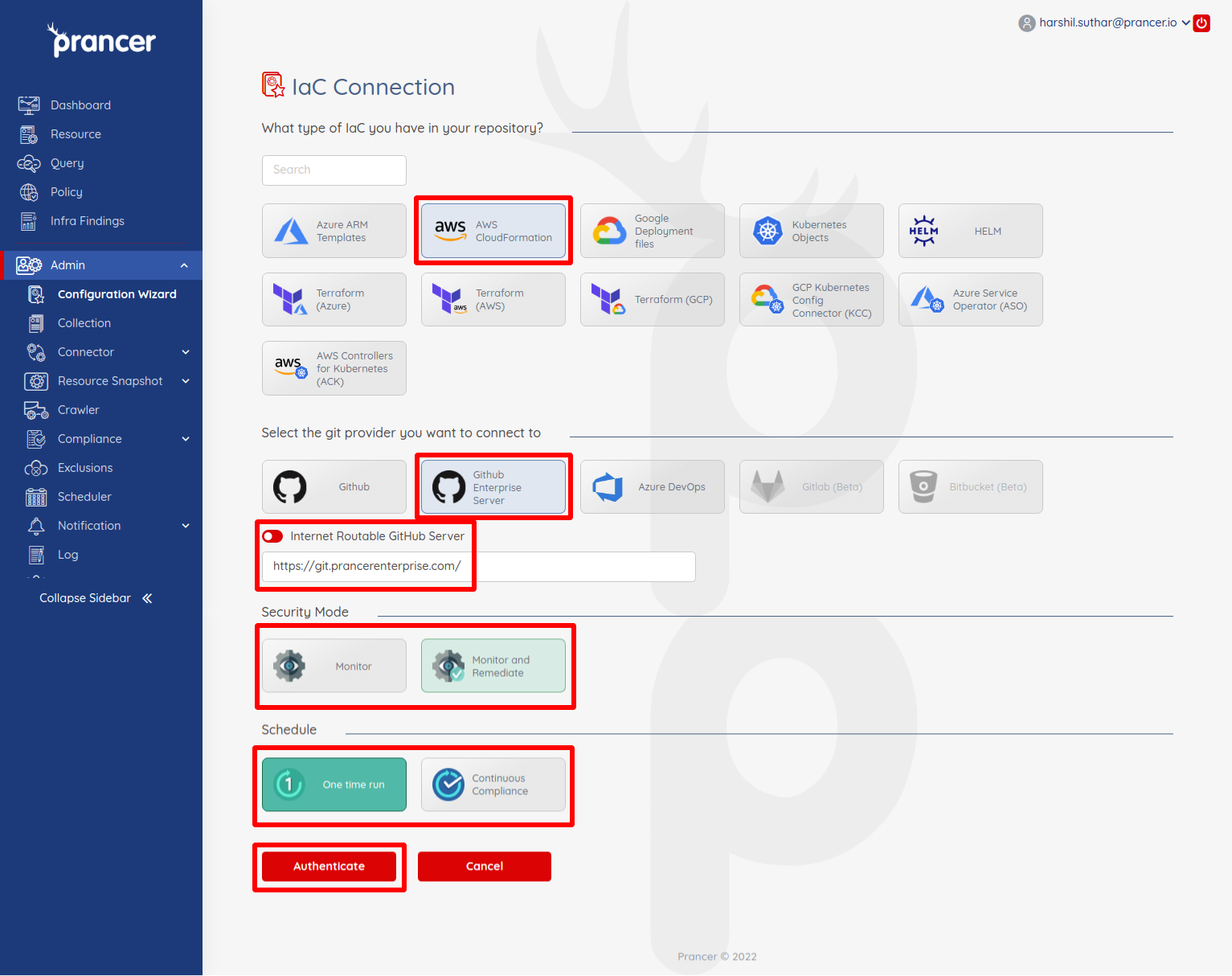
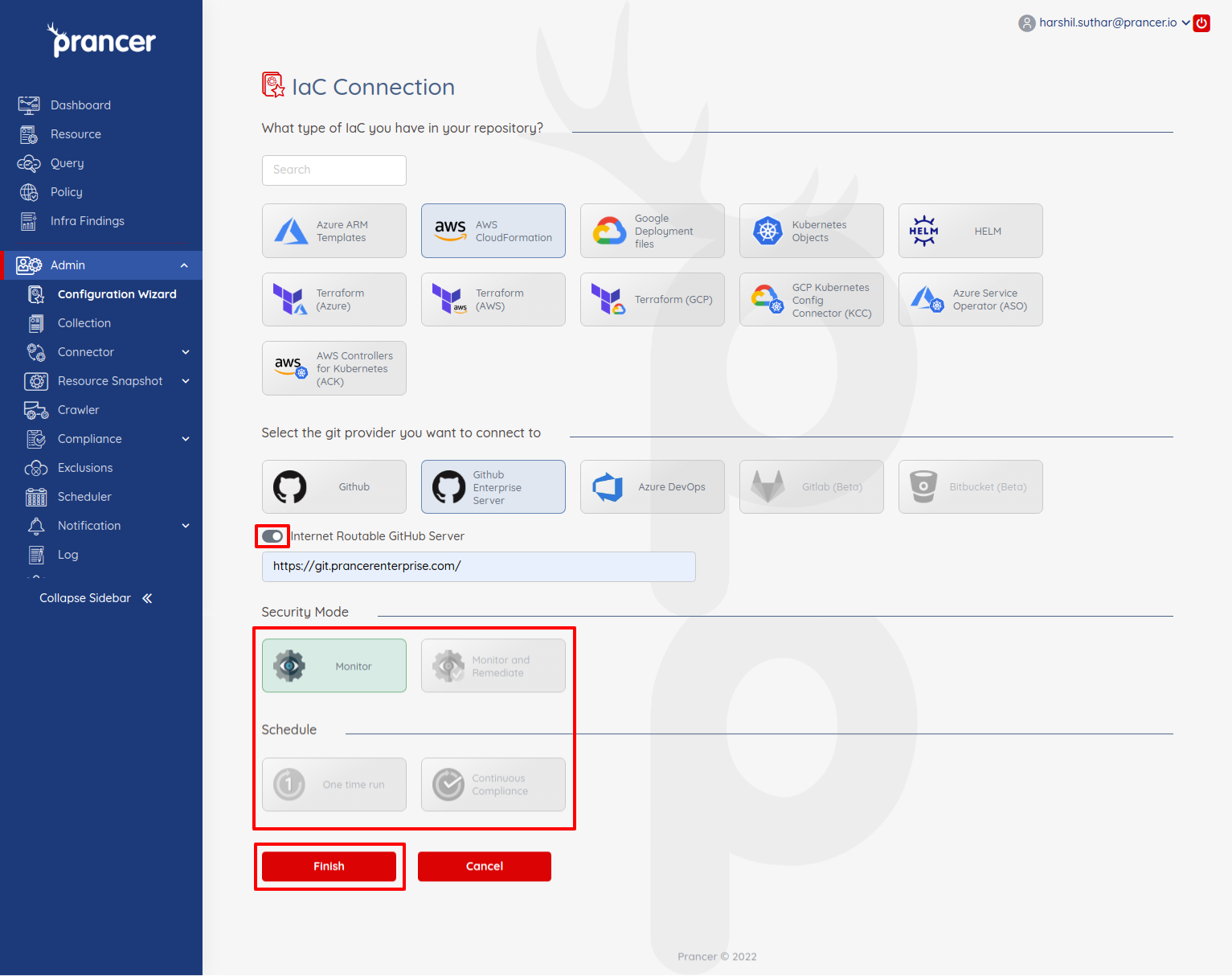
Select Github Enterprise as the Git provider.
| Setting | Description |
| --- | --- |
| Internet routable Github Server | Leave checked when the server is reachable from the internet; uncheck for intranet-only servers (then follow Non-Routable). |
| Security mode | Monitor (compliance only) or Monitor and Remediate (auto-fix via PRs). |
| Schedule | One time run or Continuous Compliance (daily). |
Click Authenticate to let Prancer list your Enterprise repos.
3. Authorise prancer-io
Approve the prancer-io OAuth app on your Enterprise organisation.
4. Pick the repository
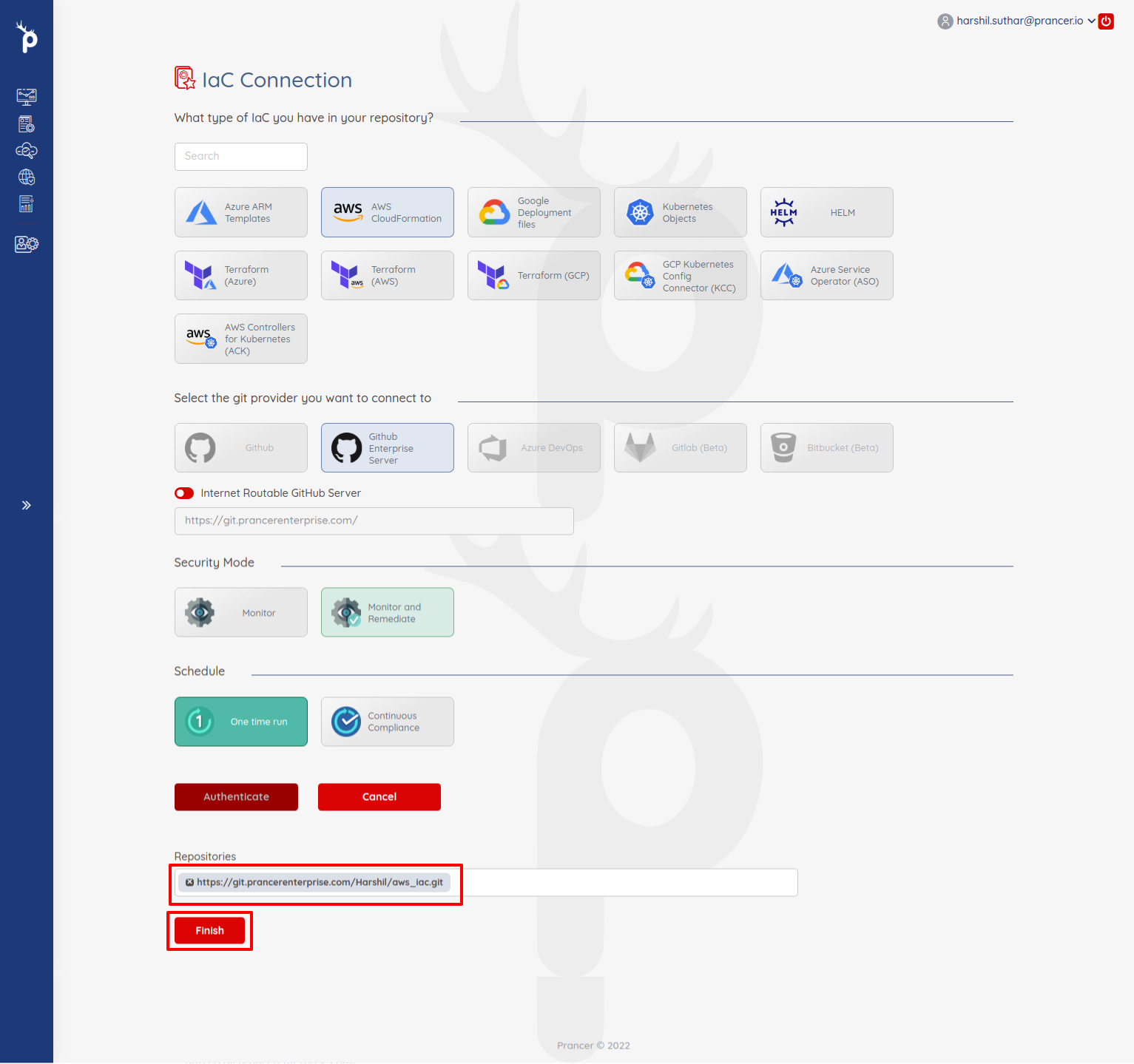
Search and select a repository.
5. Finish
Click Finish. Prancer will:
1. Create the Connector configuration 2. Create the Master Snapshot configuration 3. Create the Master Compliance configuration 4. Run the Crawler against the IaC files 5. Run policy compliance
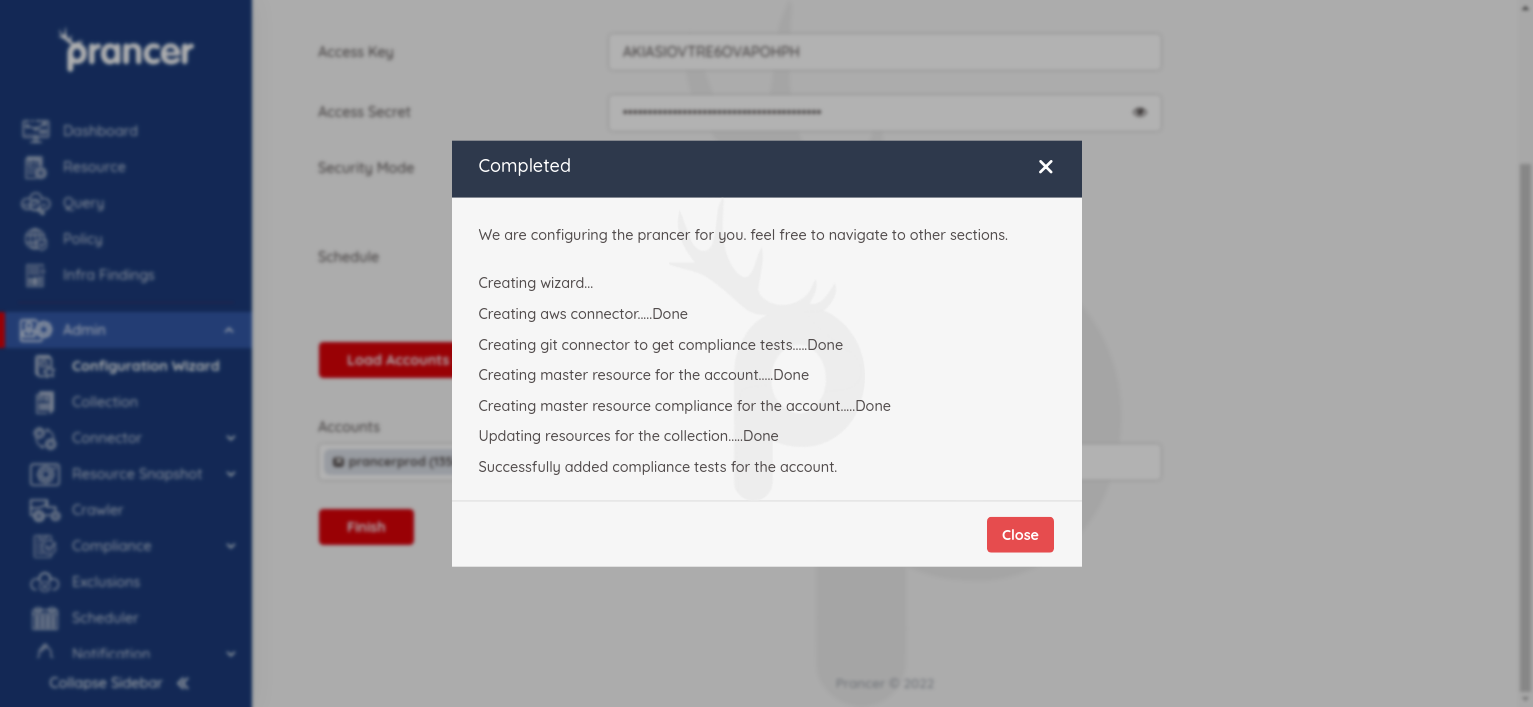
Results land in Infra Findings and details in Logs.
For non-routable Enterprise Servers
If your Enterprise Server has no public internet access, uncheck Internet routable Github Server during step 2.
Then follow Wizard — IaC GitHub Enterprise (Non-Routable) and run scans through a self-hosted CI agent. See also PAC CLI in CI/CD.
Warning: Without the correct admin scope on prancer-io, webhook creation will silently fail and Prancer can't trigger automatic re-scans on push.
Next steps
- Wizard — IaC GitHub Enterprise (Non-Routable) — air-gapped setups.
- Wizard — IaC Azure DevOps — same flow on ADO.
- Drift Detection — compare scanned IaC to the live cloud.