Documentation / Infrastructure as Code (IaC) Setup
Wizard - IaC GitHub Enterprise Non Routable
Wizard — IaC GitHub Enterprise (Non-Routable)
When your GitHub Enterprise Server lives entirely on the corporate intranet — no public internet route — Prancer can't clone the repo from its SaaS backend. Instead you run prancer-basic inside your network from a CI pipeline (Azure DevOps or GitHub Actions), and the CLI ships results back to Prancer SaaS.
Before you start
- A GitHub Enterprise Server containing your IaC repos, reachable only from the corporate network.
- Permission to create a Personal Access Token (PAT) on the Enterprise Server with
repo,admin:repo_hook, anduser. - An Azure DevOps (or GitHub Actions) pipeline runner with a self-hosted agent that *can* reach the Enterprise Server. (Microsoft-hosted agents can't.)
- A Prancer User Access Token (generated below).
- A unique collection name.
Warning: Use a self-hosted agent. Cloud-hosted runners cannot reach intranet-only servers.
1. Create the Prancer collection
Open the Prancer Portal.
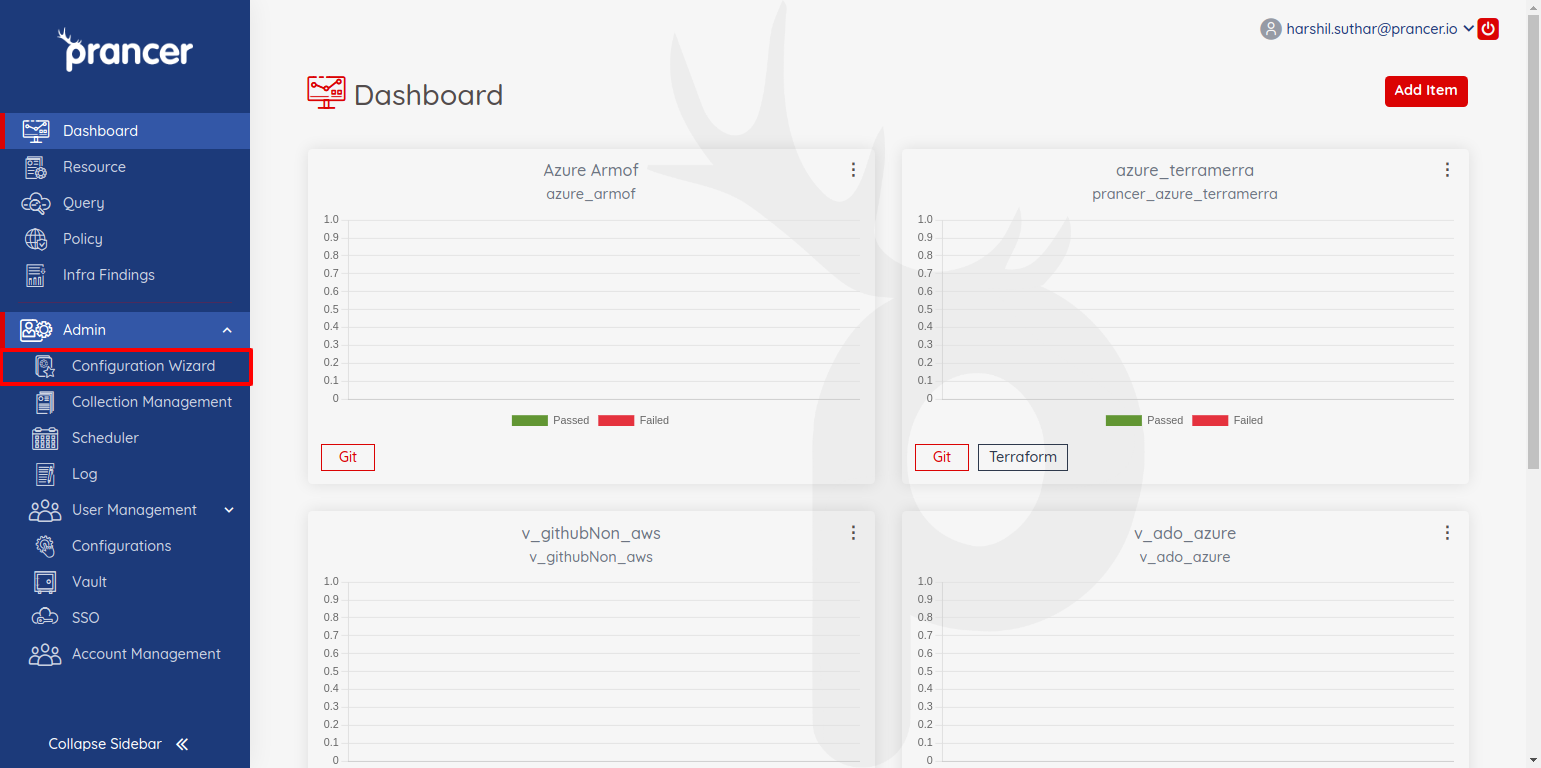
From the sidebar, choose Configuration Wizard.
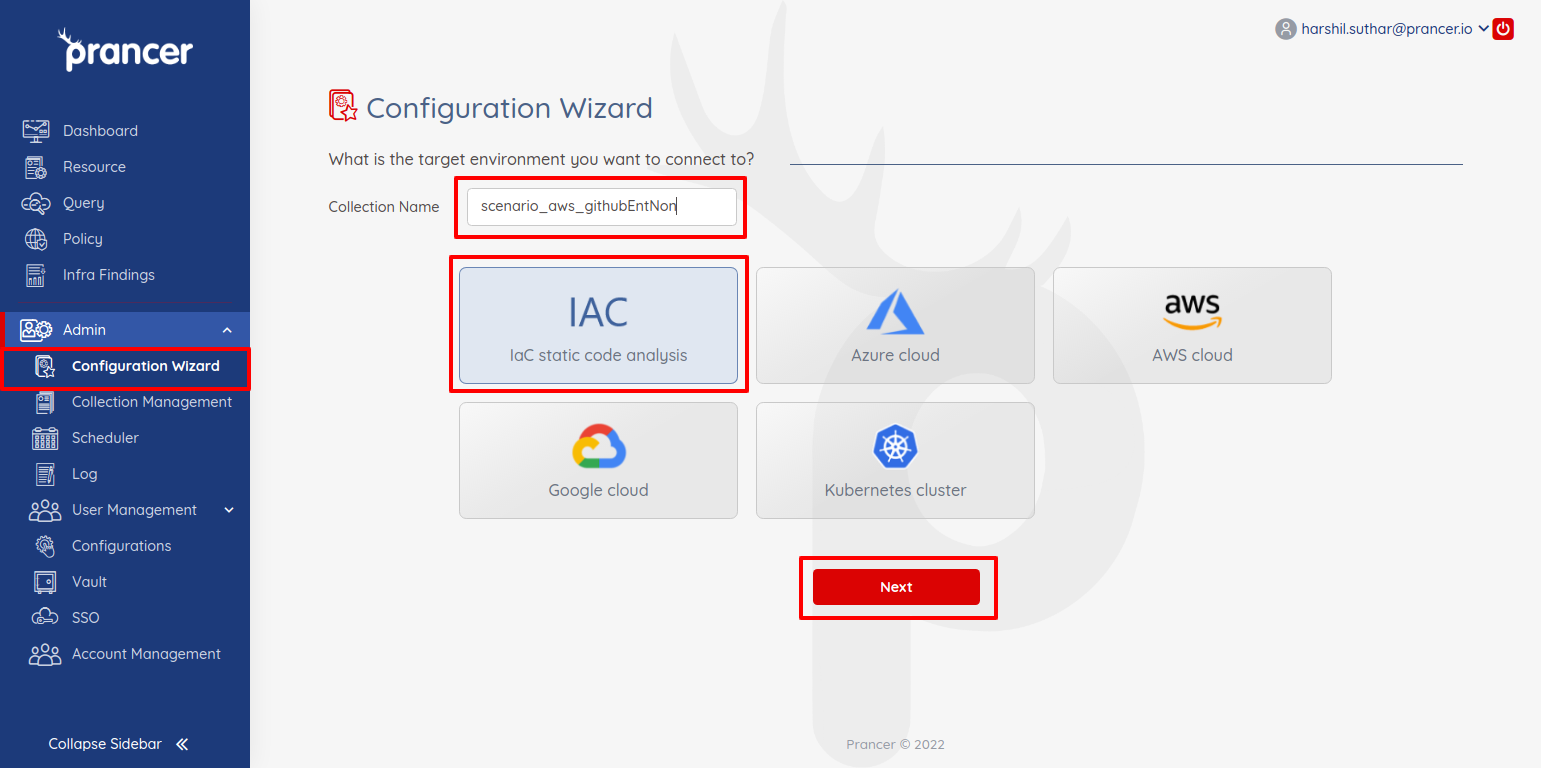
Name the collection, choose IaC, click Next.
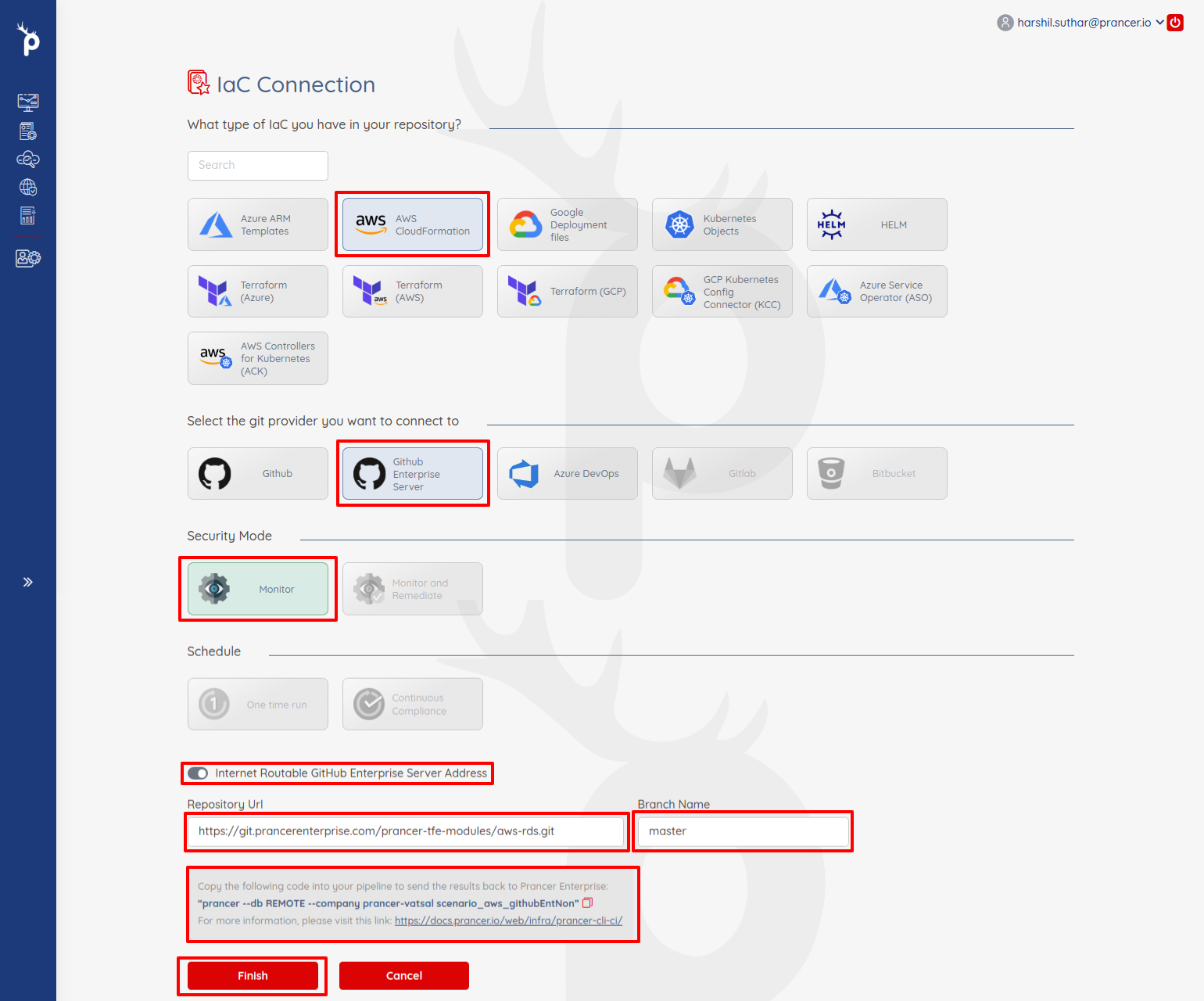
Pick the IaC type (CloudFormation / Terraform / ARM / etc.), select Github Enterprise, then:
- Only Monitor mode is available for non-routable servers.
- Disable the *Internet routable Github Enterprise address* toggle.
- Provide the Repository URL and Branch name.
- Copy the prancer run command from the Note section — you'll need it in step 4.
!Disable internet-routable toggle
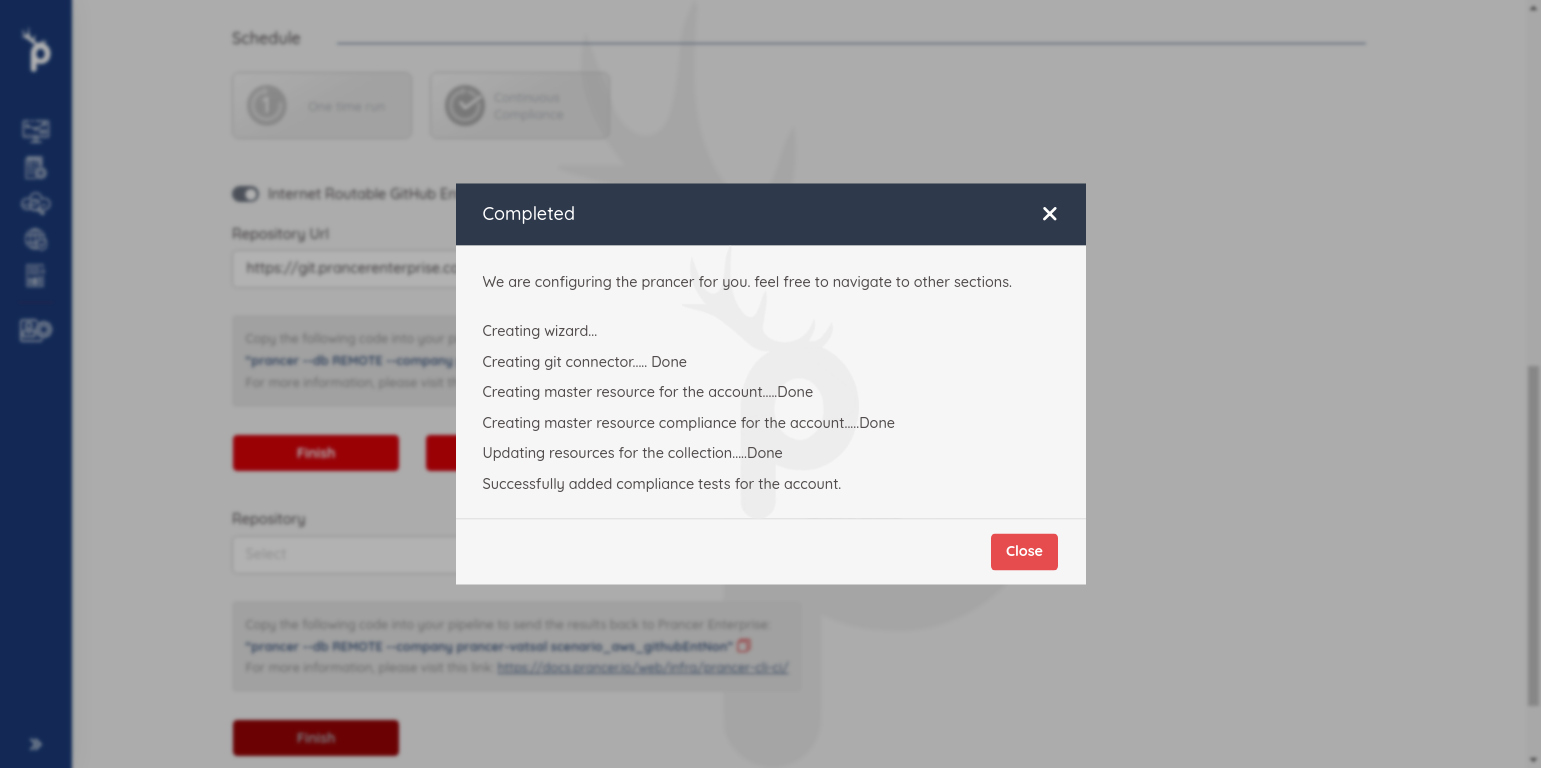
Click Finish to create the collection.
2. Generate a Prancer access token
You'll need this so the CLI can ship results back.
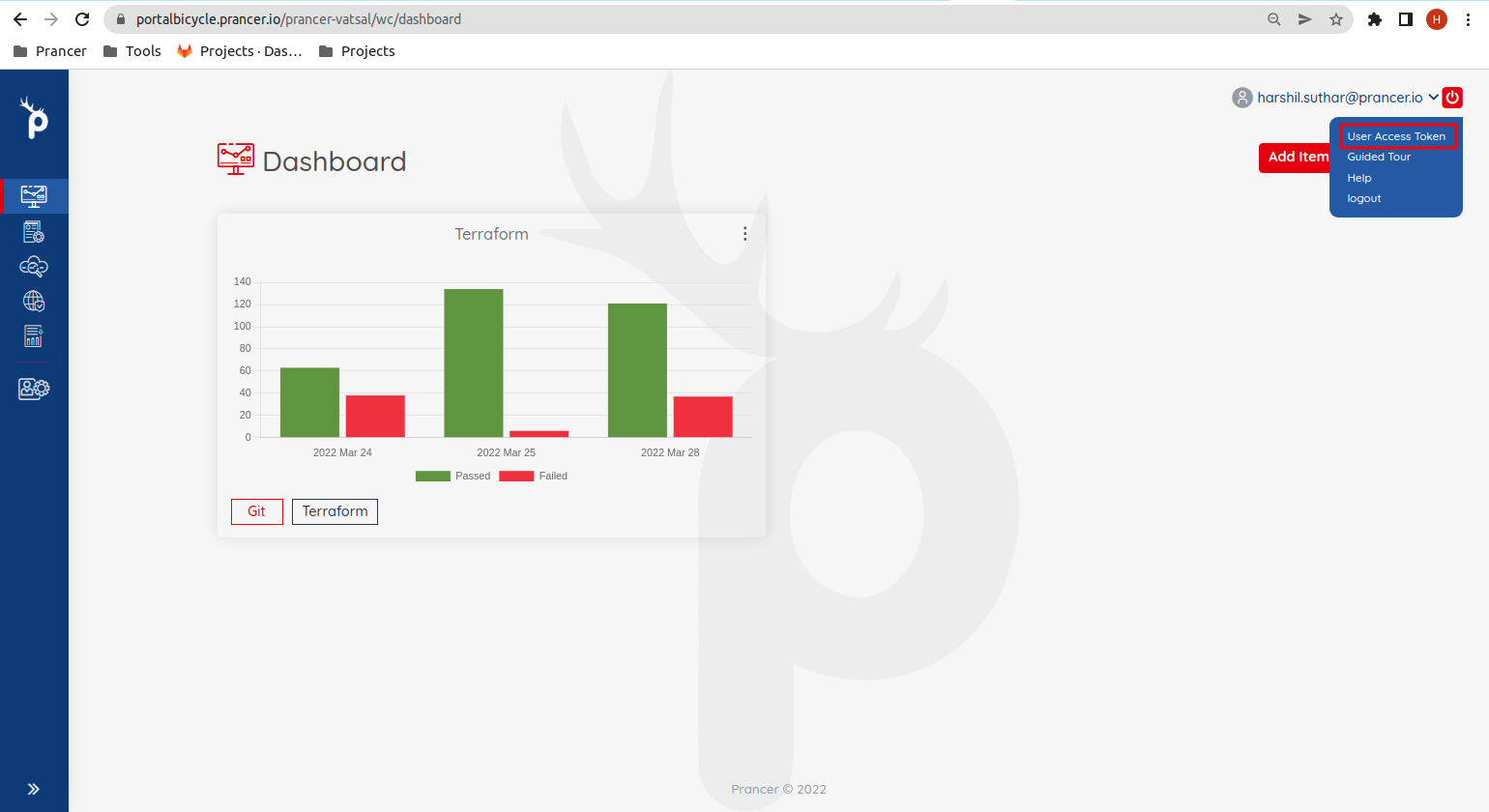
Open User Access Token from the top-right menu.
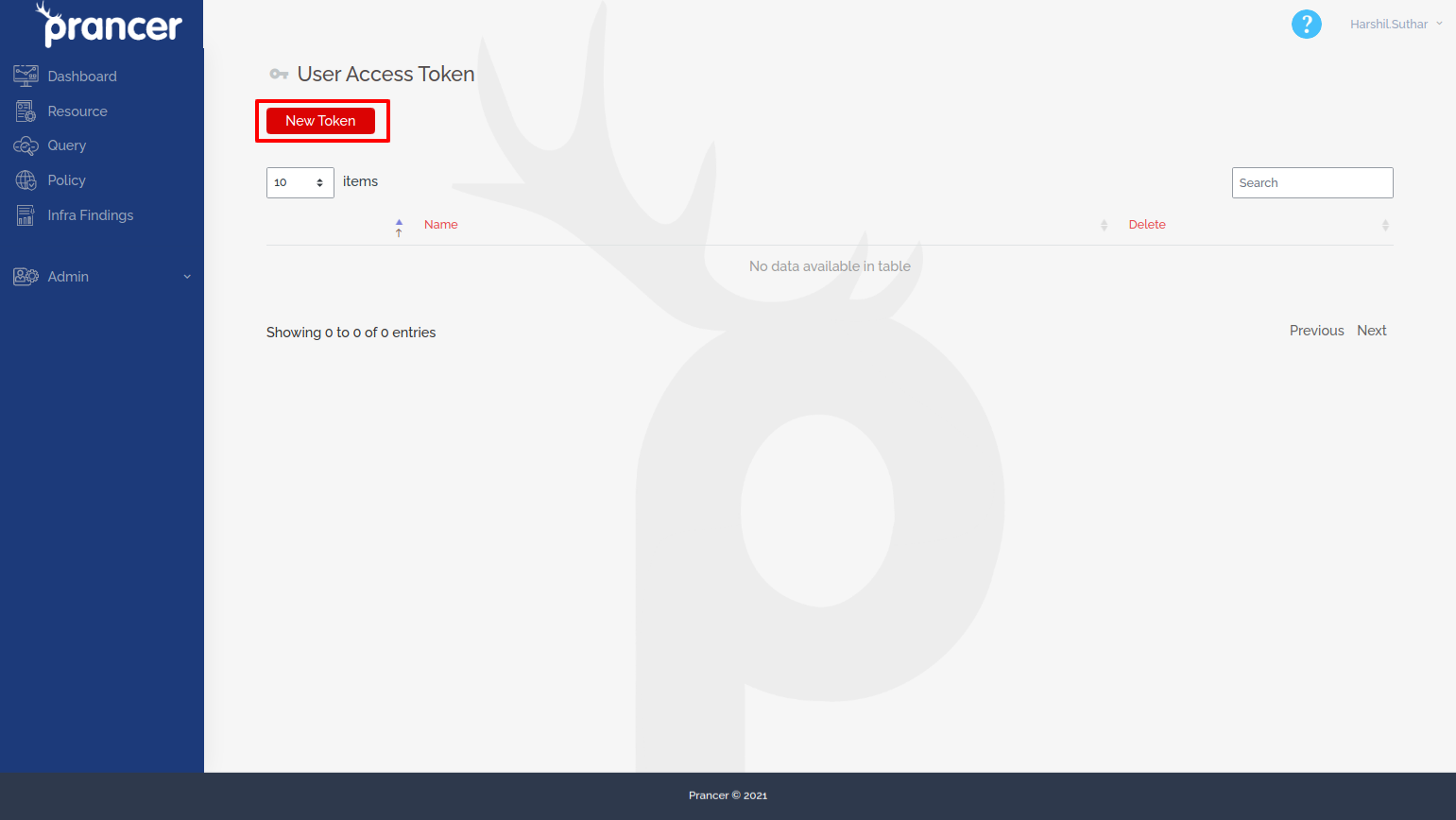
Click New Token.
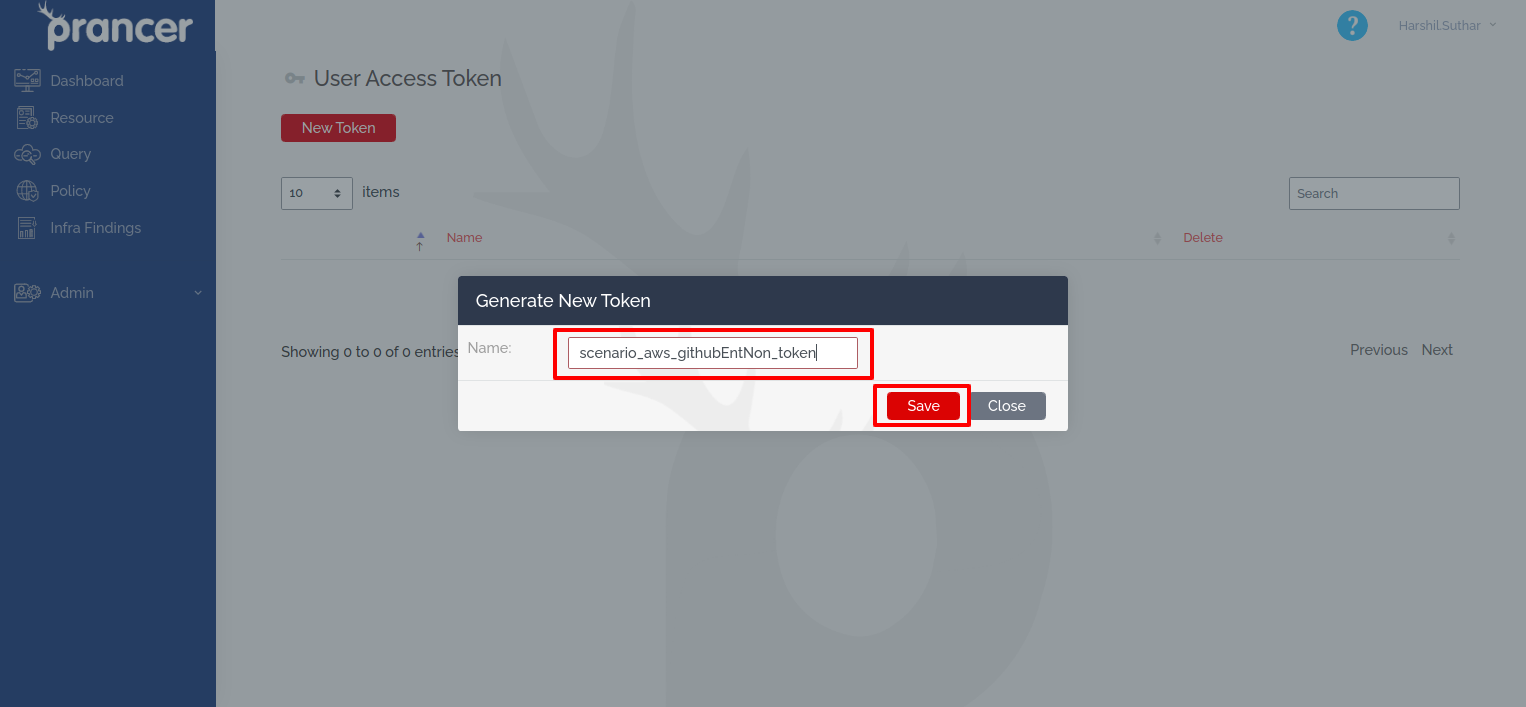
Give it a name and click Save.
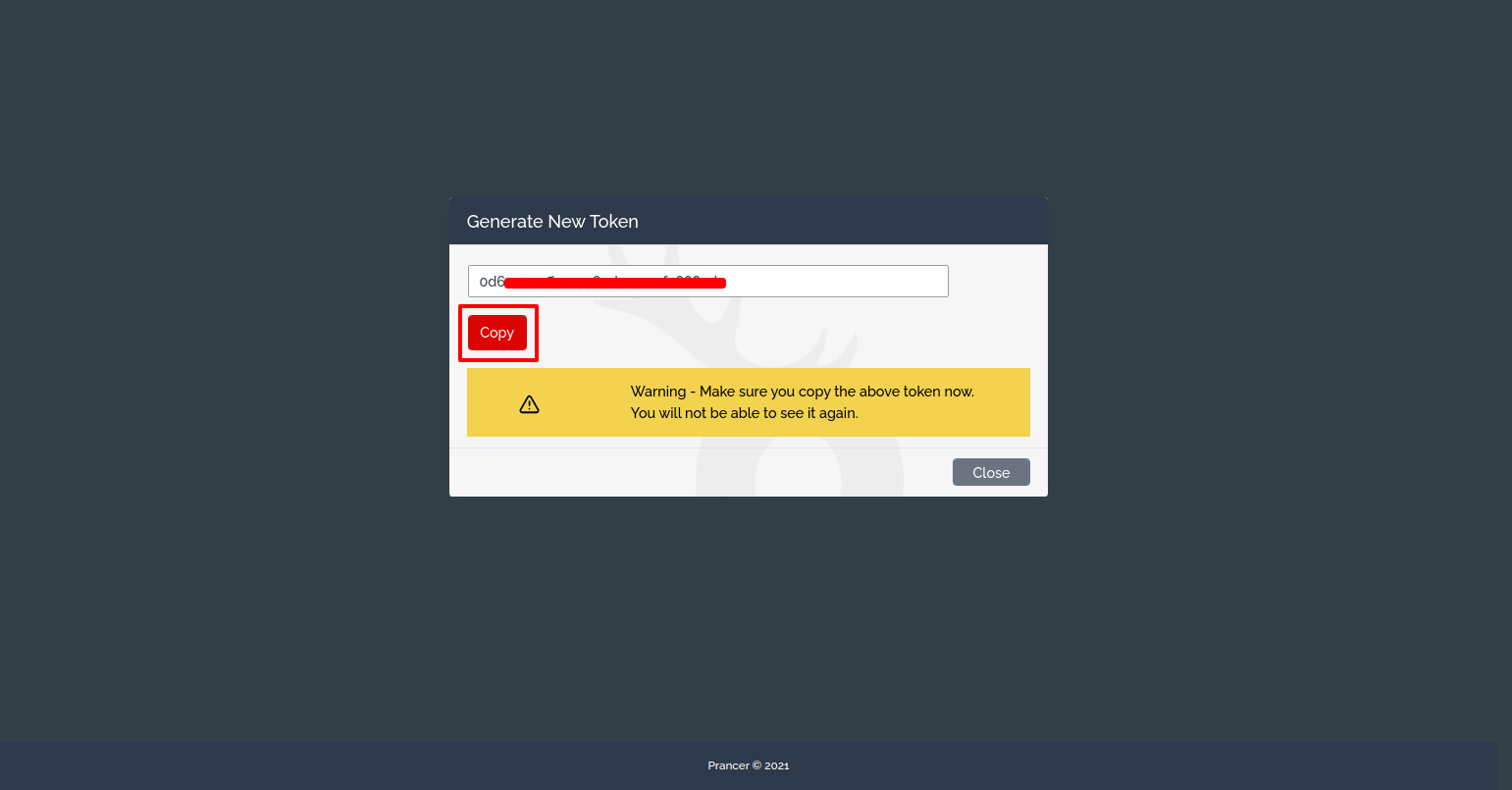
Save the generated token — you'll use it as APITOKEN later.
3. Generate a GitHub Enterprise PAT
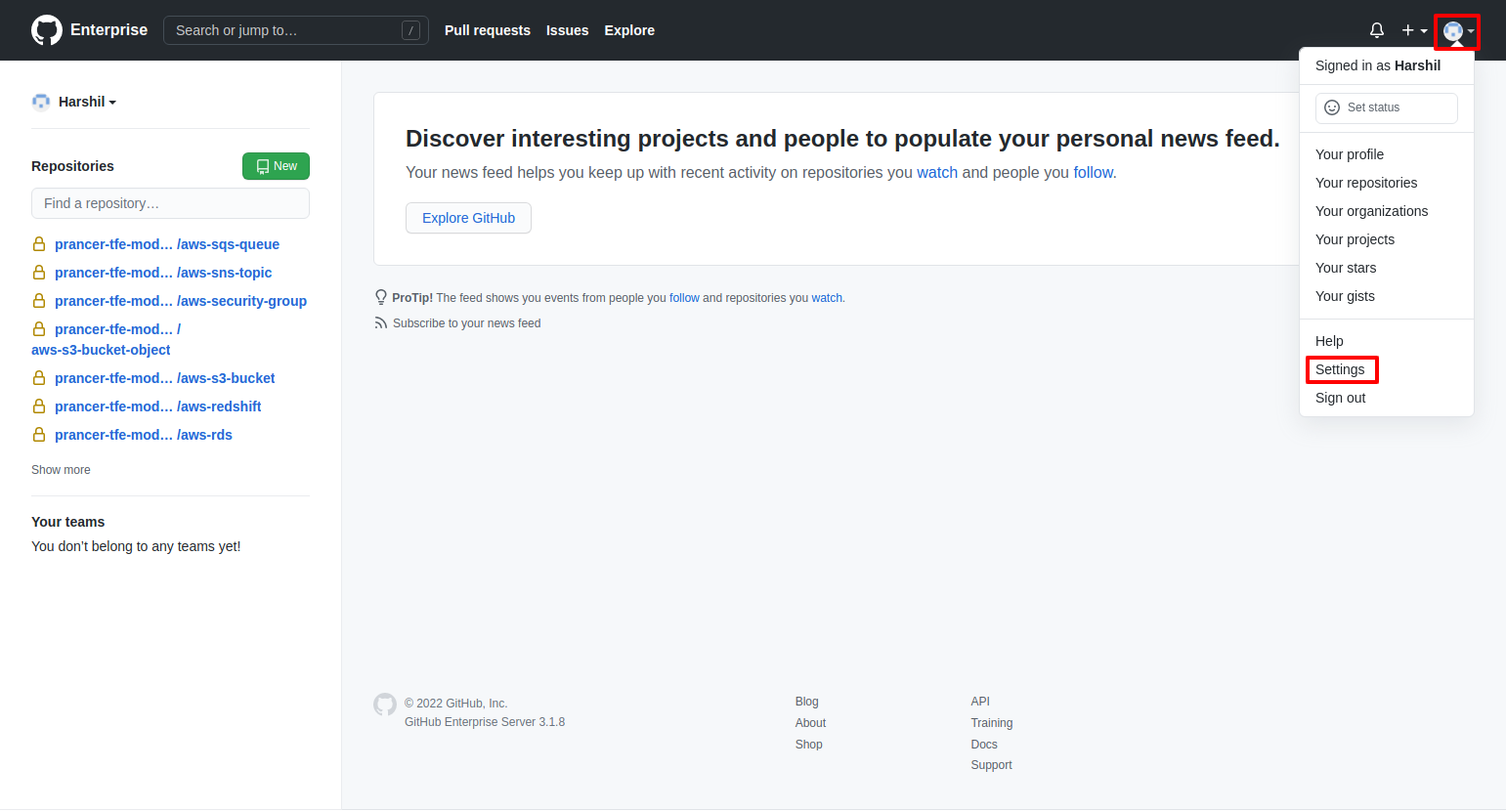
In your GitHub Enterprise Server profile menu, choose Settings.
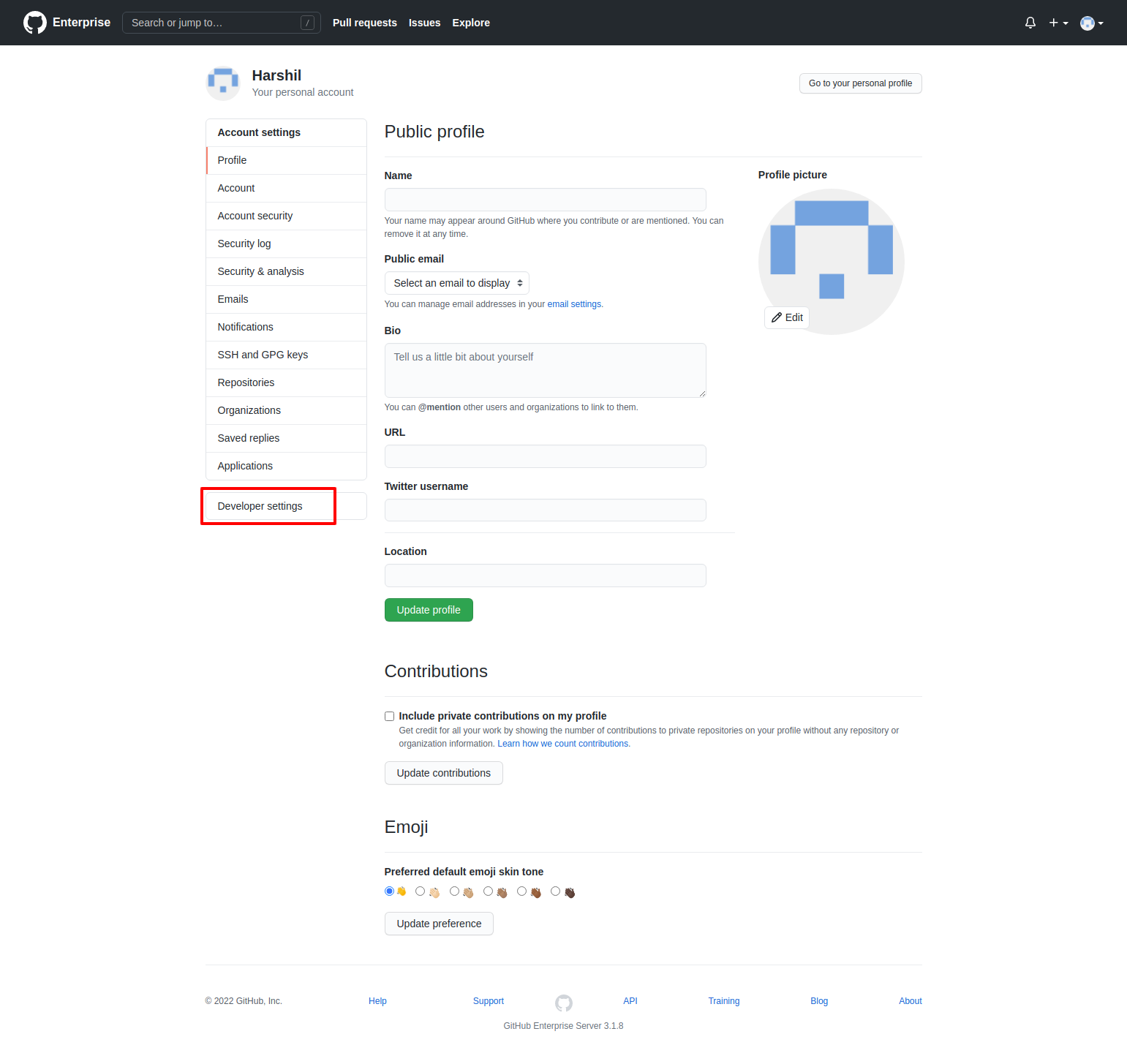
Open Developer settings.
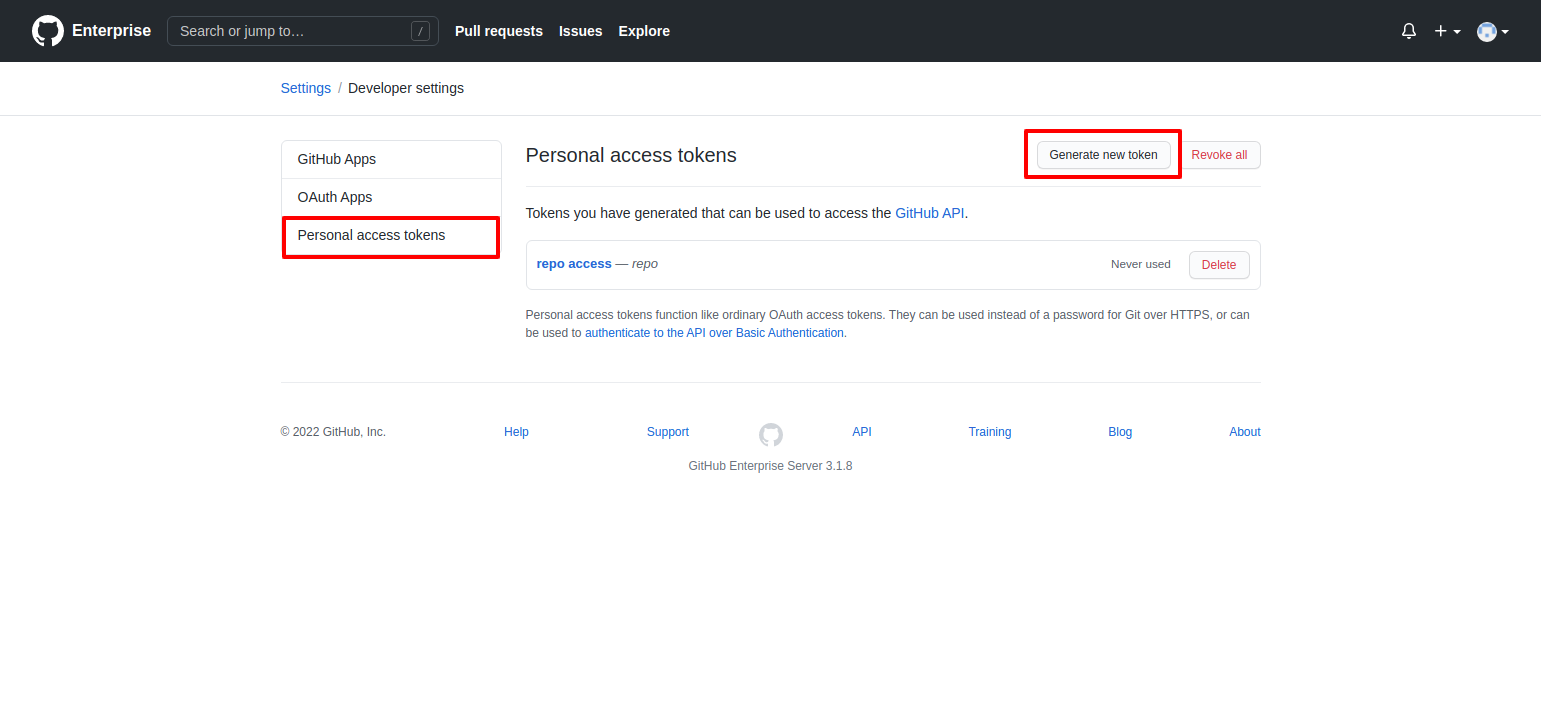
Choose Personal Access Tokens → Generate New Token.
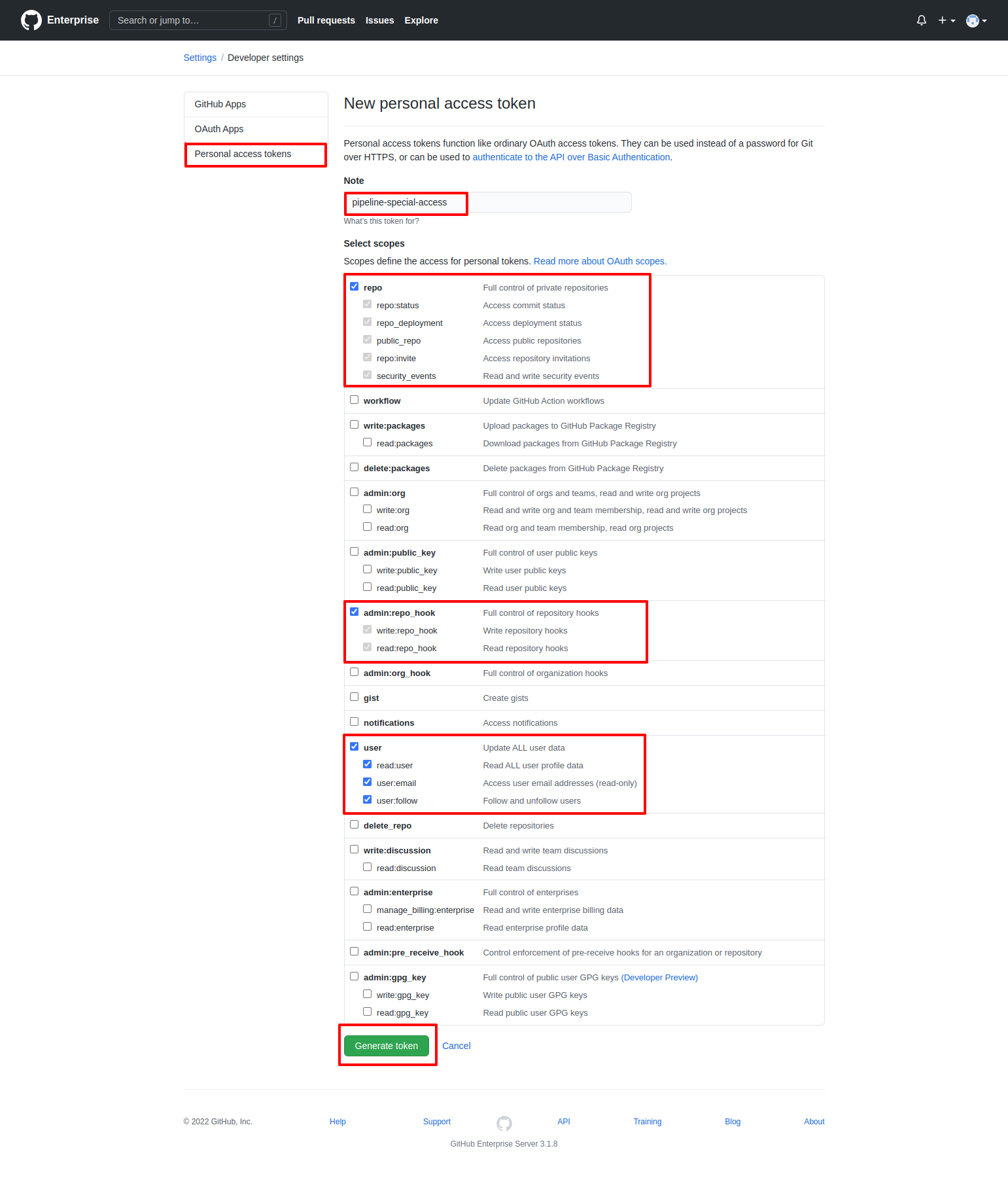
Give it a name and grant user, admin:repo_hook, and repo (all permissions). Click Generate Token.
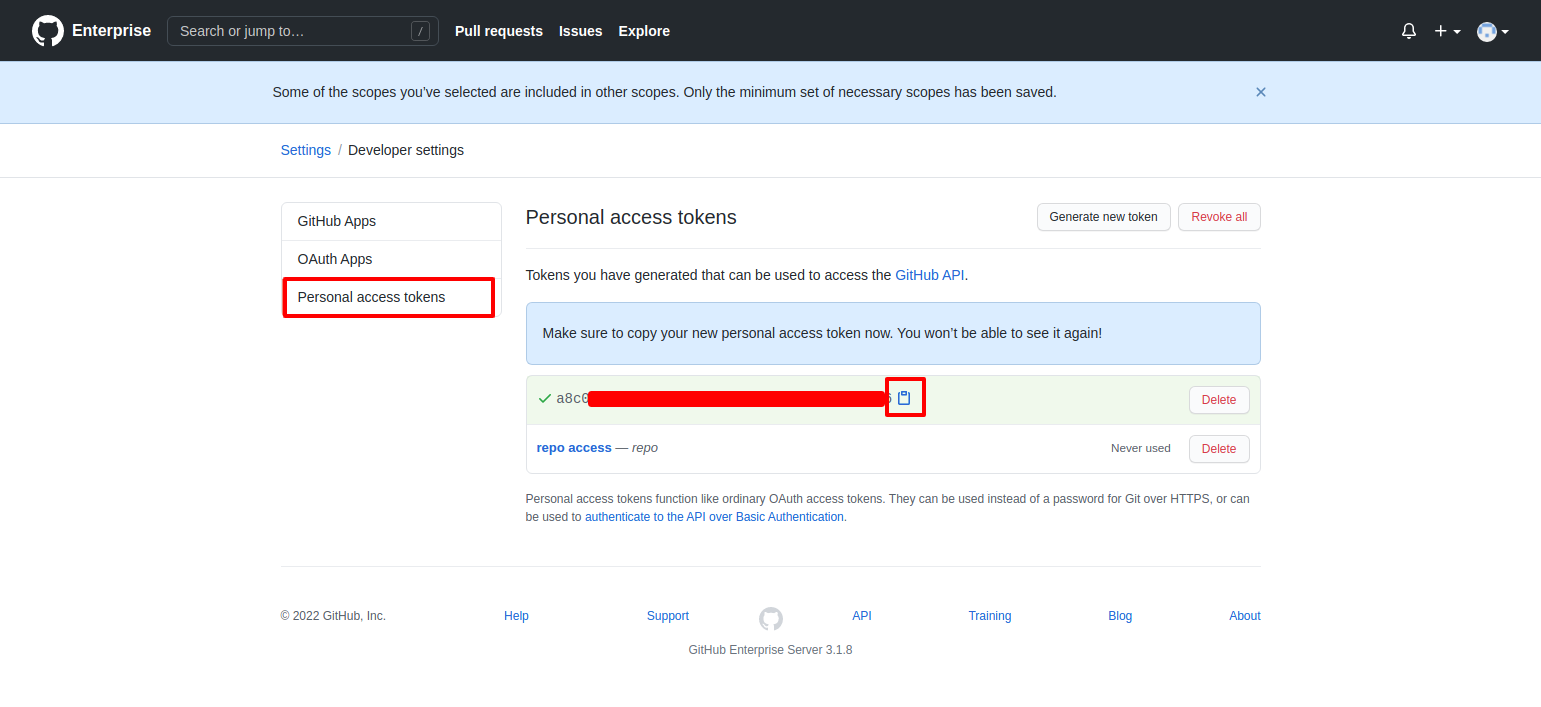
Save the token — you'll use it as GITTOKEN.
4. Create the Azure DevOps pipeline
You now have everything you need. Sample pipelines are also published in Prancer CLI in CI/CD.
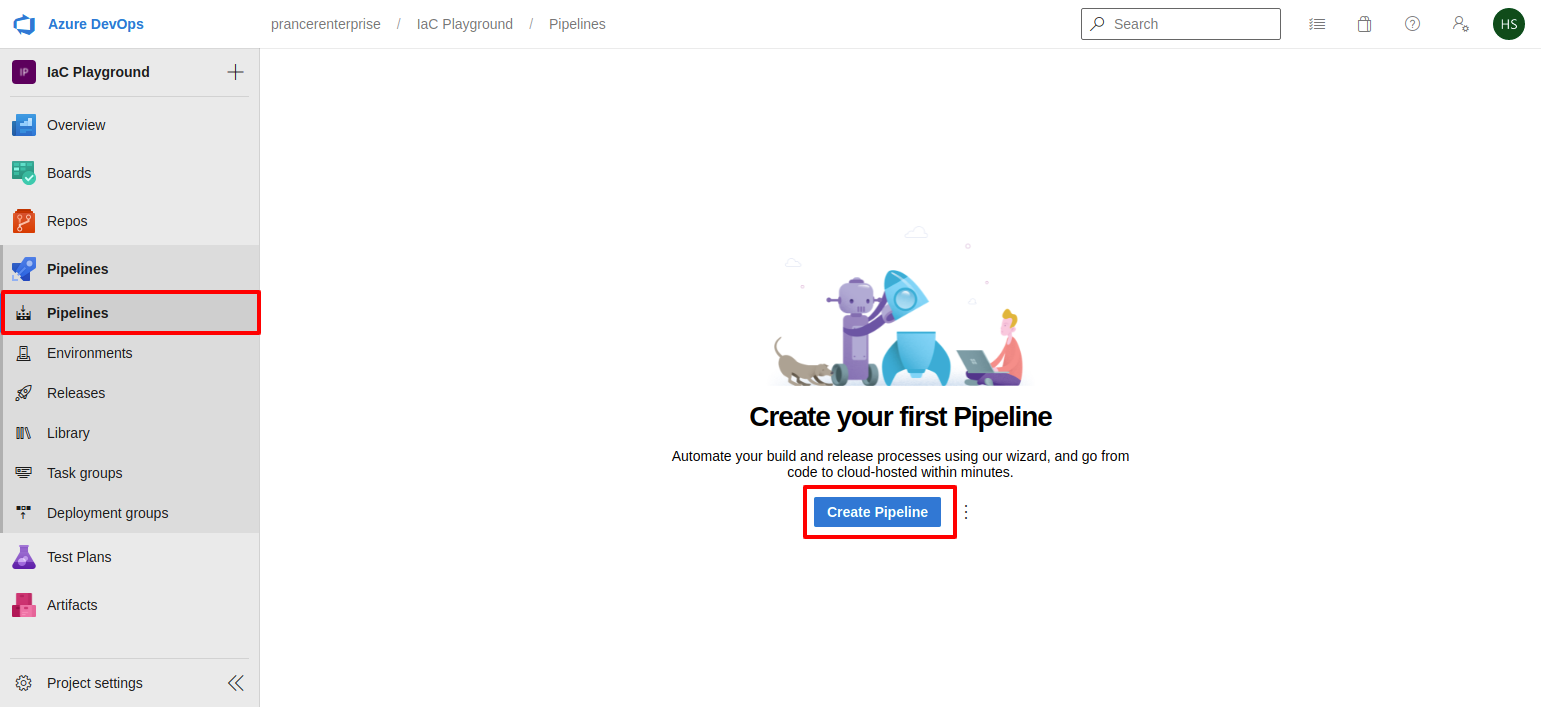
In Azure DevOps, open Pipelines.
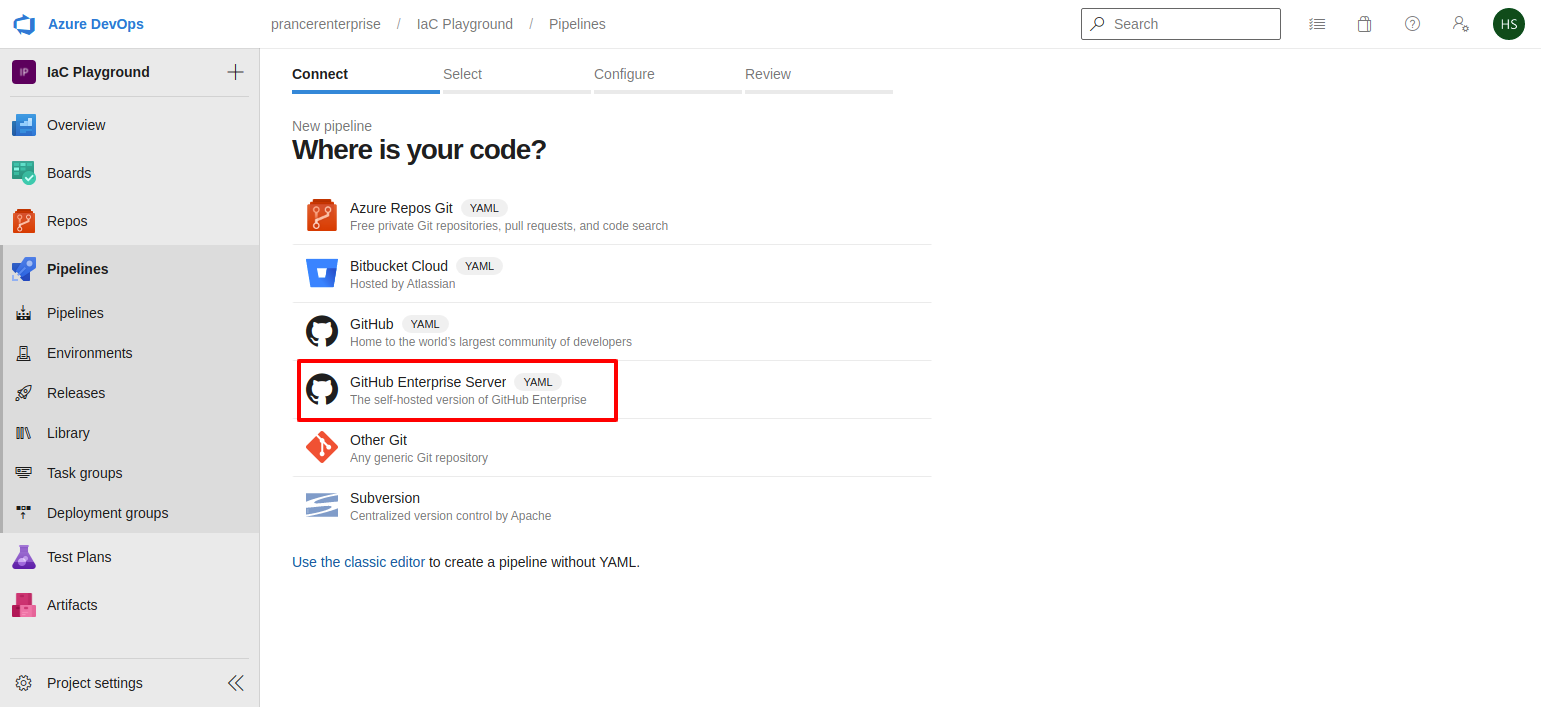
Pick GitHub Enterprise Server from the source list.
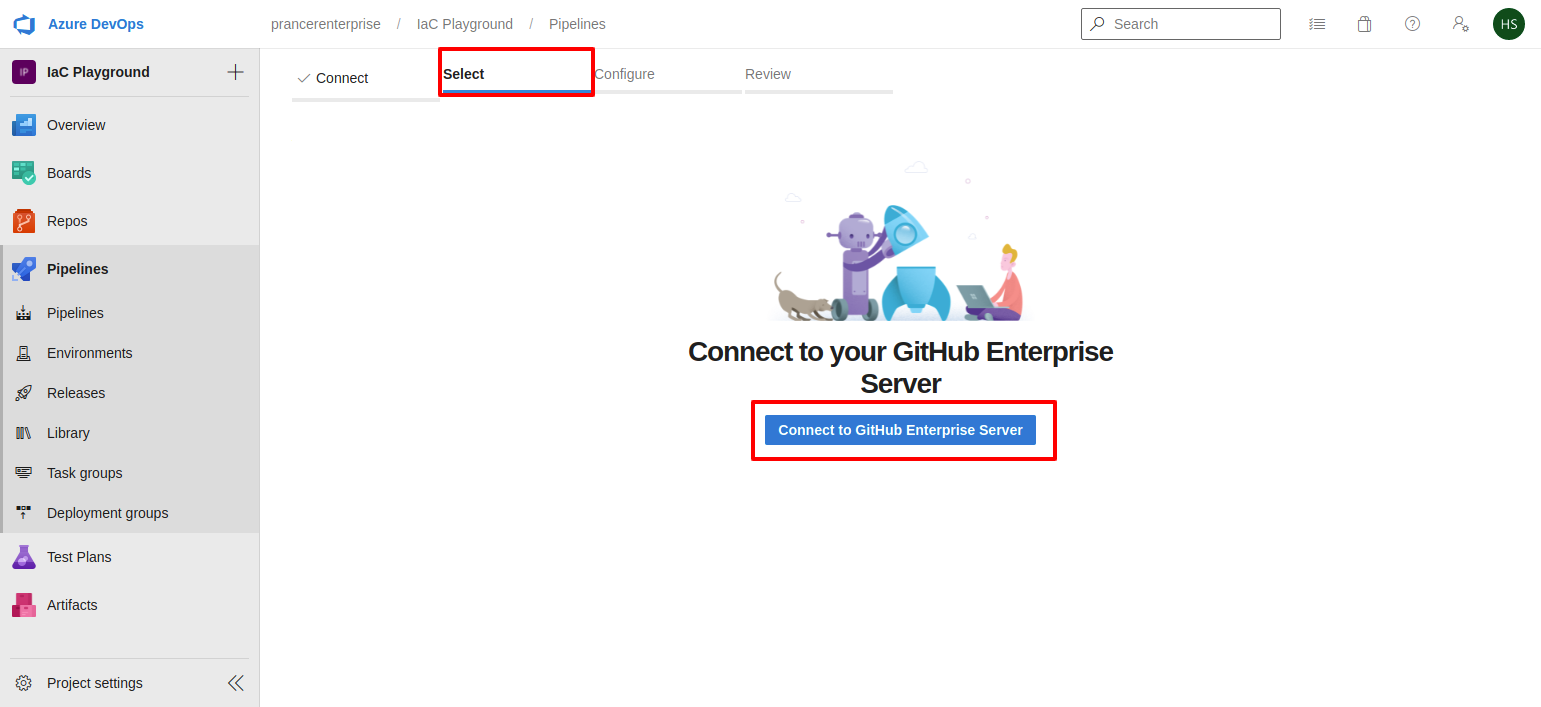
Click Connect to Github Enterprise Server.
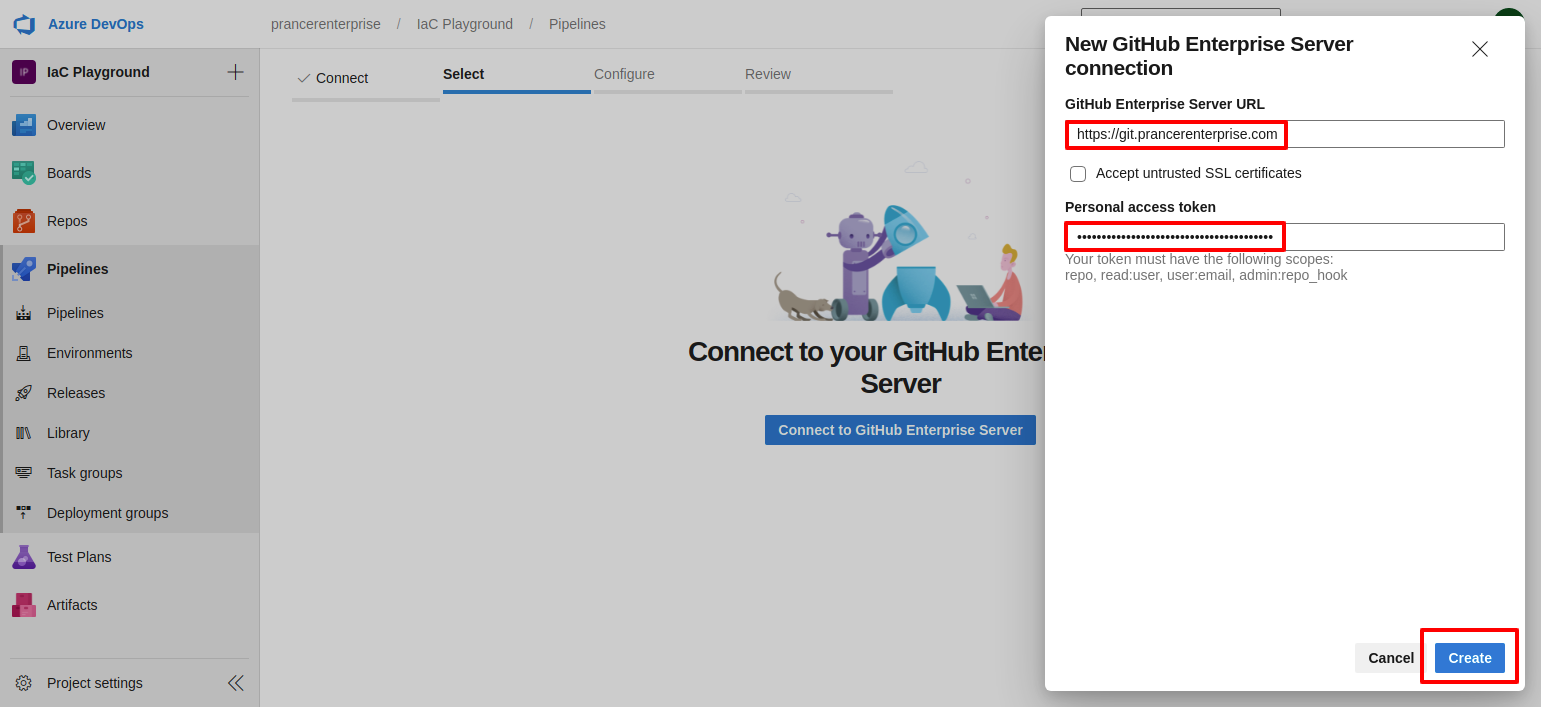
Enter the Enterprise Server URL and the GitHub PAT.
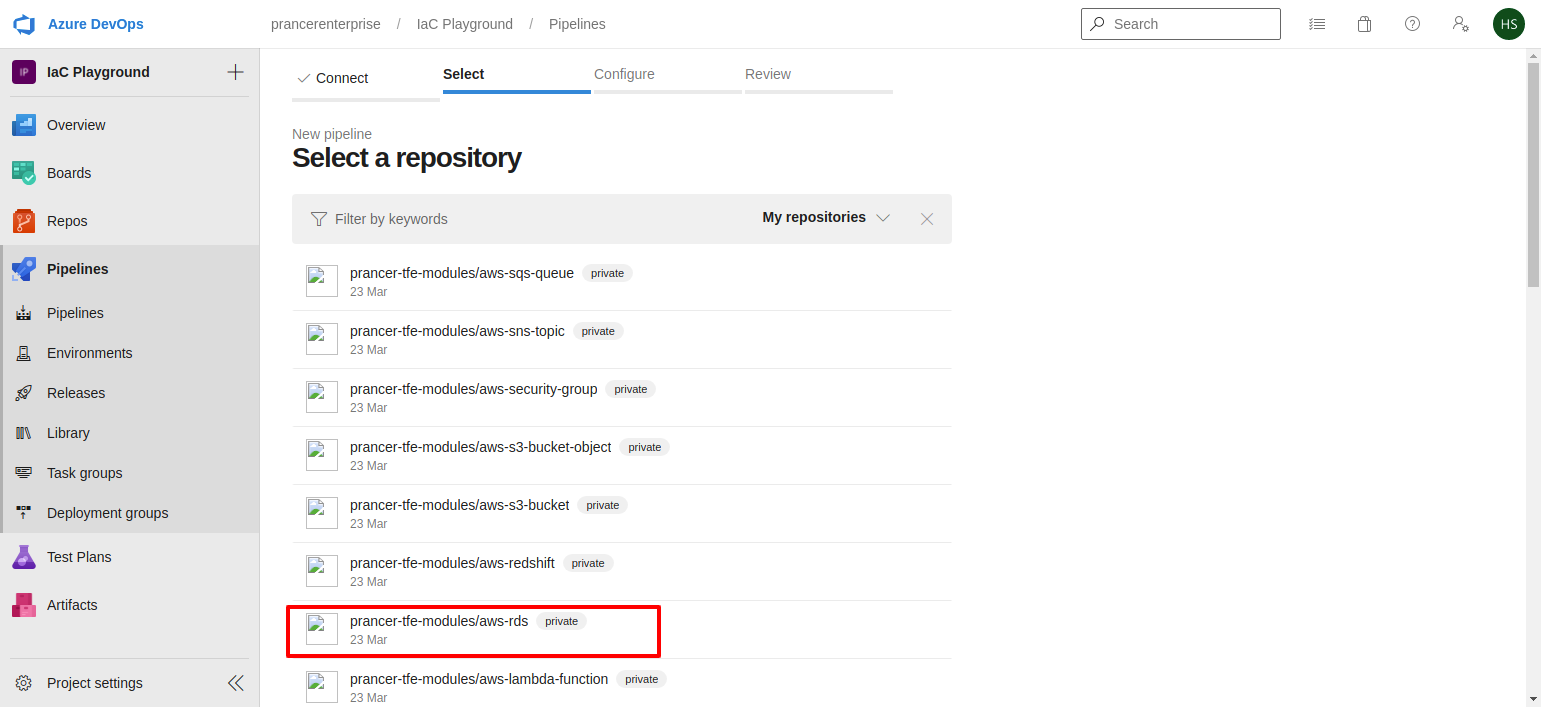
Pick the repo where the pipeline YAML will live.
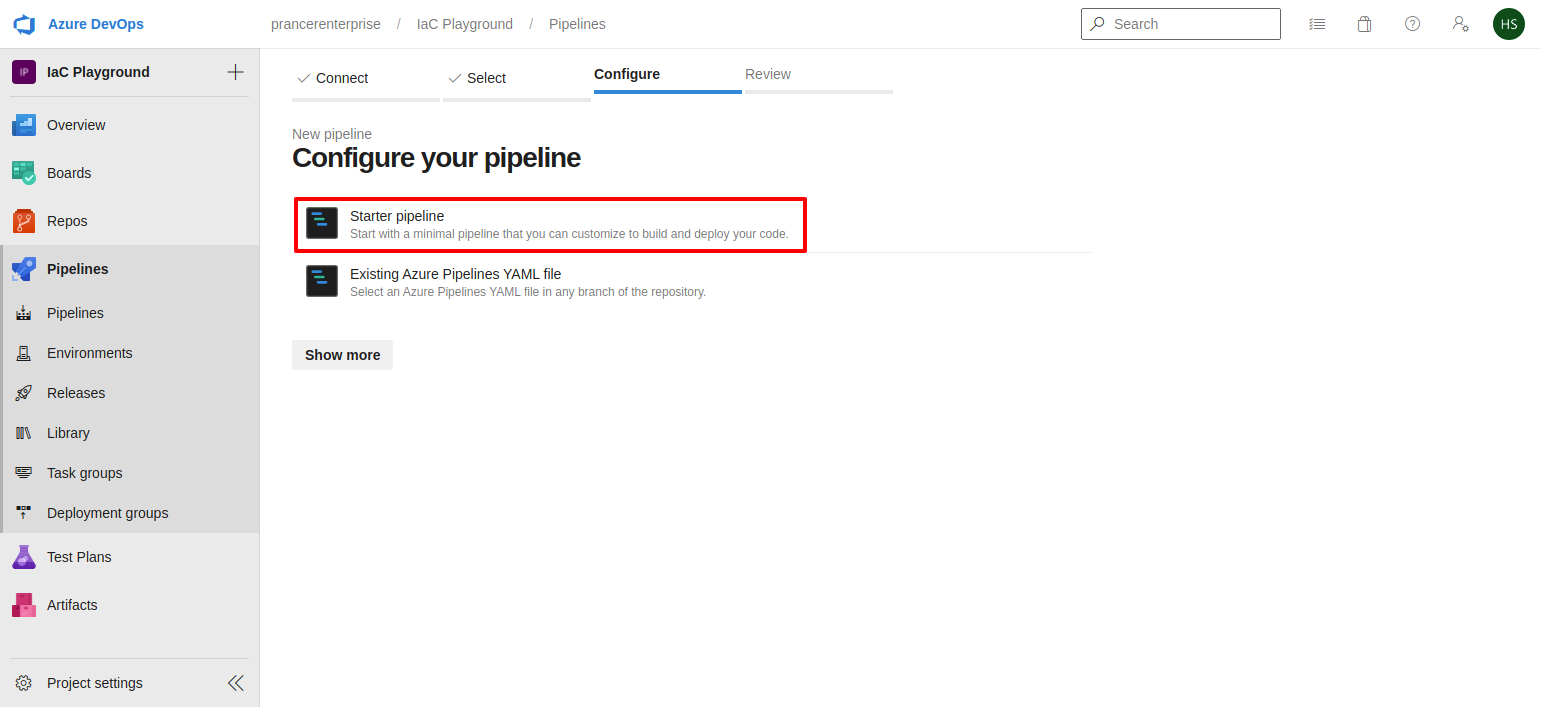
Choose Starter pipeline and paste one of the snippets below. Self-hosted agent required — Microsoft-hosted agents can't reach the Enterprise Server.
Warning: Update--companyand the collection name (scenario_aws_githubEntNon) before running.
Option A — install prancer-basic on the agent
trigger:
  - master

resources:
  - repo: self

stages:
  - stage: prancer_static_code_analysis_for_iac
    jobs:
      - job: prancer_basic
        pool: "Default"
        steps:
          - bash: |
              echo "Setup start"

              # pip3
              if ! command -v pip3 &>/dev/null; then
                apt-get -y install python3-pip
              fi

              pip3 install -U prancer-basic

              # OPA
              if ! command -v opa &>/dev/null; then
                curl -L -o /usr/local/bin/opa https://openpolicyagent.org/downloads/v0.36.1/opa_linux_amd64_static
                chmod 755 /usr/local/bin/opa
              fi

              # Helm
              if ! command -v helm &>/dev/null; then
                snap install helm --classic
              fi

              prancer --db REMOTE \
                --company liquware \
                --apitoken "${APITOKEN}" \
                --gittoken "${GITTOKEN}" \
                scenario_aws_githubEntNon
            env:
              GITTOKEN: $(GITTOKEN)
              APITOKEN: $(APITOKEN)
Option B — run prancer-basic from a Docker image
trigger:
  - master

resources:
  - repo: self

stages:
  - stage: prancer_basic_setup_pipeline
    displayName: "Prancer Static Code Analysis for IaC"
    jobs:
      - job: prancer_basic
        pool: "Default"
        steps:
          - bash: |
              mkdir prancer && cd prancer

              # Latest prancer-basic version
              curl -L -o setup.py https://raw.githubusercontent.com/prancer-io/cloud-validation-framework/master/setup.py
              version=$(grep -i 'version=' setup.py | sed -e "s/version='//" -e "s/',//" -e 's/ //g')

              mkdir helmdir opadir
              curl -L -o opadir/opa https://openpolicyagent.org/downloads/v0.36.1/opa_linux_amd64_static
              chmod 755 opadir/opa
              curl -L -o helmdir/helm-v3.8.1-linux-amd64.tar.gz https://get.helm.sh/helm-v3.8.1-linux-amd64.tar.gz
              tar -zxvf helmdir/helm-v3.8.1-linux-amd64.tar.gz -C helmdir
              chmod 755 helmdir/linux-amd64/helm

              cat > Dockerfile <<EOF
              FROM python:3.9-alpine3.15
              ENV APP_VERSION=$version
              RUN apk update && apk upgrade && apk add git build-base libffi-dev openssl-dev
              COPY opadir/opa /usr/local/bin/opa
              RUN chmod +x /usr/local/bin/opa
              COPY helmdir/linux-amd64/helm /usr/local/bin/helm
              RUN chmod +x /usr/local/bin/helm
              RUN pip install ply
              RUN pip install prancer-basic==$version
              EOF

              docker build -t prancer-basic:${version} -f Dockerfile .
              docker container run prancer-basic:${version} \
                prancer --db REMOTE --company liquware \
                --apitoken "${APITOKEN}" --gittoken "${GITTOKEN}" \
                scenario_aws_githubEntNon
            env:
              GITTOKEN: $(GITTOKEN)
              APITOKEN: $(APITOKEN)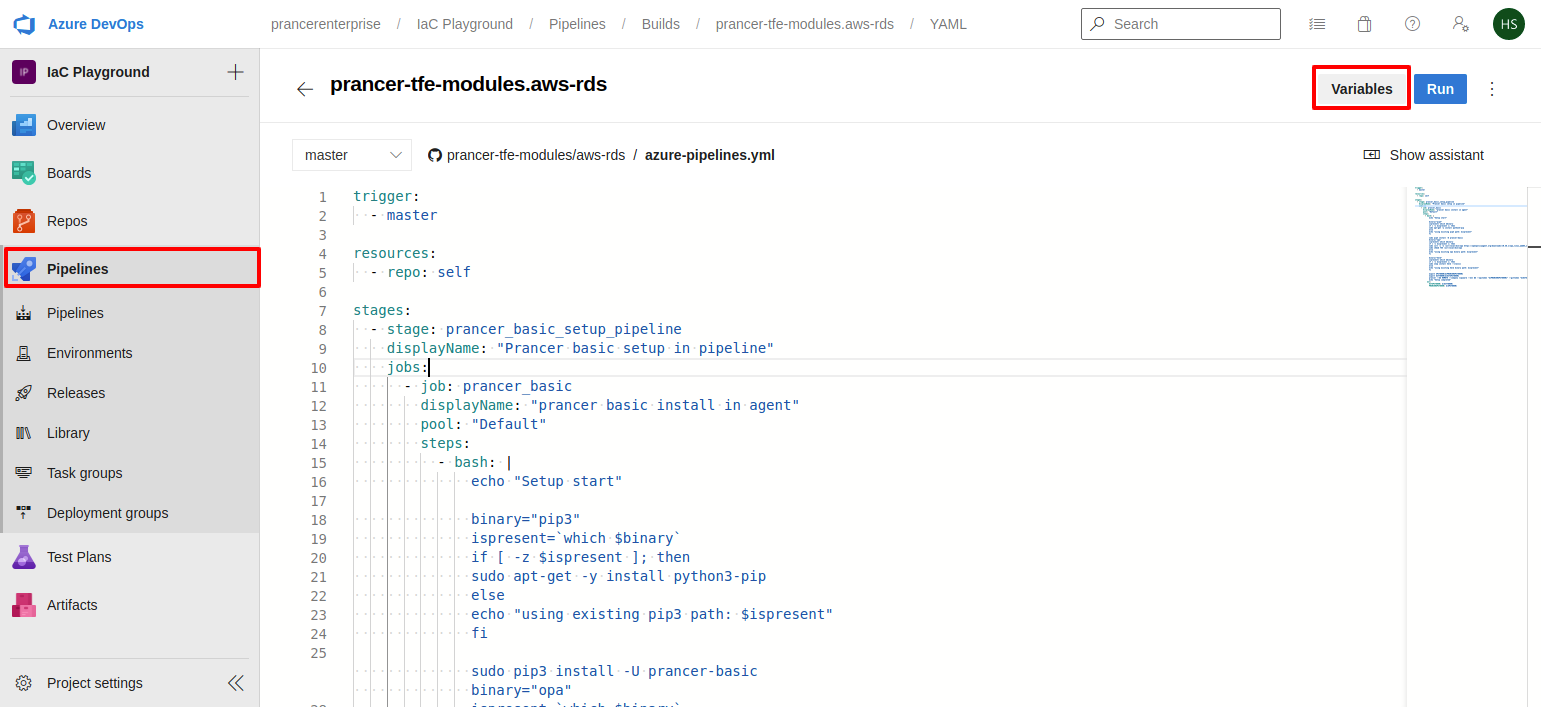
Click Variables in the top-right.
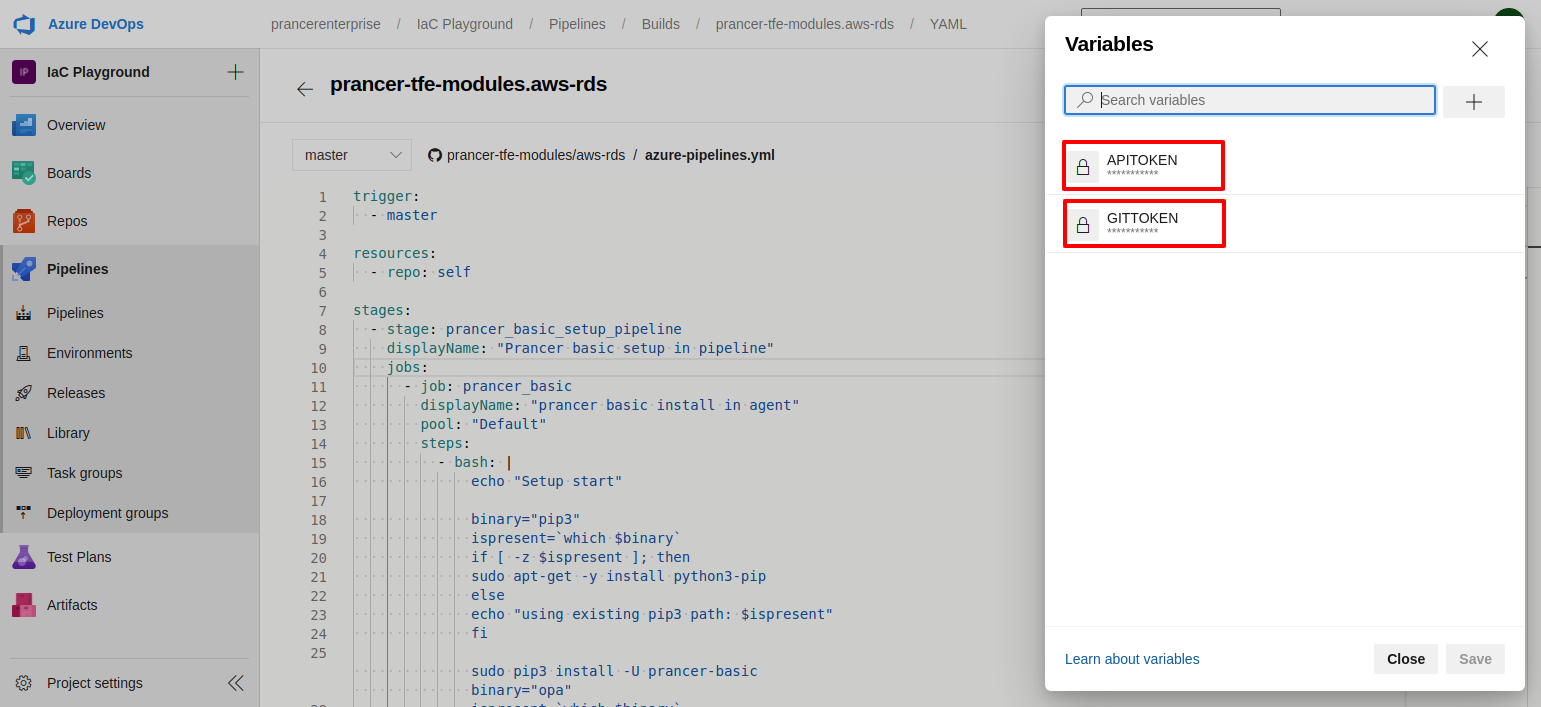
Create:
| Variable | Source |
| --- | --- |
| GITTOKEN | GitHub Enterprise PAT (step 3). |
| APITOKEN | Prancer User Access Token (step 2). |
Mark both as secret.
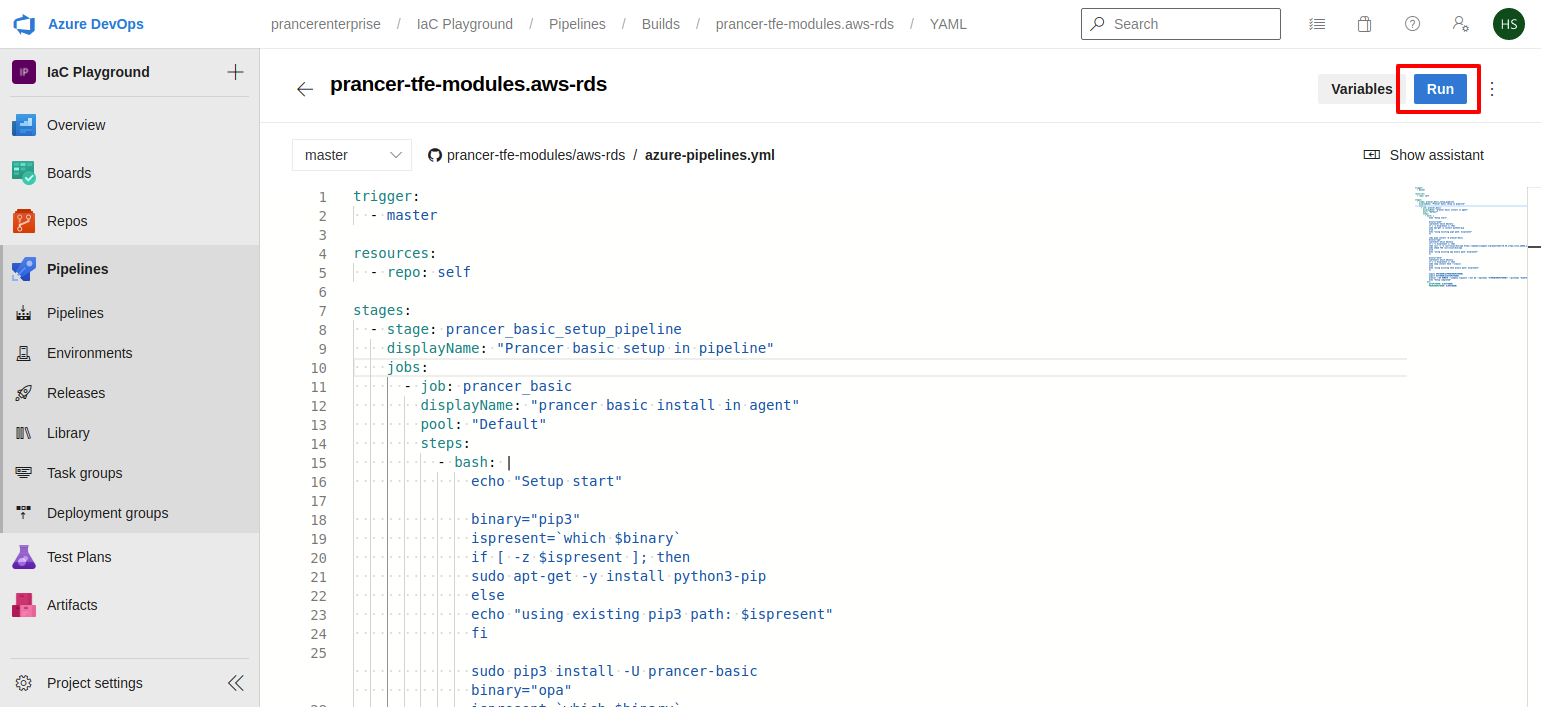
5. Run and review
Save and run the pipeline. The first run installs pip3, opa, helm, and prancer-basic on the agent (Option A) and then ships findings to Prancer SaaS.
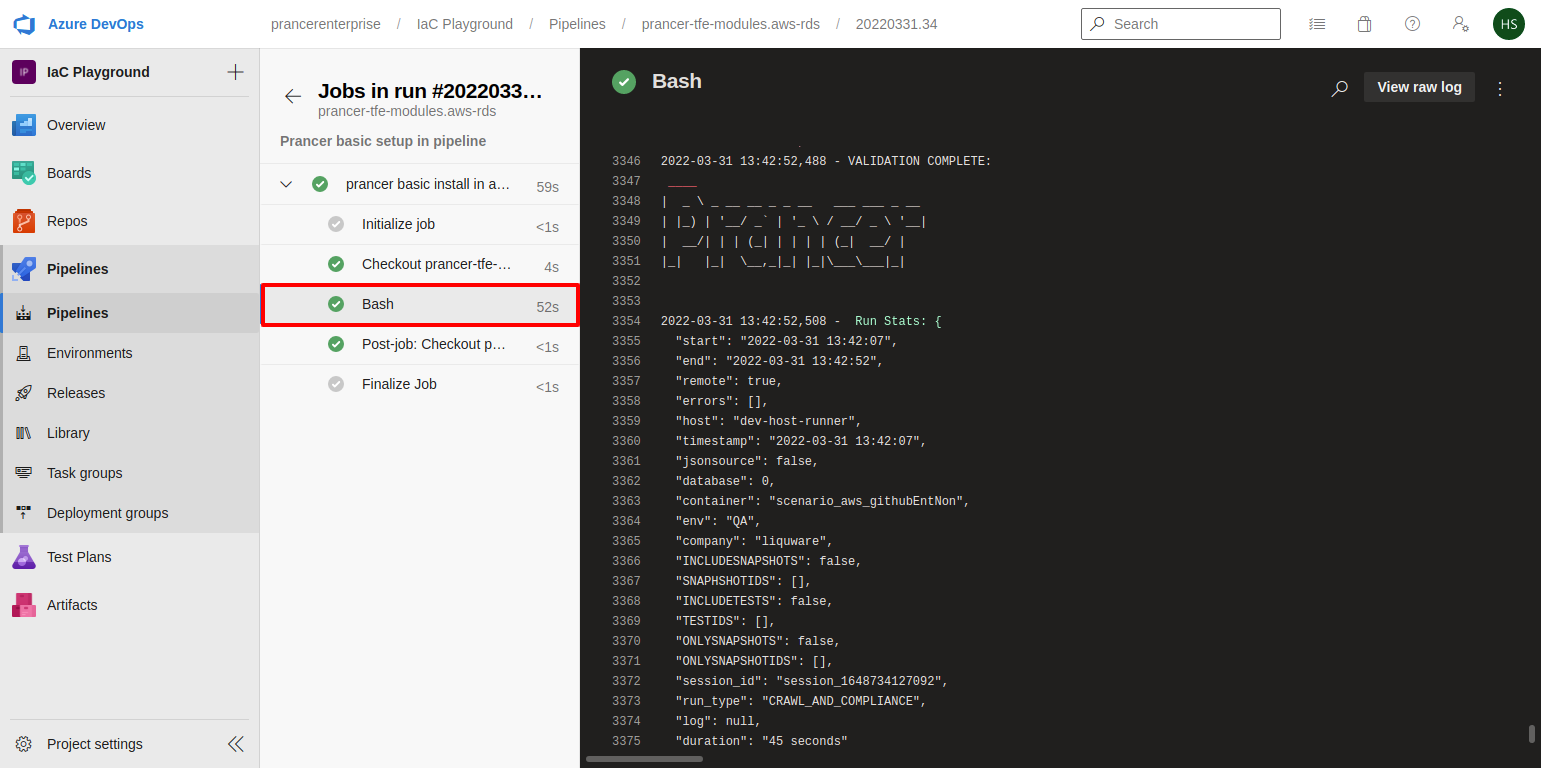
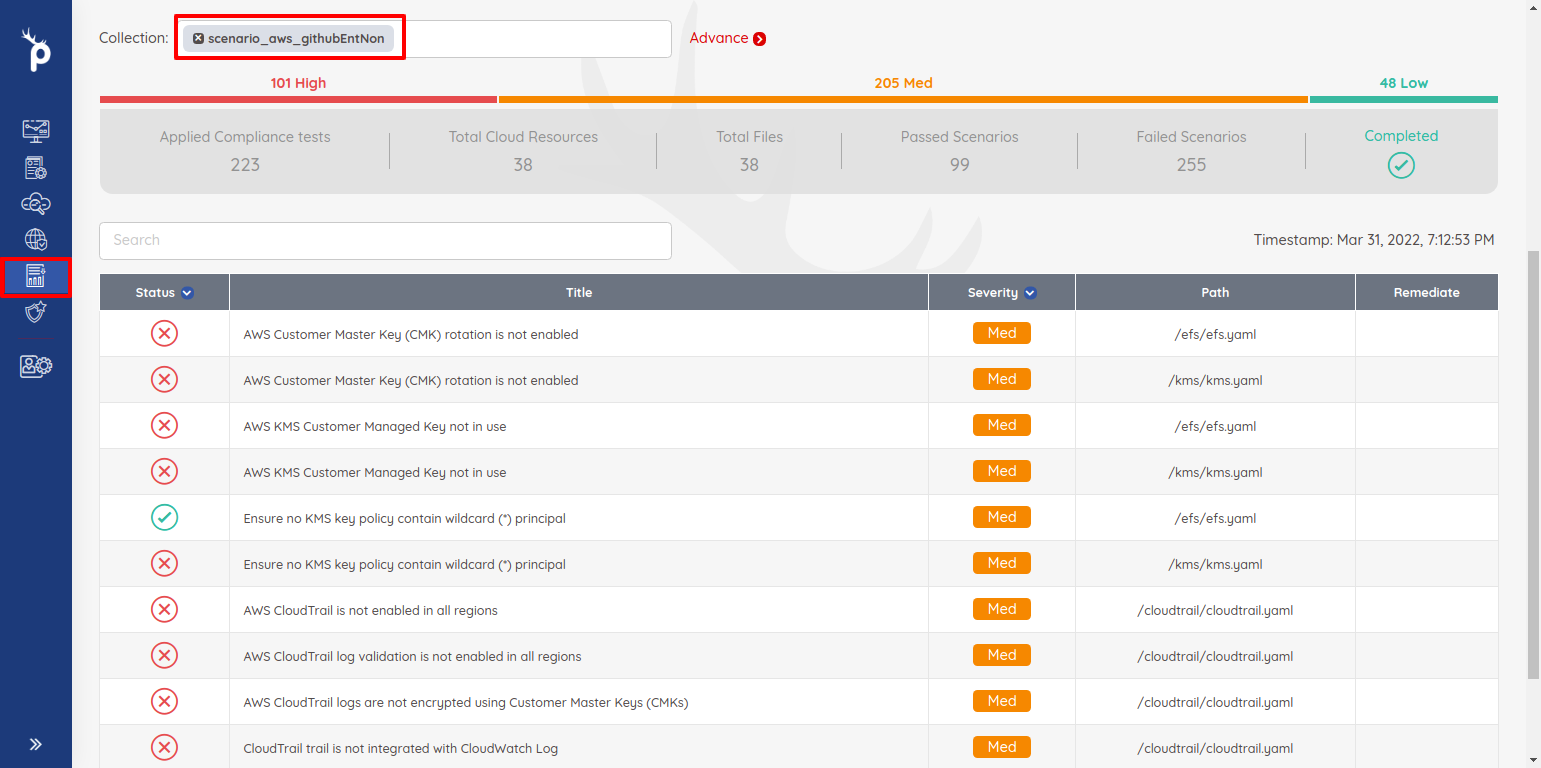
Open Infra Findings in the Prancer Portal to view results.
Tip: Cachepip,opa, andhelmon the self-hosted agent to keep subsequent runs fast.
Next steps
- Wizard — IaC GitHub Enterprise — internet-routable variant.
- PAC CLI in CI/CD — full CLI reference and pipeline samples.
- Compliance Run — re-run from the portal once results land.