Documentation / PAC Attacks
Attack Auto Tag
Loading Attacks by Auto-Tagging
Instead of listing every custom add-on path in your PAC file, tag them in metadata.yaml and let Prancer pick the right ones based on the tags you specify in the PAC config. Less repetition, easier reuse across applications.
Tip: tag-based loading shines when you have many custom add-ons and want different combinations for different apps (e.g. cloud-specific or language-specific).
Before you start
- Custom add-ons stored in a Git repo — see Custom Add-ons.
- A
metadata.yamlnext to each add-on. - A working Git connector and Vault entry.
Step 1 — Tag the add-on in metadata.yaml
At the bottom of metadata.yaml, add a tags: block. Pick whatever dimensions match how you slice your add-ons.
Name:
Type: addon
Engine: java
Description:
Charset: UTF-8
tags:
  cloud: azure,aws,gcp,custom
  language: java
Note: tag *values* can be comma-separated lists — one add-on can apply to multiple clouds, languages, or compliance regimes.
→ Full reference: metadata file.
Step 2 — Reference the tags in the PAC file
Add a Tags: block to your PAC config. Only the tag values you list here are loaded.
Collection: test_aws
ConnectionName: test_aws_connector
CloudType: aws
ApplicatioName: AutoTagValidation_AV
RiskLevel: attack
Compliance: [CIS]
ApplicationType: WebScan
Schedule: onetime
Target: https://javavulny.prancer.cloud
Tags:
  cloud: azure
  language: java
WebScan:
  AjaxSpider: false
Scanner:
  Cloud:
    Platform:
      AWS:
        AfterRun: delete
        NewFargate:
          External:
            AccountId: "135633075302"
            Region: us-west-2
            TaskDefinition: pentest-task
            ClusterName: pentest-cluster
            SecurityGroup: pentest-security-group
            ContainerName: prancer-scanner
            SubnetId: subnet-0b4616868d91c854c
AuthenticationMethod: noAuthentication
In this example:
- The
metadata.yamllists *all four* clouds. - The PAC file only loads the azure add-ons (matching
cloud: azure). - Plus only java add-ons (matching
language: java).
Warning: tags are AND-combined. An add-on must match every tag you list to be loaded.
Step 3 — Run the pentest
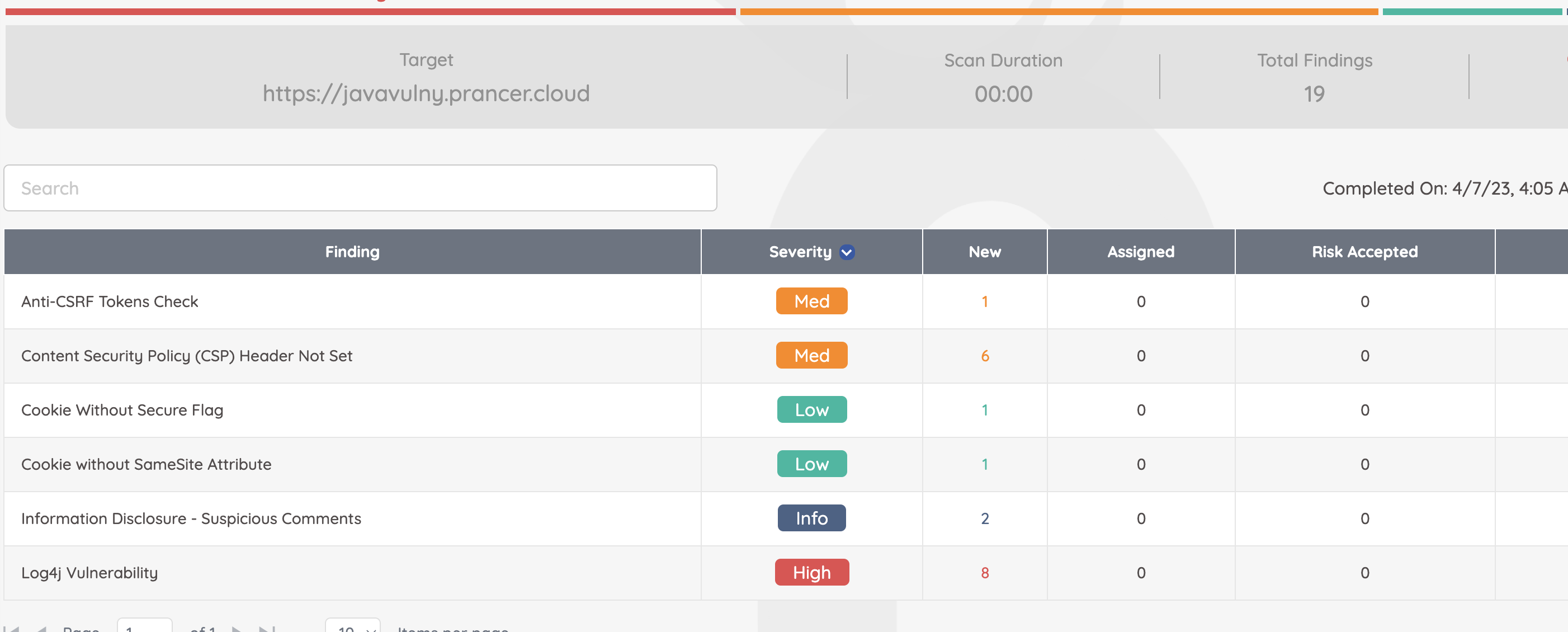
No paths, no filenames — just tags. Run the PAC file as usual; results appear on the findings page.
Next steps
- Build out the metadata reference: metadata.yaml.
- Tag add-ons by MITRE technique: Custom Attack Auto Tagging.
- Compare the explicit-path approach: Custom Add-ons.