Documentation / Reporting and Insights
Query
Query
The Query page lets you run MongoDB-style queries against the resources Prancer has fetched during snapshot and compliance runs. It is the most flexible way to slice your inventory when the standard filters in Resource Explorer are not enough.
Before you start
- Snapshots have been generated for the target connector — see Snapshot.
- Familiarity with MongoDB query syntax (
$eq,$in,$regex, etc.).
Run a query
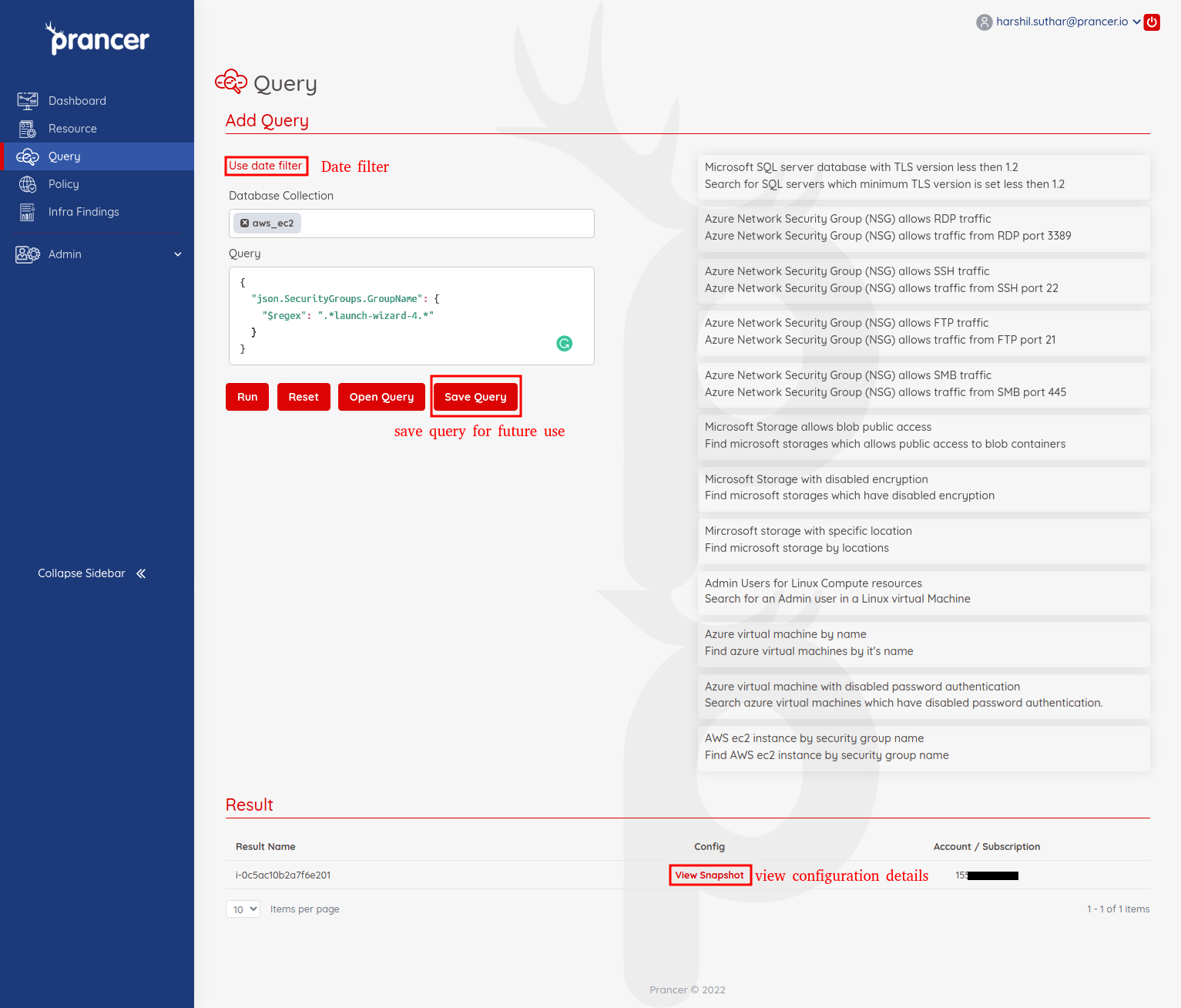
1. Open Reports → Query. 2. Pick the collection name you want to query (this is the value in the snapshot config's collection field). 3. Write the MongoDB query in the editor. Example — all S3 buckets without versioning:
``json { "type": "AWS::S3::Bucket", "configuration.VersioningConfiguration.Status": { "$ne": "Enabled" } } ``
4. Optional: pick a date range to restrict the result to resources fetched between two dates. 5. Click Run to see matching resources.
Inspect a result
Click View Config on any row to see the raw configuration document the query matched against — useful for refining your query.
Save and reuse queries
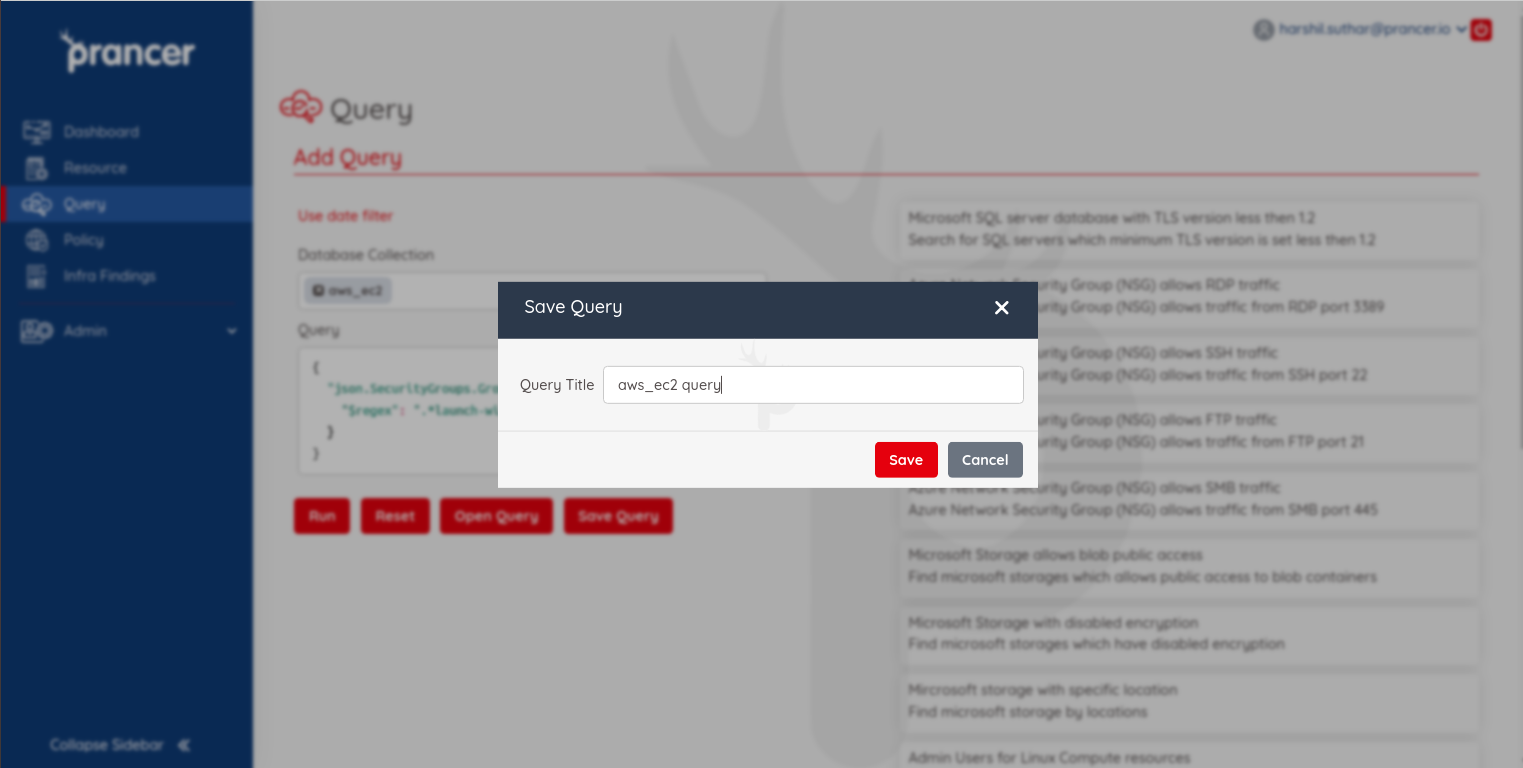
1. Click Save Query, give it a title, and confirm.
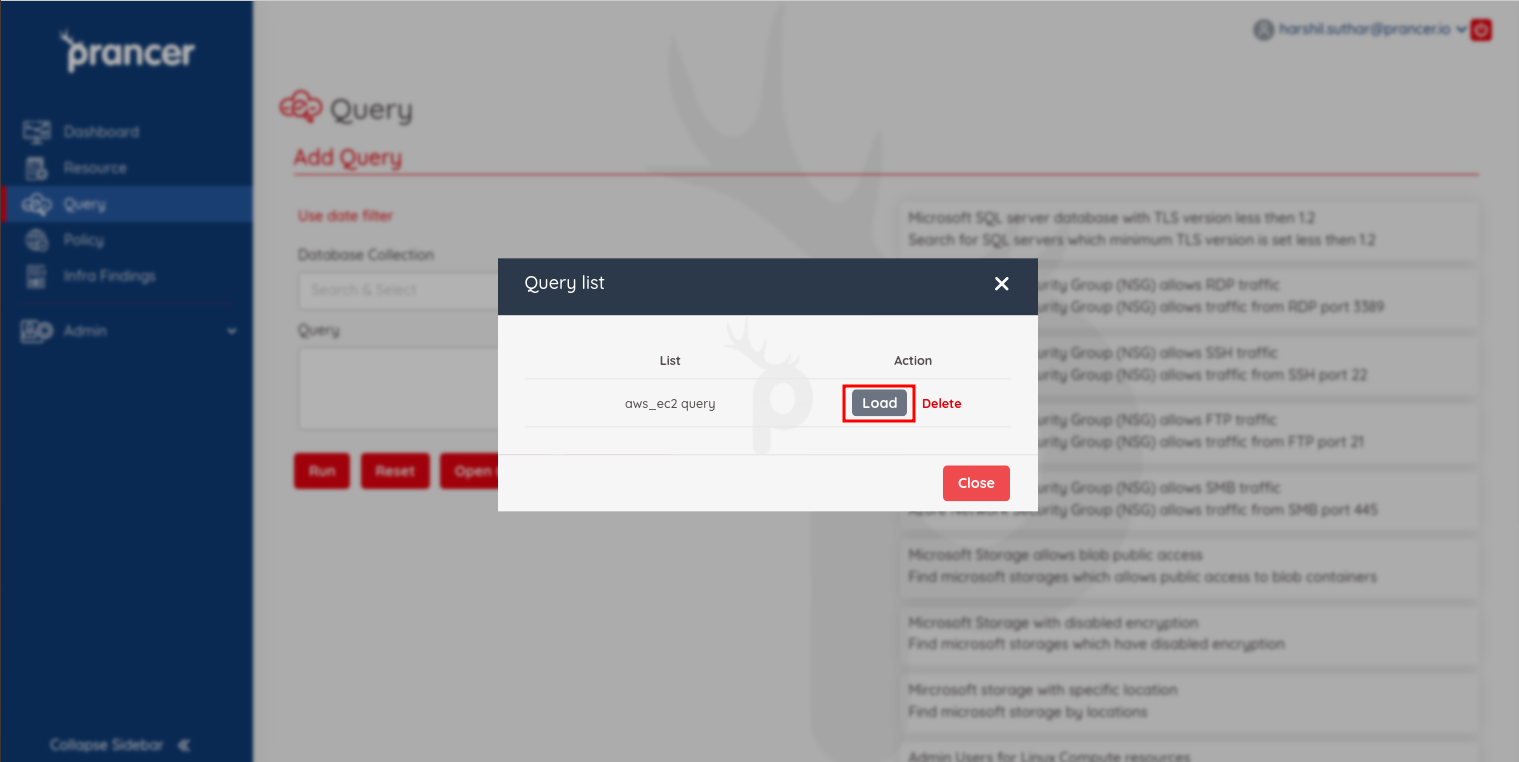
2. Click Load Query later to pick from your saved list.
Tip: Save one query per common report (e.g. "Public S3 buckets", "VMs without backup"), then schedule a compliance run that targets the same resource type for ongoing tracking.