Documentation / Home
Logs
Logs
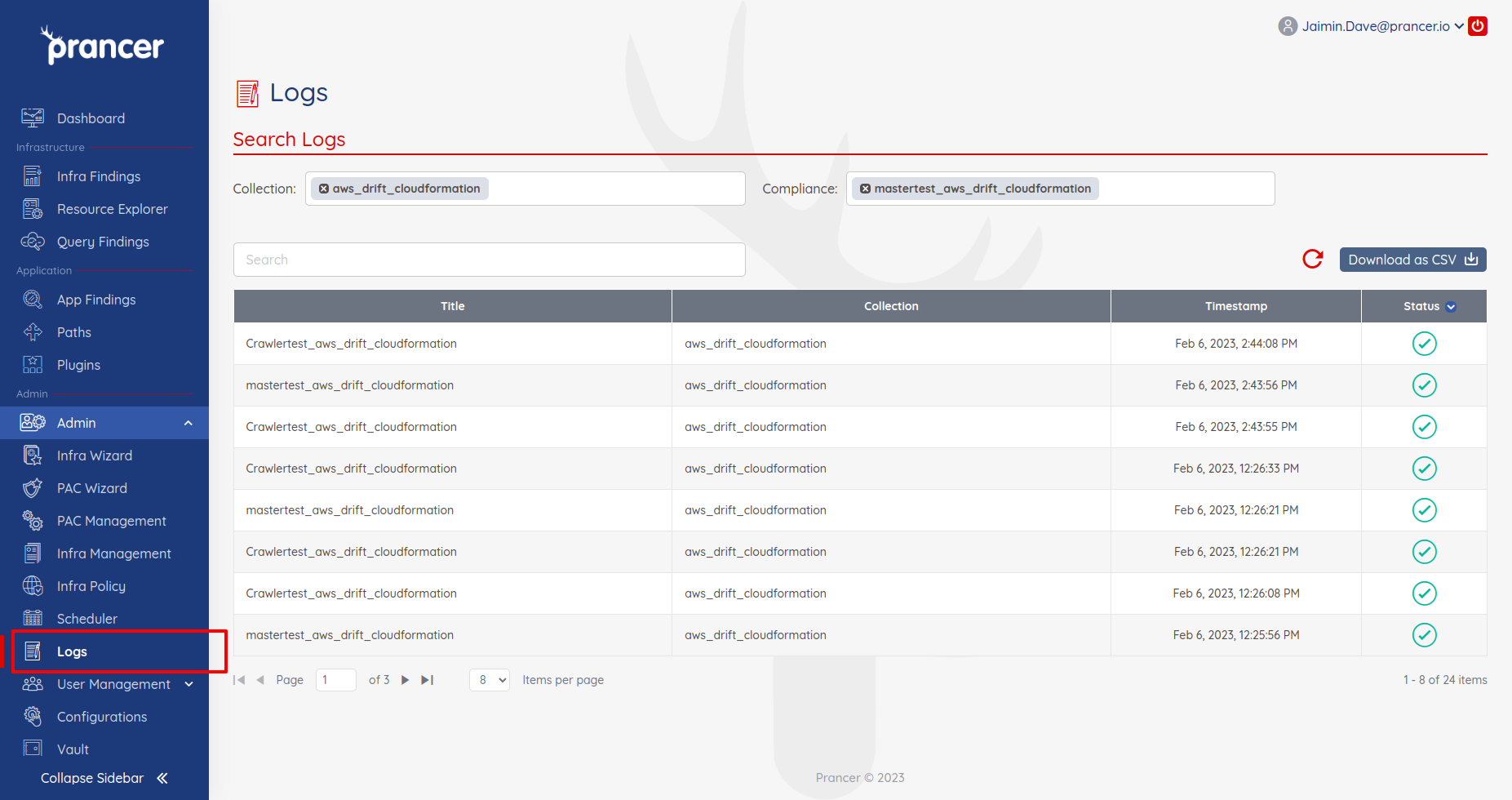
Every Crawler and Compliance run writes a structured log so you can audit what happened, debug failures, and track timing.
Before you start
- You've run at least one Crawler or Compliance job (otherwise the log list is empty).
- You know which collection and compliance to filter by.
Browse the log list
1. Open the Logs page. 2. Filter by Collection and/or Compliance to narrow the list. 3. *(Optional)* click Download as CSV to export the filtered list.
Open a log entry
Click any row to see the full execution detail — timestamps, parameters, every line emitted by the runner, and any error stack traces.
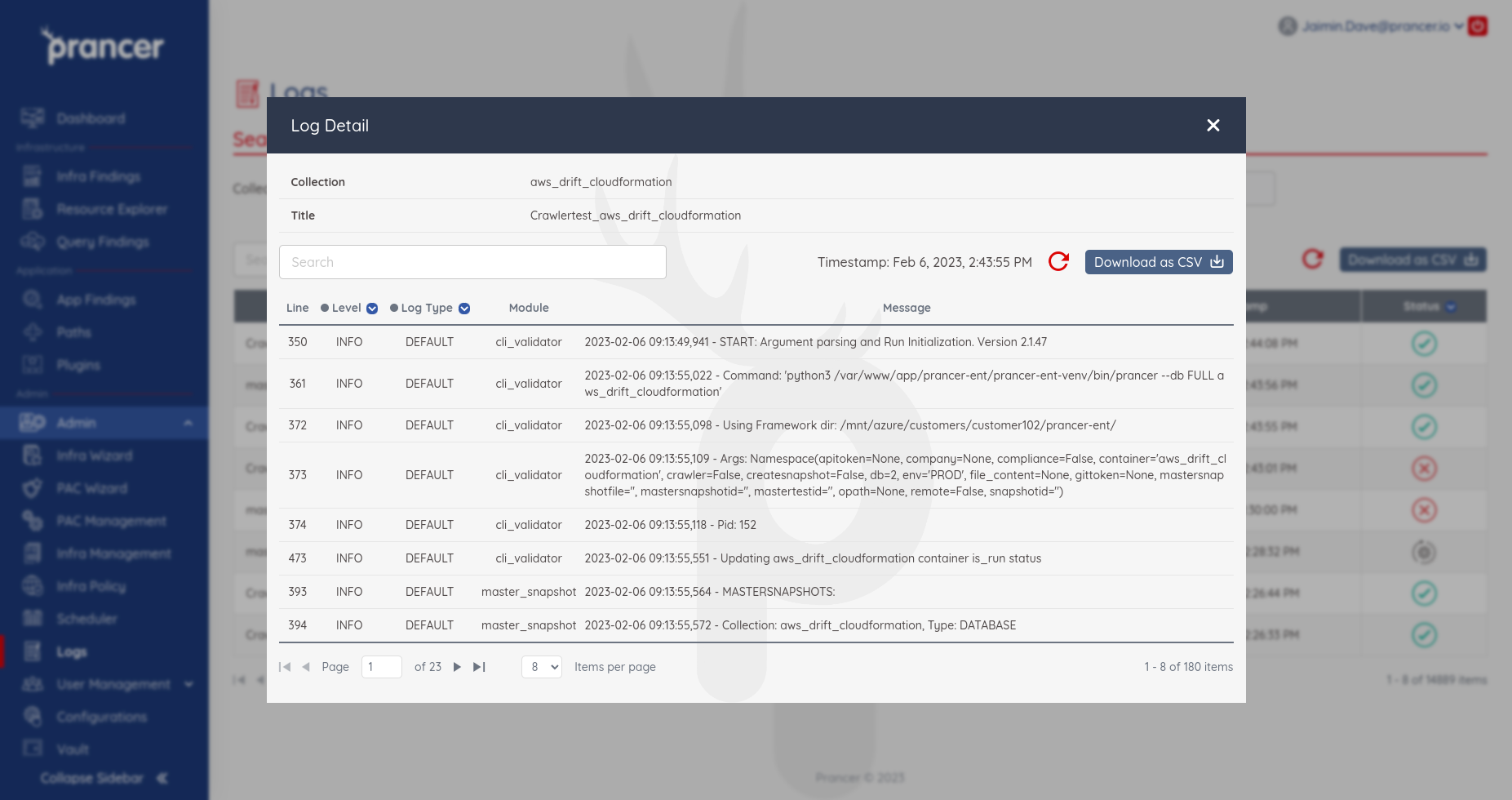
Tip: when a scan fails, this is the first place to look. The error usually appears at the bottom of the log with a red banner.
Next steps
- Configure the log verbosity in Configuration.
- Forward findings to your SIEM with Third-party integrations.