Documentation / Policy and Compliance
Exclusion
Exclusions
Sometimes a finding is a known-and-accepted exception — a deliberately public bucket, a test resource that doesn't need MFA, or a check that doesn't apply to your environment. Exclusions suppress these from future compliance runs without modifying the underlying policy.
Exclusion types
| Type | Effect |
| --- | --- |
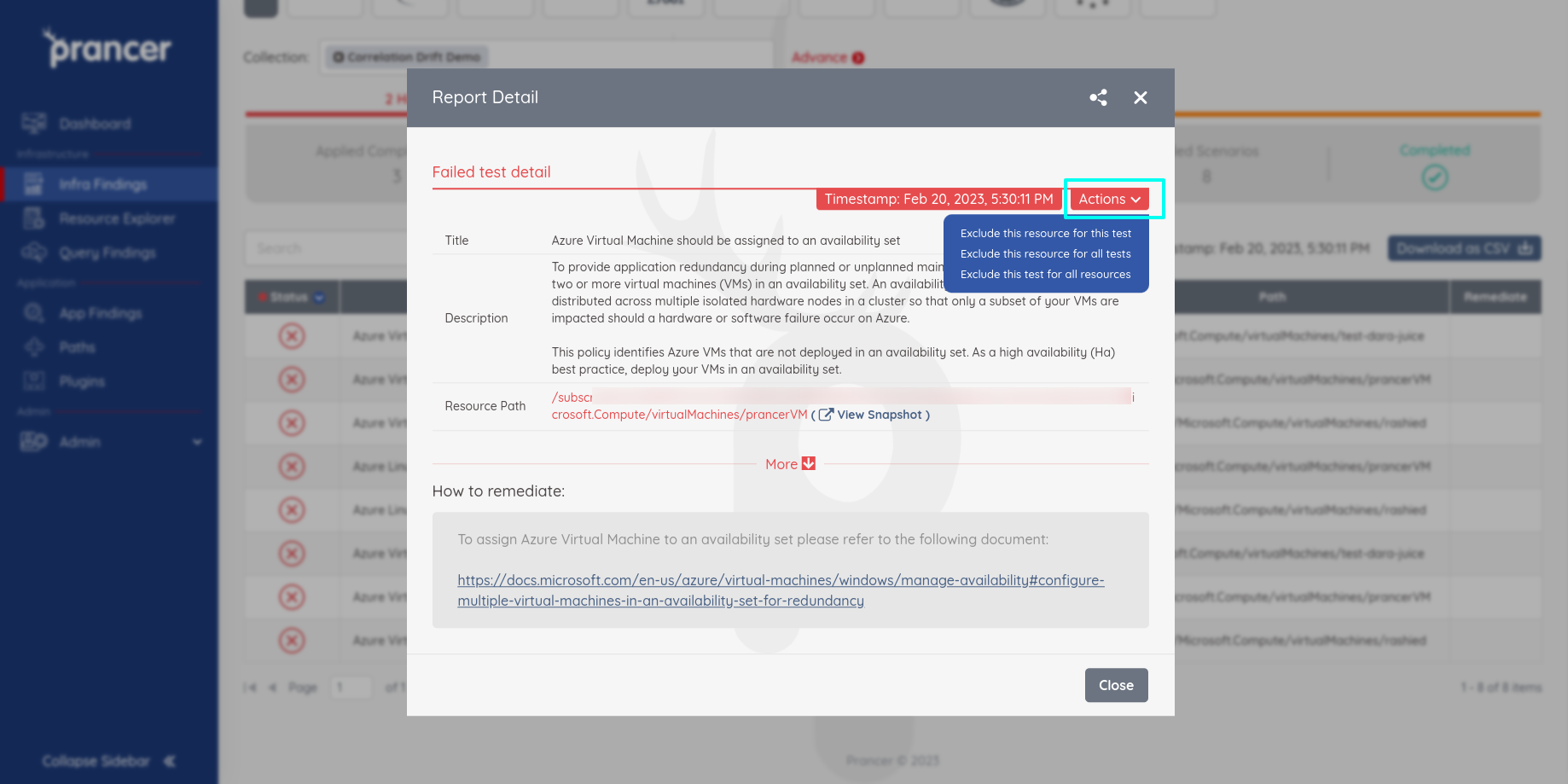
| Exclude this resource for this test | Skip a single rule on a single resource. |
| Exclude this resource for all tests | Skip every rule on this resource. |
| Exclude this test for all resources | Disable a rule across the entire collection. |
Warning: Broad exclusions ("this test for all resources") can hide real issues across new resources too. Prefer the most specific exclusion that solves your case.
Before you start
- A completed Compliance Run so the finding you want to exclude exists.
1. Add an exclusion
In Infra Findings, open the detail report for any test case, click Actions, and choose one of the three exclusion types.
2. Manage exclusions
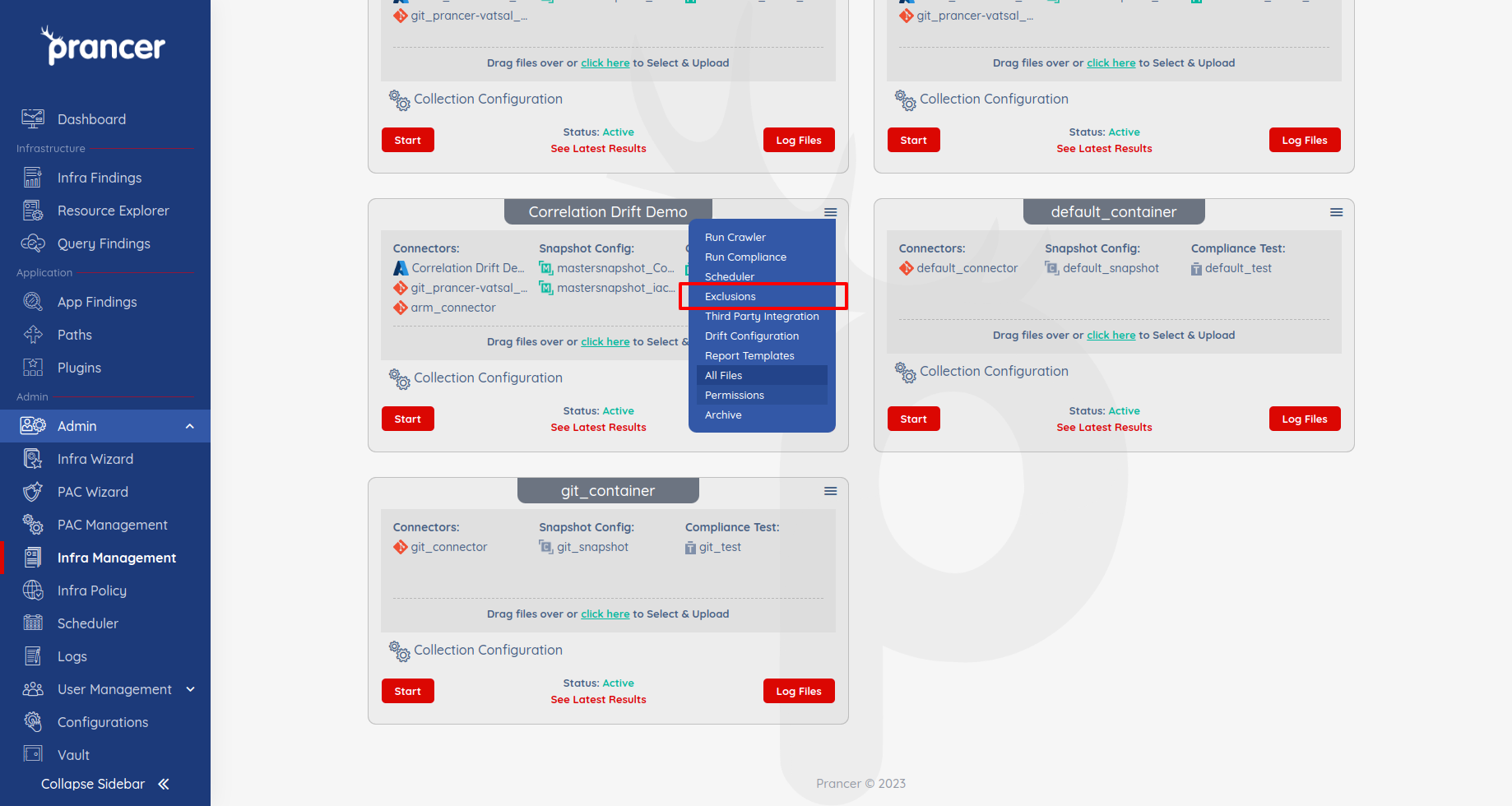
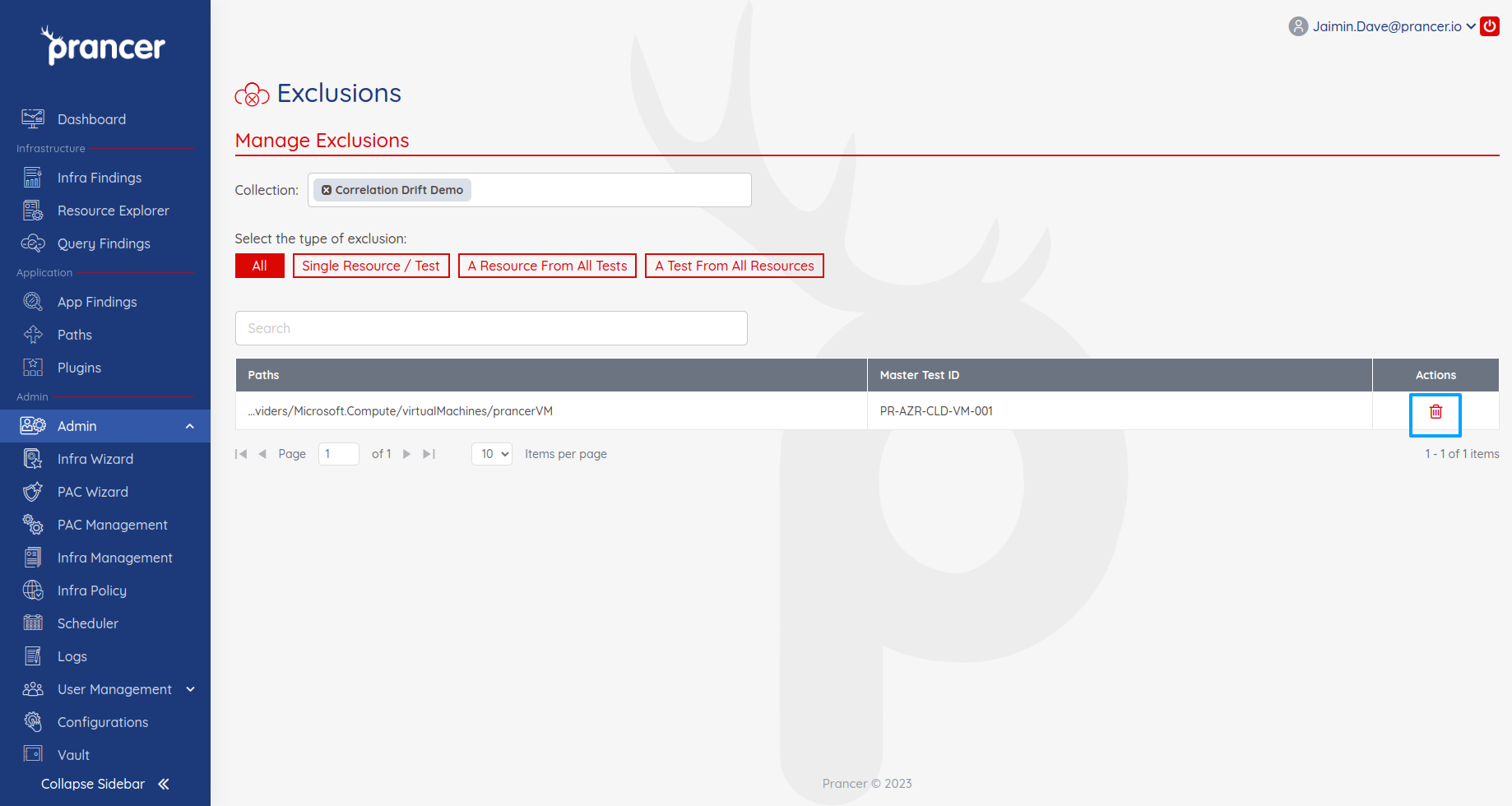
Open the collection drop-down → Exclusions to see every exclusion in the collection. Use the delete icon in the Actions column to remove one.
Tip: Pair every exclusion with a Jira/ServiceNow ticket explaining *why* — future you (or your auditor) will thank you.
Next steps
- Remediation — fix instead of suppress.
- Compliance Run — re-run to confirm the finding is gone.
- Third-party Integrations — track exclusions in Jira/ServiceNow.