Documentation / Policy and Compliance
Compliance Run
Compliance Run
A Compliance Run evaluates every rule in your collection's compliance file against the resources captured in the matching snapshot, then writes the results to Infra Findings.
Before you start
- A collection containing both a Compliance file and a Snapshot.
- (Optional) A Drift Detection configuration if you want drift to run alongside compliance.
Note: If the snapshot is stale, regenerate it with the Crawler first — otherwise rules will evaluate yesterday's resources.
1. Run compliance
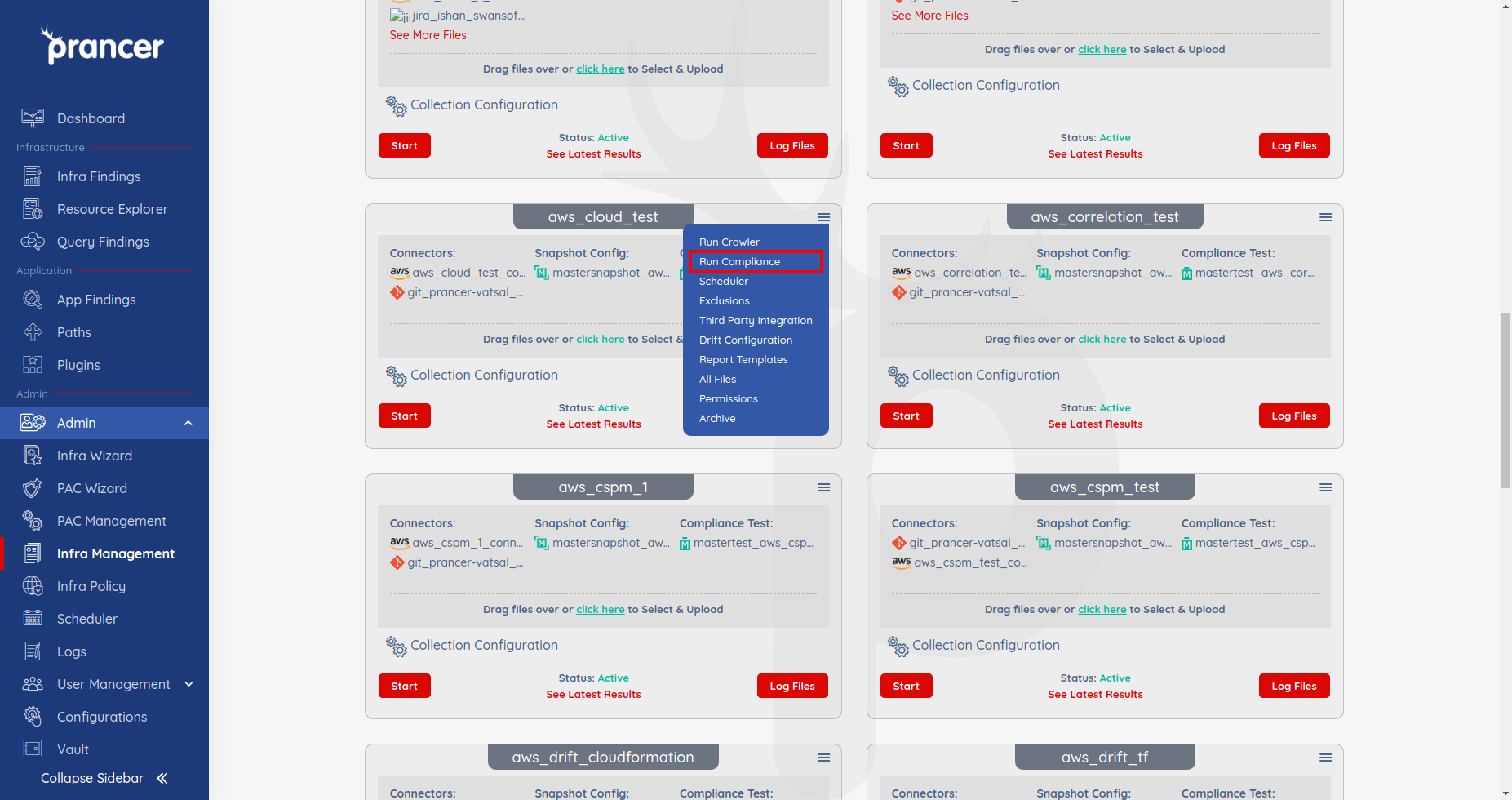
Open the collection drop-down and click Run Compliance. Prancer kicks off the evaluation immediately.
2. Review the results
When the run finishes, open:
- Infra Findings — pass/fail status per rule and resource.
- Logs — full execution log if a run fails or behaves unexpectedly.
Tip: Schedule recurring runs from the Scheduler to maintain continuous compliance instead of running on demand.
Next steps
- Exclusion — silence accepted findings without changing the policy.
- Remediation — auto-fix failed checks on cloud resources or in IaC.
- Drift Detection — flag resources that drifted from their IaC template.