Documentation / Connectors and Crawlers
Crawler
Crawler
The Crawler auto-generates Snapshot files from MasterSnapshot files. A MasterSnapshot describes a *type* of resource you care about (for example, "all S3 buckets in this account"); running the Crawler asks the cloud provider for the live list and writes a Snapshot containing every matching resource. That Snapshot is then what compliance and pentest jobs evaluate. Learn more in the Crawler definition reference.
Supported providers
- Google Cloud
- AWS
- Azure
Before you start
- A collection that already contains a MasterSnapshot and a MasterCompliance file.
- A valid Connector for the cloud provider you want to crawl.
Note: Without a MasterCompliance file the Crawler cannot decide which resources to include — uploads will succeed but the run will be empty.
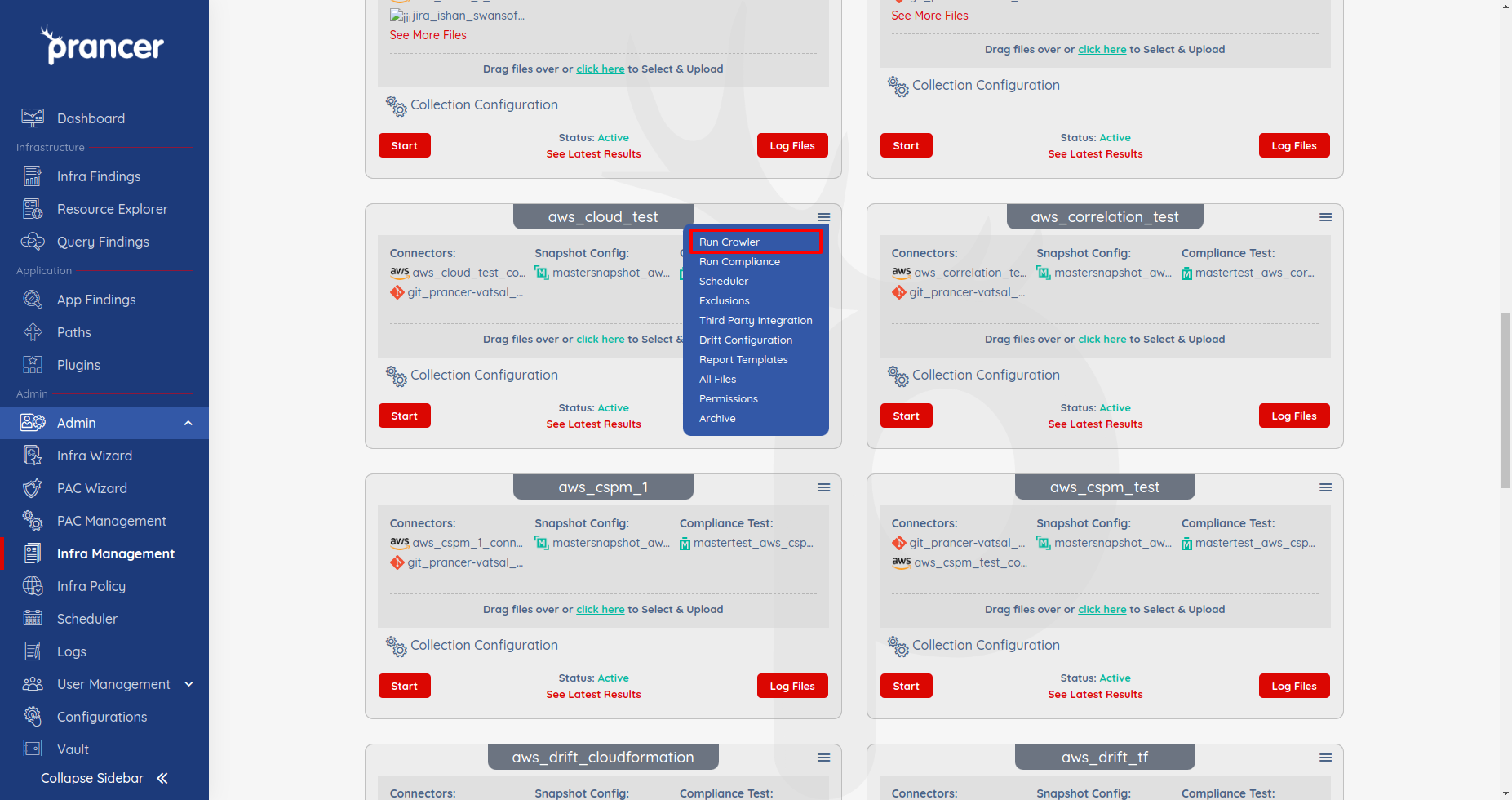
1. Run the Crawler
Open the collection drop-down and choose Run Crawler.
2. Watch the run
Open the Logs screen to follow the crawl in real time and confirm it produced Snapshot files.
Tip: Re-run the Crawler whenever your cloud inventory changes (new accounts, regions, or services) so compliance scans stay accurate.
Next steps
- Snapshot — review the generated Snapshot files.
- Compliance Run — execute compliance against the fresh snapshot.
- Scheduler — automate crawls on a recurring schedule.