Documentation / Connectors and Crawlers
Connector
Connector
A Connector is a small JSON config that holds the credentials Prancer needs to reach a path defined in a Snapshot file — your AWS account, Azure subscription, GCP project, Kubernetes cluster, or Git repository. Once uploaded, every snapshot in the same collection can authenticate through it. Learn more about the concept in the Connector definition reference.
Before you start
- A collection in your Prancer workspace.
- A connector JSON for the target provider (see CSPM wizards for AWS/Azure/GCP/K8s, or PAC file on Git for Git).
View all connectors in a collection
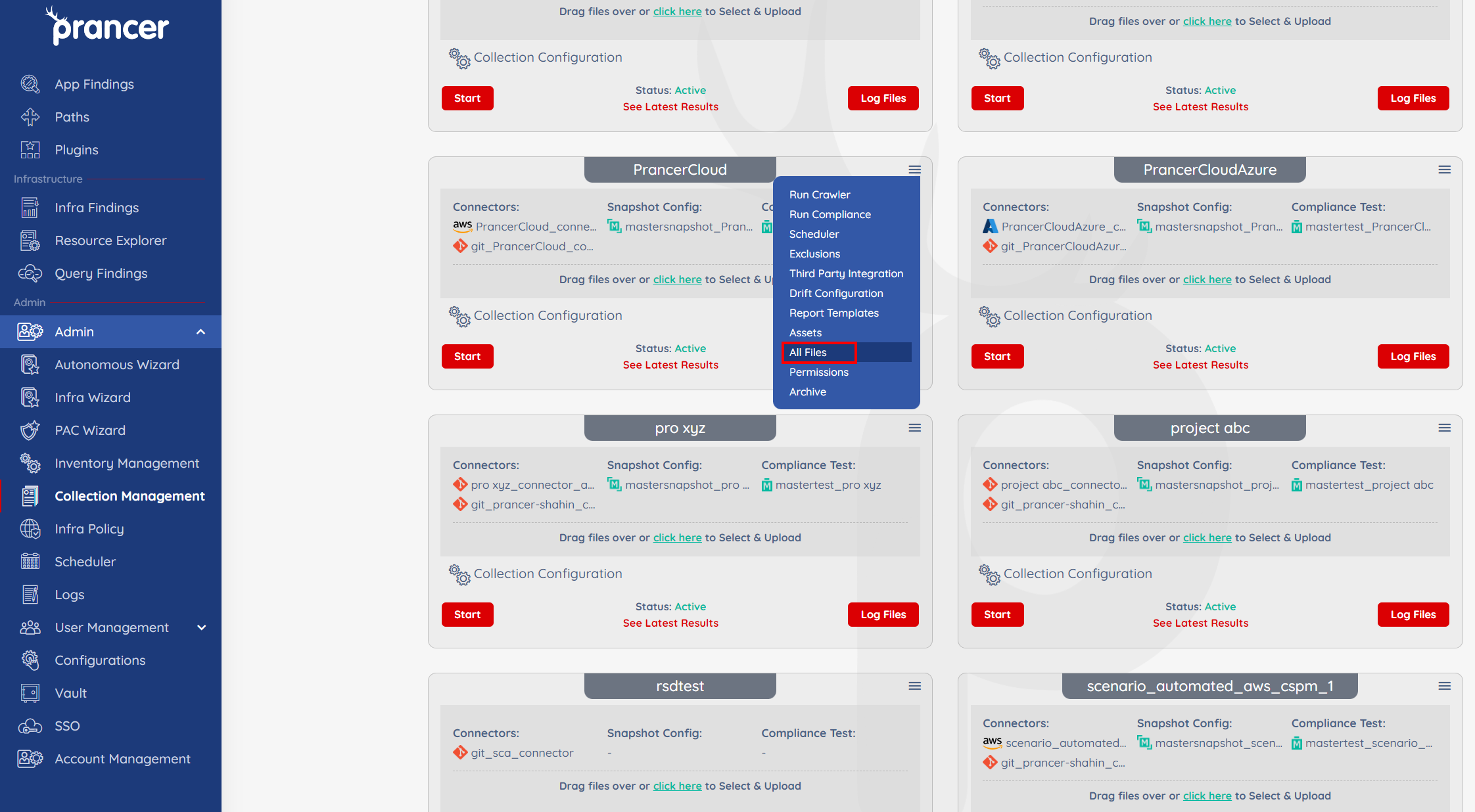
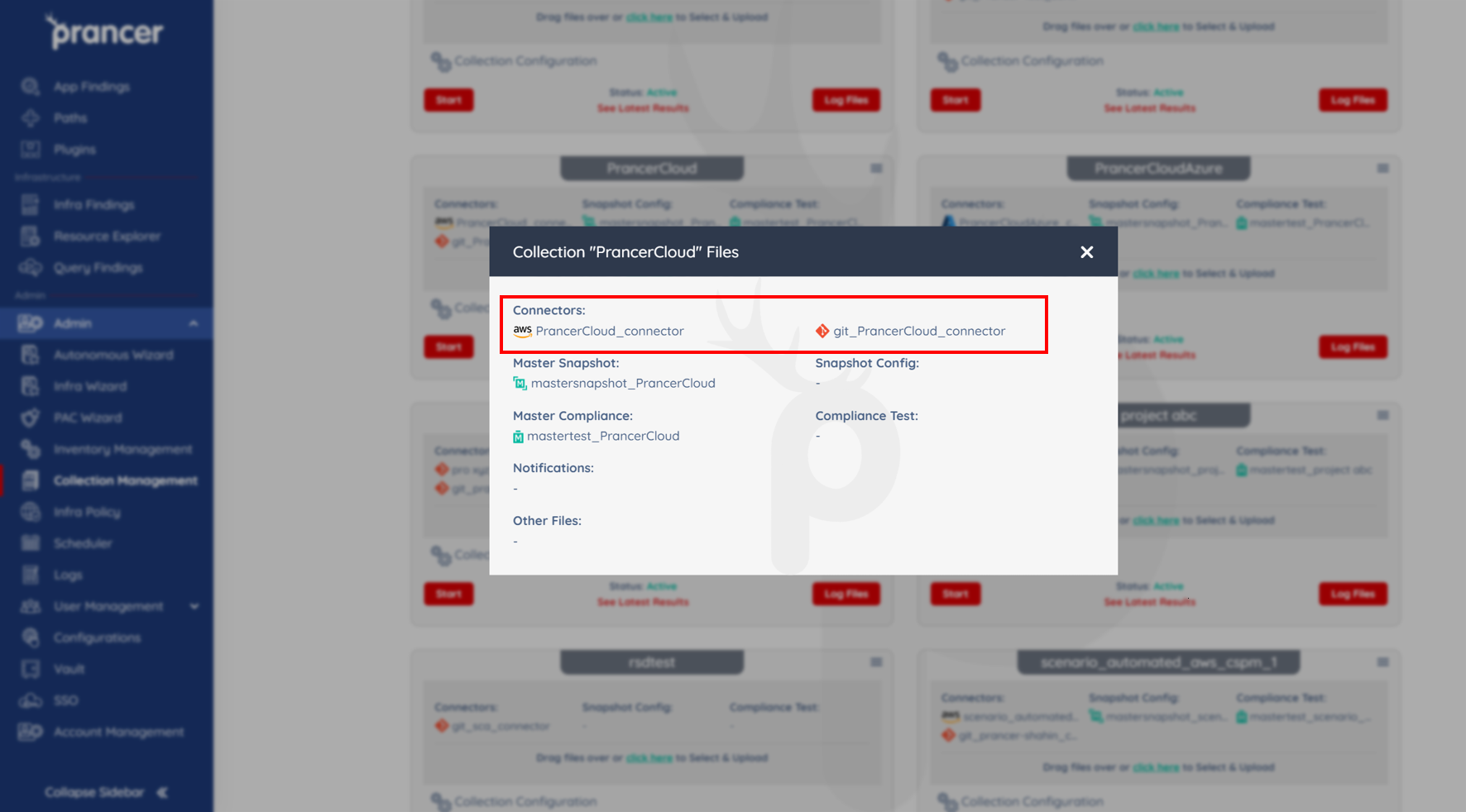
Open the collection drop-down and choose All Files. The header shows every connector currently in the collection.
1. Upload a connector
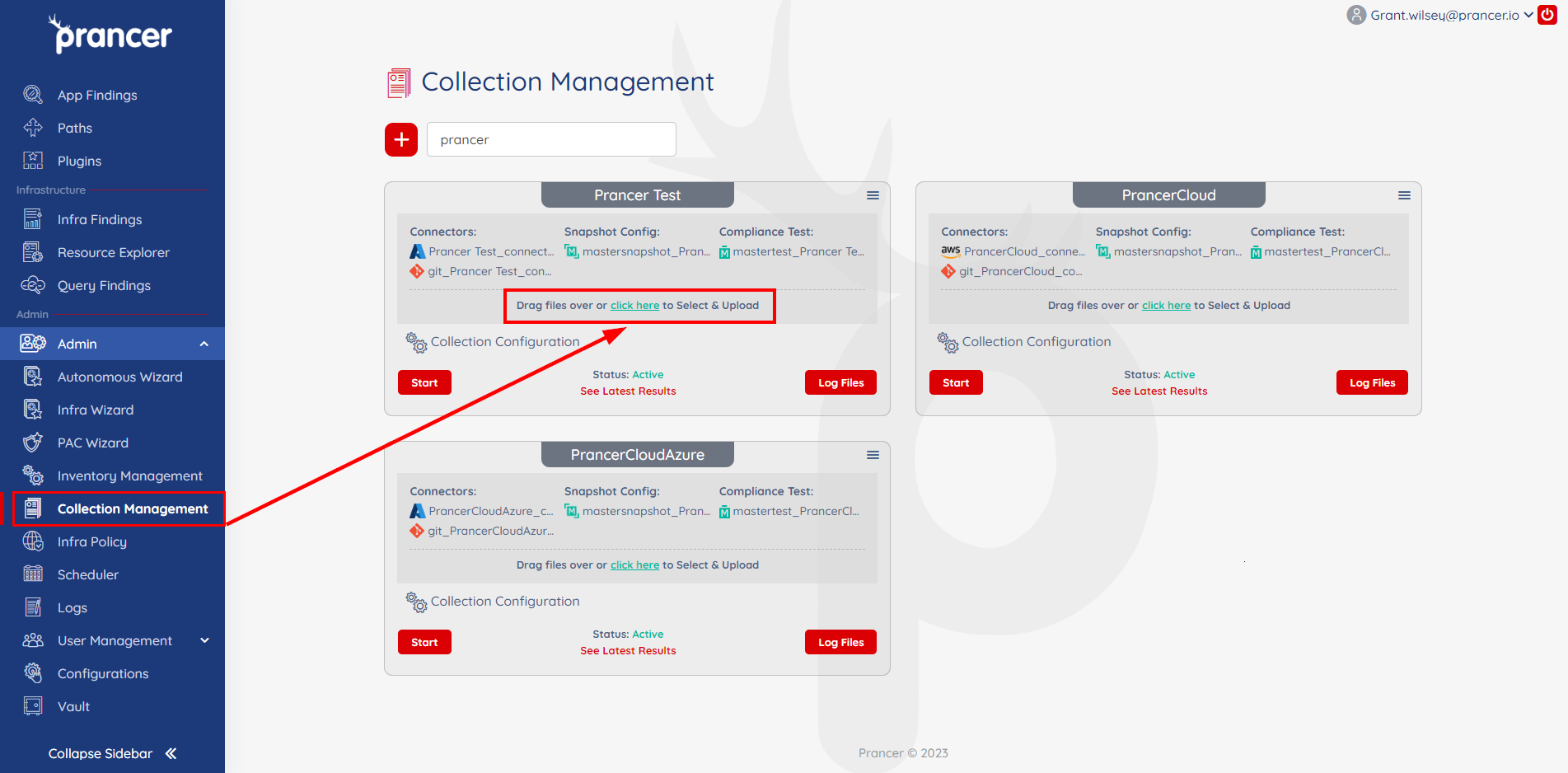
From the Collection Management page, drag-and-drop one or more connector JSON files, or click Click here to browse.
Warning: Uploading a file with the same name as an existing connector overwrites it — the file isn't duplicated. Keep the previous JSON elsewhere if you need to roll back.
2. Edit a connector
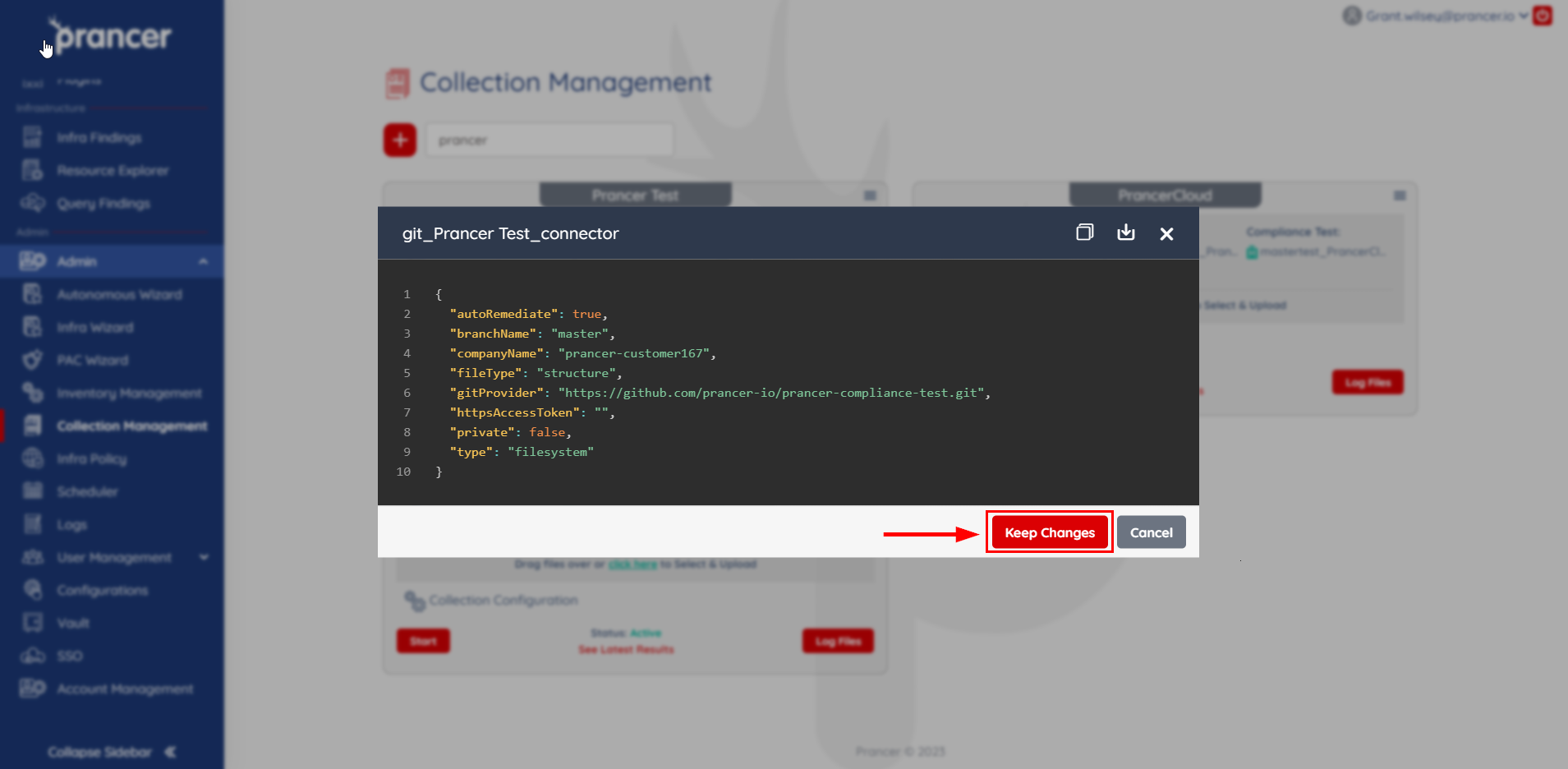
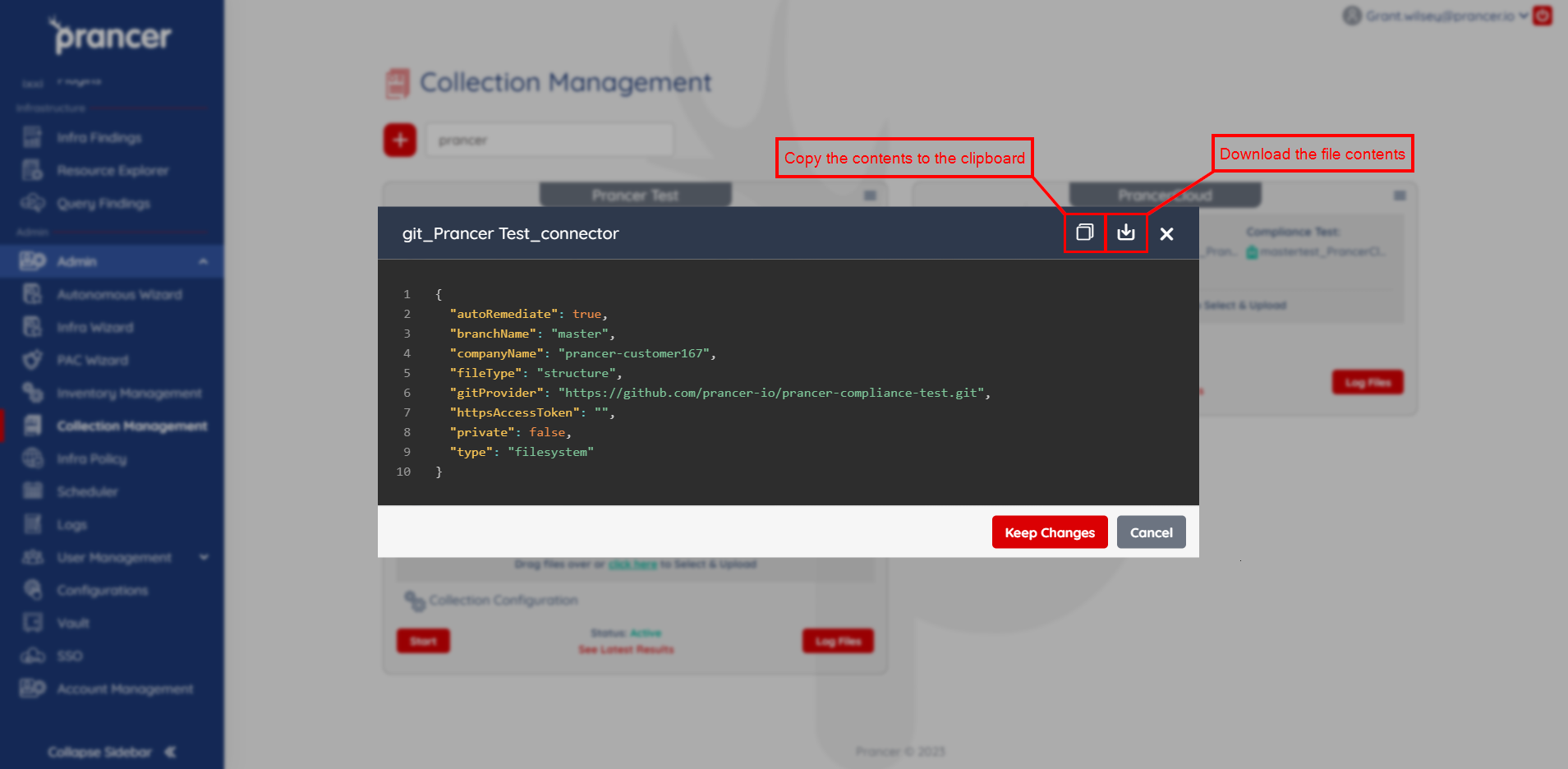
Click the connector name to open it in an editor. Make your changes and click Keep Changes to save.
3. Copy or download a connector
Open the connector dialog and use the Copy to clipboard or Download icons to grab the current contents.
Tip: Keep secrets (tokens, client secrets, certificates) out of the JSON itself — store them in the Vault and reference them by key name.
Next steps
- Crawler — turn MasterSnapshots into live Snapshots using your connectors.
- PAC file on Git — connector format for Git providers.
- CSPM Wizards — guided creation of cloud connectors.