Documentation / Snapshots
Snapshot
Snapshot
A Snapshot describes individual resources in your target environment — a specific S3 bucket, a specific subnet, a specific Postgres instance. Compliance and drift checks evaluate these concrete resources. For a deeper overview see the Snapshot definition reference.
Before you start
- A collection in your workspace.
- A snapshot JSON file authored locally, or one generated by the Crawler from a Master Snapshot.
Tip: Most teams don't author snapshots by hand — they let the Crawler generate them from a Master Snapshot. Hand-authoring is mainly for test fixtures and edge cases.
View snapshot files
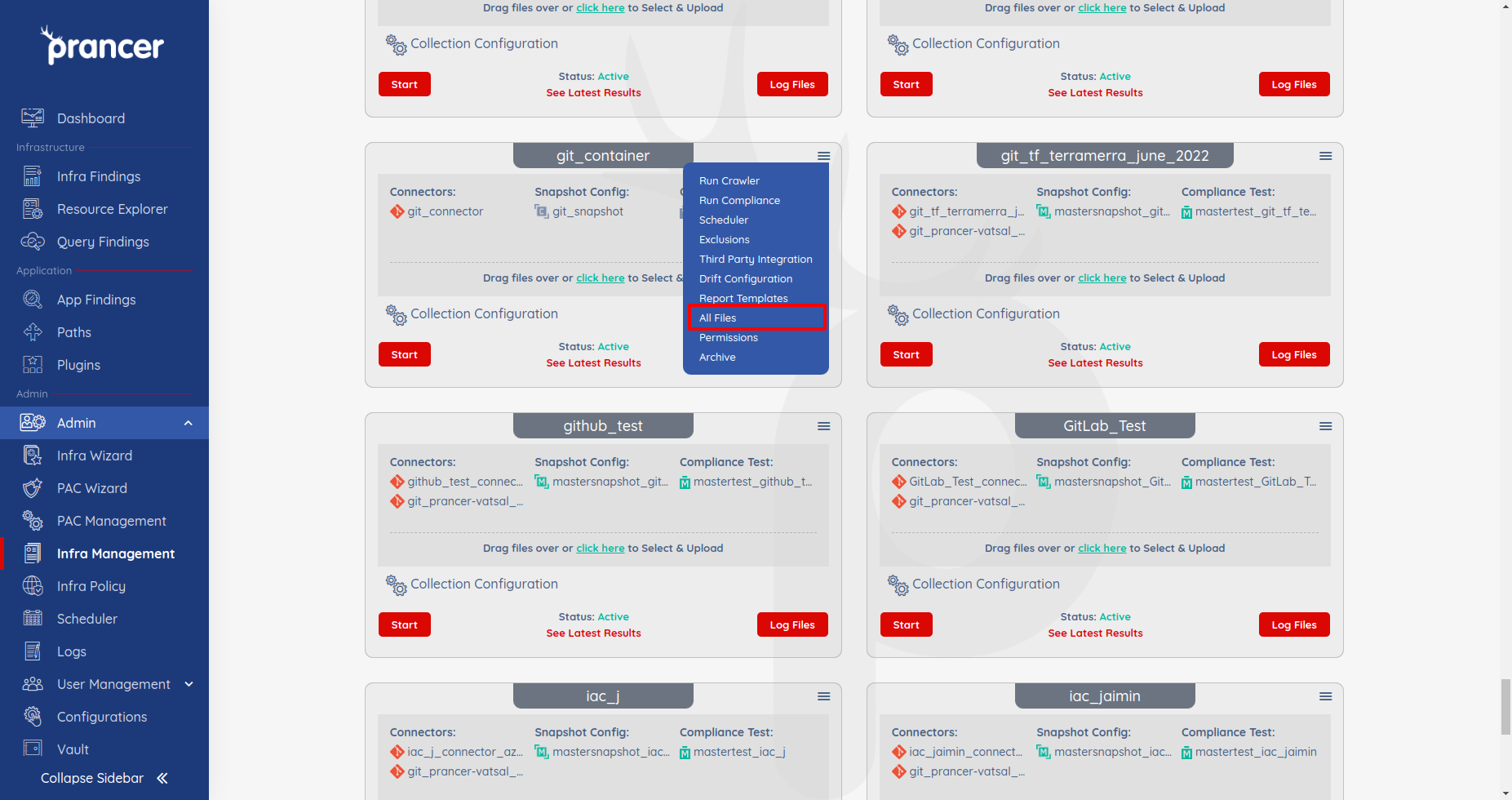
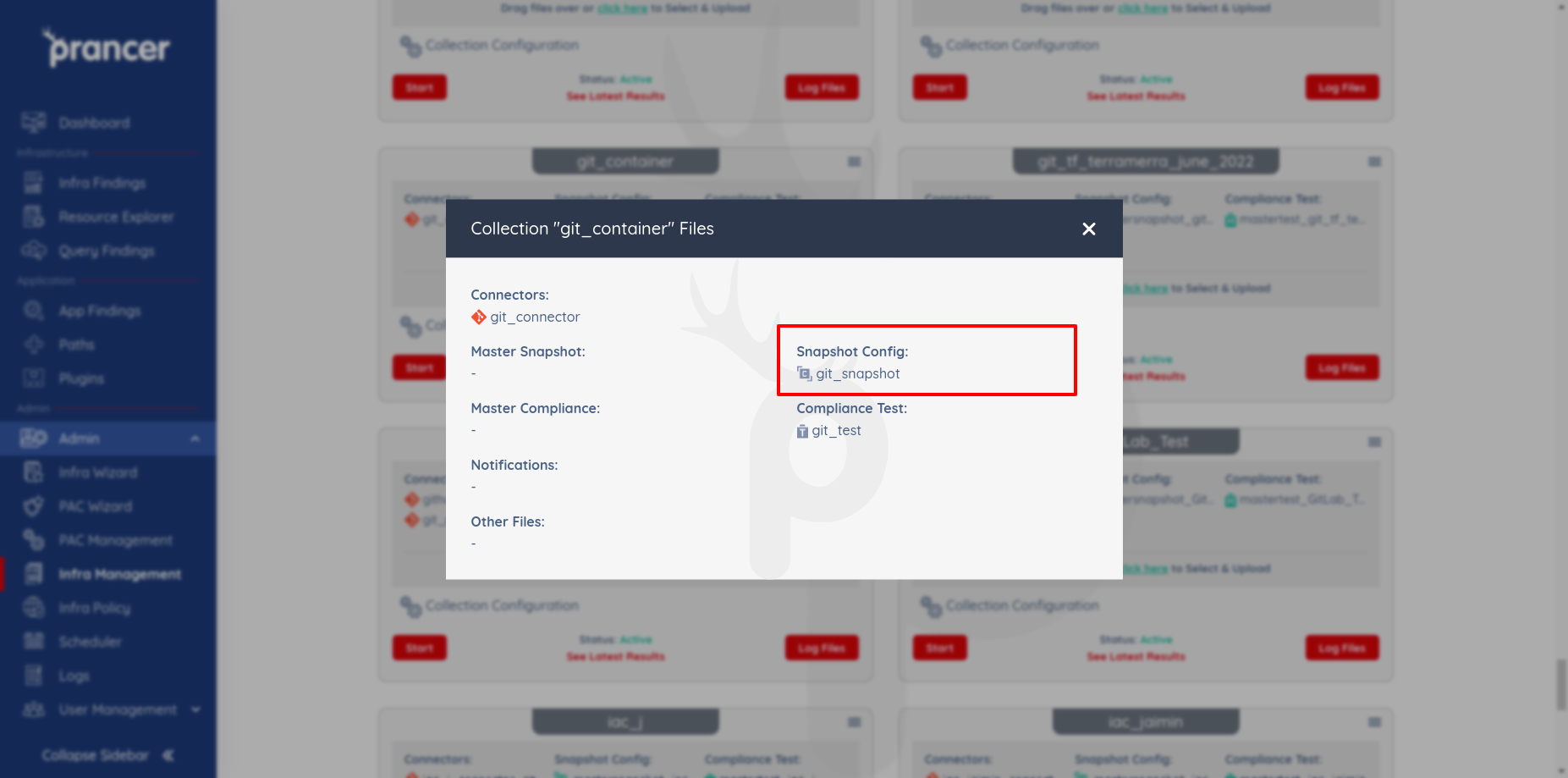
Open the collection drop-down → All Files. The Snapshot Config header lists every snapshot in the collection.
1. Upload a snapshot
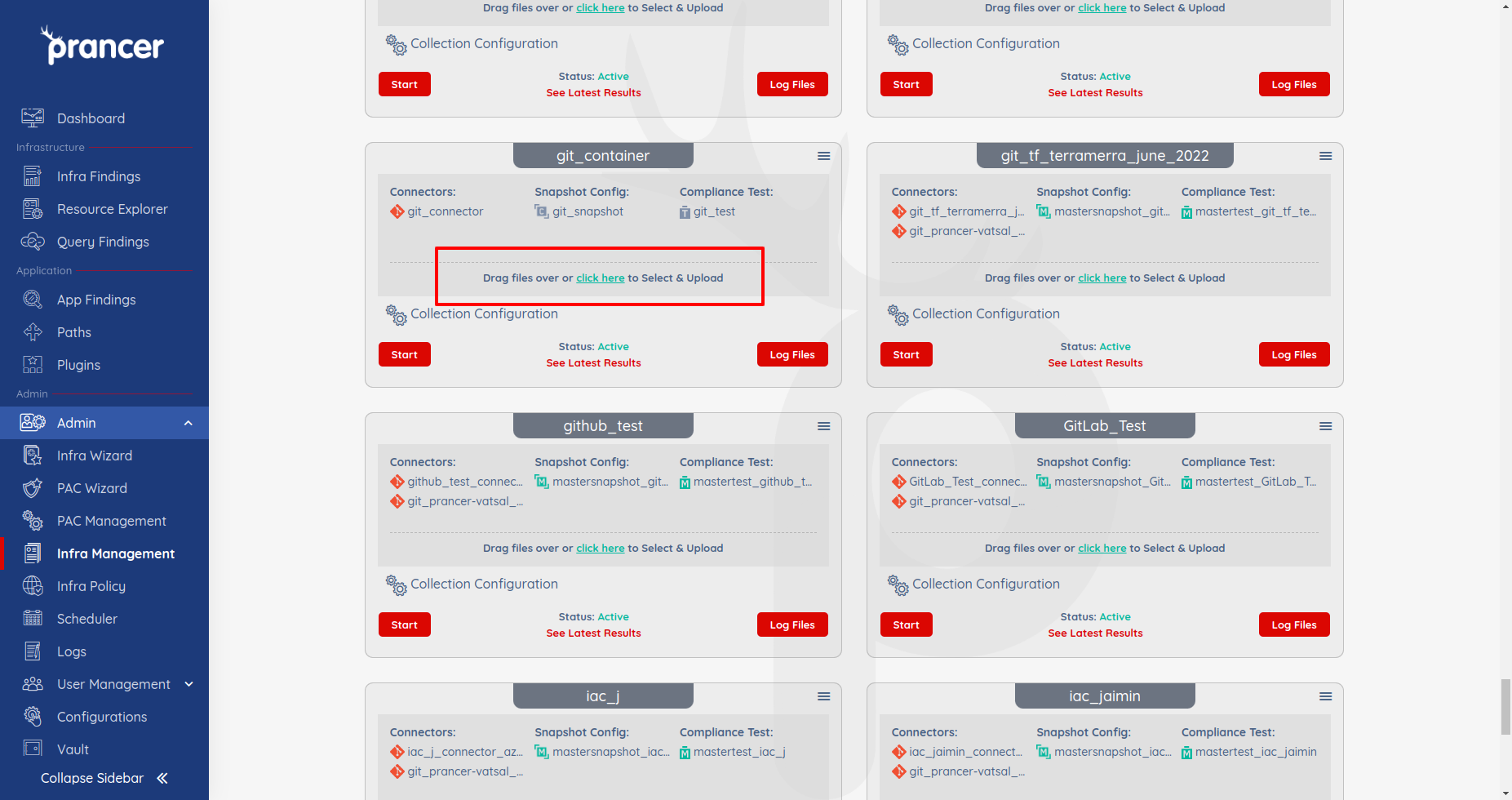
Drag-and-drop one or more JSON files onto Collection Management, or click Click here.
Warning: Same-name uploads overwrite the existing snapshot — keep a backup if you need to roll back.
2. Edit a snapshot
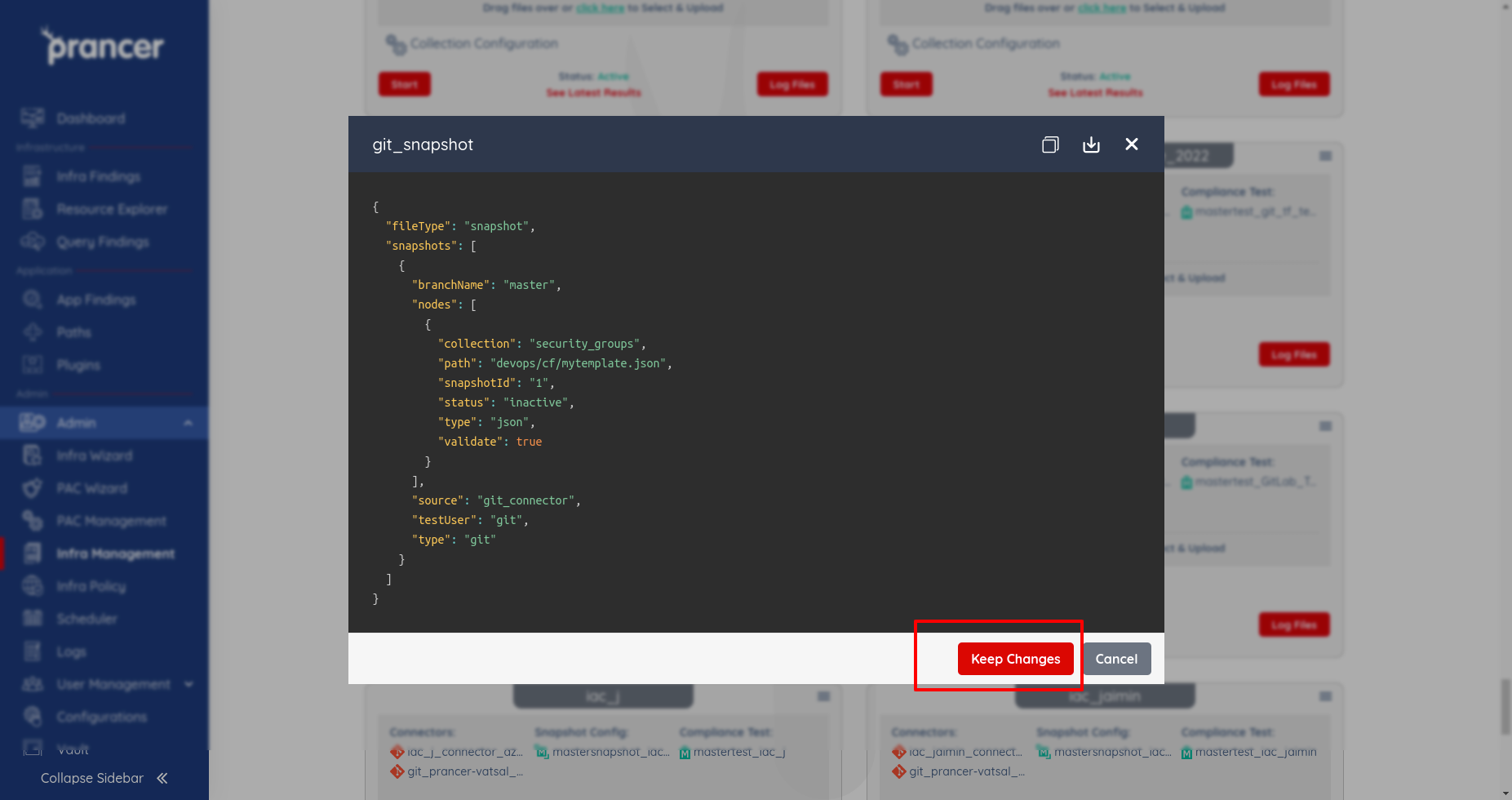
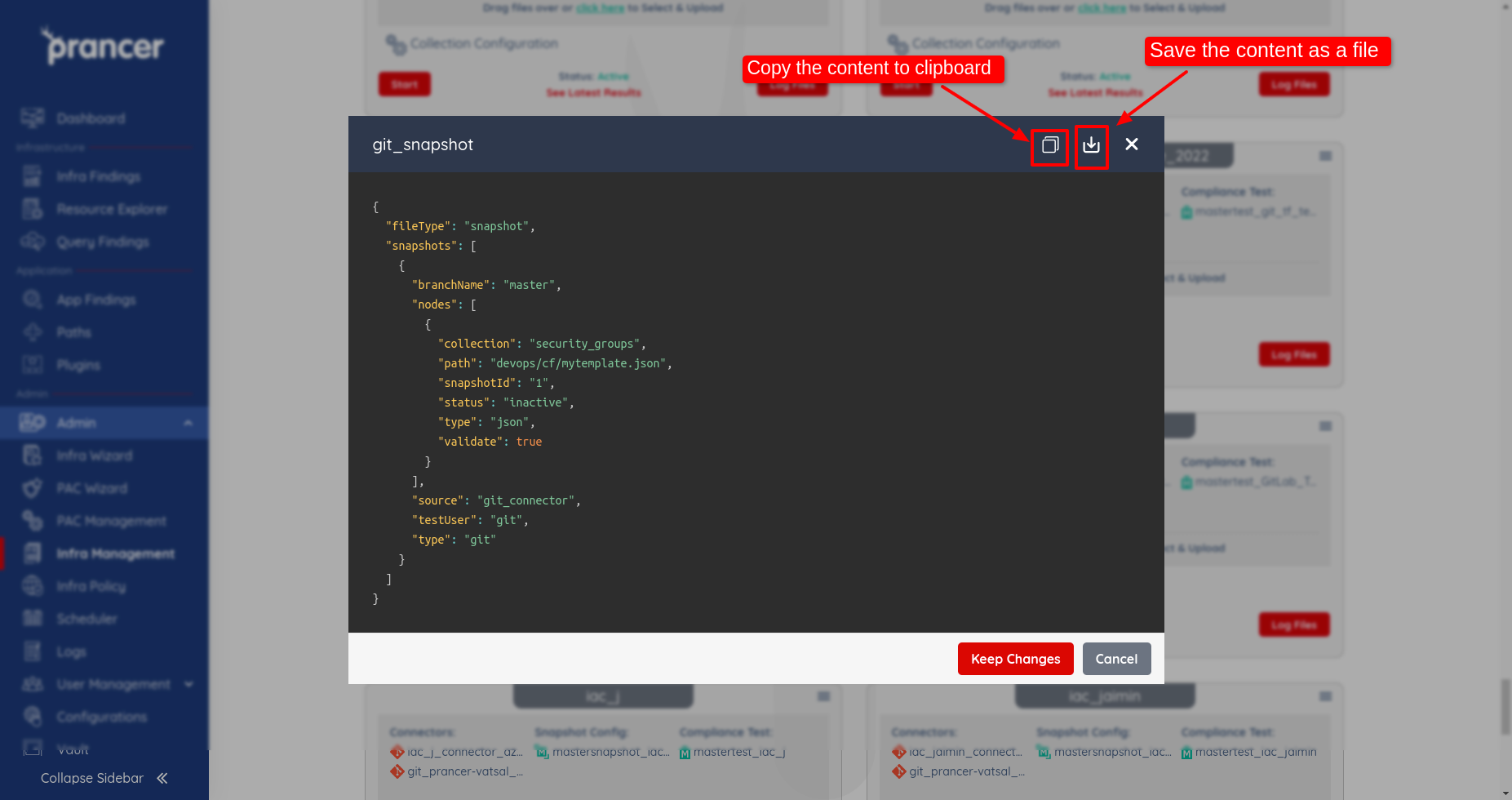
Click the file name, edit the JSON, and click Keep Changes.
3. Copy or download a snapshot
Use the Copy to clipboard or Download icons in the file dialog.
Next steps
- Master Snapshot — define resource types so snapshots auto-generate.
- Crawler — refresh the snapshot from the live cloud.
- Compliance Run — evaluate the snapshot.