Documentation / Policy and Compliance
Policy Management
Policy Management
The Policy page is where you search, inspect, and edit individual compliance policies — including the underlying Rego files that drive evaluation.
Before you start
- At least one collection with compliance files.
- (To edit Rego policies) familiarity with OPA Rego syntax.
1. Filter policies
Narrow the list by collection name, provider, compliance standard, and resource type. You can also filter by policy name within the results.
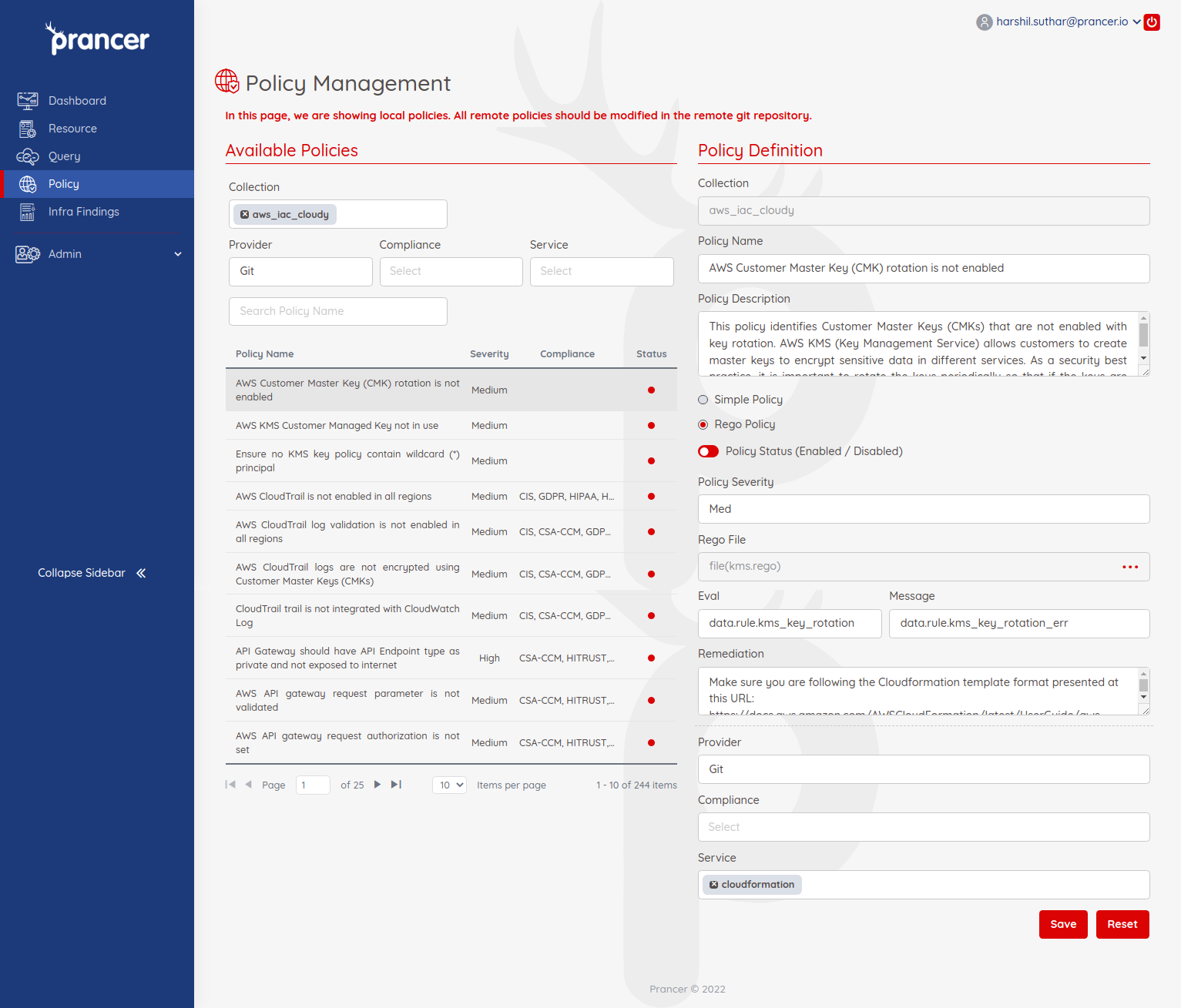
2. View and update a policy
Click any policy in the list to open its details. Edit the metadata or the embedded Rego, then click Save to persist your changes.
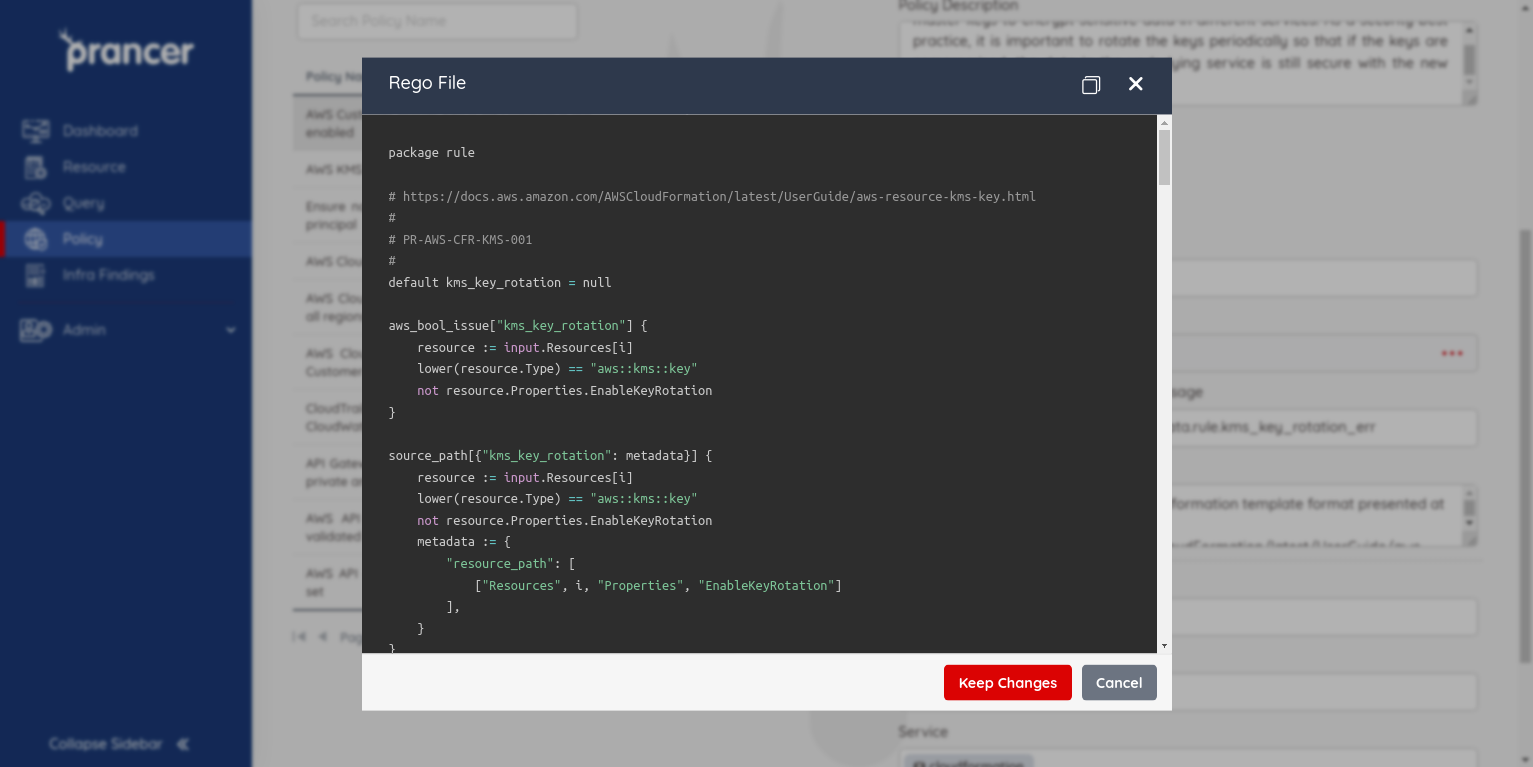
Warning: Edited policies take effect on the next Compliance Run. Test changes in a non-production collection first to avoid unexpected pass/fail flips.
Tip: When debugging Rego, use the OPA Playground to validate logic against sample input before saving.
Next steps
- Compliance — package policies into a compliance file.
- Master Compliance — apply policies to whole resource types.
- Compliance Run — see your changes in action.