Documentation / Home
Account Management
Account Management
Manage the billing side of your tenant: subscription plan, payment method, and invoices.
Before you start
- You're a tenant admin.
- *(For plan upgrades)* you have the credit card or PO information you'll be billed with.
Plan
See your current subscription and upgrade or downgrade from this section.
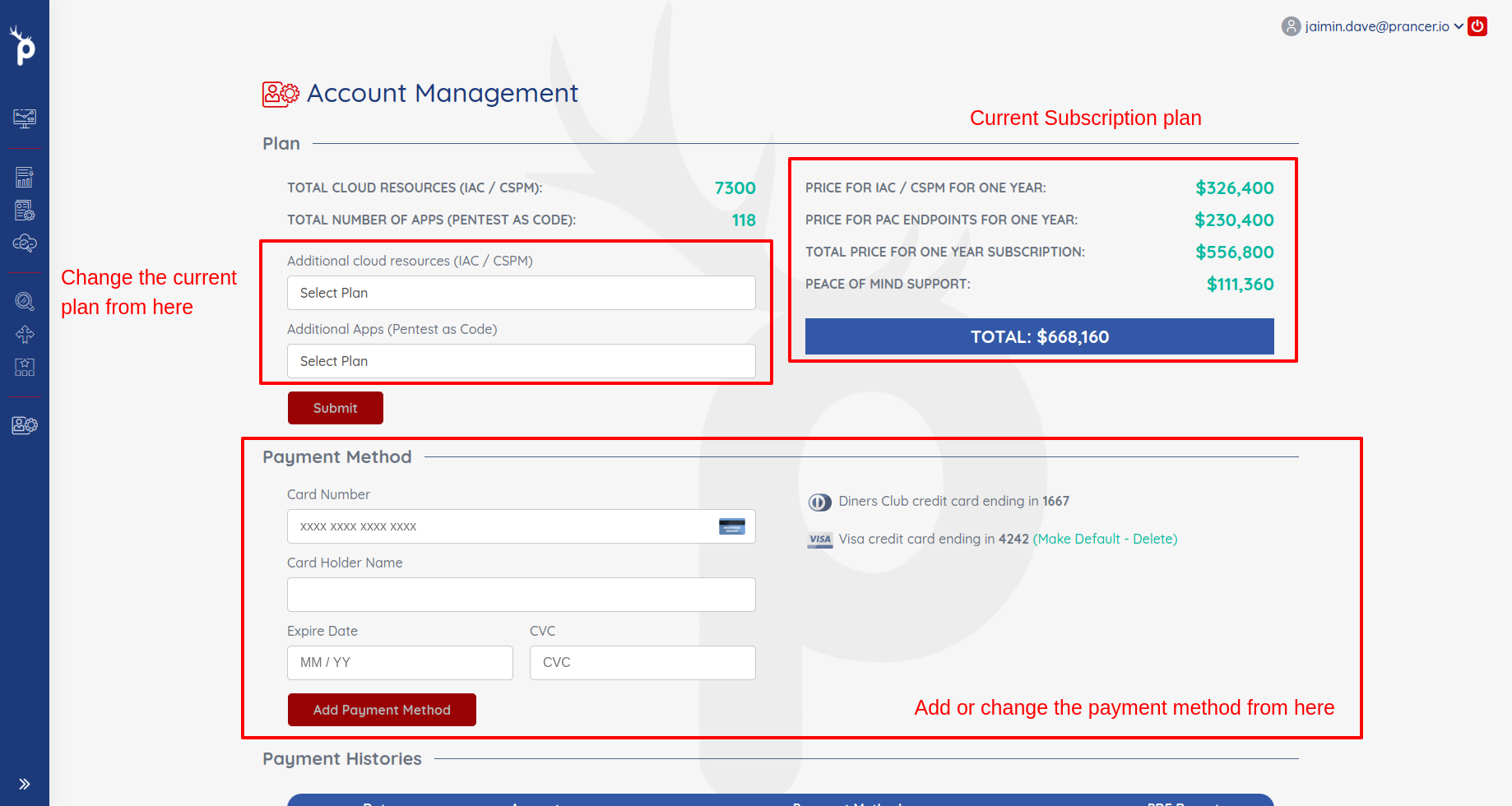
Note: plan changes take effect immediately. Downgrades don't refund the unused portion of the current cycle.
Payment method
Add or replace the credit card on file. Card details are stored by our PCI-compliant payment provider — Prancer never sees the full PAN.
Tip: if your team uses Azure billing, subscribe via the Azure Marketplace instead — billing rolls into your Azure invoice with no separate card.
Payment history
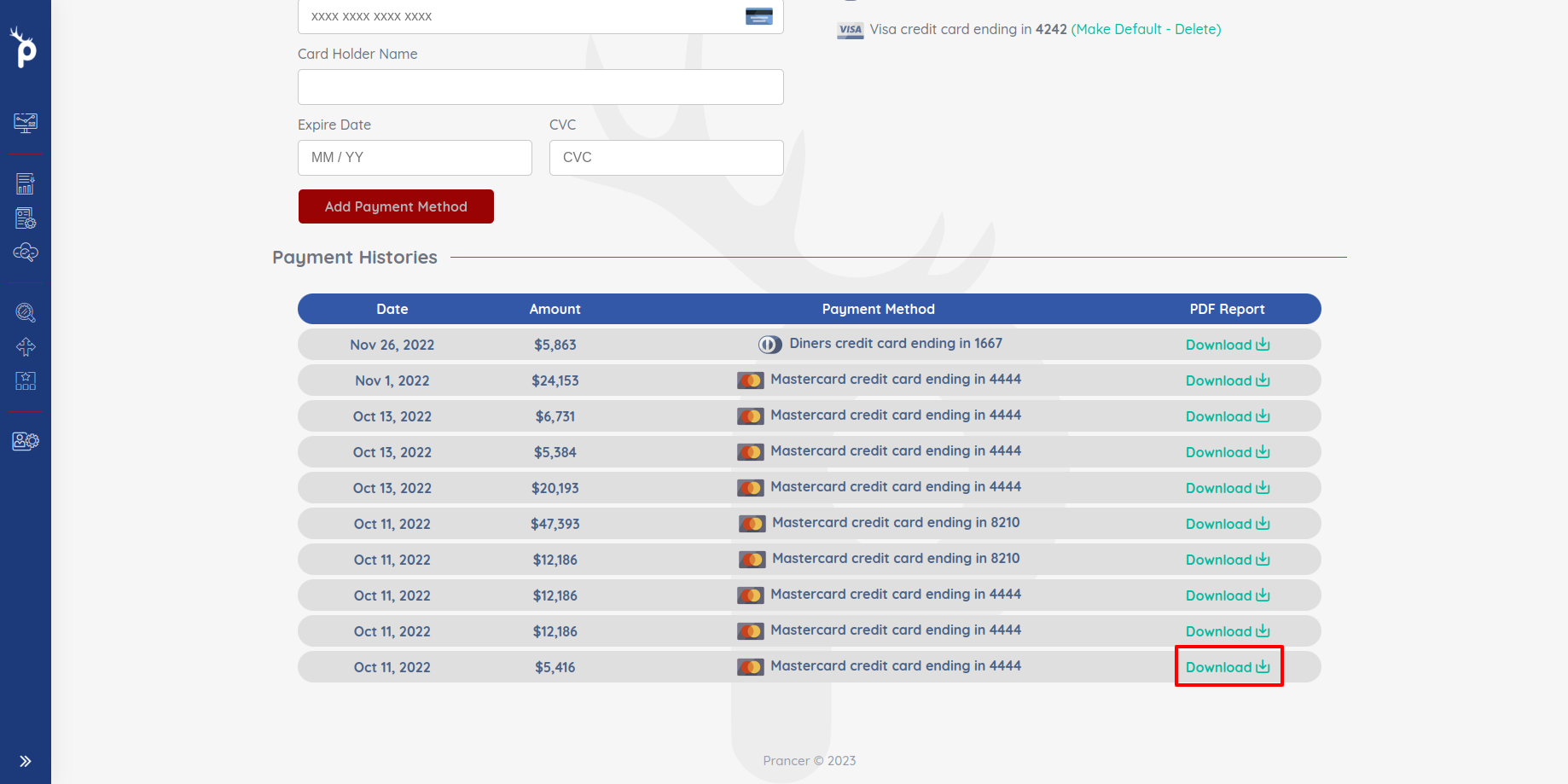
Click Download next to any invoice to grab a PDF copy for your records.
!Payment history with download buttons
Next steps
- Invite teammates in User Management.
- Need a different plan or PO terms? Contact [email protected].