Documentation / Reporting and Insights
Infrastructure Findings
Infrastructure Findings
The Infrastructure Findings report shows the Pass / Fail outcome of every compliance test run against your IaC and live cloud resources. Use it to investigate failed controls, slice results by cloud or compliance framework, and drill into individual snapshots.
Before you start
- Compliance has been executed at least once — see Run compliance.
- You have access to the collection that owns the connector, snapshot and compliance files.
Browse the report
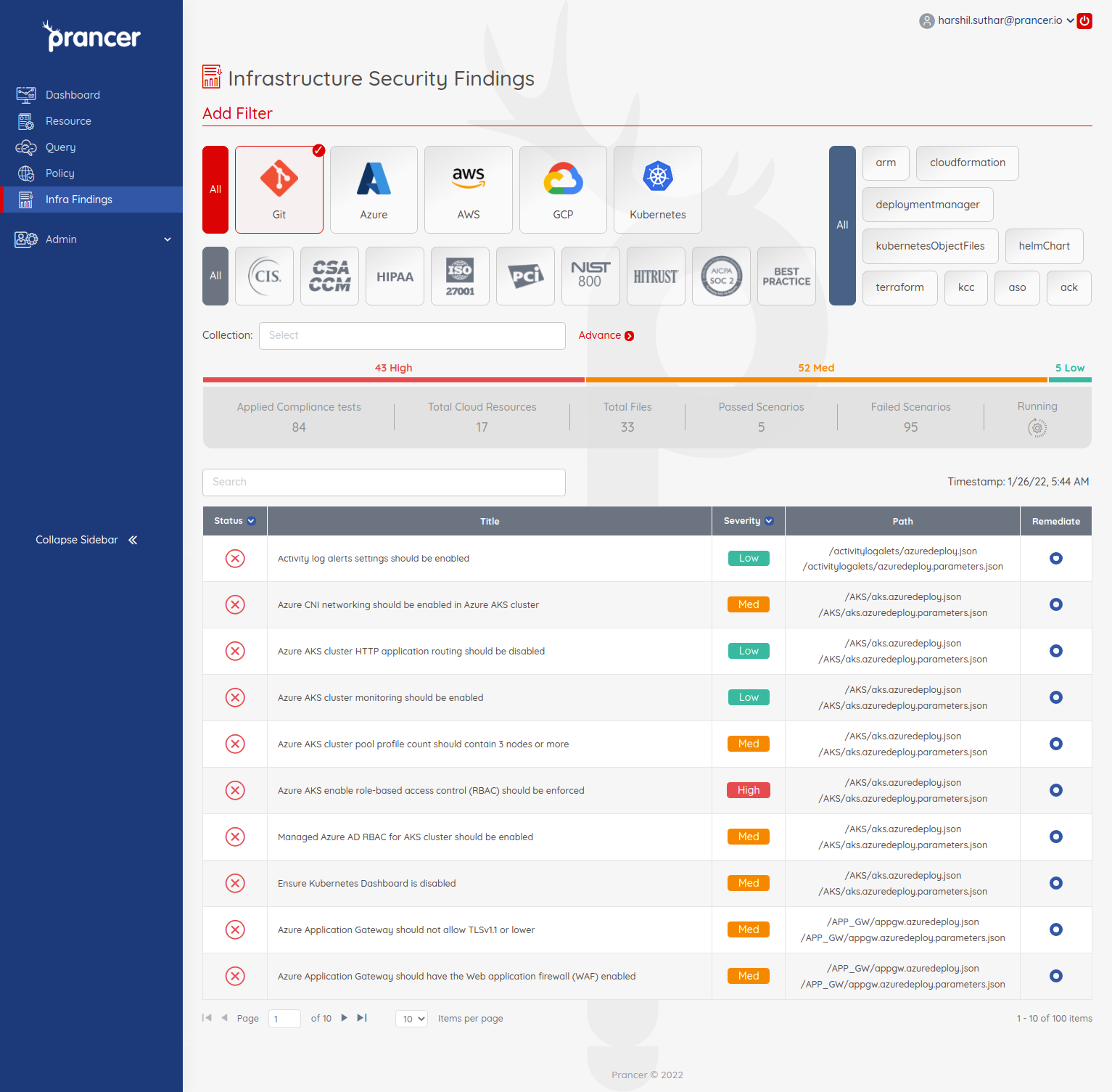
Open Reports → Cloud Infrastructure Findings. Each row is a single test case with its Pass / Fail status.
Inspect a finding
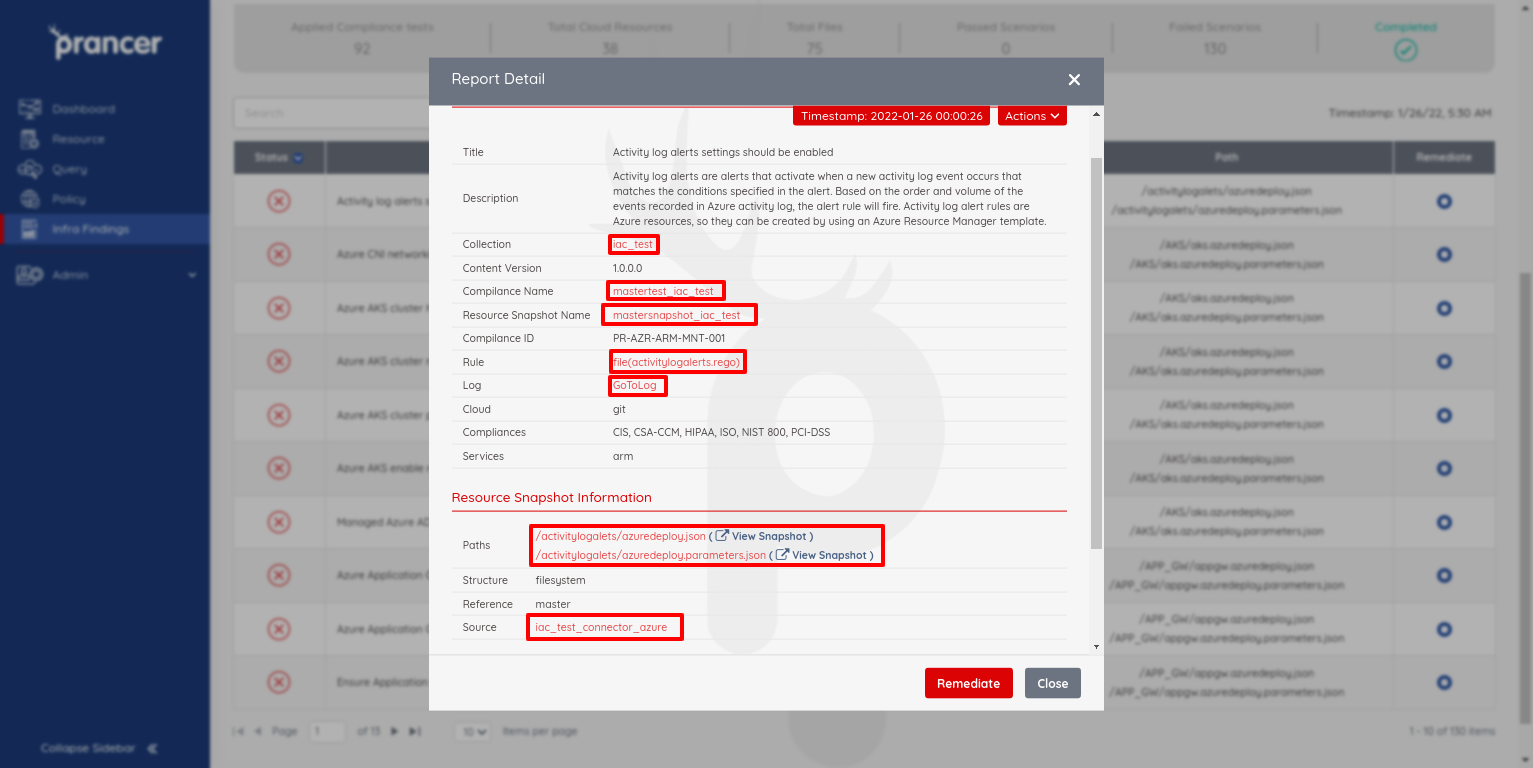
Click any row to open the detail view. It shows:
- The container, snapshot, compliance file and Rego rule the test came from.
- The connector responsible for fetching the resource.
- Pass / Fail status with the evaluated configuration.
Filter the report
Filters are combined with AND. Available filters:
- Cloud — AWS / Azure / GCP / Git.
- Compliance — CIS, PCI-DSS, NIST 800, etc.
- Service — e.g.
storage,compute,iam. - Date — single date or range.
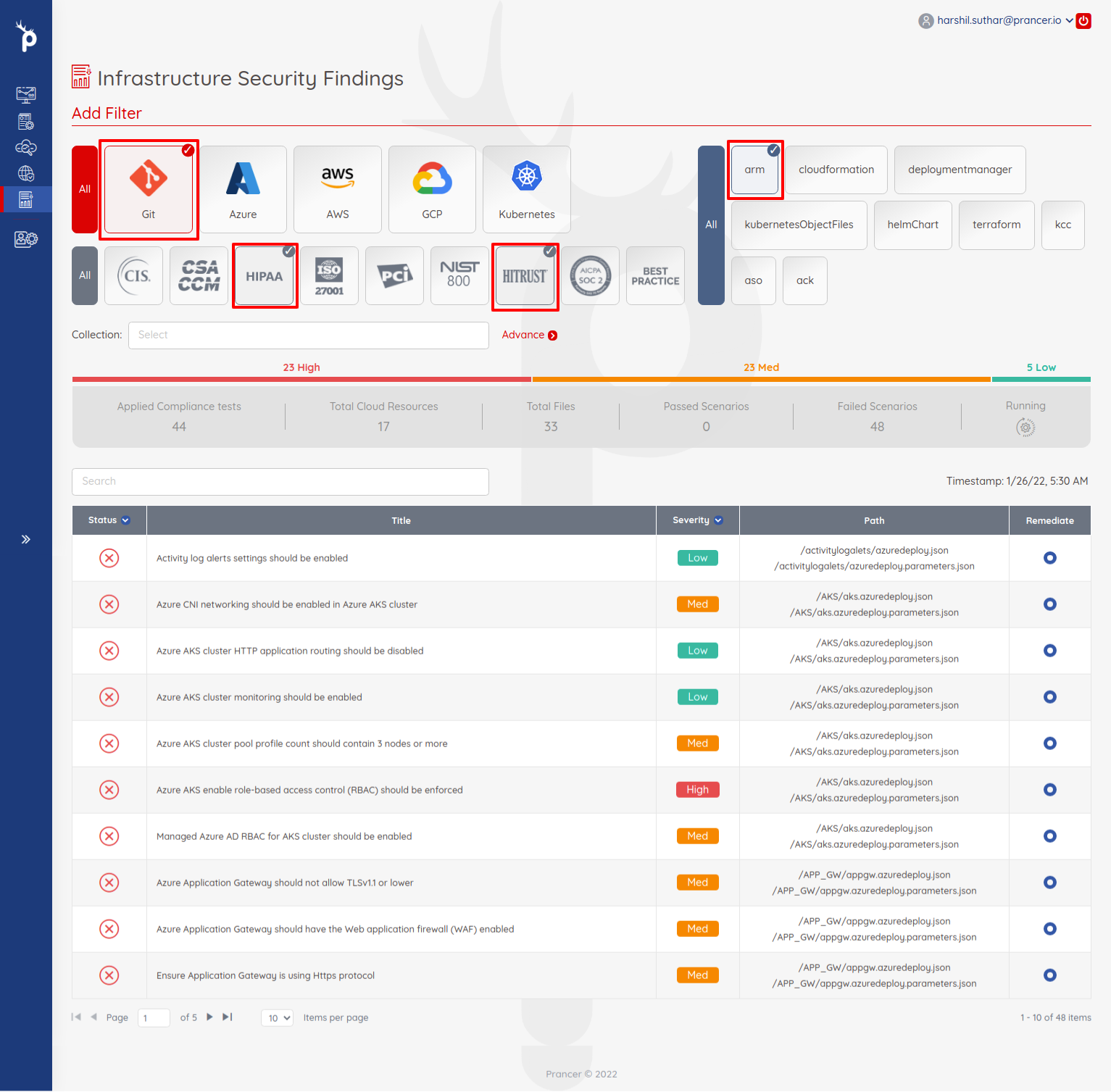
You can also filter by container and time to scope to a specific compliance run:

Filter by status
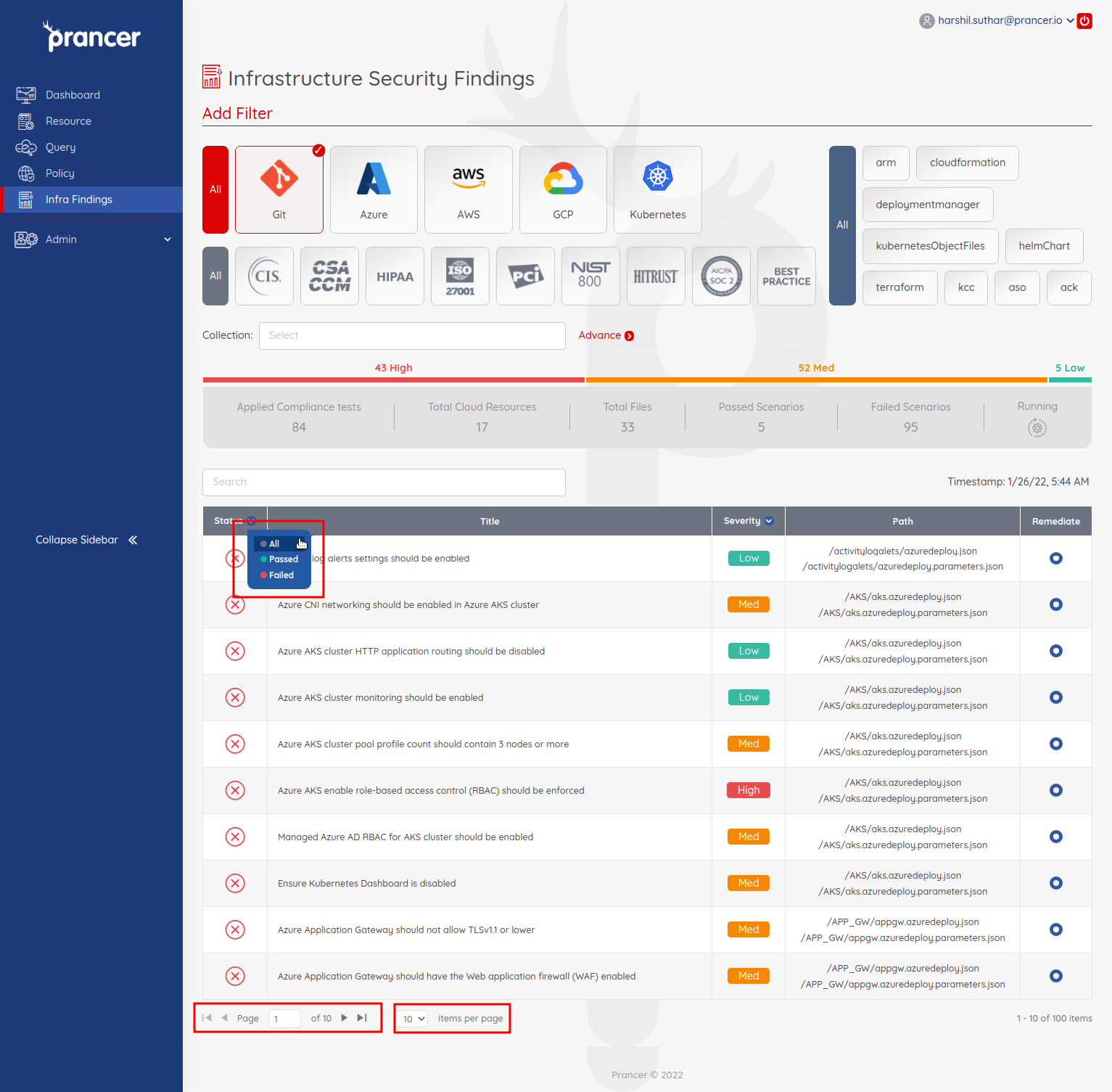
Use the status switcher to view only Passed, only Failed, or all results, and adjust the page size to inspect large result sets:
Tip: Bookmark a filtered view (the URL captures the filter state) so the same scoped report opens for stakeholders.